
This page is not an official page of the app or its developer, but an independent editorial publication created for informational and commentary purposes. Unless expressly stated otherwise, neither the app nor its developer is affiliated with, endorsed by, sponsored by, authorized by, or otherwise officially connected with MWM, Apple, Google Play, the app publisher, or the app's developer, and nothing on this page implies that the app was developed using MWM's services. Any trademarks, logos, screenshots, and other content remain the property of their respective owners.

PDF Converter: JPG to PDF
Effortlessly convert, secure, and compress your files on the go. From images to office docs, take full control of your mobile workflow with the ultimate productivity tool for iPhone and iPad.
Downloads
3K+User Rating
Total Ratings
0Publisher
Category
BusinessLocales
1Latest Version
1.0.18Size
6.5 MBFirst Released
Oct 31, 2023Your All-in-One Professional PDF Toolkit
Streamline your mobile workflow with powerful tools to convert, protect, and manage documents effortlessly on your iPhone or iPad.
Convert Any File in Seconds
Transform images, Word docs, and Excel sheets into high-quality PDFs, or extract content back to editable formats instantly.
Protect and Secure Your Work
Add custom watermarks to your drafts and set passwords to keep sensitive business data and intellectual property safe.
Frequently Asked Questions
Everything you need to know about PDF Converter: JPG to PDF
What is PDF Converter: JPG to PDF?
PDF Converter: JPG to PDF is an all-in-one utility that converts documents and images to and from PDF. It also offers tools to customize, compress, watermark, and unlock PDFs.
Which file types can PDF Converter: JPG to PDF convert into PDF?
PDF Converter: JPG to PDF can convert images (JPG, PNG, SVG, TIFF, BMP, GIF), documents (DOCX, PPTX, XLSX, DOC, PPT, XLS), and HTML files into PDF format.
What formats can PDF Converter: JPG to PDF convert from PDF?
PDF Converter: JPG to PDF converts PDFs into JPG, PNG, SVG, TXT, ZIP, DOCX, PPTX, XLSX, HTML, TIFF, EXCEL, PPT, CSV, and GIF formats.
Does PDF Converter: JPG to PDF offer PDF editing tools?
Yes, PDF Converter: JPG to PDF includes tools to enhance PDFs. Users can compress large files, add watermarks to protect content, and unlock secured PDF documents.
Does PDF Converter: JPG to PDF save a history of converted files?
Yes, PDF Converter: JPG to PDF features a history function. It tracks all converted files, allowing users to easily access their previous work directly within the app.
Can users share files converted with PDF Converter: JPG to PDF?
Yes, users can easily share their converted PDF files directly from PDF Converter: JPG to PDF. The app also allows storing files on the device.
Is PDF Converter: JPG to PDF user-friendly?
Yes, PDF Converter: JPG to PDF features an intuitive and user-friendly interface. This makes the conversion process straightforward and accessible for all users.
Does PDF Converter: JPG to PDF support dark mode?
Yes, PDF Converter: JPG to PDF supports both dark and light modes. Users can choose their preferred visual theme for the application interface.
Where can I find the privacy policy for PDF Converter: JPG to PDF?
The privacy policy for PDF Converter: JPG to PDF is available at https://pdfconverter.ardasen.com/privacy.html. This provides details on data handling.
What are the terms of service for PDF Converter: JPG to PDF?
The terms of service for PDF Converter: JPG to PDF are published at https://pdfconverter.ardasen.com/terms.html. Users can review these terms for app usage conditions.
The following screenshots and description are sourced directly from the app's official store listing and are the property of the app developer.
App Store
Screenshots
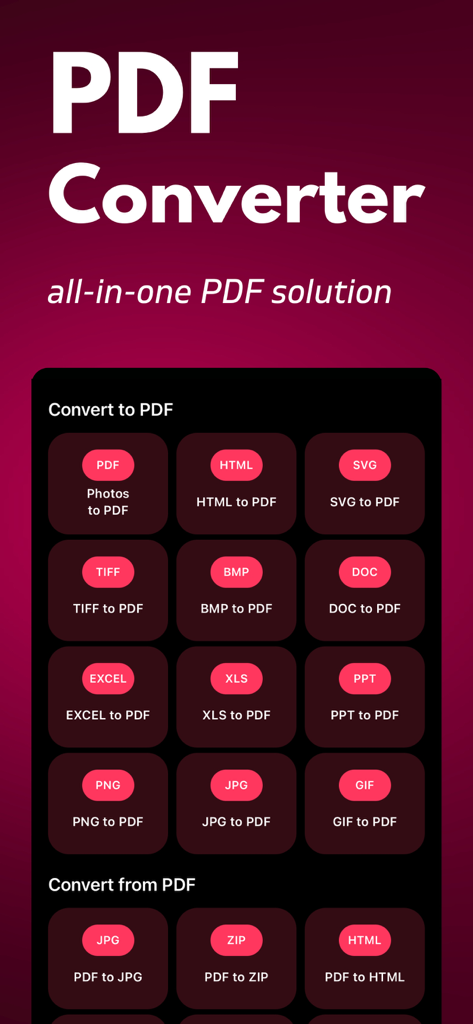
Interface showing options to convert between PDF and various file formats like JPG and Word
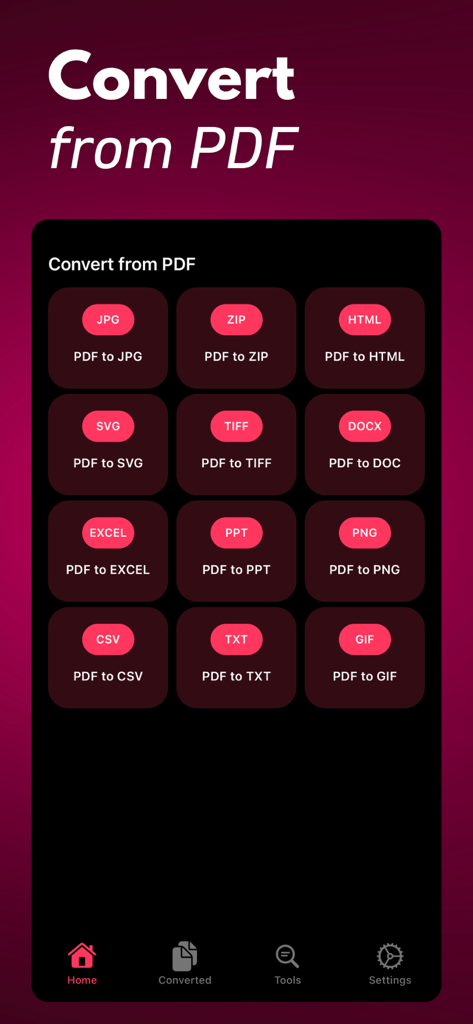
Mobile app interface displaying options to convert PDF files into various formats like JPG Word and Excel
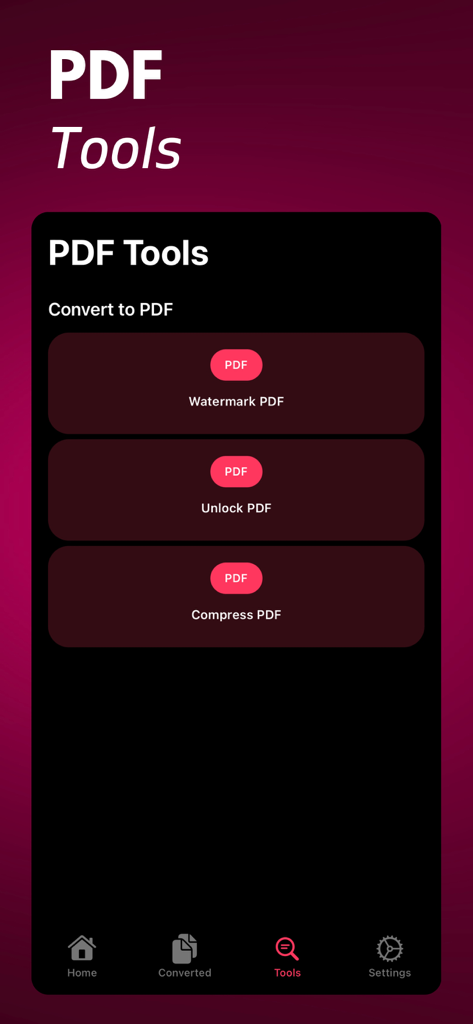
PDF Converter app interface showing options to watermark unlock and compress PDF documents
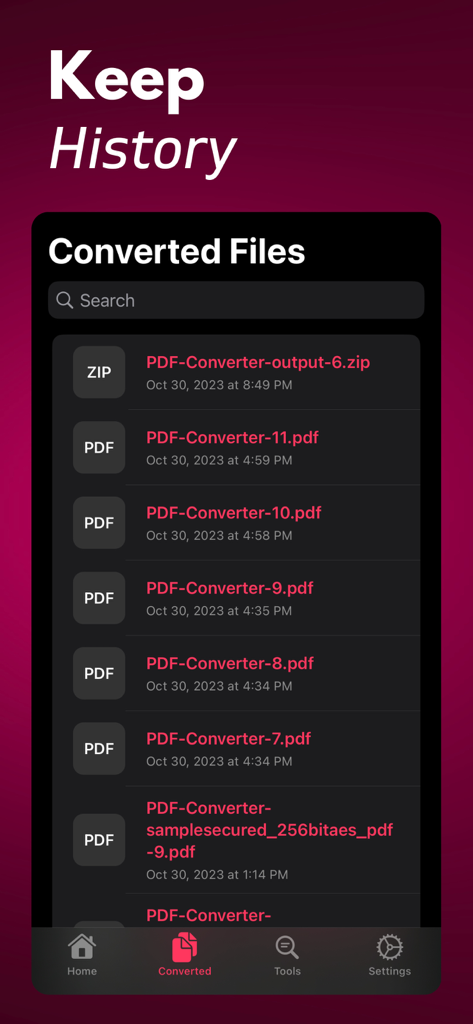
Interface showing a chronological list of converted PDF and ZIP files with search functionality.
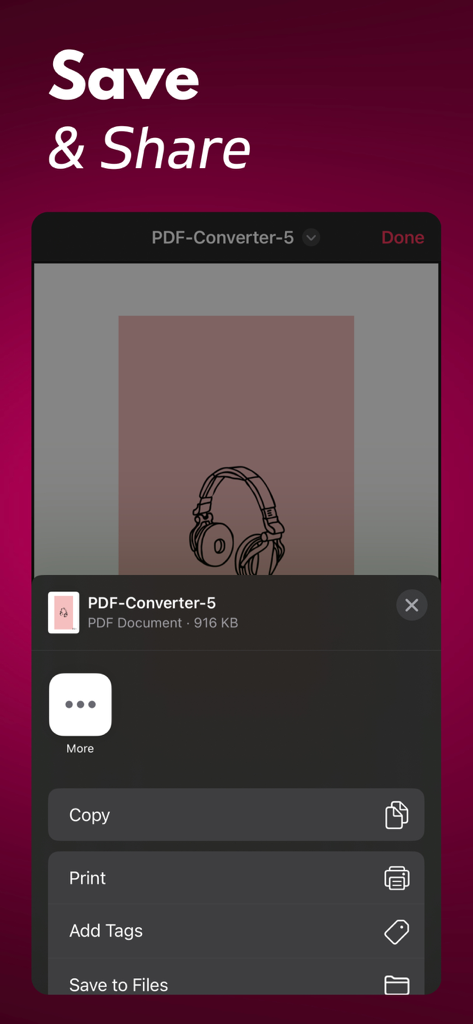
iOS share menu in the PDF Converter app showing options to copy print add tags and save documents to files
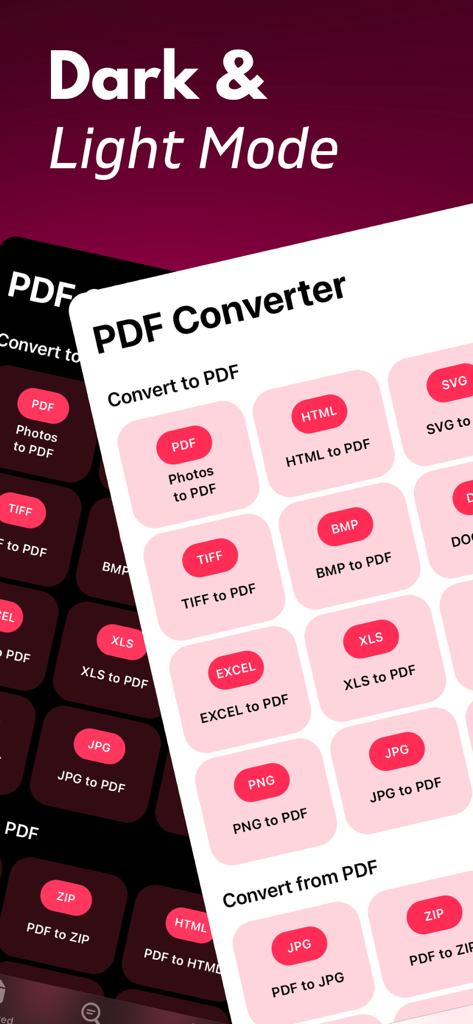
PDF Converter app interface showing dark and light modes with various file conversion options
Description
Download
More Like This
Top-ranked apps in the same category

Microsoft Teams
Microsoft Corporation

Zoom Workplace
Zoom Communications, Inc.

WhatsApp Business
WhatsApp Inc.

Indeed Job Search
Indeed Inc.

LinkedIn: Network & Job Finder
LinkedIn Corporation

Adobe Acrobat Reader: Sign PDF
Adobe Inc.

DingDing - Redefine Work in AI
DingTalk Technology Co., Ltd.

WeCom-Work Communication&Tools
Tencent Technology (Shenzhen) Company Limited

BOSS直聘-招聘求职找工作神器
Beijing China Product Bo Farce Network Technology Co., Ltd.
This page is not an official page of the app or its developer, but an independent editorial publication created for informational and commentary purposes. Unless expressly stated otherwise, neither the app nor its developer is affiliated with, endorsed by, sponsored by, authorized by, or otherwise officially connected with MWM, Apple, Google Play, the app publisher, or the app's developer, and nothing on this page implies that the app was developed using MWM's services. Any trademarks, logos, screenshots, and other content remain the property of their respective owners.