PDF Note Pro - Note Taker

PDF Note Pro - Note Taker

Download on App Store
Logo of PDF Note Pro - Note Taker

PDF Note Pro: Seamless Native PDF Note-Taking for the Apple Ecosystem

Annotate documents, record synchronized audio, and sketch with professional vector tools. Experience instant iCloud sync and Handoff across your iPhone, iPad, and Mac without ever needing to export a file again.

Download on App Store

Publisher

Mach Software Design

Category

Education

Downloads

0

User Rating

1.0/5

Total Ratings

0

Locales

1

Experience the Flow

Discover the interface used by 0 users.
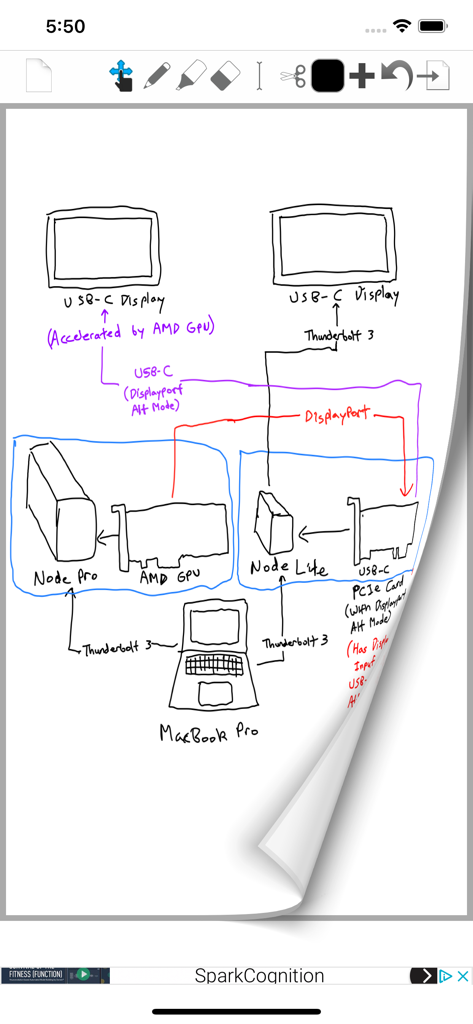
A hand-drawn technical diagram of a computer hardware setup created in the PDF Note Pro app

A hand-drawn technical diagram of a computer hardware setup created in the PDF Note Pro app

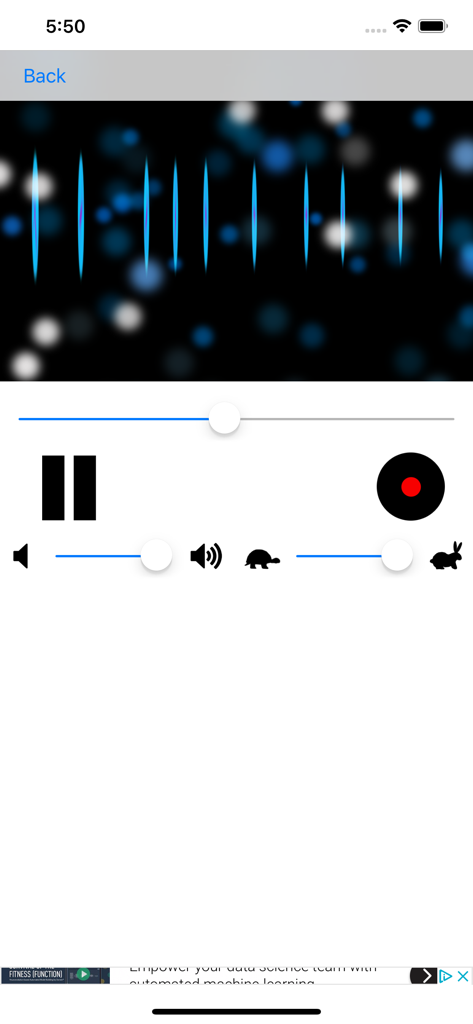
Audio recording interface in PDF Note Pro with 3D visualizer and playback controls

Audio recording interface in PDF Note Pro with 3D visualizer and playback controls

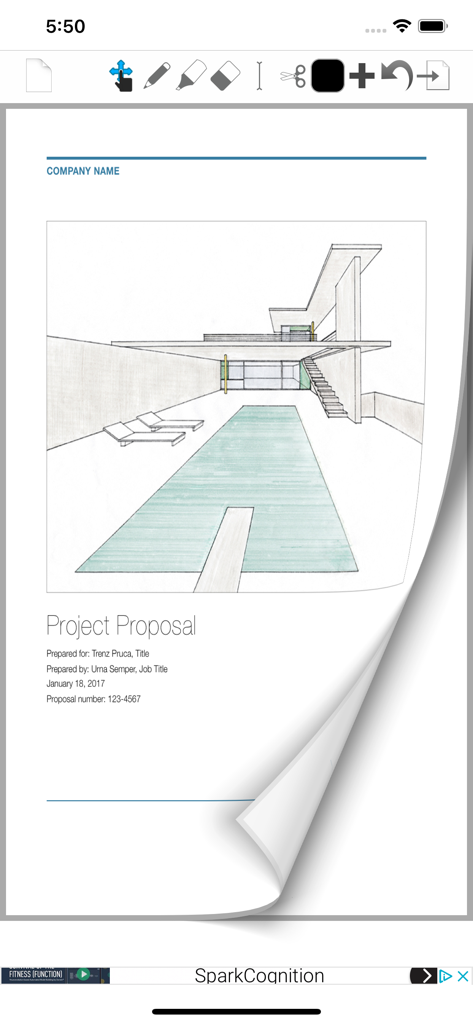
PDF Note Pro app interface showing a project proposal with an architectural sketch and a page turn animation effect.

PDF Note Pro app interface showing a project proposal with an architectural sketch and a page turn animation effect.

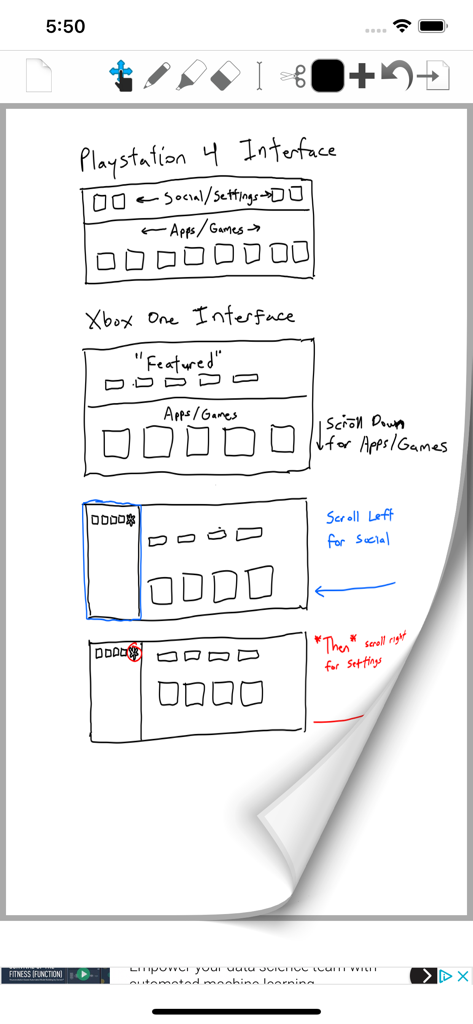
A hand drawn UI design sketch on a digital notepad in the PDF Note Pro app

A hand drawn UI design sketch on a digital notepad in the PDF Note Pro app

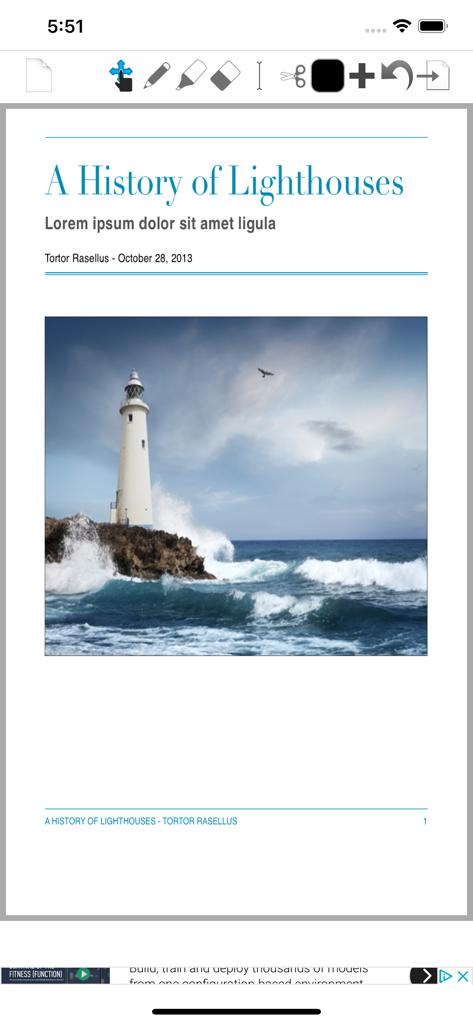
Interface of the PDF Note Pro app showing a document titled A History of Lighthouses with annotation tools.

Interface of the PDF Note Pro app showing a document titled A History of Lighthouses with annotation tools.

Elevate Your Productivity with Professional PDF Note-Taking

The tools that make this app stand out, trusted by 0 users.

🔄

Seamless iCloud Continuity

Work across iPhone, iPad, and Mac with instant iCloud Handoff. Your notes are always synced and ready whenever inspiration strikes.

📄

Native PDF Compatibility

Forget tedious manual exports. Your notes are saved in native PDF format for instant sharing and viewing on any platform, web, or printer.

🎙️

Integrated Audio Recording

Capture crystal-clear M4A audio while you take notes. Perfect for syncing lecture recordings or meeting minutes with your handwritten annotations.

About the app

Everything you need to know about PDF Note Pro - Note Taker.

Description

PDF Note Pro is the most innovative, flexible, compatible, and powerful Note-Taking application! PDF Note Pro features Freehand Notes in a Native PDF format, and Audio recording in a Native M4A format. Using the PDF format, Freehand Notes are synced across all your devices (via iCloud) so you always have the latest version of your Notes with you -- regardless of device. And since PDF Note Pro uses the PDF format, you can annotate PDFs with powerful Note-taking tools *and* your Notes are ready for Mobile, Desktop, Web, and Print right from the get go: No more manually exporting notes and uploading files - PDF Note Pro handles everything for you! And best of all, PDF Note Pro is free for iOS and only $9.99 (U.S.) for OS X! With iCloud Drive, you can take Notes on the go and have your Notes ready at your Mac or Windows PC already downloaded when you get home* And If that wasn't enough, PDFs can be transferred instantly from one device to another with iCloud HandOff so you can start working on one device, and continue on another (iPhone, iPad, and Mac)** iOS Specific Features: - Innovative Graphical File Manager with Natural Touch Gestures: Single Tap to Select a File, Double-Tap to Open a File, Two Finger "Pinch" to Zoom the File Manager, and Tap and Hold to Drag Files onto Folders - Photorealistic page swipe animations (swipe the vertical edge of a PDF page horizontally to go to the previous or next page) - Draw using Palm Rest or Magnifier Window with "Smart Shift" technology Innovative Features on both iOS and OS X: - Freehand draw on Notes using native PDF format with “Vector" note taking tools such as Pencil, Eraser, and Highlighter; keeping PDF file sizes small - Record Audio in M4A format with stunning 3D Visualizor; M4A Audio files are synced to all your devices - iCloud support keeps your documents in Sync across iPhone, iPad, and Mac; and with iCloud Drive, Windows PCs and well* - iCloud HandOff lets you start work on one device and continue on another (iPhone, iPad, and Mac)** - Text Tool lets your Touch/Click to Type anywhere (iPad/Mac) - Cut Tool Makes it easy to reposition PDF content - Add Images, Text, and Web Pages to a PDF instantly (iPad/Mac) - Full Speech-To-Text Dictation support anywhere you can Type (Press Dictation key on keyboard on iOS, press “Fn” key twice on OS X) - iCloud is completely optional — PDF Note Pro works just as well offline as online! * iCloud Drive Support for Windows requires iCloud Drive install, iCloud Drive for Mac requires OS X 10.10 or later; iCloud Drive supports PDF/M4A **iCloud HandOff requires both Bluetooth 4.0/LE and WiFi on and enabled; iCloud HandOff works with PDF only ***Large PDF Documents in the Cloud (such as large eBooks) is not recommended*** ***If you have any issues please restart your device!***

Latest Version

1.7.4

Size

17.7 MB

First Released

May 5, 2015

Elevate Your Note-Taking Today

Join thousands of students and professionals who have ditched the paper clutter. Download PDF Note Pro for free on iOS and experience seamless, native PDF syncing across all your Apple devices.

Download on App Store

App information, icons, screenshots, and descriptions displayed on this page are sourced from the Apple App Store and are the property of their respective developers. Download estimates and rankings are based on MWM's proprietary models and may not reflect actual figures. This page is provided for informational and analytical purposes only.

Believe this page infringes your intellectual property? File a dispute