Photo Retouch-Object Removal: Erase Distractions and Perfect Your Digital Aesthetic
Join 34M+ users transforming their photos with AI. Effortlessly remove unwanted people, retouch skin and body to perfection, and expand your backgrounds for the ultimate post-worthy shot.
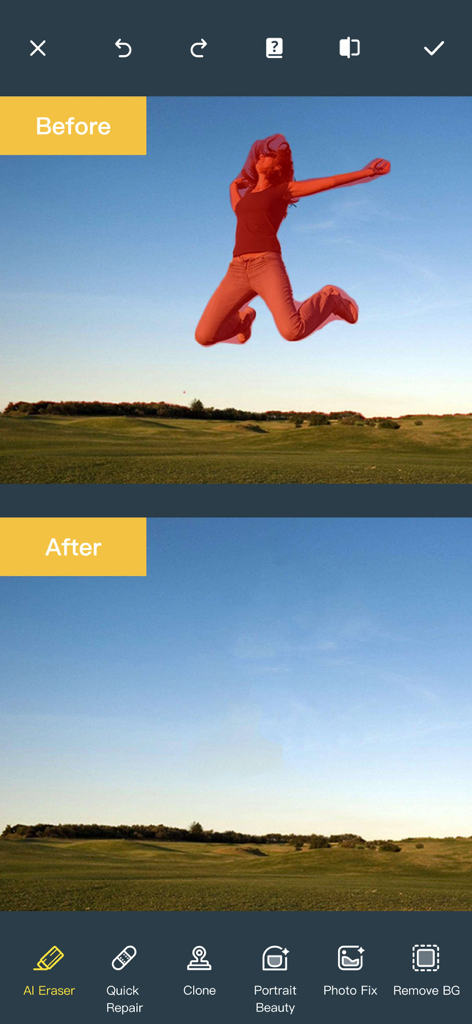
Before and after comparison showing a person removed from a landscape photo using AI eraser
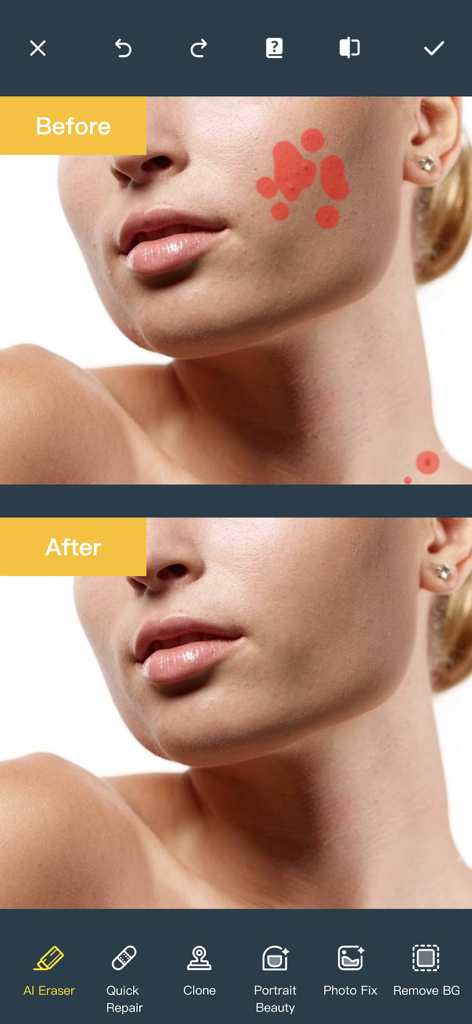
Before and after comparison of facial blemish removal using an AI photo editing app
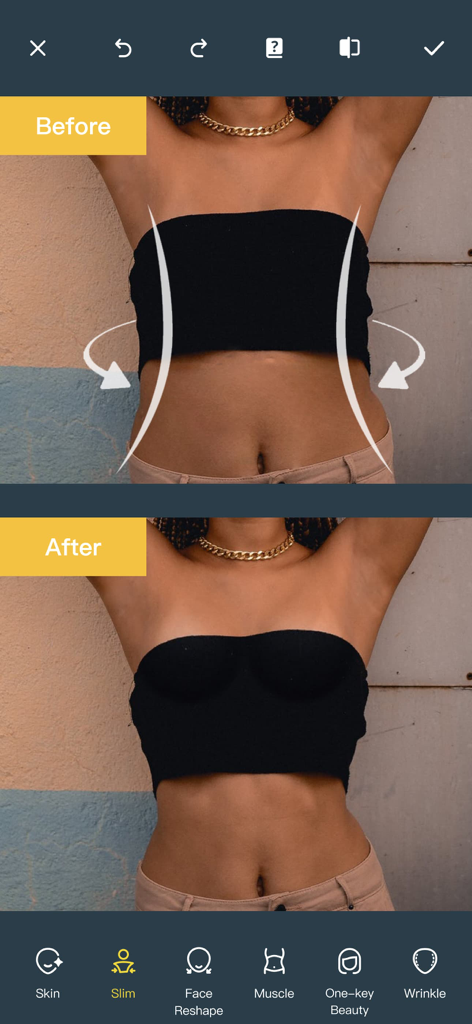
Before and after comparison of a waist slimming photo edit
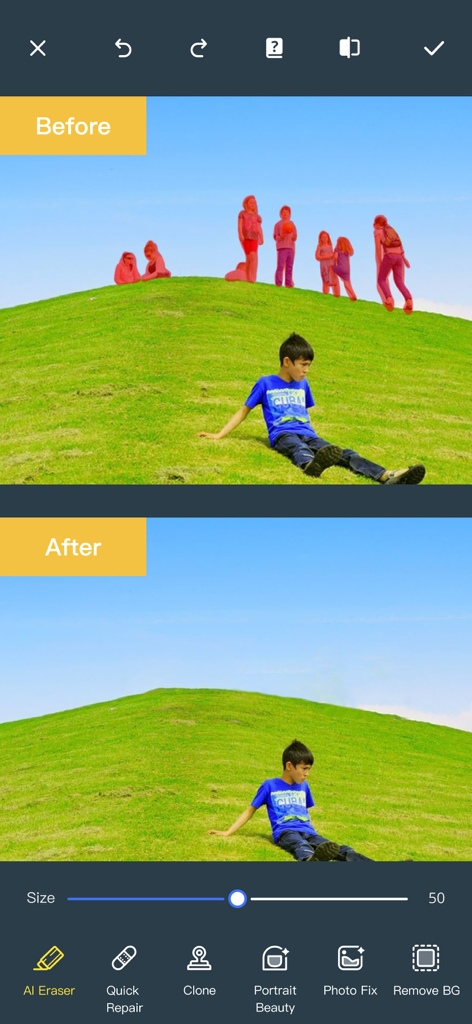
Before and after comparison showing the removal of unwanted people from a photo using AI Eraser tool
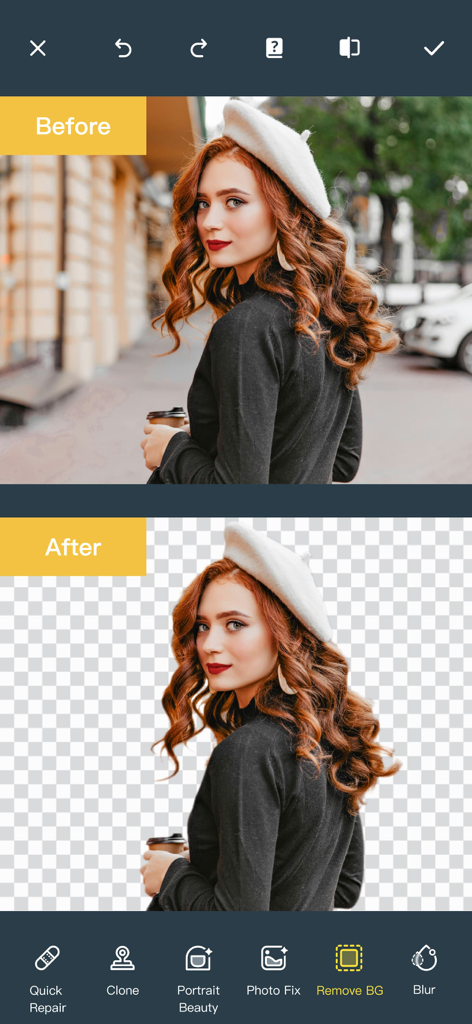
Before and after comparison of a portrait photo with the background removed using the AI tool
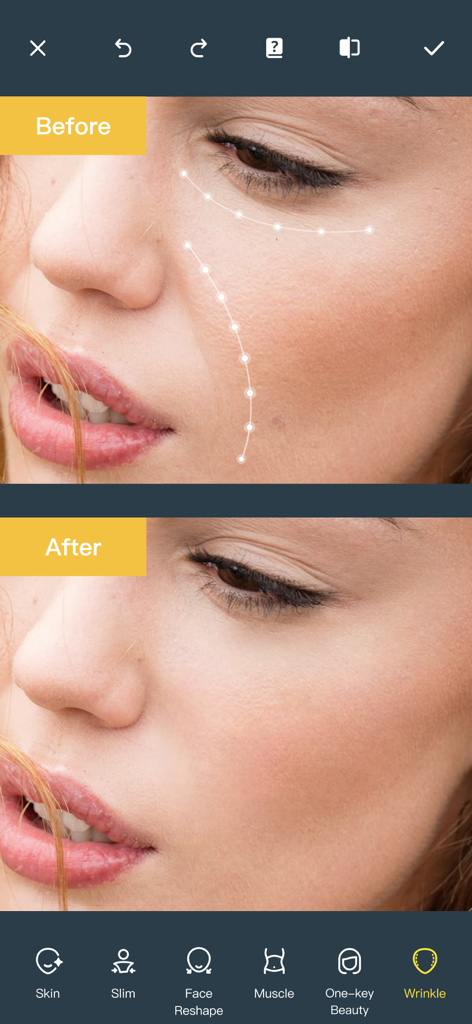
Before and after comparison of a woman's face using the wrinkle removal tool in the Photo Retouch app
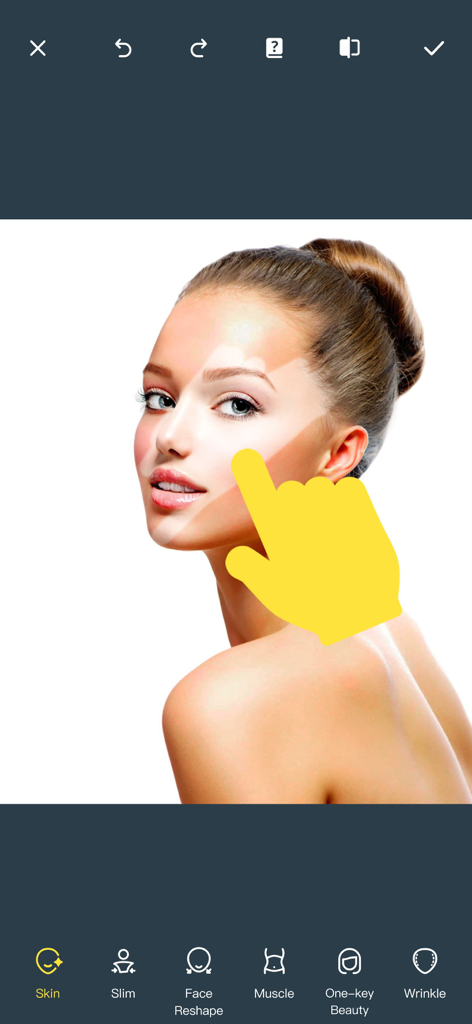
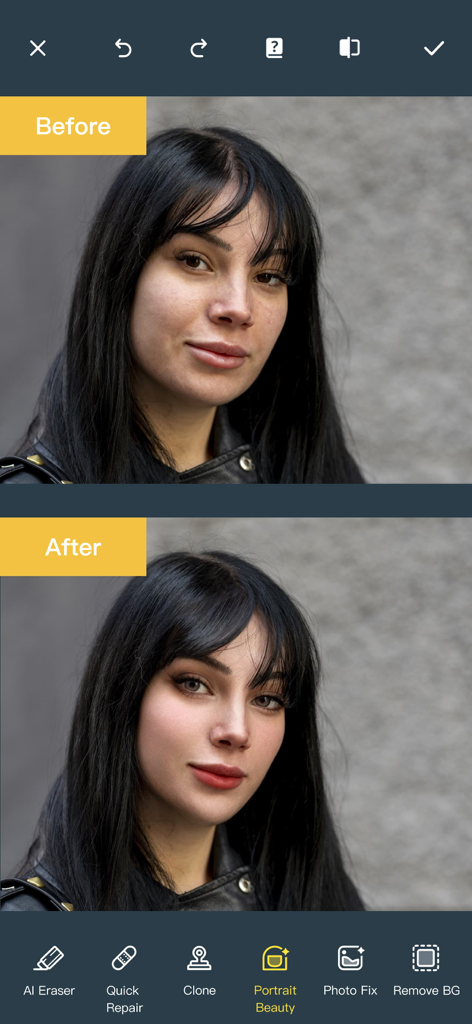
Interface of a photo editing app demonstrating skin smoothing and facial retouching on a portrait.
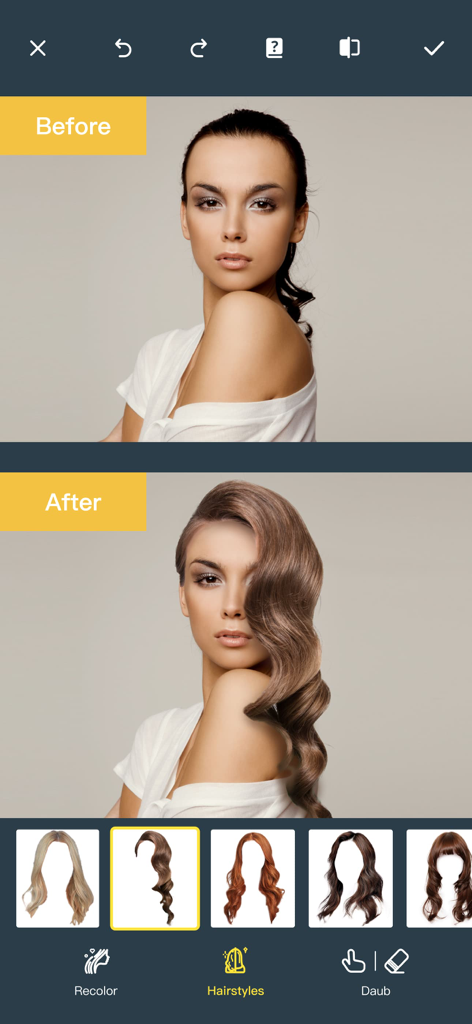
A before and after comparison showing the AI hairstyle changer feature on a woman's portrait
Before and after comparison of portrait retouching using AI beauty features in the app
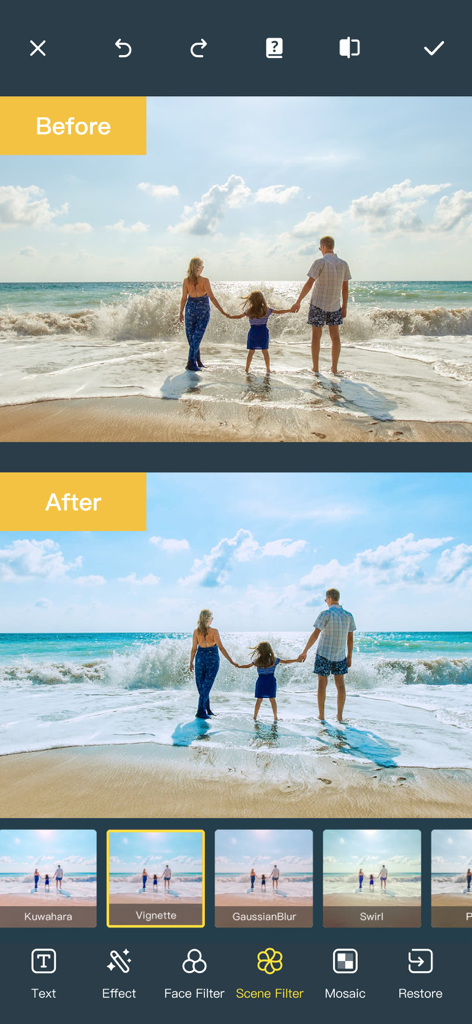
Before and after comparison of a family beach photo with a scene filter applied in the app
Master Your Digital Aesthetic
The tools that make this app stand out, trusted by 34M+ users.
🪄
Magical Object Removal
Effortlessly erase unwanted people, background clutter, or skin blemishes. Our AI blends the pixels perfectly, making distractions disappear as if they were never there.
✨
Professional Glow-Up
Get camera-ready in seconds with precision retouching. Sculpt features, whiten teeth, smooth skin, and even experiment with new hairstyles using our advanced AI engine.
🖼️
Smart Scene Expansion
Never let a tight crop ruin a great photo. Use AI to intelligently expand your backgrounds or restore old, blurry memories to stunning high-definition clarity.
About the app
Everything you need to know about Photo Retouch-Object Removal.
Description
Ever wanted to remove unwanted people, unsightly pimples from a photo/video? Now you can. Photo Retouch can make people, blemish disappear as if they were never there.
Very simple to use. Simply paint the items, and touch run erase.
Make fun pictures/videos, remove unwanted people, remove unsightly pimples, clean up the perfect shot.
Even more features:
*Powerful AI Photo Editor, add text, filters and effects to photos.
*Face Options: V-Face,Narrow Face,Little Face,Thin Face,Forehead,Chin,Cheekbones,Mandible Bone.
*Eye Options: Big Eye, Eye Opening, Eye Distance,Eye Angle,Brilliant.
*Nose Options: Long Nose,Thin Nose,Thin Philtrum.
*Mouth Options: Shape, Smile,Beautiful Teeth.
*Skin Options: Blur, Whitening, Sharpen, Rosy, Dark Circles, Nasolabial.
*Eliminate Acne, Wrinkle Killer, Thin Whiten Face.
*Hundreds of new image filters.
*Makeup Editing: Dozens of editable makeup for you to choose.
*Beautify Body:Turn your snaps into a model portfolio in a few minutes.
*Live Photo Editing: Beautify Live Photos instantly.
*AI Expansion: smartly fills in scenes for one-click expansion.
*AI Hairstyle Changer: AI-powered hairstyle transformation, freely change your look.
*AI Drawing: turns text or images into images and create artistic pictures with AI.
*AI Background Remover: Precise cutouts with smart recognition, quickly change backgrounds.
*Collage: Change layouts, switch backgrounds, seamlessly splice, and collage images to capture life's moments.
*Hairstyle and Hair Color: Change hairstyles and hair color, enhancing your beauty from the top down.
*Old Photo Restoration: Add more color to your old photos.
*Clarity repair: Turn blurry photos into high-definition in seconds, improving image quality.
*Image Fill Color: Fill color to your old photos automatically.
*Face Blur: Blur the faces in the video Easily.
*Track Blur: Remove/blur the moving people/blemish in the video.
*Powerful AI Editing: AI Face Restoration, AI Facial coloring restoration, AI Retouch custom prompt editing, AI Nail Design, AI Hairstyle, AI Photo Generator.
*Cloud Storage: Backup your editing result via cloud center.
Premium Package Subscription
- You can subscribe for large cloud storage space & premium features
- Payment will be charged to iTunes Account at confirmation of purchase
- You will be able to use large cloud storage space & premium features for the duration of the subscription
- Subscription automatically renews for the same price and duration period as the original "one week"/"one month"/"one year" package unless auto-renew is turned off at least 24-hours before the end of the current period
- Account will be charged for renewal within 24-hours prior to the end of the current period at the cost of the chosen package (weekly, monthly or yearly package)
- Subscriptions may be managed by the user and auto-renewal may be turned off by going to the user's iTunes Account Settings after purchase
- No cancellation of the current subscription is allowed during active subscription period
- You may cancel a subscription during its free trial period via the subscription setting through your iTunes account. This must be done 24 hours before the end of the subscription period to avoid being charged. Please visit http://support.apple.com/kb/ht4098 for more information
- You may turn off the auto-renewal of your subscription via your iTunes Account Settings. However, you are not able to cancel the current subscription during its active period
- Any unused portion of a free trial period, if offered, will be forfeited when the user purchases a subscription to that publication, where applicable
Links to our Terms of Service and Privacy Policy can be found below
Privacy Policy:https://privacy.tushikeji.com/app/privacy?name=photoretouch&os=ios&language=en&channelNo=1
Terms of Use: https://privacy.tushikeji.com/app/userAgreement?name=photoretouch&os=ios&language=en&channelNo=1
Latest Version
5.20
Size
183.3 MB
First Released
May 5, 2017
Ready for the Perfect Edit?
Join 34M+ creators transforming their photos with one-tap AI. From clearing crowds in your travel shots to professional-grade retouching, create the flawless aesthetic you've always wanted.
FAQ
Frequently Asked Questions
Everything you need to know about Photo Retouch-Object Removal
How does Photo Retouch remove unwanted objects from photos?
Yes, Photo Retouch removes unwanted people or objects. Users paint over the items and then use the "run erase" function to make them disappear from the photo.
Does Photo Retouch offer a free trial for its premium features?
Yes, Photo Retouch offers a free trial period. Any unused portion of this free trial is forfeited when a user purchases a subscription package.
How can users cancel a Photo Retouch premium subscription?
Users manage subscriptions and turn off auto-renewal via their iTunes Account Settings. This must be done at least 24-hours before the current period ends to avoid renewal.
Can Photo Retouch remove backgrounds from images?
Yes, Photo Retouch includes an AI Background Remover. This feature provides precise cutouts with smart recognition, enabling users to quickly change or remove image backgrounds.
Does Photo Retouch have an AI Hairstyle Changer feature?
Yes, Photo Retouch features an AI Hairstyle Changer. This AI-powered tool allows users to transform their hairstyle and freely experiment with different looks.
Can Photo Retouch remove wrinkles from photos?
Yes, Photo Retouch offers a 'Wrinkle Killer' feature. This tool is designed to eliminate wrinkles and improve overall skin appearance within photos.
Does Photo Retouch offer tools to slim or reshape body parts?
Yes, Photo Retouch includes a 'Beautify Body' feature with tools like 'Slim'. This allows users to reshape and refine body proportions in their images.
Does Photo Retouch provide cloud storage for edited photos?
Yes, Photo Retouch offers cloud storage. Users can subscribe to a Premium Package to access large cloud storage space for backing up their edited results.
Can users edit Live Photos with Photo Retouch?
Yes, Photo Retouch supports Live Photo Editing. The application allows users to instantly beautify their Live Photos with various editing tools.
Does Photo Retouch have features for restoring old photos?
Yes, Photo Retouch offers 'Old Photo Restoration' to add color and 'Clarity repair' to transform blurry old photos into high-definition images.
App information, icons, screenshots, and descriptions displayed on this page are sourced from the Apple App Store and are the property of their respective developers. Download estimates and rankings are based on MWM's proprietary models and may not reflect actual figures. This page is provided for informational and analytical purposes only.
Believe this page infringes your intellectual property? File a dispute