Photo to PDF converter scan.
Download on App Store

This page is not an official page of the app or its developer, but an independent editorial publication created for informational and commentary purposes. Unless expressly stated otherwise, neither the app nor its developer is affiliated with, endorsed by, sponsored by, authorized by, or otherwise officially connected with MWM, Apple, Google Play, the app publisher, or the app's developer, and nothing on this page implies that the app was developed using MWM's services. Any trademarks, logos, screenshots, and other content remain the property of their respective owners.


Logo of Photo to PDF converter scan.
Download on App Store

Photo to PDF converter scan.

Transform your iPhone into a professional-grade mobile office. Scan documents, extract text with OCR, and sign PDFs instantly—anytime, anywhere.

Key Figures

Downloads

1K+

User Rating

4.9/5

Total Ratings

0

Publisher

ARK Studio LLC

Category

Business

Locales

10

Latest Version

1.5.1

Size

94.0 MB

First Released

Jul 3, 2025
Features

Streamline Your Paperwork in Seconds

Experience the power of a professional-grade scanner in the palm of your hand. eScanner combines advanced AI with high-speed tools to keep your business and studies moving forward.

AI-Powered Visual Perfection

Eliminate the clutter. Our smart AI automatically detects edges, straightens perspective, and enhances text clarity to deliver professional-grade PDFs every time.

Smart OCR & Text Extraction

Stop retyping notes or contracts. Convert images into editable text instantly with 20+ language support and export directly to Word or searchable PDF formats.

The following screenshots and description are sourced directly from the app's official store listing and are the property of the app developer.

App Store

Screenshots
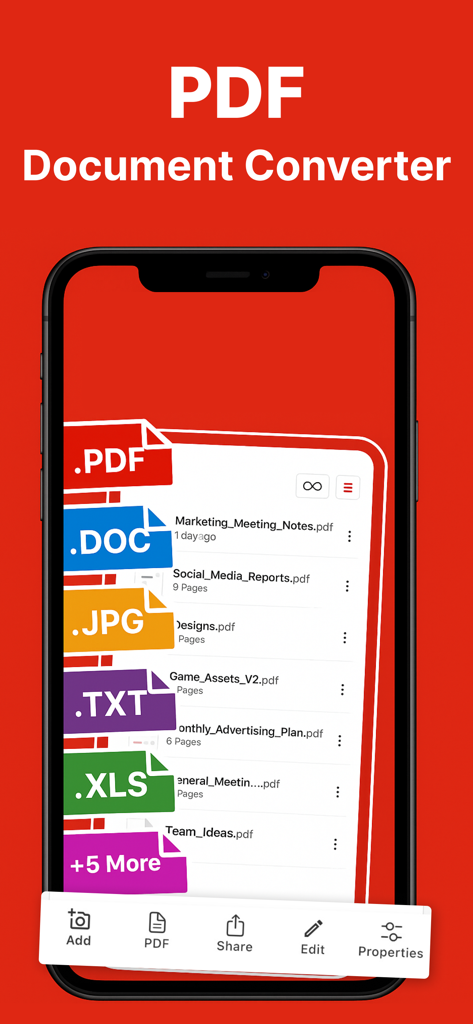
Photo to PDF converter scan. - Mobile app interface showing document management and file conversion options for PDF DOC and JPG formats
Mobile app interface showing document management and file conversion options for PDF DOC and JPG formats

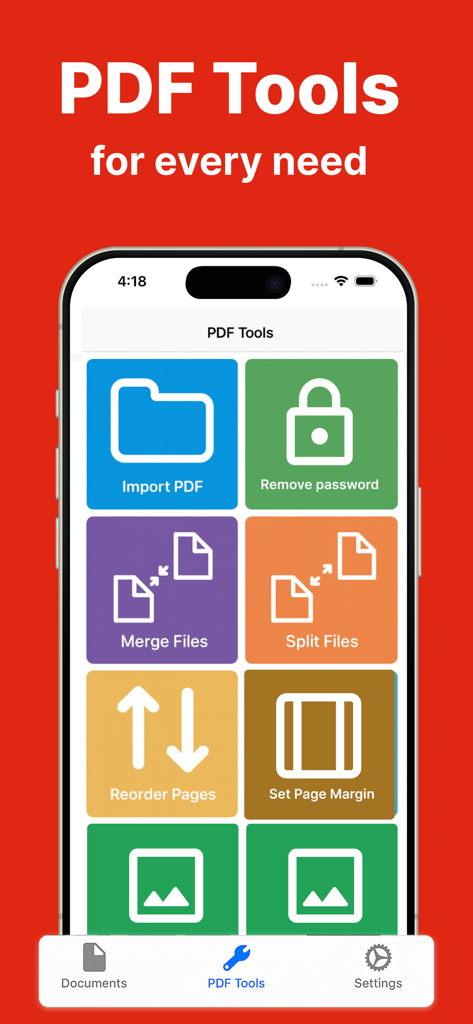
Photo to PDF converter scan. - Mobile interface of eScanner app showing tools for merging splitting and managing PDF files
Mobile interface of eScanner app showing tools for merging splitting and managing PDF files

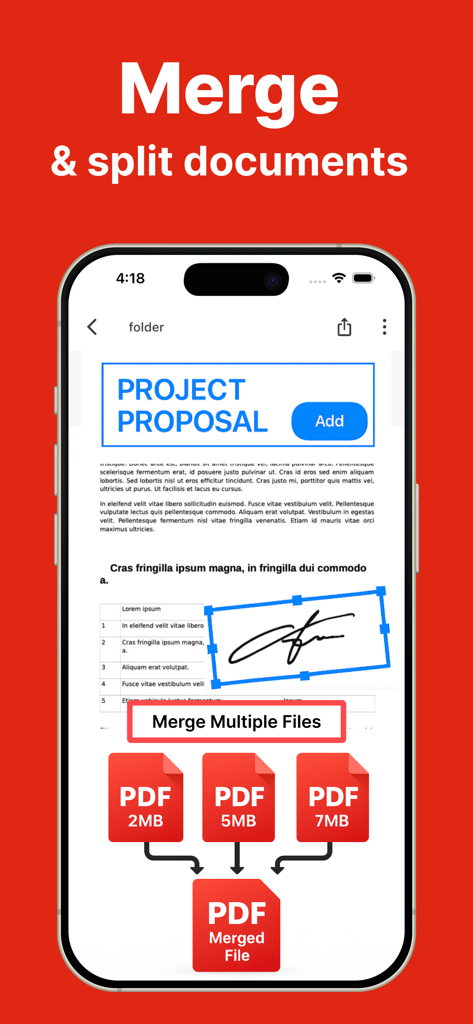
Photo to PDF converter scan. - Smartphone interface displaying the merge and split feature of a PDF scanner app combining several documents into one
Smartphone interface displaying the merge and split feature of a PDF scanner app combining several documents into one

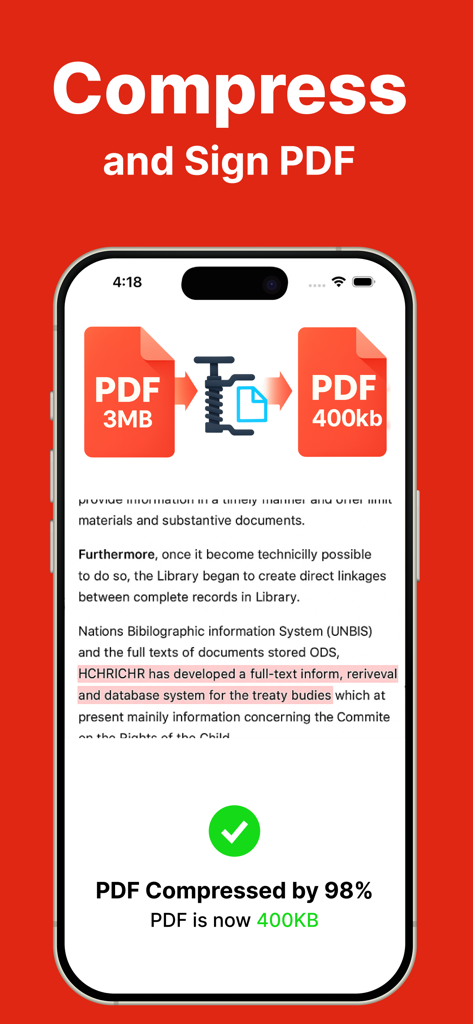
Photo to PDF converter scan. - eScanner mobile app interface demonstrating a PDF file being compressed from 3MB to 400KB
eScanner mobile app interface demonstrating a PDF file being compressed from 3MB to 400KB

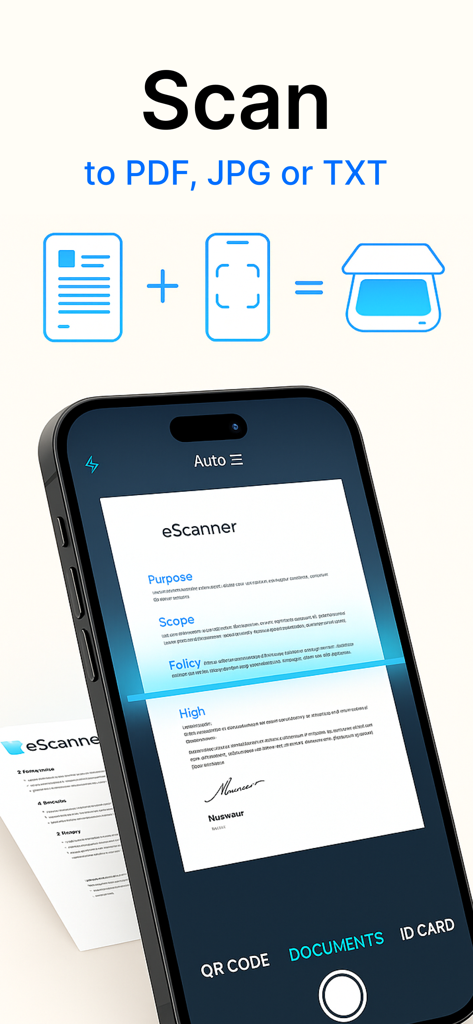
Photo to PDF converter scan. - A smartphone using the eScanner app to scan a document into PDF and JPG formats
A smartphone using the eScanner app to scan a document into PDF and JPG formats

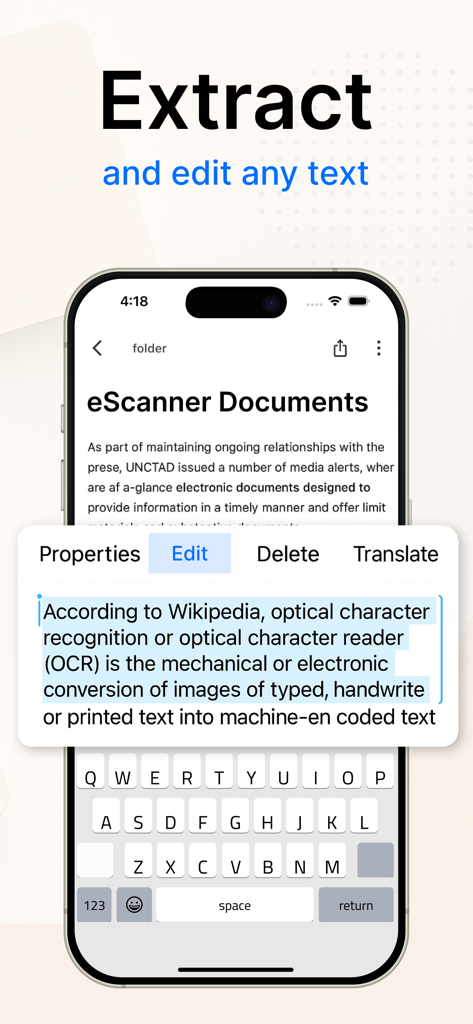
Photo to PDF converter scan. - eScanner app showing OCR text extraction and editing on a smartphone.
eScanner app showing OCR text extraction and editing on a smartphone.

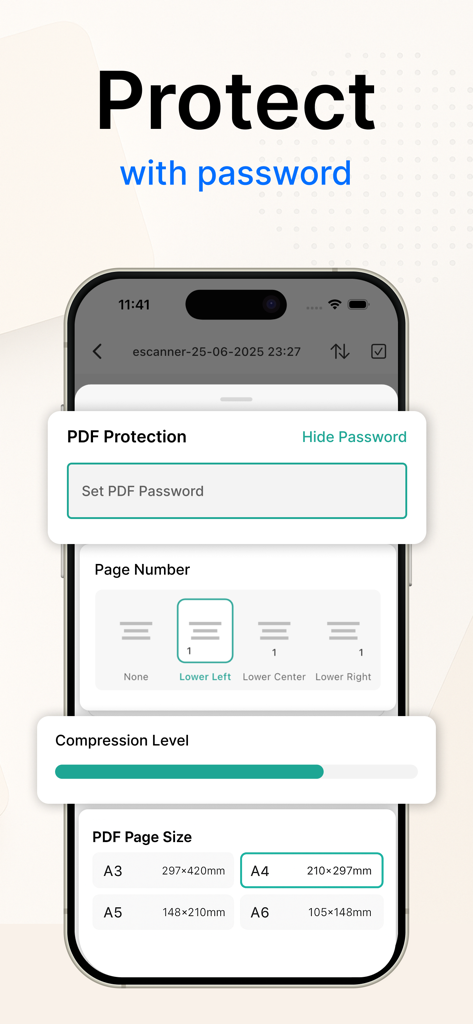
Photo to PDF converter scan. - A smartphone screen displaying PDF security and formatting options including password protection page numbering compression and paper size settings
A smartphone screen displaying PDF security and formatting options including password protection page numbering compression and paper size settings

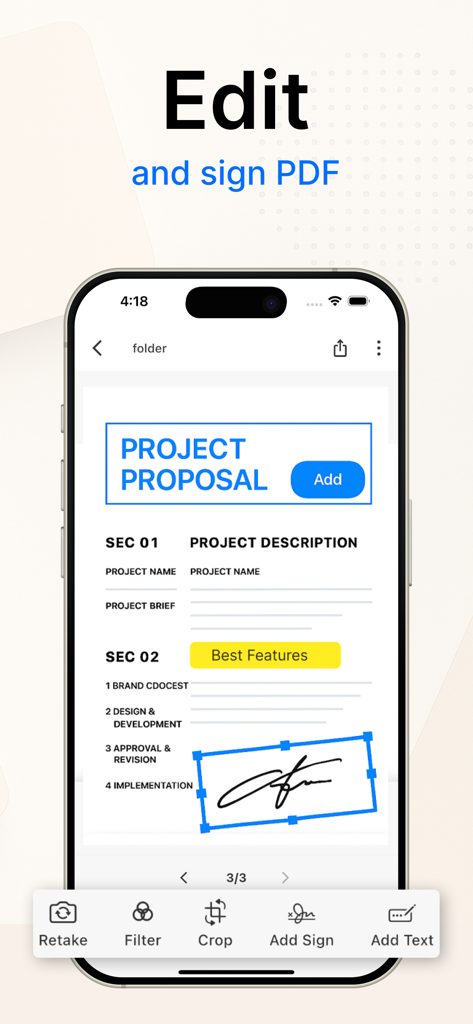
Photo to PDF converter scan. - Mobile app interface showing a user editing a project proposal and adding a digital signature.
Mobile app interface showing a user editing a project proposal and adding a digital signature.

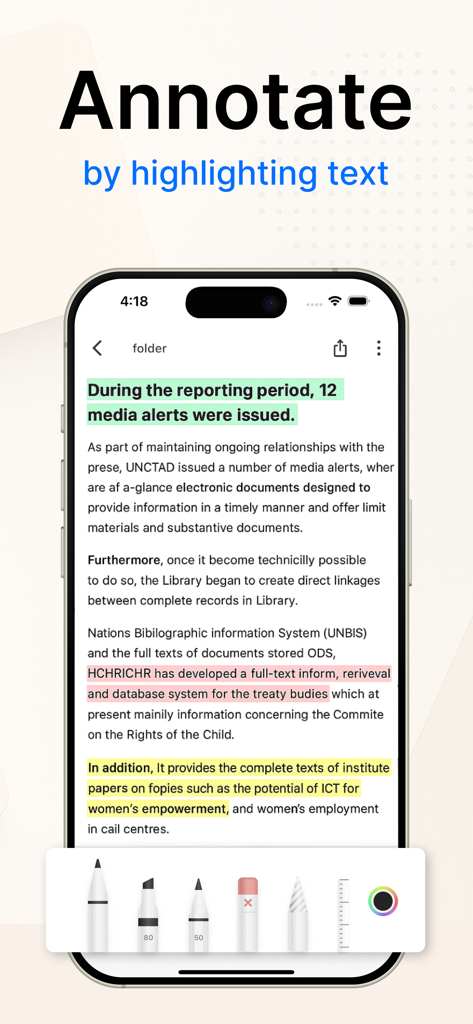
Photo to PDF converter scan. - A smartphone screen displaying the eScanner app with a document containing text highlighted in multiple colors and various annotation tools at the bottom.
A smartphone screen displaying the eScanner app with a document containing text highlighted in multiple colors and various annotation tools at the bottom.

Photo to PDF converter scan. - A yellow shield icon with a padlock on a red background with text reading Privacy For Your Files and Works Offline

A yellow shield icon with a padlock on a red background with text reading Privacy For Your Files and Works Offline

Description

Transform your iPhone or iPad into a powerful and portable PDF scanner with eScanner, the ultimate scanner app for all your needs. Instantly scan documents to PDF or JPG. Our advanced AI tools, OCR technology, and robust editing features make it the perfect scanner for professionals, students, and anyone on the go. Whether you need to scan work files, handwritten notes, receipts, or IDs, eScanner delivers professional-quality results in seconds. This versatile doc scanner and PDF creator simplifies your paperwork, allowing you to manage documents efficiently from your mobile device. It's the ideal solution for anyone looking for a reliable scanner to PDF and a comprehensive document management tool. Top Features of our PDF Document Scanner: High-Quality Scanning: Use our scanner app of charge to scan documents with precision. The auto-detect pages feature and batch mode make it easy to scan single or multiple pages, turning your device into a high-speed doc scanner. Create PDF Files: Functioning as a PDF creator and PDF maker of charge, you can instantly convert your scans. Turn any pic to pdf or convert photos to PDF seamlessly. Create professional PDF documents with just a few taps. Advanced AI Enhancement: Our scanner app utilizes smart cropping and straightening for perfect scans every time. Apply color filters, reduce noise, and clean up backgrounds for crystal-clear results. This makes it a superior scanner of technical hassles. OCR (Text Recognition): Extract text directly from your scans with our powerful OCR tool. This feature, supporting over 20 languages, allows you to export text to TXT, DOC, or a searchable PDF, making it an intelligent scan to pdf solution. Edit PDF & Add Signatures: Easily edit PDF files by adding annotations, highlighting text, or redacting sensitive information. Use the signature maker to add a digital signature or an image of your signature to any document. File Management & Compression: Organize your scans in folders, merge or split files, and add page numbers or watermarks. Use the built-in PDF compressor to reduce file sizes and compress PDF documents for easy sharing without losing quality. Effortless Sharing & Exporting: Share your scanned documents via Email, iCloud, Google Drive, Dropbox, WhatsApp, and more. Our scanner app features ensure you can send your files anywhere, anytime. eScanner Pro: Unlock the full potential of your mobile device with eScanner Pro. A subscription gives you unlimited scans, advanced OCR capabilities, enhanced export options, and cloud synchronization. Experience the power of a premium PDF scanner from limitations. Payment will be charged to your App Store account upon purchase confirmation. Subscriptions automatically renew unless canceled at least 24 hours before the end of the current period. You can manage or cancel your subscription at any time through your App Store account settings. Support: techtiq.app@gmail.com Privacy Policy: https://sites.google.com/view/pdfscannerappterms/privacy-policy Terms of Use: https://sites.google.com/view/pdfscannerappterms/terms-of-use

Download

Download on App Store

This page is not an official page of the app or its developer, but an independent editorial publication created for informational and commentary purposes. Unless expressly stated otherwise, neither the app nor its developer is affiliated with, endorsed by, sponsored by, authorized by, or otherwise officially connected with MWM, Apple, Google Play, the app publisher, or the app's developer, and nothing on this page implies that the app was developed using MWM's services. Any trademarks, logos, screenshots, and other content remain the property of their respective owners.








