Photos PDF - Pdf Converter
Download on App Store

This page is not an official page of the app or its developer, but an independent editorial publication created for informational and commentary purposes. Unless expressly stated otherwise, neither the app nor its developer is affiliated with, endorsed by, sponsored by, authorized by, or otherwise officially connected with MWM, Apple, Google Play, the app publisher, or the app's developer, and nothing on this page implies that the app was developed using MWM's services. Any trademarks, logos, screenshots, and other content remain the property of their respective owners.

Logo of Photos PDF - Pdf Converter
Download on App Store

Photos PDF - Pdf Converter

Effortlessly convert images to high-quality PDFs, sign contracts, and secure sensitive files with professional-grade encryption. Streamline your workflow and manage your documents from anywhere—no scanner required.

Key Figures

Downloads

1K+

User Rating

4.9/5

Total Ratings

0

Publisher

Jayotsanaben Hadiya

Category

Business

Locales

14

Latest Version

1.22

Size

29.3 MB

First Released

Jun 15, 2023
Features

Your Complete Mobile PDF Command Center

Ditch the desktop and manage your professional documents with ease. Convert, sign, and secure your files anywhere, anytime.

Instant Scan & Convert

Transform photos, web pages, and documents into professional-grade PDFs. Perfect for digitizing receipts and sketches instantly.

Streamlined E-Signatures

Sign contracts and agreements directly on your iPhone or iPad. Skip the printer and scanner to close deals while on the move.

The following screenshots and description are sourced directly from the app's official store listing and are the property of the app developer.

App Store

Screenshots
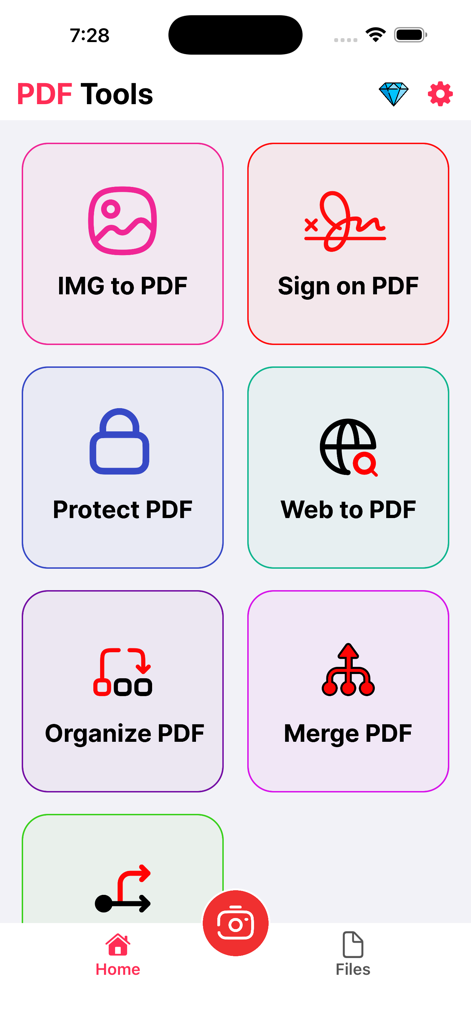
Photos PDF - Pdf Converter - Main menu of the Photos PDF app featuring tools for image to PDF conversion, e-signatures, and document protection
Main menu of the Photos PDF app featuring tools for image to PDF conversion, e-signatures, and document protection

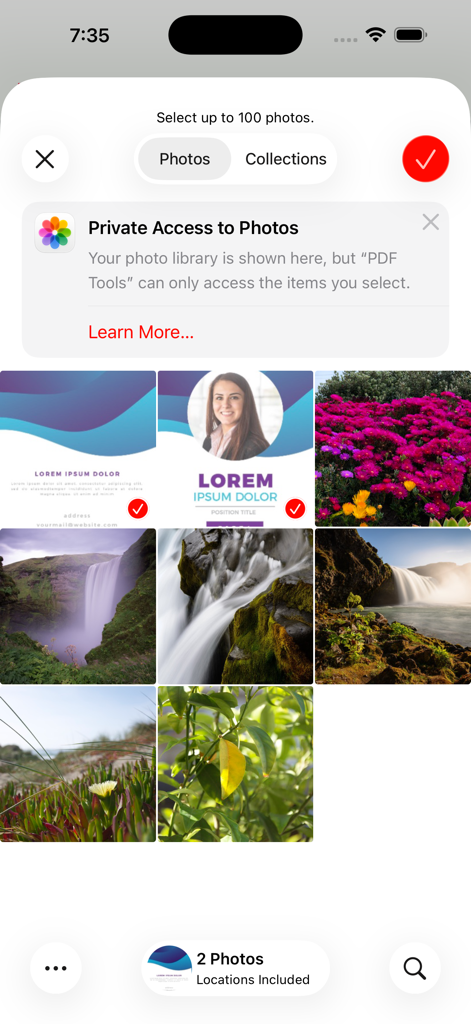
Photos PDF - Pdf Converter - Interface of the Photos PDF app showing a photo selection grid with a privacy access notification

Interface of the Photos PDF app showing a photo selection grid with a privacy access notification
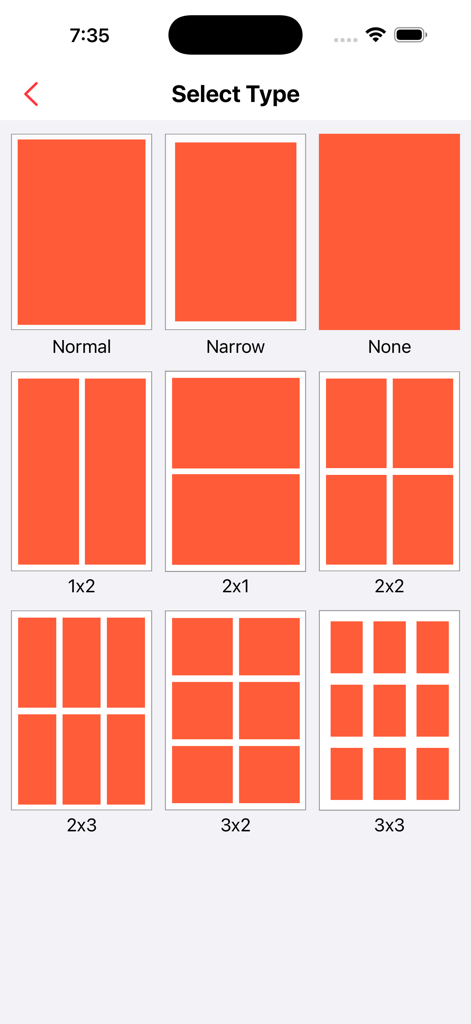
Photos PDF - Pdf Converter - Interface for choosing photo grid layouts like 2x2 and 3x3 for PDF document creation
Interface for choosing photo grid layouts like 2x2 and 3x3 for PDF document creation

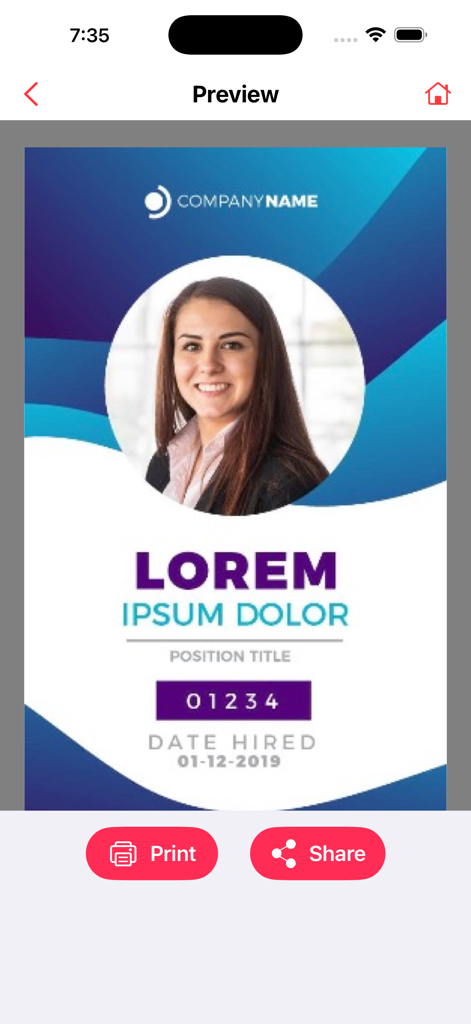
Photos PDF - Pdf Converter - A preview screen of a professional document in the PDF converter app with print and share buttons.

A preview screen of a professional document in the PDF converter app with print and share buttons.

Description

PDF Toolkit: Convert, Edit & Secure PDFs is the ultimate iOS app for efficient PDF document management. With powerful features that allow you to convert images and web pages to high-quality PDFs, securely sign and protect your PDFs, and organize or edit documents seamlessly, this app simplifies your workflow and puts complete control over your PDFs in the palm of your hand. Effortless PDF Conversion: Convert images, documents, and web pages to high-quality PDFs with just a few taps. Maintain the original layout, formatting, and quality, while creating compact and shareable PDFs for easy distribution. Streamlined E-Signatures: Sign your PDFs securely and conveniently with our built-in e-signature functionality. Say goodbye to printing, signing, and scanning. Add, manage, and request signatures wherever you are, at any time. Protect Your PDFs: Keep your PDF files safe with built-in password protection. Secure sensitive documents with a PIN or password to ensure your files remain confidential and protected from unauthorized access. Powerful Editing and Annotation Tools: Enhance your PDFs with a comprehensive set of editing tools. Merge or split documents, rearrange pages, add text, insert images, and annotate with highlights, notes, and drawings. Tailor your PDFs to fit your needs. Efficient Document Management: Stay organized by creating folders, categorizing documents, and quickly searching for specific files. Keep all your PDFs neatly organized and easily accessible, ensuring a smooth and efficient document management experience. Intuitive and User-Friendly: With an easy-to-use interface, PDF Toolkit ensures a seamless experience for everyone, from beginners to professionals. Its robust features and simple navigation make it the perfect tool for anyone working with PDF documents. Download PDF Toolkit: Convert, Edit & Secure PDFs now to unlock the full potential of your PDFs. Simplify document conversion, enhance collaboration with e-signatures, and keep your PDFs safe and organized. Experience the power of PDF management today. Contact Us: universeassistant083@gmail.com If you choose to subscribe to any of the “Image to PDF Pro” Subscriptions, the payment will be charged to your iTunes account at confirmation of purchase. any unused portion of the free trial period, if offered, will be forfeited when you purchase a subscription to that publication. From that moment and further, the subscription automatically renews until auto-renew is turned off at least 24 hours before the end of the current period. You may manage your subscription and turn off auto-renewal by going to your account settings after purchase. No cancellation of the current subscription is allowed during the active period. If you have any questions while using this app, please contact us via email at universeassistant083@gmail.com. Terms of Use - https://sites.google.com/view/javascript-terms-of-usecript/home

Download

Download on App Store

This page is not an official page of the app or its developer, but an independent editorial publication created for informational and commentary purposes. Unless expressly stated otherwise, neither the app nor its developer is affiliated with, endorsed by, sponsored by, authorized by, or otherwise officially connected with MWM, Apple, Google Play, the app publisher, or the app's developer, and nothing on this page implies that the app was developed using MWM's services. Any trademarks, logos, screenshots, and other content remain the property of their respective owners.








