
PixVideo AI


Transform your ideas into stunning visuals with the power of text-to-video. Stand out on social media with trending Liquid Metal styles, talking AI avatars, and pro-level artistic effects in just one tap.
Publisher
Category
Photo & VideoDownloads
126K+User Rating
Total Ratings
1K+Locales
1Discover the interface used by 126K+ users.

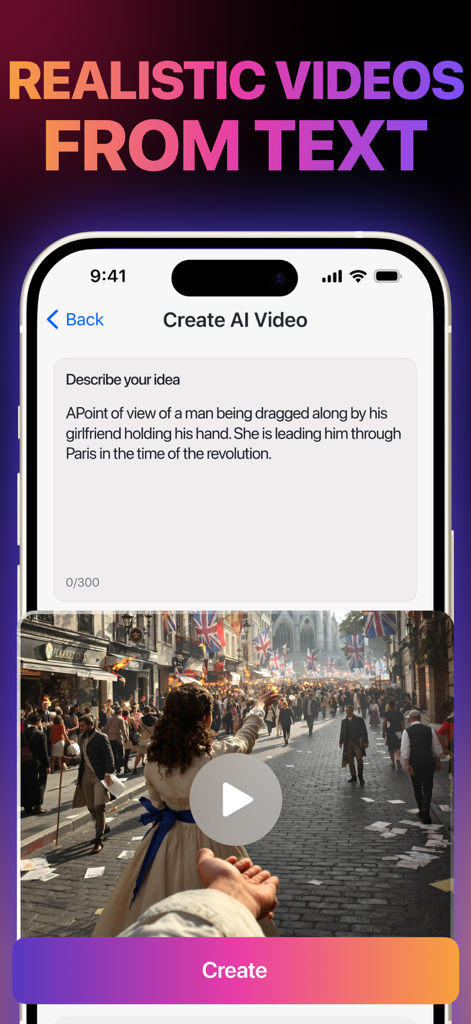
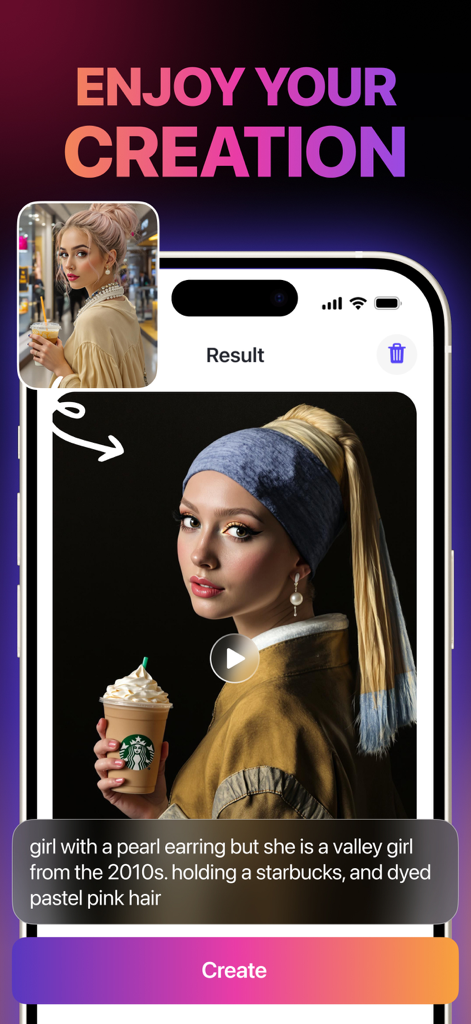
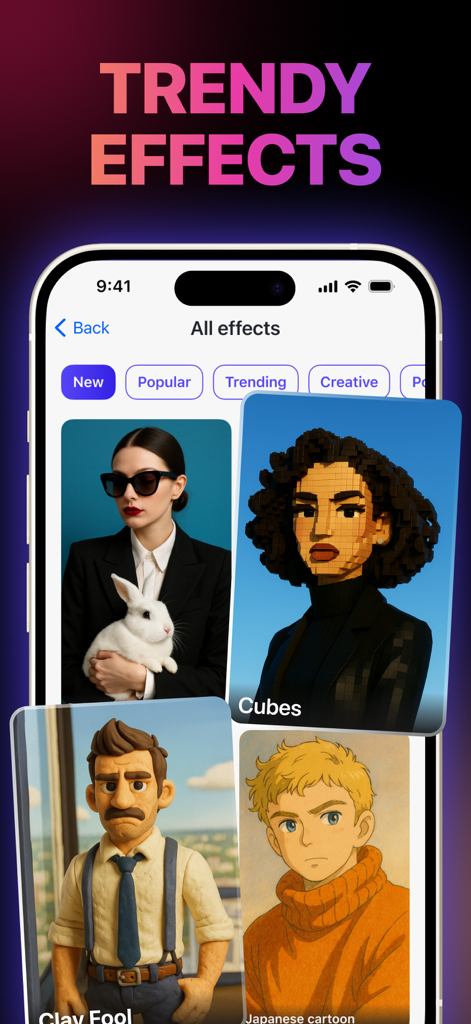

The tools that make this app stand out, trusted by 126K+ users.
Transform your imagination into cinematic reality. Just type a prompt and let AI build high-quality clips for your next viral hit.
Master the algorithm with exclusive Liquid Metal and futuristic effects that give your content an expensive, pro-studio look in one tap.
Develop your digital persona without showing your face. Generate unique avatars that represent your brand and speak directly to your followers.
Insights from user reviews.
Sentiment Score
Summary
This mobile app has received overwhelmingly negative feedback, with many users expressing extreme dissatisfaction due to significant functionality issues, such as the app failing to generate videos or images and experiencing indefinite buffering, even after purchasing subscriptions. Numerous reviewers feel scammed, citing a perceived degradation from a free, functional previous version to an expensive, non-working current iteration, with allegations of copying another app. Users also report frustrations with high subscription costs and unresponsive customer support, though one positive mention noted a successful refund process. The widespread issues and perceived deceptive practices have led to a very poor overall user reception.
Common Themes
Everything you need to know about PixVideo AI.
Description
Latest Version
1.8
Size
22.5 MB
First Released
Sep 22, 2025
Join 126,000+ creators turning imagination into cinematic reality. Download now to master the Liquid Metal trend and dominate every feed.
Everything you need to know about PixVideo AI
PixVideo AI, also known as Zyntra, is an AI-powered app that transforms ideas into videos and photos. It offers features like AI video generation from text prompts and artistic effects.
PixVideo AI uses an AI Video Generator feature to transform text prompts into dynamic videos. Users describe their ideas, and the AI generates the visual content.
Yes, PixVideo AI generates AI avatars that can speak for the user. This feature allows for personalized digital representations.
PixVideo AI offers Trendy Effects, including unique styles and filters like Liquid Metal and Artistic Styles. Examples shown include Cubes, Clay Fool, and Japanese cartoon styles, which apply with one tap.
PixVideo AI provides an Easy Sharing feature. Users can export their AI-generated videos and photos and share them instantly with friends directly from the app interface.
PixVideo AI subscriptions are charged to your iTunes account upon purchase confirmation and at the beginning of each renewal period. The subscription automatically renews unless canceled by the user.
You can cancel your PixVideo AI subscription in your iTunes settings. This action must occur at least 24 hours before the end of the current billing cycle to prevent automatic renewal.
After canceling a PixVideo AI subscription, the cancellation takes effect the day after the last day of the current subscription period. You are then downgraded to the free version of the service.
Yes, PixVideo AI transforms ideas into both videos and photos. It accepts text prompts for generating visual content, as demonstrated by image creation examples within the app.
The privacy policy for PixVideo AI is accessible via the provided link: https://docs.google.com/document/d/1sY1xwyxv2jdPFzd9NShhO4HNZNjmMFTG62fH1MO-3Dk/edit?usp=sharing.
Apps with similar features and user experience

OpenAI OpCo, LLC

New Port LLC

li lin

Noam Barzik

Wombo Studios, Inc.

Engcraft, LLC

HUYNH DUONG VAN

琴慧 冯

KRNL SRL
App information, icons, screenshots, and descriptions displayed on this page are sourced from the Apple App Store and are the property of their respective developers. Download estimates and rankings are based on MWM's proprietary models and may not reflect actual figures. This page is provided for informational and analytical purposes only.
Believe this page infringes your intellectual property? File a dispute