
This page is not an official page of the app or its developer, but an independent editorial publication created for informational and commentary purposes. Unless expressly stated otherwise, neither the app nor its developer is affiliated with, endorsed by, sponsored by, authorized by, or otherwise officially connected with MWM, Apple, Google Play, the app publisher, or the app's developer, and nothing on this page implies that the app was developed using MWM's services. Any trademarks, logos, screenshots, and other content remain the property of their respective owners.


대성마이맥 Player
Access South Korea’s top-tier lecturers from anywhere. Master your curriculum with optimized playback, offline study modes, and smart progress tracking built for high-achieving students.
Downloads
1M+User Rating
Total Ratings
5K+Publisher
Category
EducationLocales
2Latest Version
0.0.94Size
94.2 MBFirst Released
Jan 7, 2019Elevate Your Academic Performance
The ultimate learning companion designed for efficiency, giving you total control over your study sessions with premium features optimized for high-intensity exam prep.
High-Performance Playback
Master content faster with precision speed control and section repeats, specifically tailored for efficient, high-speed learning.
Seamless Offline Learning
Download unlimited lectures in the background and study anywhere without data worries, perfect for busy students on the go.
Frequently Asked Questions
Everything you need to know about 대성마이맥 Player
What is the 대성마이맥 Player app?
The 대성마이맥 Player app delivers high-quality video lectures and diverse player functionalities for all 대성마이맥 courses and video content on mobile devices. It provides a convenient and stable learning environment.
How does 대성마이맥 Player organize enrolled courses?
대성마이맥 Player organizes enrolled courses for easier viewing, categorizing them by teacher and subject area. This enhancement improves user navigation and access to content.
Does 대성마이맥 Player support background lecture downloads?
Yes, 대성마이맥 Player supports unlimited multi-course background downloading. Users can download several lectures simultaneously without interruption while performing other tasks.
Can users adjust playback speed and repeat sections in 대성마이맥 Player?
Yes, 대성마이맥 Player offers a speed function, identical to PC, and a section repeat feature. These tools enable efficient learning and repeated review of specific content.
Does 대성마이맥 Player allow in-lecture questions?
Yes, 대성마이맥 Player features an in-lecture Q&A function. Users can ask questions and view answers directly while watching courses, enabling immediate clarification during study.
Does 대성마이맥 Player offer a dark mode option?
Yes, 대성마이맥 Player provides flexible light/dark mode switching. Users can adjust the player mode to match their preferred viewing environment for enhanced comfort.
How can users track their learning progress in 대성마이맥 Player?
Users can track their learning progress through the home screen, which displays personal information and learning statistics. The learning timeline also shows course history, memos, and notices.
Can users find and manage favorite teachers in 대성마이맥 Player?
Yes, 대성마이맥 Player allows users to easily view all teachers, enroll in courses, and register or unregister 'My Favorite Teachers' for quick access to their content.
Can 대성마이맥 Player be used with mobile data?
Yes, 대성마이맥 Player includes a 3G/LTE setting in the configuration options. This allows users to access and take courses even in areas without a Wi-Fi connection.
What optional permissions does 대성마y맥 Player request?
대성마이맥 Player requests optional access to the camera for attaching photos to profiles or question boards, and notifications for informational or promotional announcements.
Can users view their orders in 대성마이맥 Player?
Yes, users can view their 'Recent Orders' and manage their 'Shopping Cart' directly from the 'My Page' section within the 대성마이맥 Player app.
The following screenshots and description are sourced directly from the app's official store listing and are the property of the app developer.
App Store
Screenshots
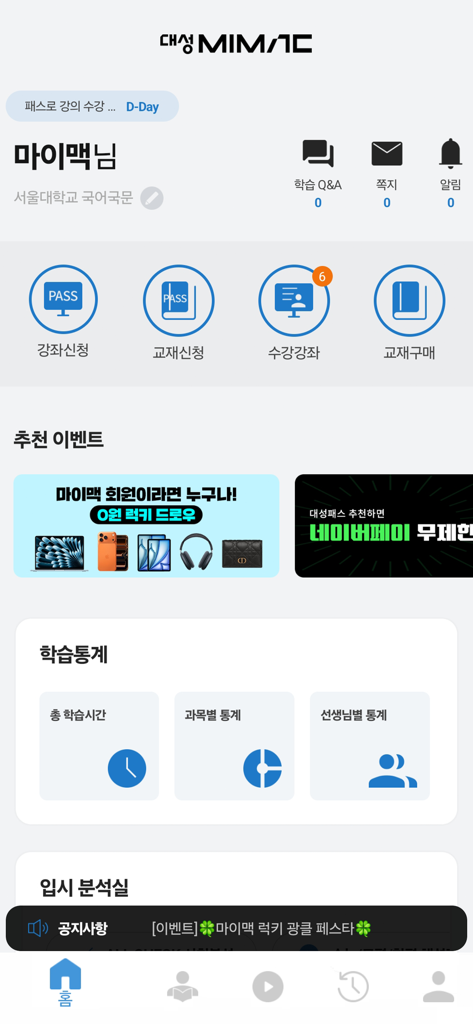
The home screen of the Daesung Mimac Player educational app featuring study statistics and course icons
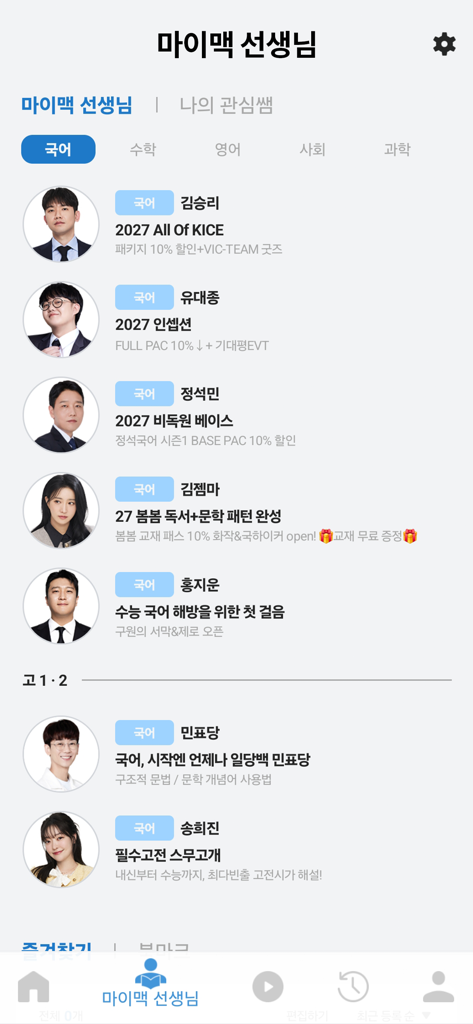
Profile list of lecturers and their courses in the Daesung Mimac Player educational app.
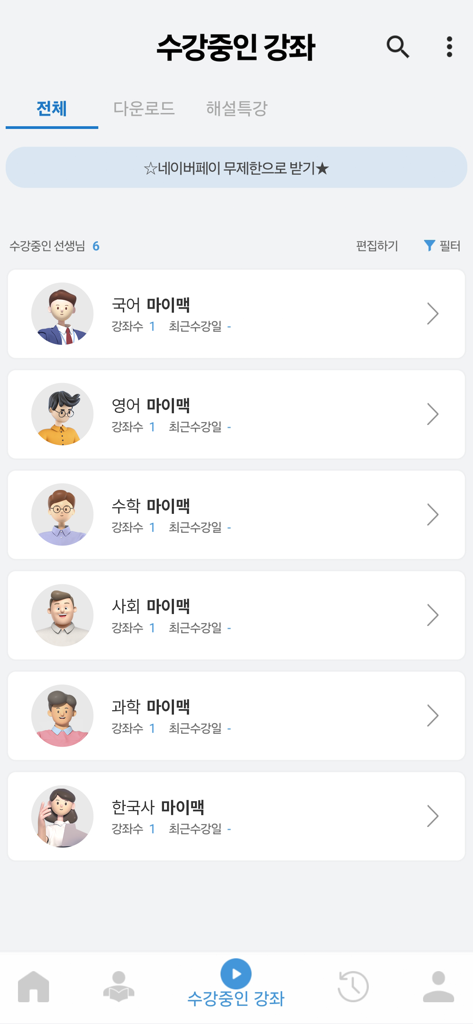
Mobile screen showing a list of enrolled subjects like Korean English and Math in the Daesung Mimac Player educational app
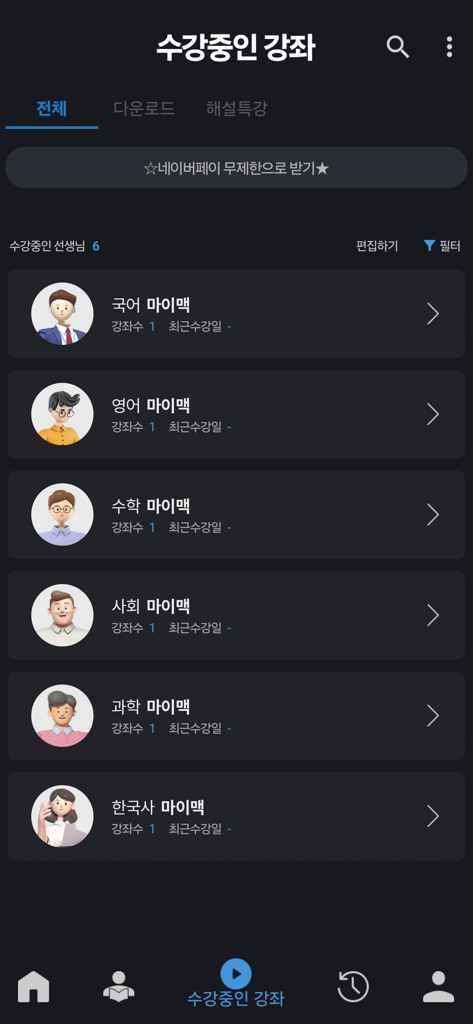
Dashboard of the Daesung Mimac Player app showing a list of enrolled courses by subject including Korean, English, Math, and Science.
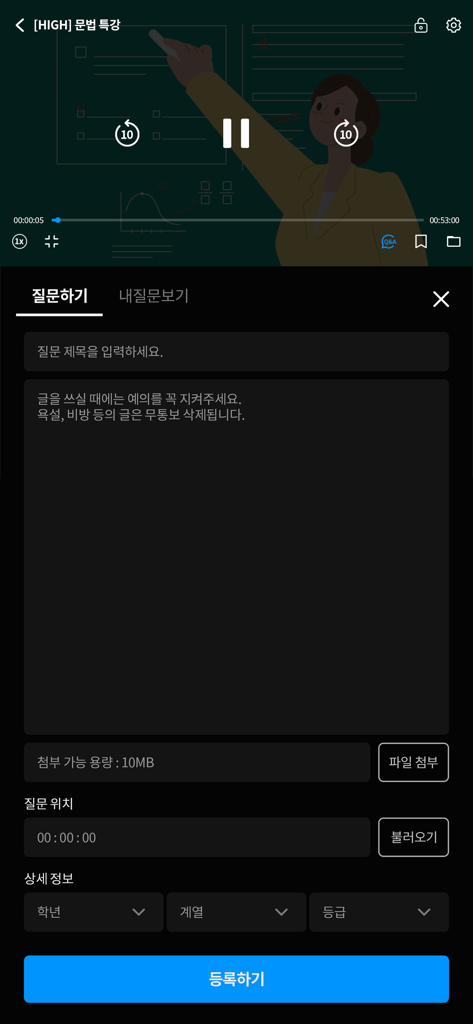
Mobile app interface of Daesung Mimac Player showing a video lecture and a student question submission form.
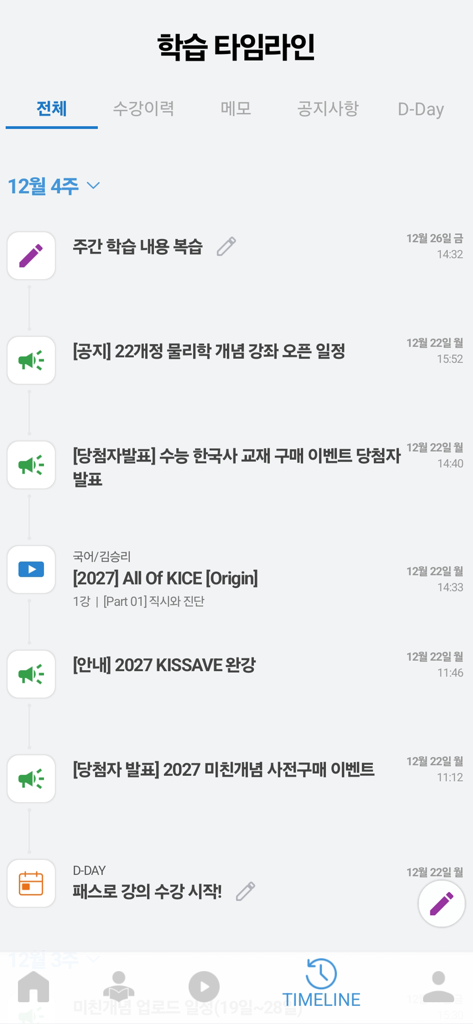
Learning timeline screen in the Daesung Mimac Player app showing study history and course announcements.
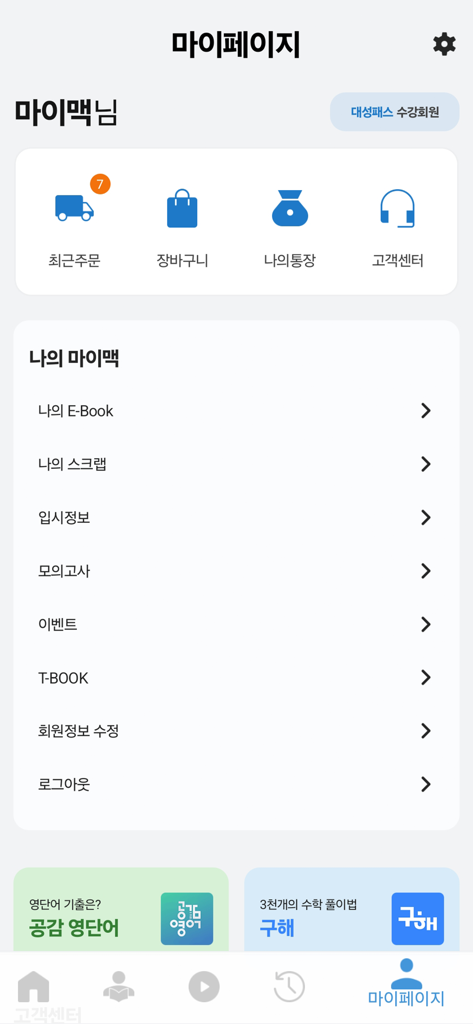
User profile and account management screen for the Daesung Mimac Player educational app showing menu options like E-books and mock exams.
Description
Download
More Like This
Apps with similar features and user experience

粉笔-大学生及在职考编考证神器
Beijing Fenbilantian Technology Co.,Ltd

超格教育
Beijing Chaoge Education Co., Ltd.

橙啦-考研考公英语必备APP
Beijing Xuechengguilai Education Technology Co., Ltd.

扇贝考研-英语单词阅读写作一站式训练,25年全套真题资料
Nanjing Treasure Island Information Technology Co., Ltd.

Qconcursos
DAMASIO EDUCACIONAL LTDA.

粉笔考研-大学生及在职考研备考学习平台
Beijing Fenbilantian Technology Co.,Ltd

365时政
Jinan Houzhi Network Technology Co., Ltd.

对啊课堂
Beijing duiawang education & technology Co. Ltd.

护考帮-医考帮护理版,护资、护师、护理三基、护理考研学习平台
Beijing YiKaoBang Technology Co., Ltd.
This page is not an official page of the app or its developer, but an independent editorial publication created for informational and commentary purposes. Unless expressly stated otherwise, neither the app nor its developer is affiliated with, endorsed by, sponsored by, authorized by, or otherwise officially connected with MWM, Apple, Google Play, the app publisher, or the app's developer, and nothing on this page implies that the app was developed using MWM's services. Any trademarks, logos, screenshots, and other content remain the property of their respective owners.