Plug Toolbox for Minecraft
Download on App Store

This page is not an official page of the app or its developer, but an independent editorial publication created for informational and commentary purposes. Unless expressly stated otherwise, neither the app nor its developer is affiliated with, endorsed by, sponsored by, authorized by, or otherwise officially connected with MWM, Apple, Google Play, the app publisher, or the app's developer, and nothing on this page implies that the app was developed using MWM's services. Any trademarks, logos, screenshots, and other content remain the property of their respective owners.


Logo of Plug Toolbox for Minecraft
Download on App Store

Plug Toolbox for Minecraft

Instantly edit your inventory, unlock level 32767 enchants, and customize every world setting. Stop grinding and start playing with the most powerful hacks for Minecraft Bedrock on iOS.

Key Figures

Downloads

324K+

User Rating

3.4/5

Total Ratings

1K+

Publisher

Innovative Developers LTD

Category

Games

Locales

1

Latest Version

2.11

Size

49.1 MB

First Released

Mar 2, 2018
Features

Rule Your Realm with Ultimate Power

From instant diamond stacks to legendary 32767 enchants, get the pro-tools you need to mod your Minecraft experience and flex on your friends.

Instant Inventory Mastery

Stop grinding and start playing. Add any item to your inventory in seconds, including custom IDs and illegal blocks, without ever touching a pickaxe.

Legendary God-Mode Gear

Equip yourself with enchants up to level 32767. One-shot the Ender Dragon and become as unbreakable as Bedrock with custom player attributes.

The following screenshots and description are sourced directly from the app's official store listing and are the property of the app developer.

App Store

Screenshots
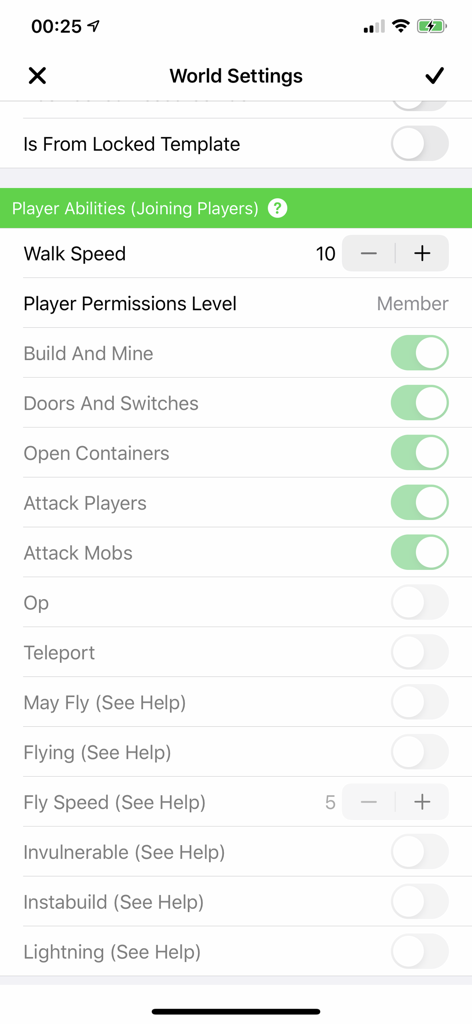
Plug Toolbox for Minecraft - Interface of Plug Toolbox for Minecraft showing world settings and player abilities like walk speed and permissions
Interface of Plug Toolbox for Minecraft showing world settings and player abilities like walk speed and permissions

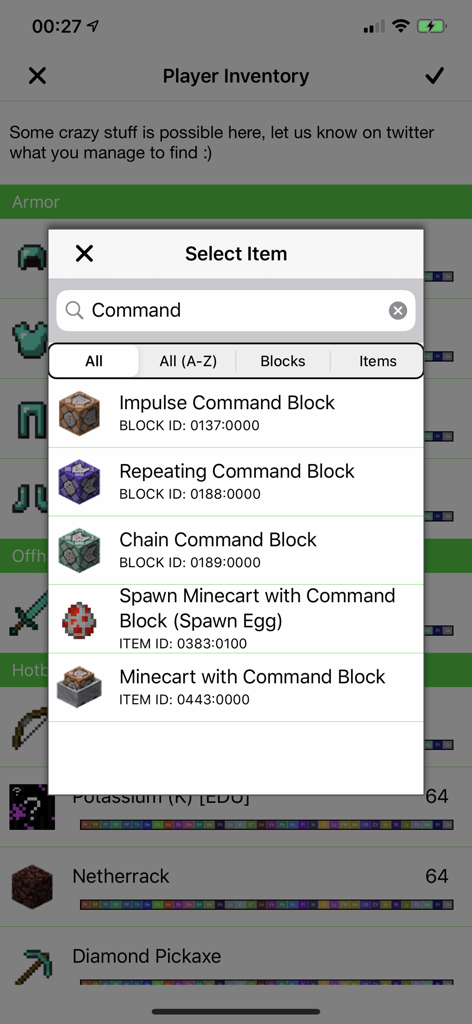
Plug Toolbox for Minecraft - Plug Toolbox for Minecraft player inventory editor showing a list of command blocks to select
Plug Toolbox for Minecraft player inventory editor showing a list of command blocks to select

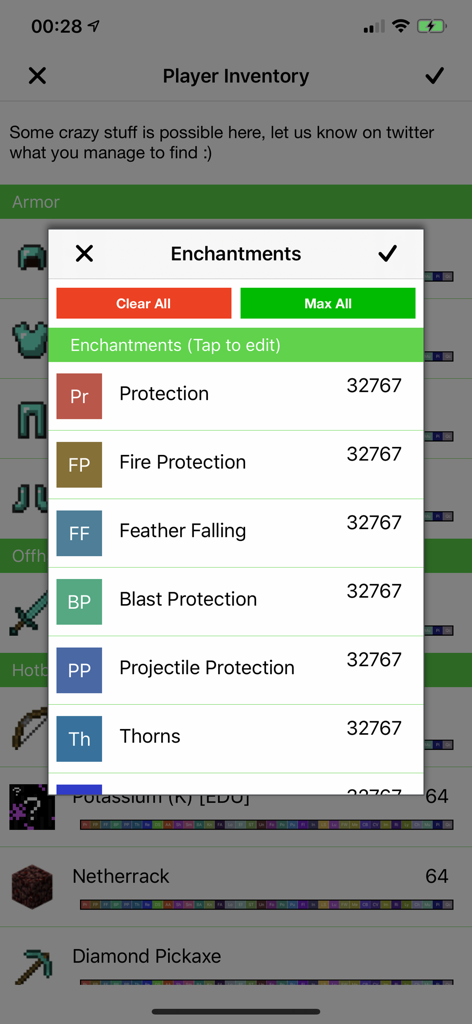
Plug Toolbox for Minecraft - Plug Toolbox for Minecraft interface displaying armor enchantments set to the maximum level of 32767
Plug Toolbox for Minecraft interface displaying armor enchantments set to the maximum level of 32767

Plug Toolbox for Minecraft - Plug Toolbox for Minecraft app showing world and player setting options
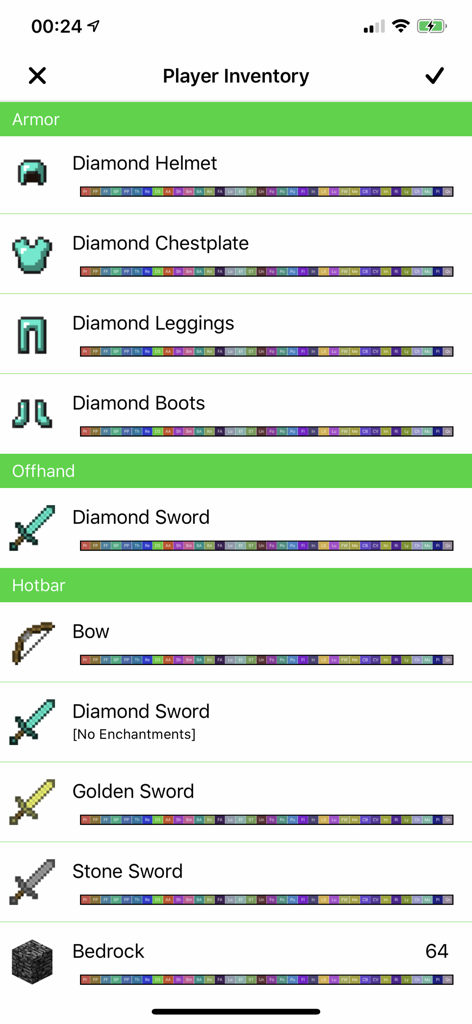
Plug Toolbox for Minecraft app showing world and player setting options

Plug Toolbox for Minecraft - A screenshot of the Player Inventory screen in Plug Toolbox for Minecraft showing enchanted armor and weapons
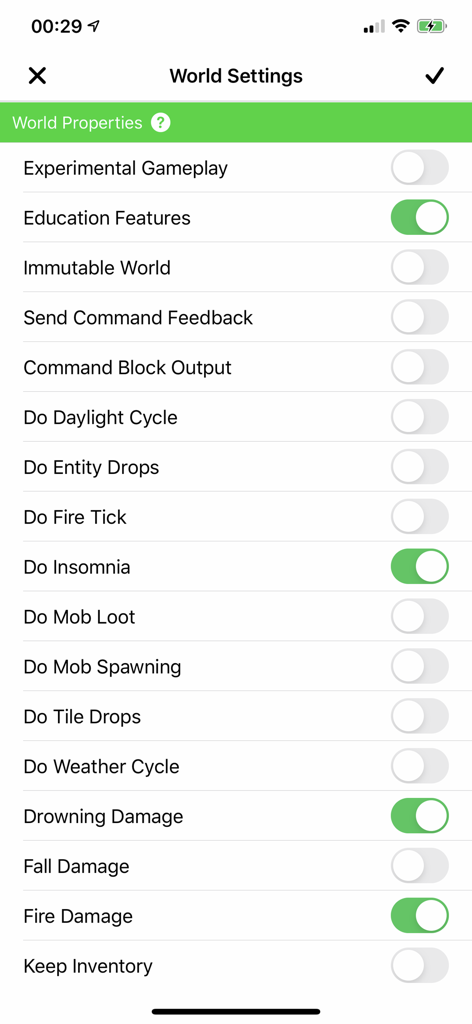
A screenshot of the Player Inventory screen in Plug Toolbox for Minecraft showing enchanted armor and weapons

Plug Toolbox for Minecraft - Interface of Plug Toolbox for Minecraft showing a list of toggleable world properties and game rules like drowning damage and fire damage
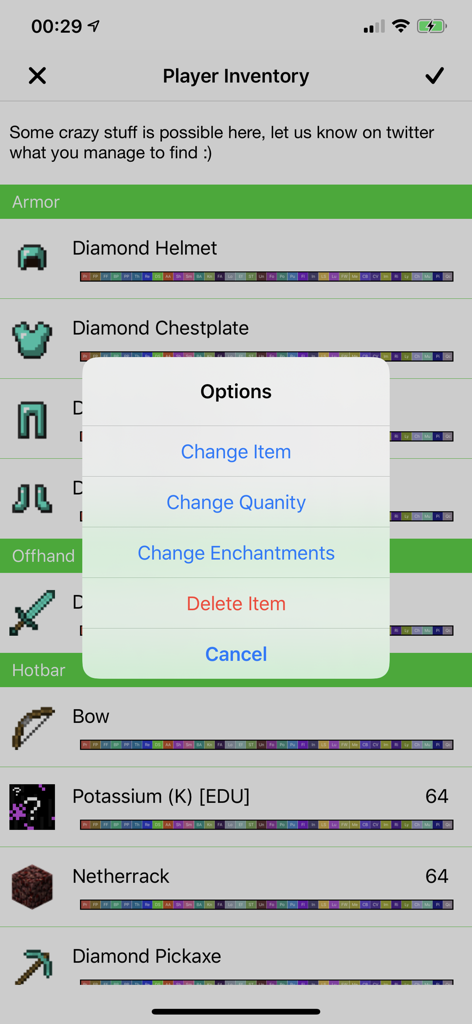
Interface of Plug Toolbox for Minecraft showing a list of toggleable world properties and game rules like drowning damage and fire damage

Plug Toolbox for Minecraft - Minecraft player inventory editor screen with item modification options
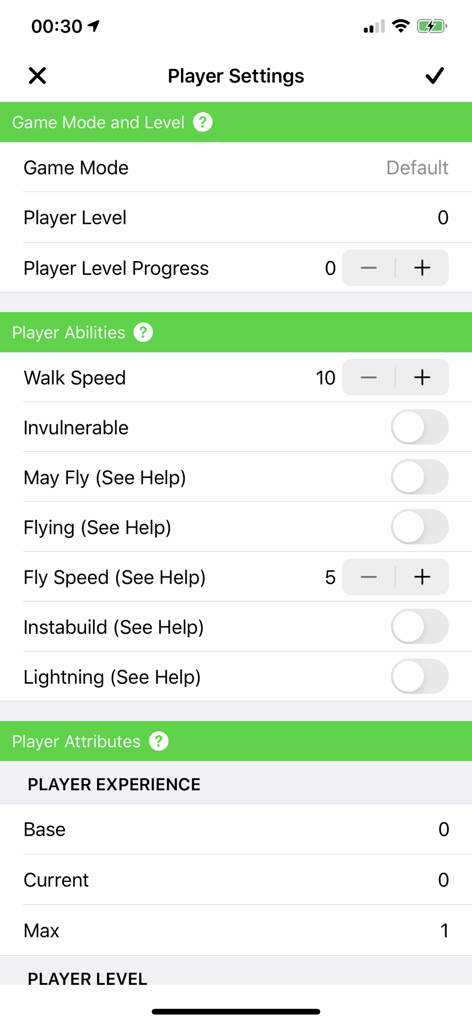
Minecraft player inventory editor screen with item modification options

Plug Toolbox for Minecraft - A screenshot of the Player Settings interface in the Plug Toolbox for Minecraft app showing options to edit game mode player abilities and attributes
A screenshot of the Player Settings interface in the Plug Toolbox for Minecraft app showing options to edit game mode player abilities and attributes

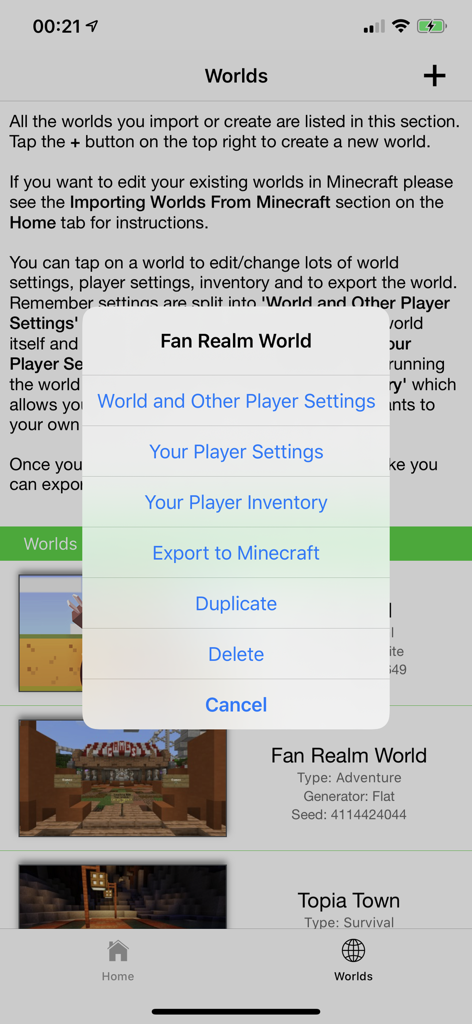
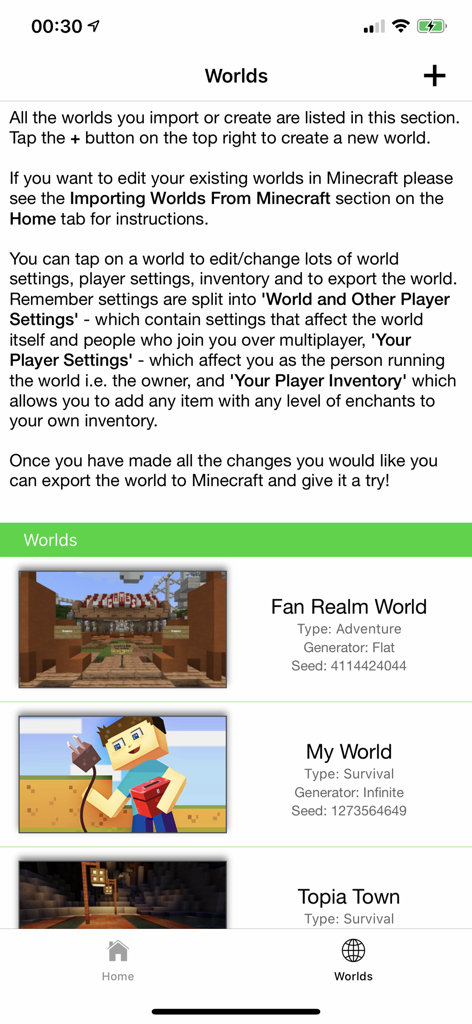
Plug Toolbox for Minecraft - Screen showing a list of imported Minecraft worlds in Plug Toolbox for editing settings.
Screen showing a list of imported Minecraft worlds in Plug Toolbox for editing settings.

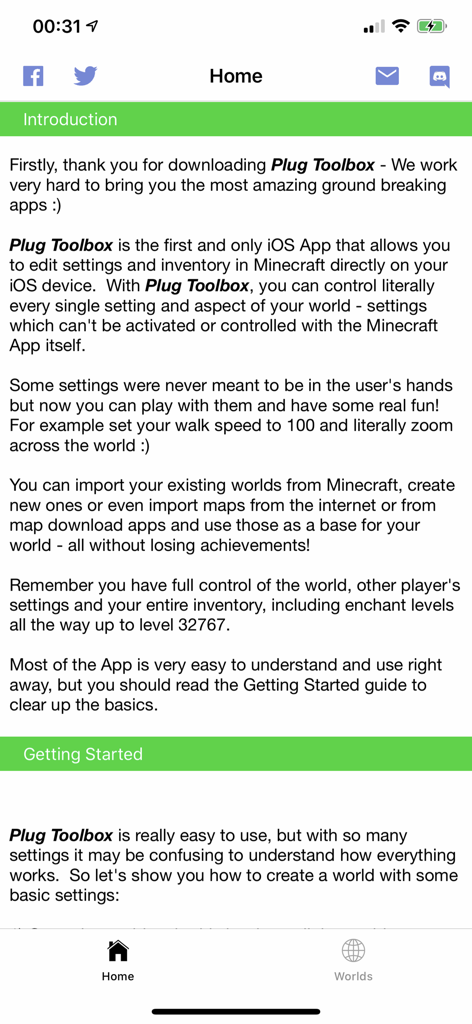
Plug Toolbox for Minecraft - Home screen of the Plug Toolbox for Minecraft app showing the introduction text and a getting started guide

Home screen of the Plug Toolbox for Minecraft app showing the introduction text and a getting started guide

Description

Get more out of your Minecraft, Plug Toolbox lets you do everything you want and more, get all the Minecraft stuff you need and edit so many settings it will blow your mind! Get the add-ons you need to edit your inventory and world settings (including dev only settings) right from the app with mods that work every time! Want to be as unbreakable as bedrock, need bigger, better weapons or customised spells? Download Plug Toolbox for Minecraft today and start playing in a whole new way. Plug Toolbox has all the best cheats for Minecraft you'll ever need, with a settings level editor, player settings editor and a world settings editor. Whatever skin you walk around in, why play vanilla Minecraft when you can customise it the way you want?! Get all the tools, shortcuts, add-ons, hacks, tips and tricks you need right now. Download Plug Toolbox today and discover the best way to mod your world settings, player settings and inventory. How do you kill an ender dragon in one shot? Walk this way and find out... Features: • Level up now! Set your achievement level to any level you like, cheat your way to the top! • Set your game mode to any mode you like (including Survival mode, Creative mode, Spectator mode or Adventure mode) • Set other players game mode different to yours even without activating cheats • Set your world spawn point to anything • Get some cool tools, change any setting without enabling Minecraft cheats • Make the world immutable (can't be destroyed) • Save your own skin, make yourself invulnerable - our favourite Minecraft hack - be the best Minecraft Hacker • Set 'Keep Inventory' for just yourself or for every player so only you and/or other players don't lose inventory when they die • Turn PvP (Player vs. Player) on or off • Show coordinates without cheats on • Enable the Minecraft map from start • Remove Addon, Texture Pack, Resource Pack, Add-on locks from worlds • Change your walk speed • Change and set a CUSTOM default permission level for new players and op/ops • Set a forced spawnpoint. (Even set a spawn point without a bed) • Change your player attributes like Absorption, Max Health, Experience • Customise your adventure, set any item in any Armor slot • Weaponise your skin, put swords and anything you like in your Offhand (No limit to your off hand slot) • Add ANY item to your Minecraft inventory, even items with custom ids • Control who can fly and the fly speed • Add any Minecraft items to Ender Chests • Import and edit Minecraft worlds from the internet from any site or other Minecraft map apps for free • Enchant anything and everything with every enchantment all the way up to level 32767 • Get any Minecraft potion or as many Minecraft potions as you want or need • Level up, set any level seed even the elusive 0 (which isn't normally possible) • No need to craft or mine just add the item to your inventory • Export the world directly to MCPE (MC PE / Minecraft PE / Minecraft Bedrock Edition) • Shortcuts galore even without having to activate cheats Plug Toolbox has all the best cheats for Minecraft you'll ever need, with a settings level editor / map editor / world editor, so you can customise your game the way you want. Whatever skin you’re walking around in, Plug Toolbox is the best way to mod your world settings, player settings and inventory. Level up now and get the most out of your Minecraft, customise it the way you want with our handy tips and tricks. These are just some of the many many things you can do with Plug Toolbox with much much more upgrades and improvements to come. There are so many possibilities, Plug Toolbox makes your Minecraft endlessly customisable. So, don’t wait, download Plug Toolbox for Minecraft today and get all the hacks and cheats you can handle. If you can imagine it, Plug Toolbox can help you create it. www.innovative-devs.com (Here’s a tip to get you started, you can put a block in the helmet Armor slot!) Tweet us @indevelopers with your screenshots and videos

Download

Download on App Store

This page is not an official page of the app or its developer, but an independent editorial publication created for informational and commentary purposes. Unless expressly stated otherwise, neither the app nor its developer is affiliated with, endorsed by, sponsored by, authorized by, or otherwise officially connected with MWM, Apple, Google Play, the app publisher, or the app's developer, and nothing on this page implies that the app was developed using MWM's services. Any trademarks, logos, screenshots, and other content remain the property of their respective owners.








