
This page is not an official page of the app or its developer, but an independent editorial publication created for informational and commentary purposes. Unless expressly stated otherwise, neither the app nor its developer is affiliated with, endorsed by, sponsored by, authorized by, or otherwise officially connected with MWM, Apple, Google Play, the app publisher, or the app's developer, and nothing on this page implies that the app was developed using MWM's services. Any trademarks, logos, screenshots, and other content remain the property of their respective owners.


Presentation Maker - PresentAI
Stop wasting hours on design. Instantly transform your text into stunning infographics and presentation-ready images. The AI-powered tool for time-crunched professionals to create high-impact decks that win.
Downloads
800User Rating
Total Ratings
0Publisher
Category
BusinessLocales
1Latest Version
1.2Size
50.3 MBFirst Released
May 21, 2025Transform Your Ideas into Boardroom-Ready Visuals
Ditch the design struggle. PresentAI uses cutting-edge AI to turn your business concepts into professional-grade graphics and infographics instantly, saving you hours of work.
Instant Concept Visualization
Convert text descriptions into high-quality business images that capture attention and drive your message home without needing a designer.
Compelling Data Infographics
Transform complex statistics and market analyses into clear, beautiful charts and process diagrams with zero technical skills required.
Frequently Asked Questions
Everything you need to know about Presentation Maker - PresentAI
What is Presentation Maker - PresentAI?
Presentation Maker - PresentAI is an AI-powered app that helps business professionals create stunning visual content. It transforms text inputs into professional images, infographics, and visual elements for presentations.
How does PresentAI generate presentation visuals?
PresentAI utilizes a powerful AI engine to convert text inputs into polished visual assets. This includes PPT image creation, infographics, and business plan visualizations tailored for business contexts.
Can I create infographics with PresentAI?
Yes, PresentAI features an Infographics Maker. It transforms complex data into clear, compelling infographics, visualizing statistics, processes, and relationships with professionally designed templates.
What export options does PresentAI offer?
PresentAI provides easy export options. Users can seamlessly export their created visuals to PowerPoint, Google Slides, or save them as standard image files for use in any presentation software.
Is Presentation Maker - PresentAI a free application?
No, Presentation Maker - PresentAI operates on a subscription model. Basic access allows design previews and style exploration. Unlimited use and offline access require a weekly or monthly subscription.
How are subscriptions billed for PresentAI?
PresentAI subscriptions are billed weekly or monthly to the user's iTunes Account. They auto-renew unless cancelled at least 24 hours before the current period ends.
Can users manage their PresentAI subscriptions?
Yes, users can manage their PresentAI subscriptions. This includes turning off auto-renewal through their iTunes Account Settings after the initial purchase.
Who benefits most from using Presentation Maker - PresentAI?
Presentation Maker - PresentAI is ideal for business owners, executives, and marketers. Anyone needing to create impactful business presentations quickly and professionally benefits from its AI-driven visual tools.
Does PresentAI help visualize business strategies?
Yes, PresentAI includes a Business Plan Visualizer. It illustrates business strategies, market analyses, and growth projections with sophisticated visual elements, making plans more dynamic.
The following screenshots and description are sourced directly from the app's official store listing and are the property of the app developer.
App Store
Screenshots

PresentAI splash screen with the text Create Business Visuals With AI and a pink gradient triangle logo
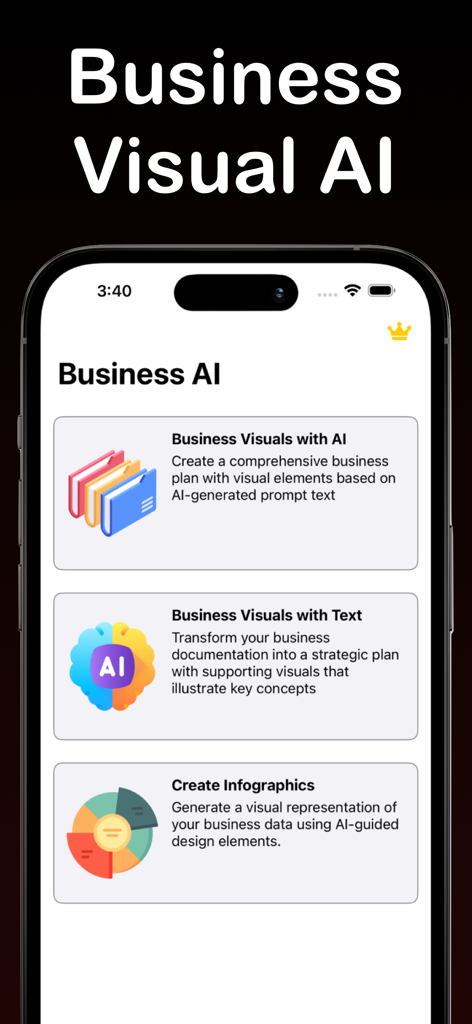
Interface of the PresentAI app showing options to create business visuals and infographics using AI
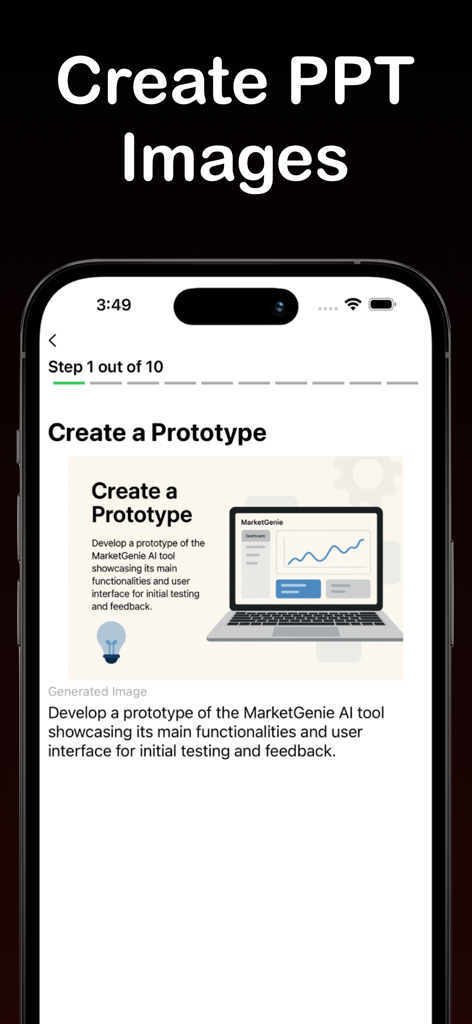
Mobile interface of PresentAI app showing an AI-generated business prototype visual for a PowerPoint presentation.
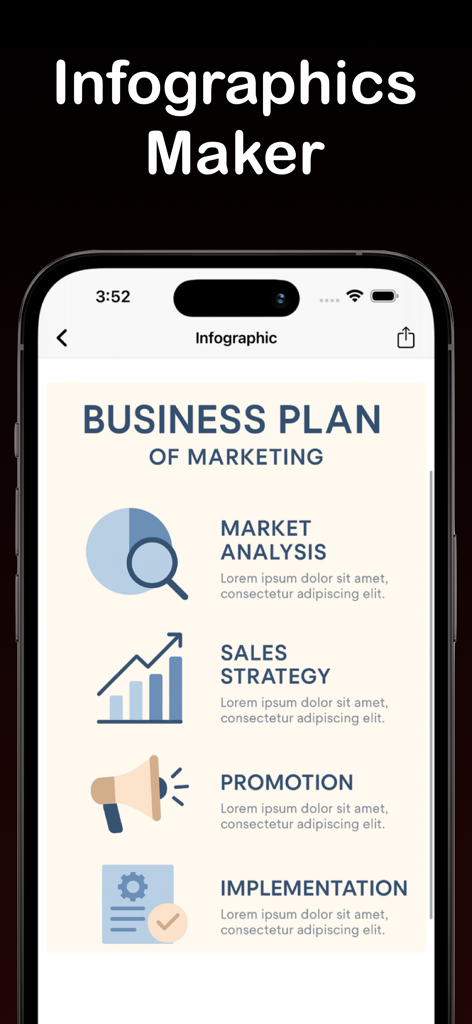
A mobile interface of PresentAI displaying a professional marketing business plan infographic with icons for market analysis and sales strategy
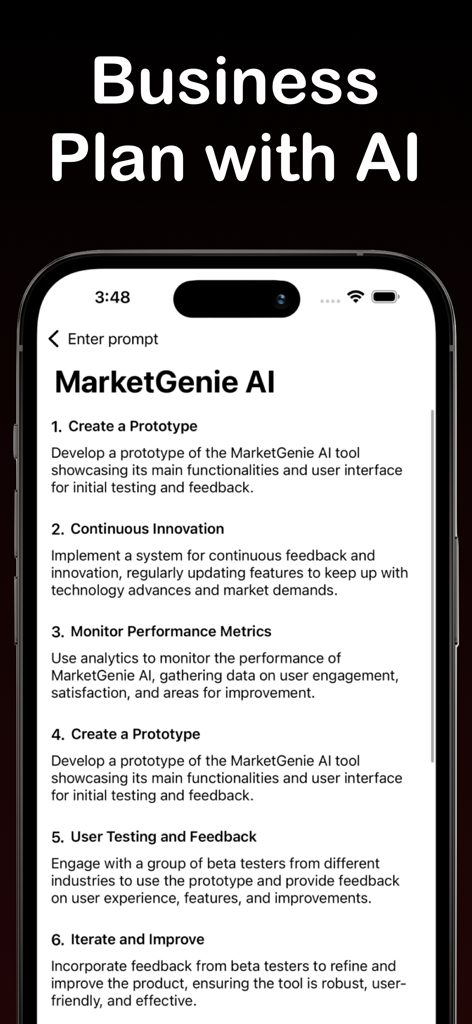
Mobile app interface displaying an AI-generated business plan for MarketGenie AI with numbered steps
Description
Download
More Like This
Top-ranked apps in the same category

Microsoft Teams
Microsoft Corporation

Zoom Workplace
Zoom Communications, Inc.

WhatsApp Business
WhatsApp Inc.

Indeed Job Search
Indeed Inc.

LinkedIn: Network & Job Finder
LinkedIn Corporation

Adobe Acrobat Reader: Sign PDF
Adobe Inc.

WeCom-Work Communication&Tools
Tencent Technology (Shenzhen) Company Limited

BOSS直聘-招聘求职找工作神器
Beijing China Product Bo Farce Network Technology Co., Ltd.

DingDing - Redefine Work in AI
DingTalk Technology Co., Ltd.
This page is not an official page of the app or its developer, but an independent editorial publication created for informational and commentary purposes. Unless expressly stated otherwise, neither the app nor its developer is affiliated with, endorsed by, sponsored by, authorized by, or otherwise officially connected with MWM, Apple, Google Play, the app publisher, or the app's developer, and nothing on this page implies that the app was developed using MWM's services. Any trademarks, logos, screenshots, and other content remain the property of their respective owners.