
This page is not an official page of the app or its developer, but an independent editorial publication created for informational and commentary purposes. Unless expressly stated otherwise, neither the app nor its developer is affiliated with, endorsed by, sponsored by, authorized by, or otherwise officially connected with MWM, Apple, Google Play, the app publisher, or the app's developer, and nothing on this page implies that the app was developed using MWM's services. Any trademarks, logos, screenshots, and other content remain the property of their respective owners.


Procreate
This app shatters the myth that serious art needs a desktop. It puts a studio-grade toolkit in the hands of any iPad user.
Downloads
10M+User Rating
Total Ratings
155.7KPublisher
Category
Graphics & DesignLocales
18Latest Version
5.4.10Size
1.1 GBFirst Released
Mar 16, 2011An in-depth analysis of Procreate's core functionalities for digital artists.
Procreate: Key Feature Evaluation
Extensive & Customizable Brush System
The app offers hundreds of pre-designed brushes, an advanced Brush Studio with over 100 customizable settings, and the ability to import Photoshop® brushes, providing unparalleled versatility for artistic expression.
Robust Layering System
This tool features an advanced layering system, including Layer Masks, Clipping Masks, and over 25 blend modes, allowing for non-destructive editing and sophisticated compositional control.
High-Resolution Canvas Support
The app provides support for exceptionally high-resolution canvases, enabling artists to create detailed artwork up to 16K by 8K for professional-grade output and large prints.
Robust File Compatibility & Sharing
The app provides robust import and export options, supporting formats like PSD, TIFF, PNG, JPEG, PDF, OBJ, and USDZ, ensuring seamless integration into professional workflows and diverse sharing needs.
Advanced Precision Drawing Tools
This tool incorporates advanced precision tools like QuickShape, Drawing Assist, and StreamLine stabilization, which help artists achieve perfect shapes, smooth lines, and accurate compositions effortlessly.
Intuitive iPadOS Interface
This tool features a beautifully intuitive interface, meticulously designed for iPad and Apple Pencil, ensuring a seamless and natural creative workflow for artists of all levels.
High-Performance Valkyrie Engine
It is powered by the Valkyrie graphics engine, delivering lightning-fast 64-bit performance that ensures a smooth and responsive painting experience even with complex artworks.
Integrated Animation Tools
It allows users to create frame-by-frame animations, storyboards, GIFs, and animatics with customizable onion skinning and Page Assist, expanding its utility into motion graphics.
Frequently Asked Questions
Everything you need to know about Procreate
What is Procreate?
Procreate is a leading creative application designed for iPad, offering tools for expressive sketches, rich paintings, gorgeous illustrations, and beautiful animations. It functions as a complete art studio on the go.
Does Procreate include brushes?
Yes, Procreate is packed with hundreds of beautifully crafted brushes. Users can organize them into sets and libraries, and customize them using Brush Studio, which offers over 100 settings.
Can users create their own brushes in Procreate?
Yes, users can create and customize their own brushes in Procreate. The app features Brush Studio, which provides over 100 customizable settings for brush creation, and allows importing/exporting custom Procreate brushes.
Does Procreate support layers for artwork?
Yes, Procreate features a full-featured layering system. Users can layer art for precise control, create Layer Masks and Clipping Masks, organize layers into Groups, and access over 25 layer blend modes.
Can Procreate paint on 3D models?
Yes, Procreate includes 3D Painting capabilities with Lighting Studio. Users can paint on 3D models and export them as models, images, or animations, expanding their creative possibilities.
Is Procreate a subscription-based app?
No, Procreate does not operate on a subscription model. The app features no ads and no subscriptions, offering a one-time purchase for full access to its features and ongoing updates.
Does Procreate offer animation features?
Yes, Procreate includes animation features like easy frame-by-frame animation with customizable onion skinning. Users can create storyboards, GIFs, animatics, and simple animations directly within the app.
Can Procreate import Adobe Photoshop brushes?
Yes, Procreate allows users to import Adobe® Photoshop® brushes. It runs these brushes faster than Photoshop® itself, enhancing the creative workflow and brush versatility within the app.
What file formats can Procreate export?
Procreate can export working files in layered .procreate or PSD formats. It also supports exporting art as TIFF, transparent PNG, multi-page PDF, web-ready JPEG, OBJ, USDZ, and animated GIFs, PNGs, and MP4s.
Does Procreate have color adjustment features?
Yes, Procreate offers powerful image adjustments including Color Balance, Curves, HSB, and Gradient Map. It also provides various color panels like Disc, Classic, Harmony, Value, and Palette for precise color control.
Can Procreate assist with drawing perfect shapes and strokes?
Yes, Procreate includes features like Revolutionary QuickShape for perfect shapes and Drawing Assist, which perfects strokes in real time. StreamLine and stabilization also smooth strokes for calligraphy and expert inking.
Does Procreate have accessibility features?
Yes, Procreate includes advanced stroke stabilization, Dynamic Type, VoiceOver, and Feedback Sounds. It also allows assignable single-touch gestures and color naming for enhanced accessibility.
Can Procreate record time-lapse videos of artwork?
Yes, Procreate offers a Time-lapse Replay feature to record the creative journey. Users can export these recordings in 4K for high-quality video production or a shorter 30-second version for social sharing.
Does Procreate offer filters and effects for artwork?
Yes, Procreate allows users to brush in image adjustments and effects with Apple Pencil. It includes effects like Glitch, Chromatic Aberration, Bloom, Noise, Halftone, and various blur filters to add new dimensions.
The following screenshots and description are sourced directly from the app's official store listing and are the property of the app developer.
App Store
Screenshots
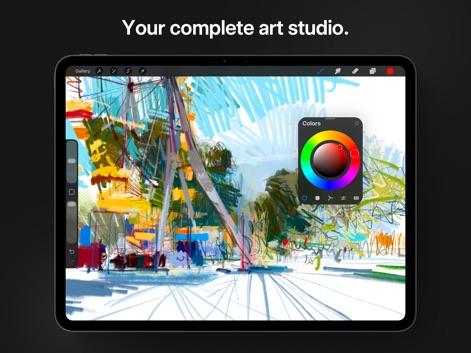
Explore the app's intuitive interface with its dynamic color wheel and streamlined toolbars for seamless digital creation.
Intuitive Art Canvas
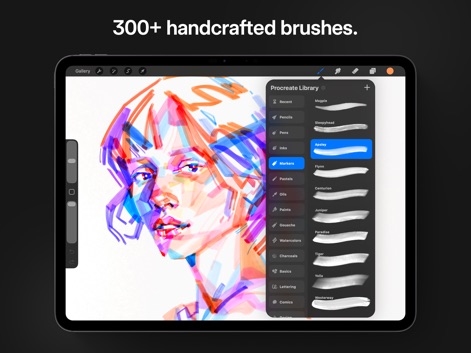
Discover the vast 'Procreate Library' showcasing diverse brush categories and customizable brush sets for any artistic style.
Extensive Brush Library
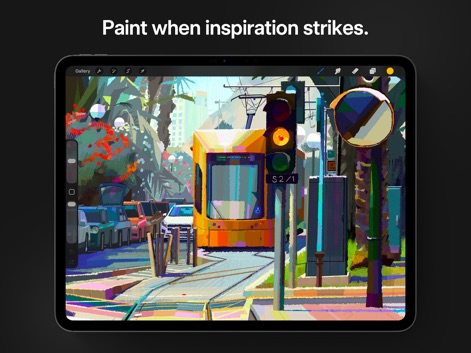
Witness the app's capability for rich paintings, demonstrating expressive brushwork and a vibrant color palette in a detailed urban scene.
Vibrant Digital Painting

Observe the precision tools that enable beautiful calligraphy, highlighting smooth, stabilized strokes and elegant letterforms for professional results.
Masterful Calligraphy Tools
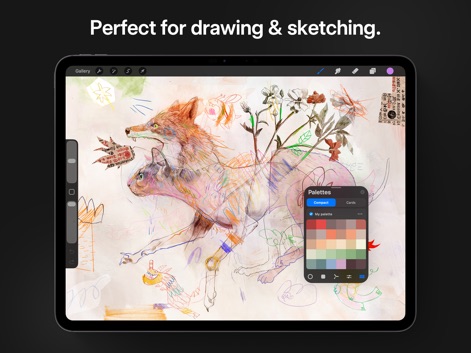
See how the app supports intricate sketching with varied line work and offers quick access to customizable color palettes for creative exploration.
Sketching Essentials
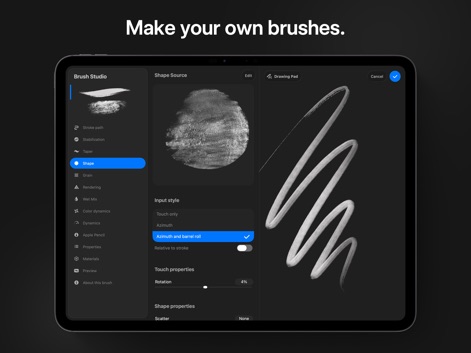
Delve into the 'Brush Studio' where users can customize over 100 settings, including shape source and input style, to craft unique brushes.
Custom Brush Creation
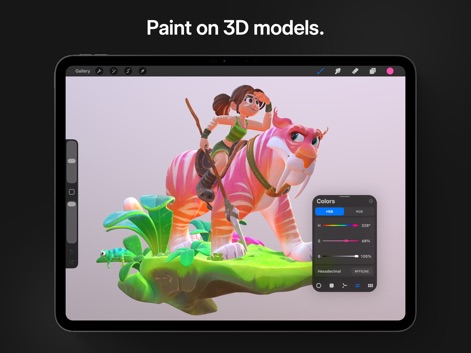
Experience the app's 3D painting capabilities, allowing users to color complex models with precision using the HSB color picker and dynamic lighting.
Immersive 3D Painting
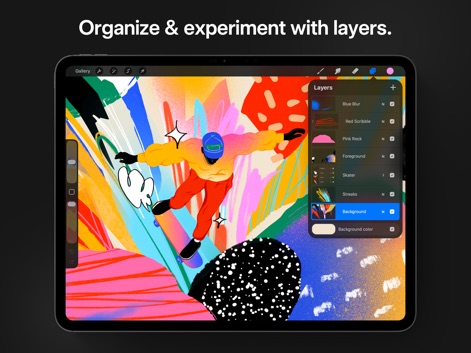
Understand how the app’s advanced layer system offers precise control over composition, showcasing the intuitive layers panel and grouping options.
Advanced Layer Management
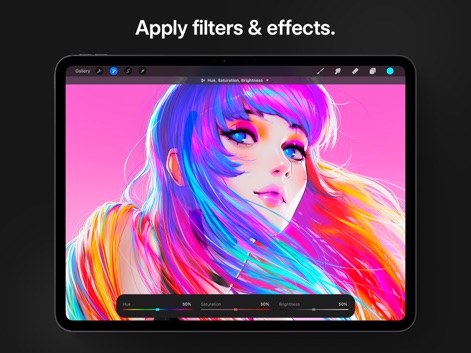
Explore dynamic image adjustments, such as Hue, Saturation, and Brightness sliders, offering real-time previews for impactful creative effects.
Dynamic Image Effects
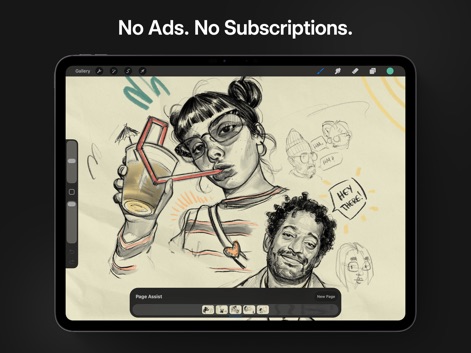
Utilize the innovative 'Page Assist' feature to manage multiple page thumbnails and seamlessly organize art for storyboards or comics.
Creative Storyboarding Tools
Description
Download
More Like This
Apps with similar features and user experience

Sketchbook®
Sketchbook, Inc.

Mental Canvas Draw
Mental Canvas, Inc.

ibis Paint
ibis inc.

ibis Paint X
ibis inc.

Paper: Sketch, Draw & Create
Evernote Corporation

Adobe Fresco: Draw & Paint App
Adobe Inc.

Art Set 4
Lofopi Ltd

MediBang Paint – Drawing & Art
MediBang inc.

Tayasui Sketches
SKETCHES SRL
This page is not an official page of the app or its developer, but an independent editorial publication created for informational and commentary purposes. Unless expressly stated otherwise, neither the app nor its developer is affiliated with, endorsed by, sponsored by, authorized by, or otherwise officially connected with MWM, Apple, Google Play, the app publisher, or the app's developer, and nothing on this page implies that the app was developed using MWM's services. Any trademarks, logos, screenshots, and other content remain the property of their respective owners.