SpeechMaker: Master the Art of Public Speaking with Your Professional Mobile Podium
The all-in-one teleprompter and rehearsal studio for executives, students, and leaders. Create, time, and record your delivery with audio-video feedback to command every room with confidence.
Publisher
Plum Amazing Software LLC
Category
Education
Downloads
1K+
User Rating
1.0/5
Total Ratings
0
Locales
1
Your Podium Preview
Discover the interface used by 1K+ users.
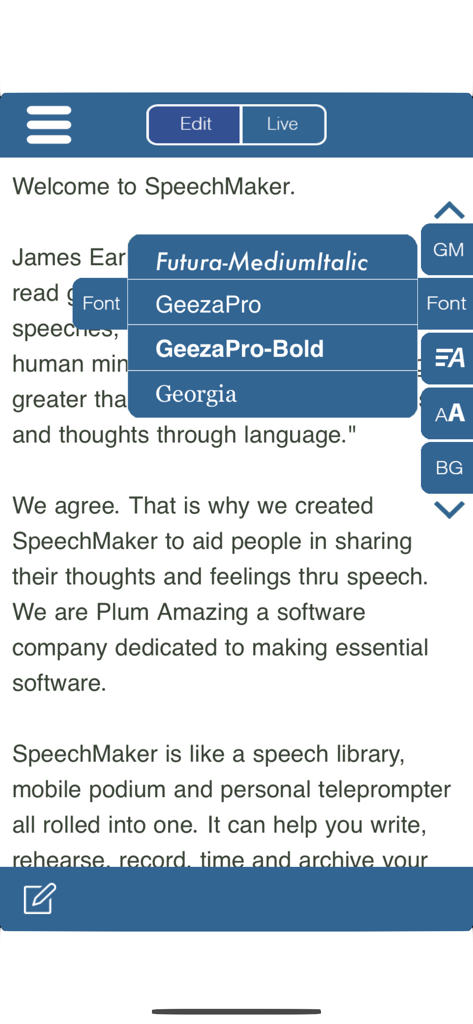
SpeechMaker app font customization menu for speech text on iPhone.
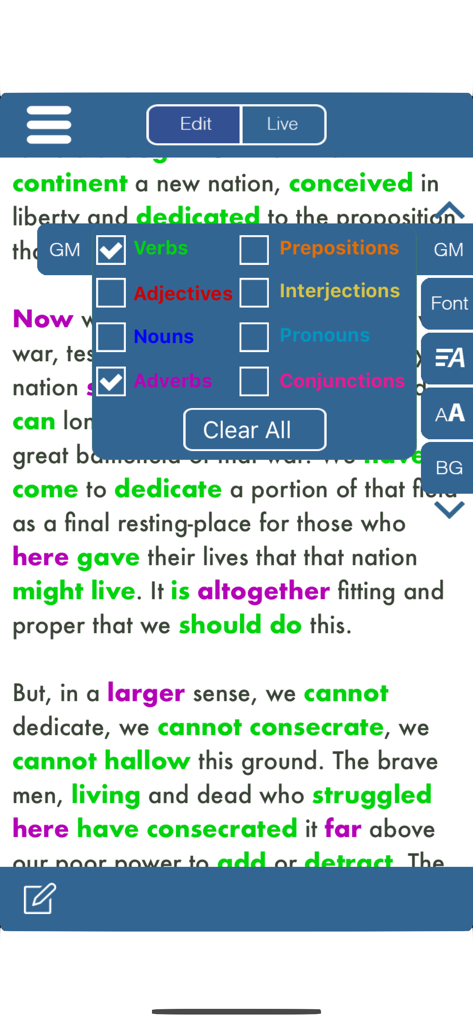
A teleprompter screen in SpeechMaker showing the Gettysburg Address with verbs and adverbs highlighted in green and purple using a color-coded grammar menu.
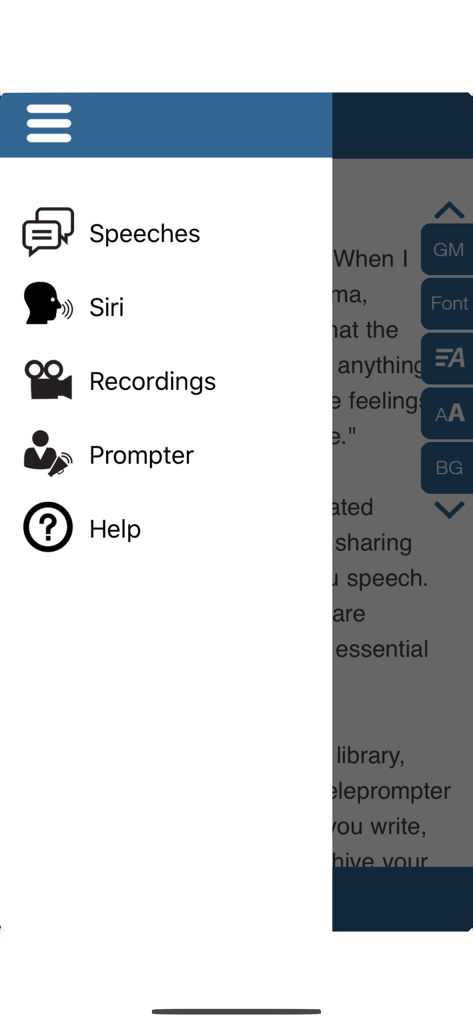
Sidebar navigation menu of the SpeechMaker app featuring Speeches, Siri, Recordings, Prompter, and Help options.
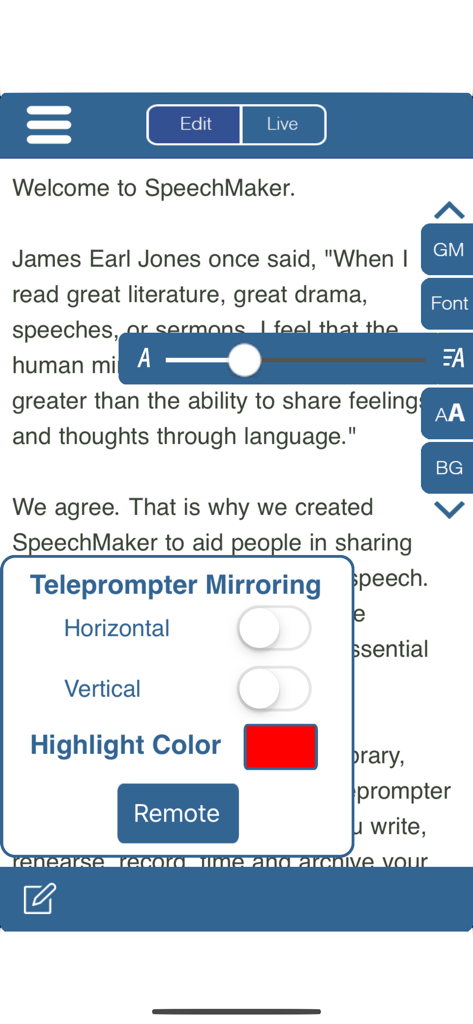
SpeechMaker app interface showing teleprompter mirroring settings and font size adjustment over a speech draft
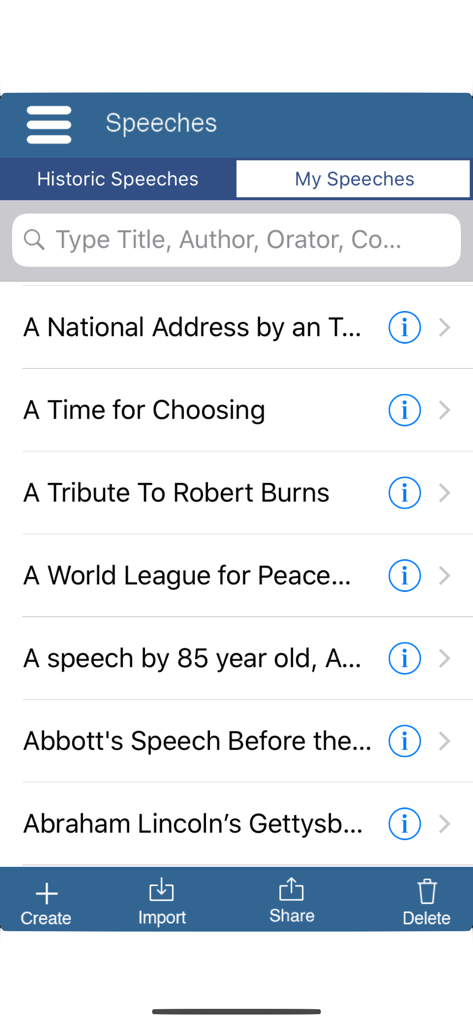
SpeechMaker app interface displaying a searchable list of famous historic speeches including Lincoln's Gettysburg Address.
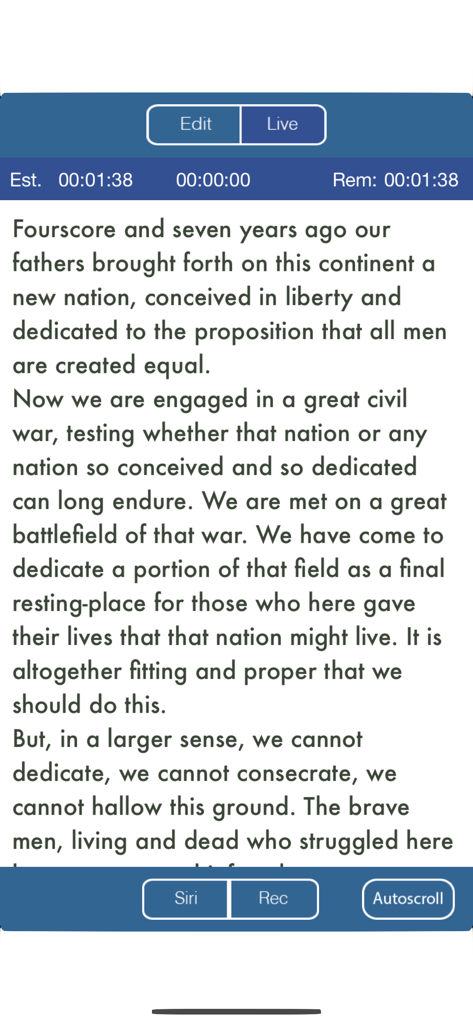
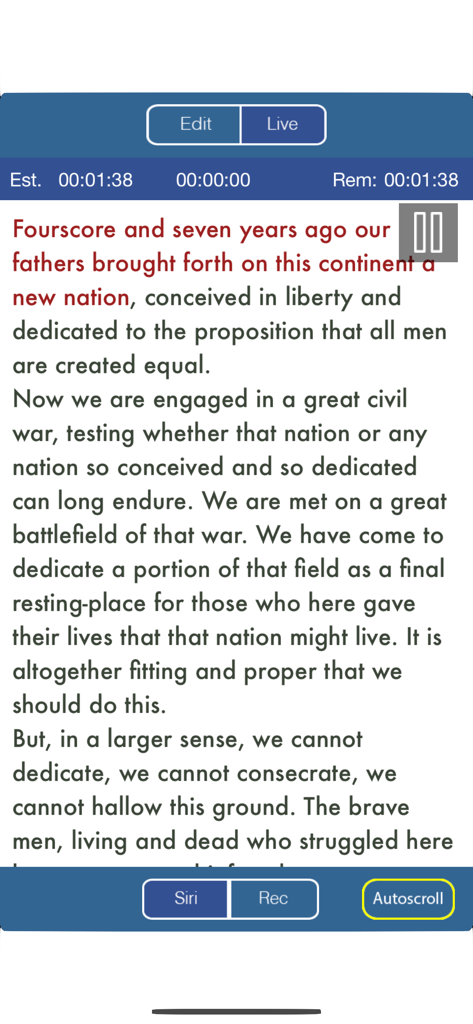
Teleprompter view of the SpeechMaker app showing speech text with timing and recording features
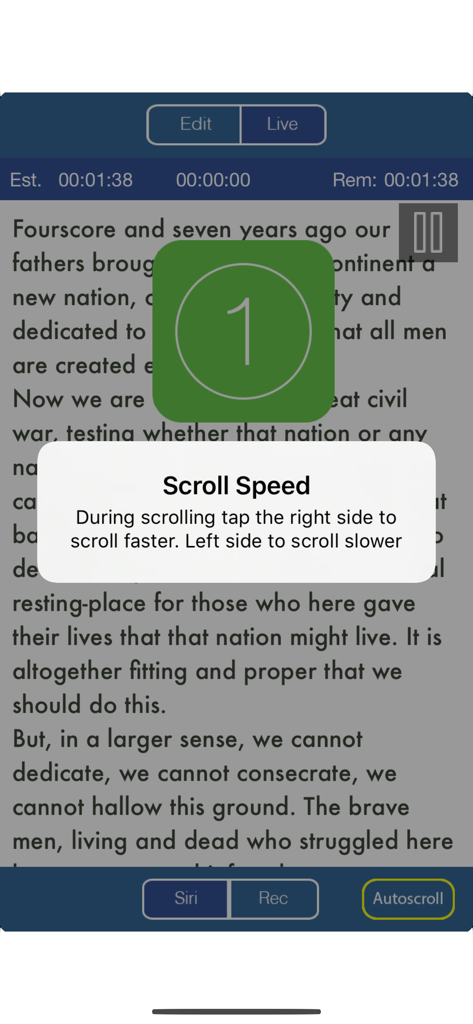
Teleprompter interface in the SpeechMaker app showing scroll speed instructions and a countdown timer.
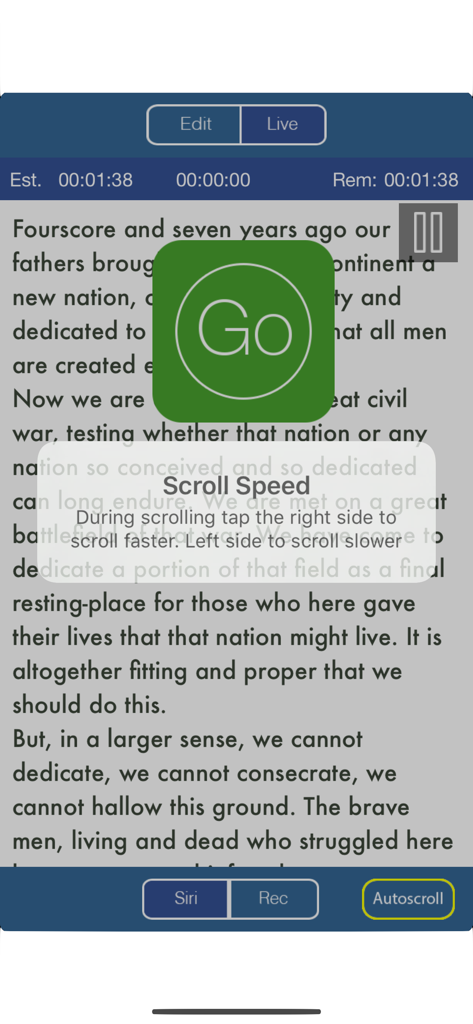
Teleprompter screen in the SpeechMaker app displaying speech text with a scroll speed instruction popup and a large green go button.
SpeechMaker mobile app interface showing the Gettysburg Address text in a teleprompter with timing and recording controls.
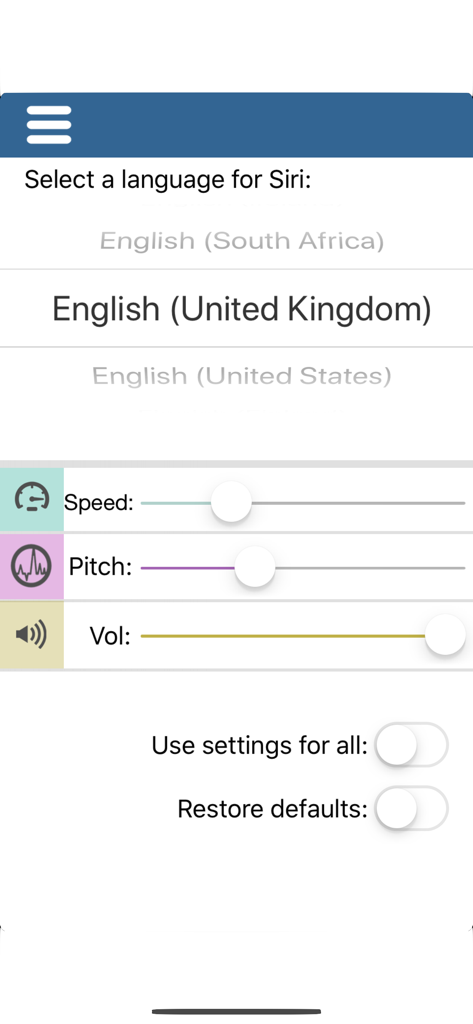
Interface for selecting Siri language and adjusting voice speed pitch and volume in the SpeechMaker app
Master Every Presentation with Professional Tools
The tools that make this app stand out, trusted by 1K+ users.
🎥
Smart Video Teleprompter
Record yourself while the teleprompter scrolls to perfect your eye contact, posture, and delivery before the big event.
⏱️
Precision Timing Control
Stay on track with real-time timers showing elapsed and remaining time, so you never rush or run over your limit.
📂
Seamless Cloud Integration
Instantly import scripts from Google Docs or Dropbox and sync your library across devices for a paperless, professional workflow.
About the app
Everything you need to know about Public Speaking S Video Audio.
Description
Turns an iPhone or iPad into your personal mobile speech podium. Create, archive, rehearse, hear, record in Audio/Video, present, time and give speeches. Speechmaker is a professional teleprompter with timers for public speaking in government, business and in schools. The most popular professional tool for rhetoric, oration, sermons, lyrics, plays, etc. whether live in public or on TV. It's for seasoned orators, children and everyone in between.
Free 14 day trial period after that a subscription is required to continue.
Go to our site for reviews/info: plumamazing.com/product/speechmaker/
Keep your speeches with you at all time, secure and available to use at any moment. Easily edit and give speeches at the last minute.
“It usually takes me more than three weeks to prepare a good impromptu speech.” – Mark Twain
SpeechMaker Features
- Create, edit, record, archive, time and give your speeches
- Record audio to hear how you sound before delivering that important speech
- Record audio & video to see your eye contact, posture, etc. during a speech
- Built in famous speeches, to search, examine or read yourself.
- Use the powerful built-in and easy to use telemprompter
- Mirror and reverse text
- Autoscroll text and control with a tap
- Siri can speak any speeches aloud in 36 different languages
- TIMERS stand out and show, elapsed, remaining and estimated time
- Change the background color, fonts, scroll speed & font size
- Runs on iPhone and iPad with separate UI for both
- Tap a button see verbs, nouns, adjectives and other parts of speech highlighted in different colors. Makes grammar come alive
- Archive your text, audio and video for the future
- Share you speech with friends and followers on social media.
- Import via text, RTF or PDF using copy & paste, Dropbox or Google Docs
- Export speech text via Email
- Import and export audio via Dropbox
- Rehearse your speech
- Timers for elapsed time and time to go for the speech all at a glance
- Practice delivering your lines flawlessly by recording audio/video
- Audio recording allows you to get feedback as you practice your speech
- Buttons and gestures to start, stop and control scroll speed
- Touch gestures:
+ pinch or zoom to change font size for easier reading
+ grab and scroll instantly to any part of a speech
+ tap the right side to speedup scrolling. Tap the left side to slow scrolling
- Give your speech using the easily adjustable autoscroll. Clearly see the speech scrolling in your choice of font, size and background color.
- Display extra large on a Mac or monitor or projector via AppleTV. Handy for TV stations, studios, schools, auditoriums, podcasters, lecture halls and plays
Includes famous speeches. Speak them out yourself or let Siri
Speechmaker guides you from speech creation to presentation to storage
Speechmaker helps you create a speech, spellcheck and visualize the grammar in color. Great for schools and schoolkids
Speechmaker has a teleprompter which automatically scrolls your speech so you can speak distraction free while simultaneously recording either audio/video of your speech
Practice poems, lyrics, scripts, comedy, lectures, sermons, startup pitches and plays, etc
SpeechMaker is popular with politicians, executives, students, teachers, directors, poets, lecturers, ministers, rabbis, authors, playwrights, speechwriters, scriptwriters, toastmasters, comedians, singers and actors
Carry on iPhone/iPad, no need to rely on notes on napkins or index cards
Users Rave
"Carrying all my speeches in one convenient and easy to use device saves my sanity. SpeechMaker is easy for me to use and I love how I can control all aspects of how it looks on screen. I used to drive my wife crazy asking each time how the speech sounds. Now I record the speech until I have it just right only then do I ask my wife what she thinks. SpeechMaker is the best thing to happen to my marriage and this ancient art in a hundred years."
Latest Version
3.9.1
Size
98.1 MB
First Released
Aug 4, 2019
Ready to Deliver Your Most Powerful Speech Yet?
Turn your iPhone or iPad into a professional-grade mobile podium today. Join thousands of executives and rising leaders who never miss a beat. Start your 14-day free trial now.
FAQ
Frequently Asked Questions
Everything you need to know about Public Speaking S Video Audio
Does the Speechmaker app offer a free trial?
Yes, Speechmaker offers a free 14-day trial period. After the trial, a subscription is required to continue using the Public Speaking S Video Audio app's features.
What are the main features of the Public Speaking S Video Audio app?
The Speechmaker app allows users to create, edit, record, archive, time, and deliver speeches. It includes a teleprompter, audio/video recording for rehearsal, and grammar highlighting.
Does Speechmaker include a teleprompter feature?
Yes, the Speechmaker app provides a built-in teleprompter function. It supports mirroring and reversing text, and users can adjust autoscroll speed and font settings.
Can I record my speeches using the Public Speaking S Video Audio app?
Yes, the Speechmaker app allows recording audio and video during rehearsal. This feature helps users evaluate their eye contact, posture, and vocal delivery for public speaking.
Does the Speechmaker app support Siri for speech playback?
Yes, Speechmaker integrates with Siri, enabling the assistant to speak any speech aloud. This function is available in 36 different languages for diverse users.
How does Speechmaker help users time their speeches?
The Speechmaker app includes timers that display elapsed time, remaining time, and estimated total time. These are prominently shown during speech delivery to help with pacing.
Does Speechmaker highlight parts of speech?
Yes, the Public Speaking S Video Audio app offers grammar highlighting. It can color-code verbs, nouns, adjectives, and other parts of speech to visualize grammar in text.
What import and export options are available in the Speechmaker app?
Users can import speeches into Speechmaker via text, RTF, or PDF formats using copy & paste, Dropbox, or Google Docs. Export options include email for text and Dropbox for audio.
Can I customize the display settings in the Public Speaking S Video Audio app?
Yes, Speechmaker supports customization of appearance. Users can change the background color, font styles, scroll speed, and font size for the teleprompter display.
App information, icons, screenshots, and descriptions displayed on this page are sourced from the Apple App Store and are the property of their respective developers. Download estimates and rankings are based on MWM's proprietary models and may not reflect actual figures. This page is provided for informational and analytical purposes only.
Believe this page infringes your intellectual property? File a dispute