QR Code & Barcode Scanner ・

QR Code & Barcode Scanner ・

Download on App Store
Logo of QR Code & Barcode Scanner ・

QR Code & Barcode Scanner: The Ultimate All-in-One Tool for Smart Scanning

Join 40+ million users to compare prices instantly on Amazon, manage small business inventory, and create custom codes with the most trusted scanner for iPhone and Apple Watch.

Publisher

TeaCapps GmbH

Category

Utilities

Downloads

40M+

User Rating

4.6/5

Total Ratings

1M+

Locales

16

Scanning in Action

Discover the interface used by 40M+ users.
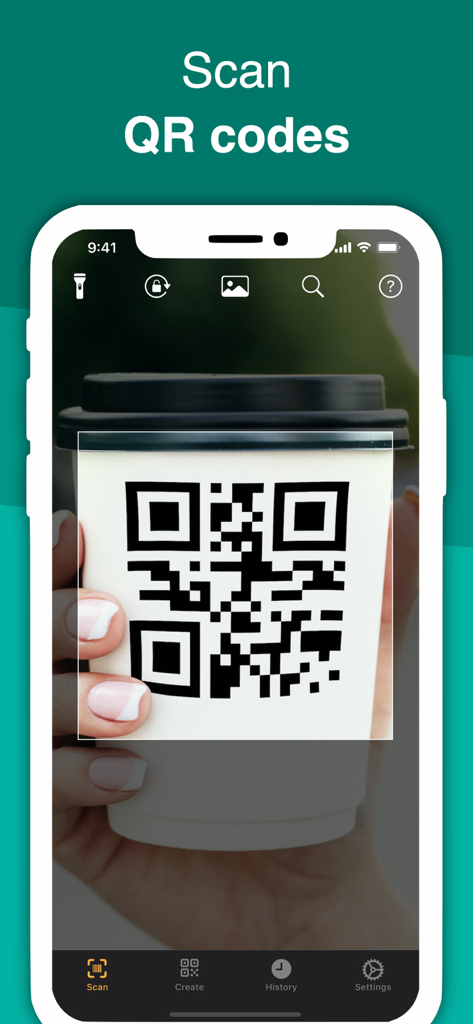
iPhone app scanning a QR code on a white coffee cup

iPhone app scanning a QR code on a white coffee cup

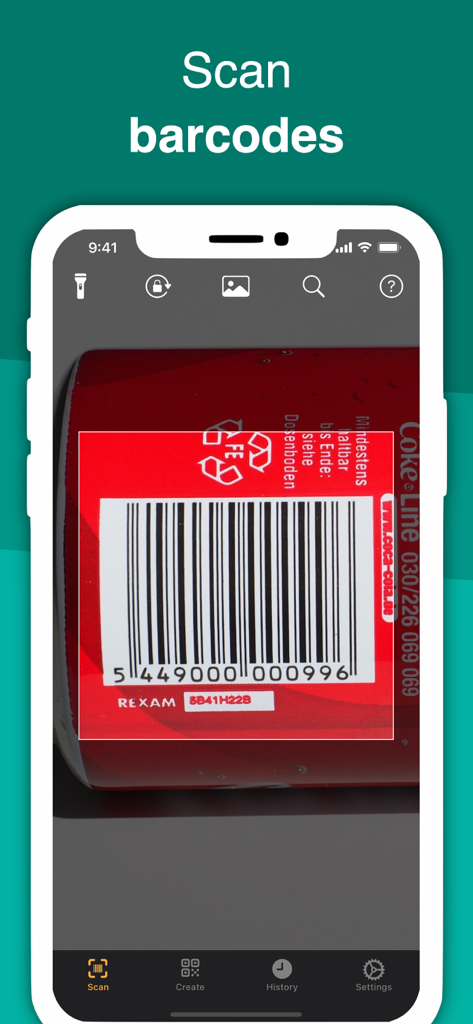
Smartphone using QRbot app to scan a barcode on a red can

Smartphone using QRbot app to scan a barcode on a red can

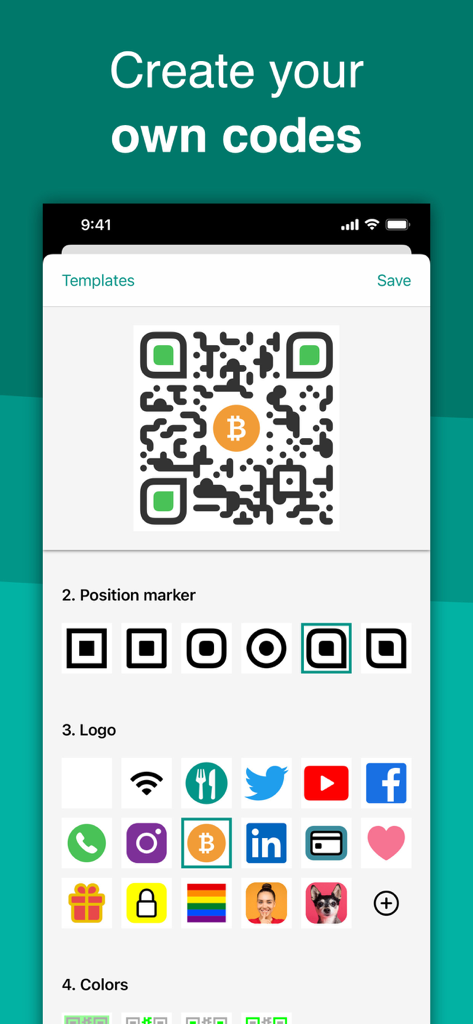
Interface showing how to create and customize QR codes with logos and different styles in the QRbot app

Interface showing how to create and customize QR codes with logos and different styles in the QRbot app

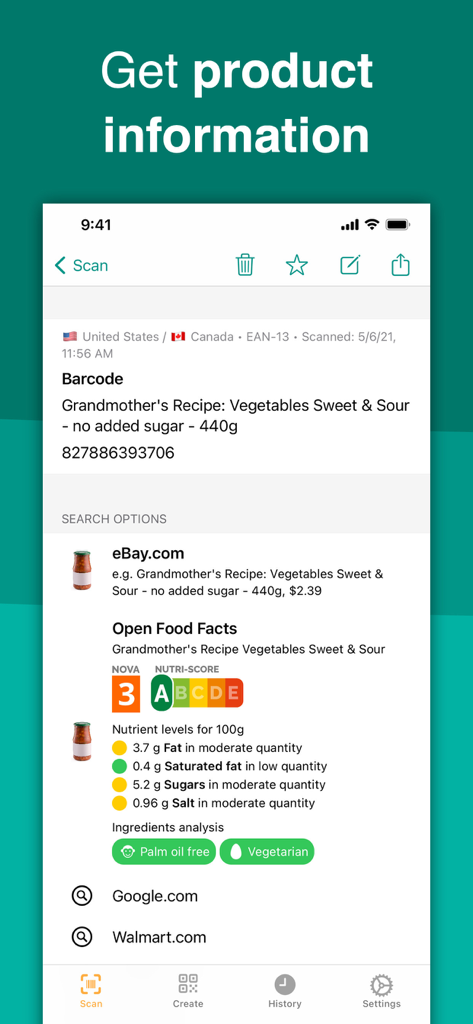
QRbot app interface showing product details and nutritional information after scanning a barcode

QRbot app interface showing product details and nutritional information after scanning a barcode

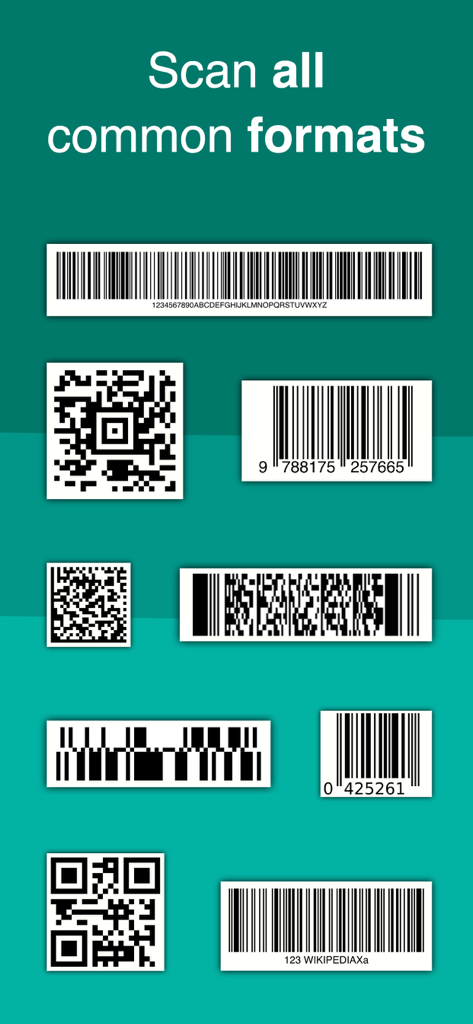
A display showing various QR code and barcode formats that the app can scan.

A display showing various QR code and barcode formats that the app can scan.

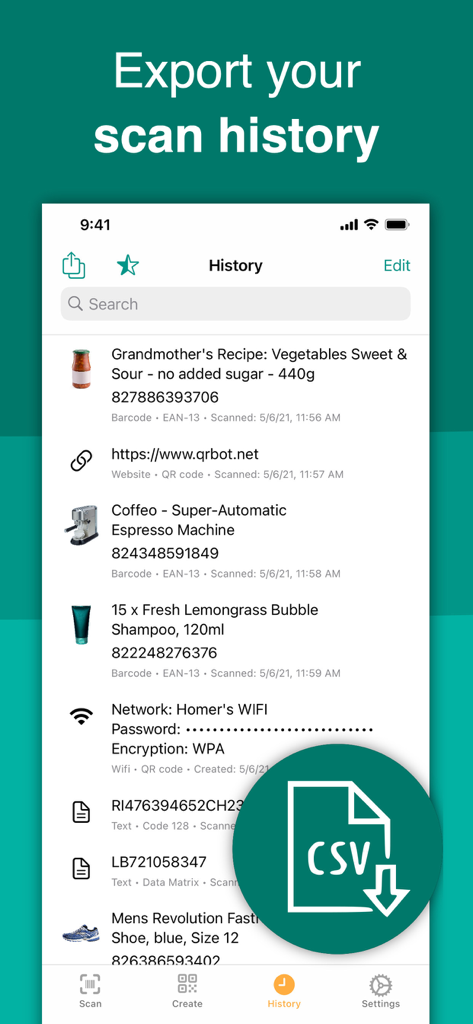
Screenshot of QRbot scan history screen showing various scanned products and a CSV export icon

Screenshot of QRbot scan history screen showing various scanned products and a CSV export icon

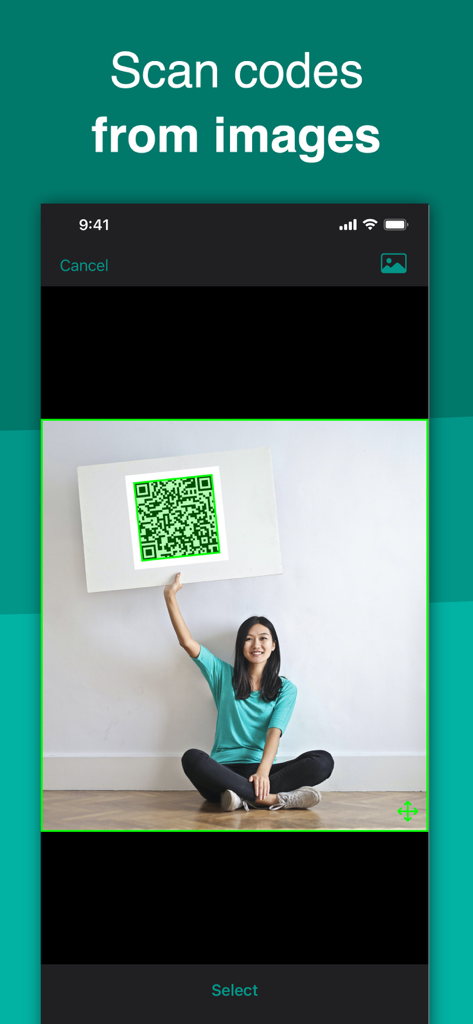
QRbot app interface showing a user selecting an image of a woman holding a large QR code to be scanned.

QRbot app interface showing a user selecting an image of a woman holding a large QR code to be scanned.

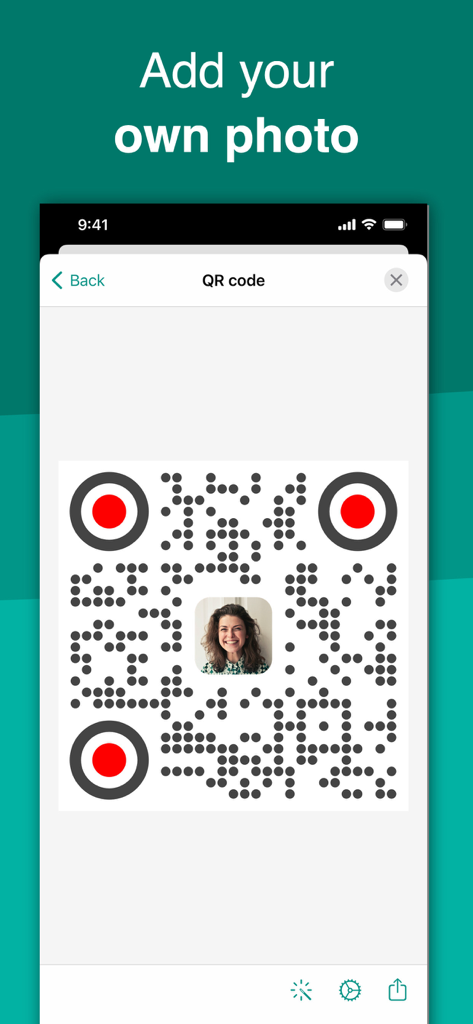
Interface of QRbot app showing a custom QR code with a personal photo in the center

Interface of QRbot app showing a custom QR code with a personal photo in the center

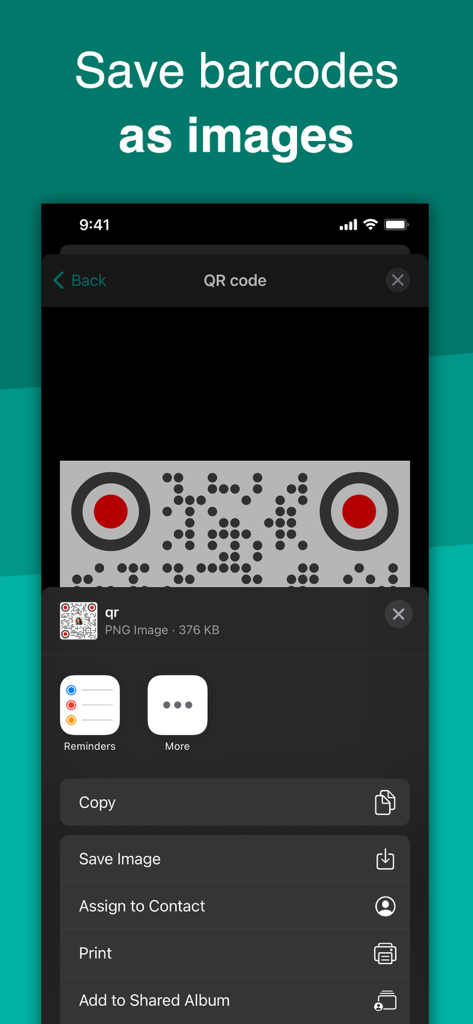
Interface of the QRbot app showing the option to save a QR code as an image using the iOS share menu

Interface of the QRbot app showing the option to save a QR code as an image using the iOS share menu

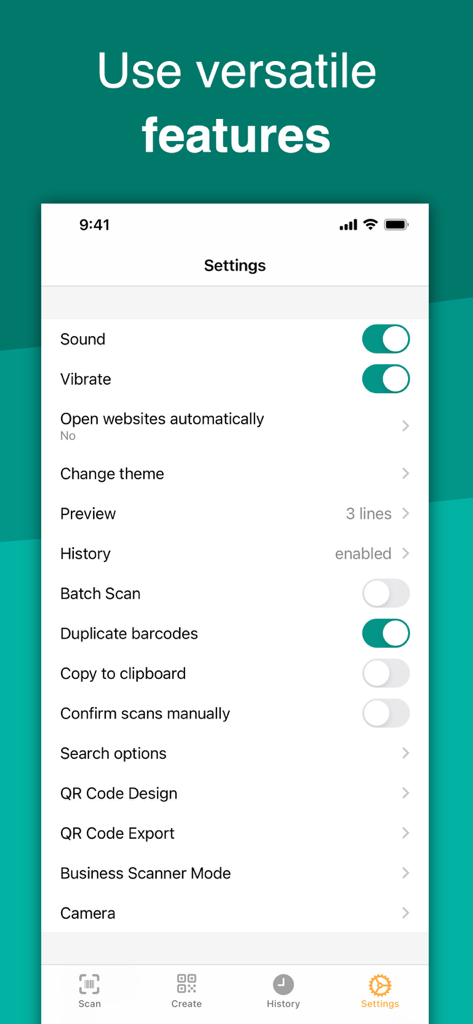
Settings screen of the QRbot app showing versatile scanner options including business mode and history management

Settings screen of the QRbot app showing versatile scanner options including business mode and history management

Unlock More Than Just a Scan

The tools that make this app stand out, trusted by 40M+ users.

🏷️

Shop Smarter Every Day

Instantly scan any barcode to compare prices on Amazon, eBay, and Google, ensuring you always get the best deal without leaving the store.

📦

Business-Ready Inventory

Streamline your side-hustle or small business. Use Business Scanner Mode to track stock, export CSV data, and sync directly with your web server.

🔄

Your History, Everywhere

Never lose a link again. Keep your scan history organized and accessible across your iPhone, iPad, and Apple Watch with seamless iCloud synchronization.

About the app

Everything you need to know about QR Code & Barcode Scanner ・.

Description

Discover your world by scanning any QR code or barcode to get additional information including results from popular online services; Amazon, eBay and Google - 100% FREE! Create and share QR codes to open URLs, connect to WiFi hotspots, add events, read VCards, etc. You can even manage complex inventory with the business scanner mode and more. With QRbot, you can; • Scan, create, share and manage your own QR codes. QRbot uses Apple's built-in native scanning technology delivering quick results. Code formats supported include; QR code, EAN 13, EAN 8, UPC-A, UPC-E, Code 128, Data Matrix, PDF417, Aztec, Interleaved 2 of 5, Code 39, Code 93, Codabar, DataBar, etc. • Get specific information by adding custom websites into the barcode search (i.e. your favorite shopping website). • Manage unlimited history and keep it synchronized via iCloud across all your devices. • Export your scan history (as CSV file). Import it to your favorite spreadsheet (Excel, Numbers, etc.) or save it to any cloud storage (iCloud Drive, Dropbox, Google Drive, etc.). • Instantly send your codes to any configurable web server in Business Scanner Mode. • Use QRbot for product inventory and quality assurance in your small business! • Easily share content from within apps as QR codes (i.e. generate a QR code from within Safari to share a website URL). • Search all your QR codes from within Spotlight. • Make your favorite QR codes (e.g. your personal Wifi hotspot, your VCard) appear on your Apple Watch. • Many many more! If you have any suggestions or questions, feel free to contact us any time: ios@qrbot.net Terms of Service https://qrbot.net/terms-app QR Code is a registered trademark of DENSO WAVE INCORPORATED in the United States and other countries.

Latest Version

2.5.4

Size

50.2 MB

First Released

Jun 18, 2016

Ready to Scan Smarter?

Join 40 million users who trust QRbot for everything from instant price comparisons to professional inventory management. Download the only scanner you'll ever need—100% free.

Download on App Store
FAQ

Frequently Asked Questions

Everything you need to know about QR Code & Barcode Scanner ・

What is QR Code & Barcode Scanner?

QR Code & Barcode Scanner, also known as QRbot, scans QR codes and barcodes to provide additional product information from online services. It also creates and shares custom QR codes.

Is the QR Code & Barcode Scanner app free to use?

Yes, the QR Code & Barcode Scanner app is 100% free to use. It allows users to discover product information and create QR codes without cost.

Can QRbot scan different types of codes?

Yes, QRbot scans multiple code formats including QR code, EAN 13, EAN 8, UPC-A, UPC-E, Code 128, Data Matrix, PDF417, Aztec, Code 39, and Code 93.

How does QR Code & Barcode Scanner provide product information?

QR Code & Barcode Scanner gets additional product information by searching popular online services such as Amazon, eBay, and Google after scanning a code.

Can I create my own QR codes with QRbot?

Yes, QRbot allows users to create and share custom QR codes for various purposes, including URLs, WiFi hotspots, events, and VCards.

Does QRbot support managing scan history?

Yes, QRbot manages an unlimited scan history. This history synchronizes via iCloud across all your devices, ensuring data consistency.

How can I export my scan history from QR Code & Barcode Scanner?

Users can export their scan history from QR Code & Barcode Scanner as a CSV file. This file imports into spreadsheets or saves to cloud storage.

Does QR Code & Barcode Scanner have a business mode?

Yes, QR Code & Barcode Scanner features a business scanner mode. This mode helps manage complex inventory and instantly sends codes to configurable web servers.

Can I scan QR codes from images using QRbot?

Yes, QRbot allows scanning QR codes directly from images. Users can select an image from their device to scan for codes.

Can I customize the design of QR codes in QRbot?

Yes, QRbot provides options to customize QR code designs. Users can add logos, choose position markers, and select colors for their created codes.

App information, icons, screenshots, and descriptions displayed on this page are sourced from the Apple App Store and are the property of their respective developers. Download estimates and rankings are based on MWM's proprietary models and may not reflect actual figures. This page is provided for informational and analytical purposes only.

Believe this page infringes your intellectual property? File a dispute