QR Code Reader—Barcode Scanner

QR Code Reader—Barcode Scanner

Download on App Store
Logo of QR Code Reader—Barcode Scanner

QR Code Reader—Barcode Scanner: The Ultimate All-in-One Tool for Smart Scanning

Instantly compare prices, generate custom QR codes for your business, and keep your scan history perfectly organized. Fast, reliable, and built for your daily efficiency.

Publisher

My Thu Nguyen Thi

Category

Utilities

Downloads

98K+

User Rating

3.8/5

Total Ratings

100

Locales

17

Experience the Speed

Discover the interface used by 98K+ users.
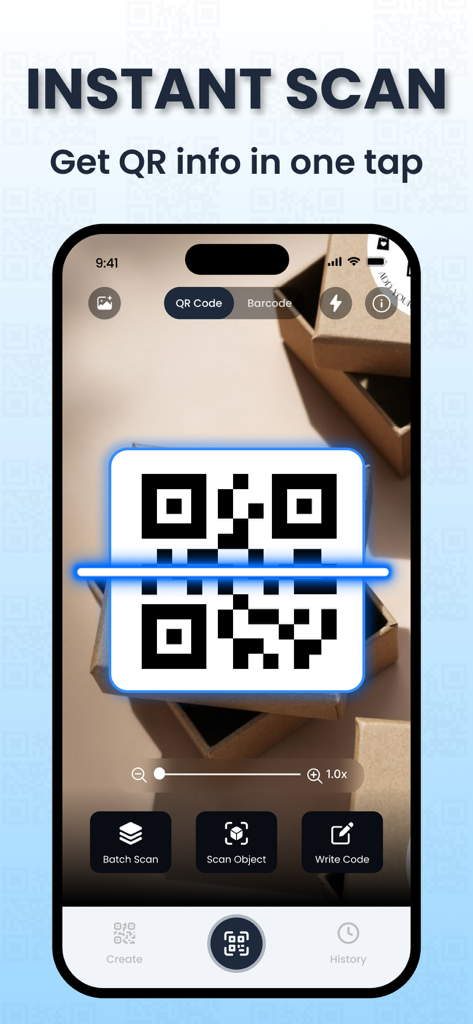
A smartphone scanning a QR code on a package using the QR Code Reader app

A smartphone scanning a QR code on a package using the QR Code Reader app

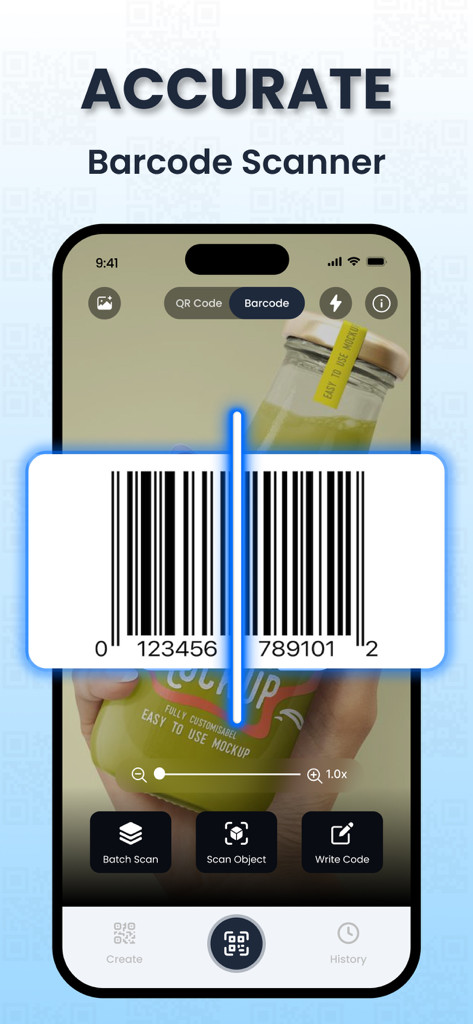
Mobile app interface showing the barcode scanning feature on a product bottle

Mobile app interface showing the barcode scanning feature on a product bottle

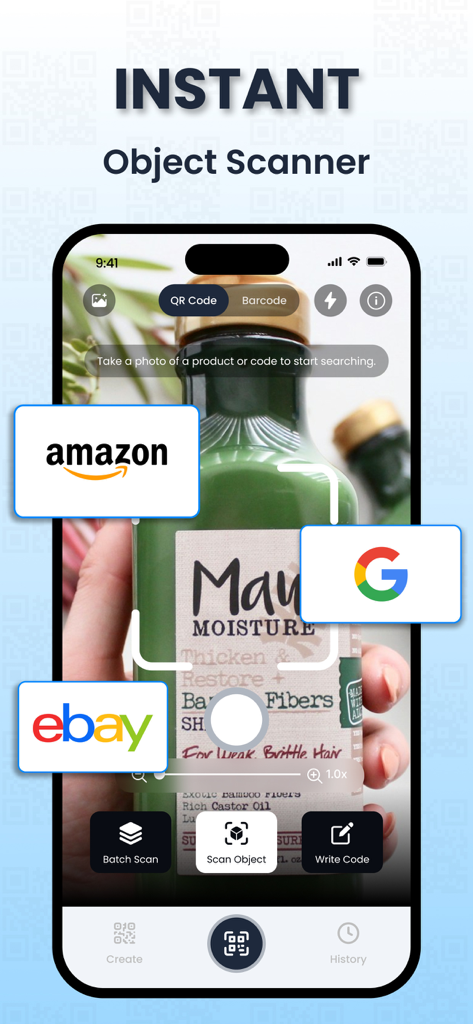
Interface of an instant object scanner app identifying a product with search links for Amazon Google and eBay

Interface of an instant object scanner app identifying a product with search links for Amazon Google and eBay

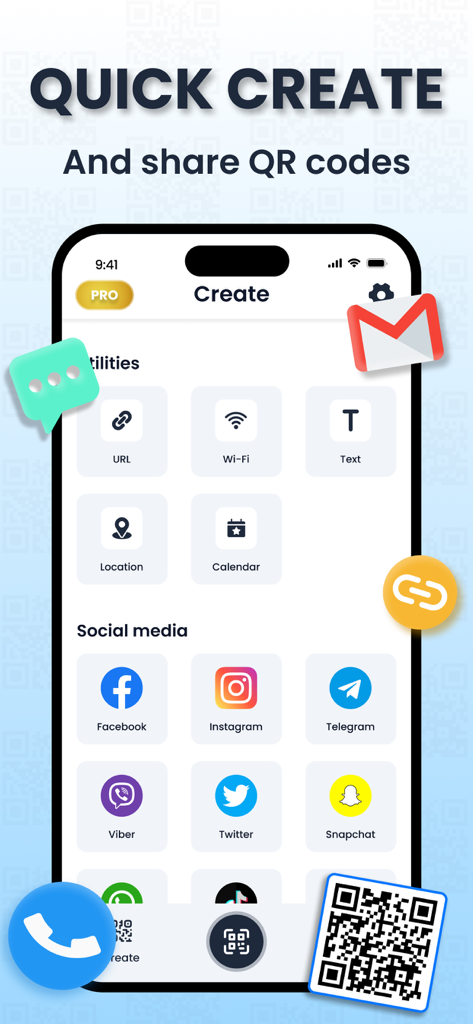
Mobile app interface for creating custom QR codes for social media and utilities

Mobile app interface for creating custom QR codes for social media and utilities

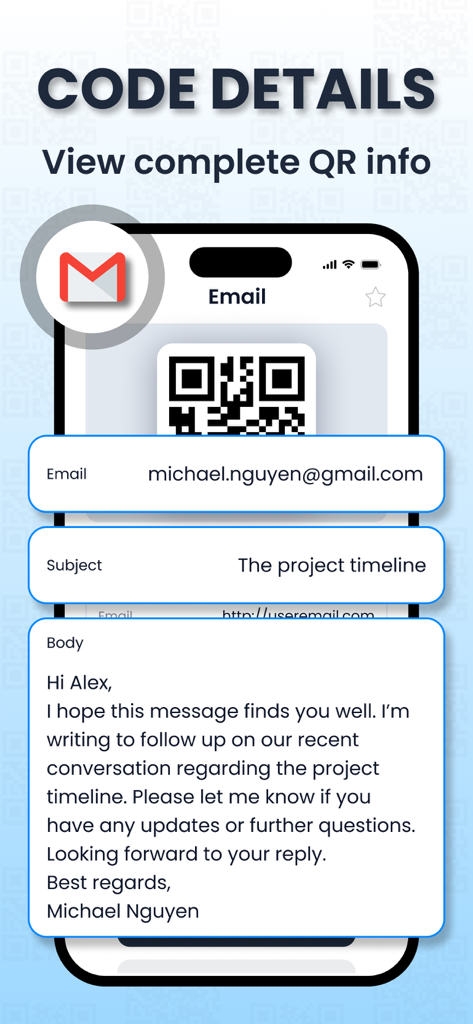
Smartphone screen displaying email details extracted from a scanned QR code

Smartphone screen displaying email details extracted from a scanned QR code

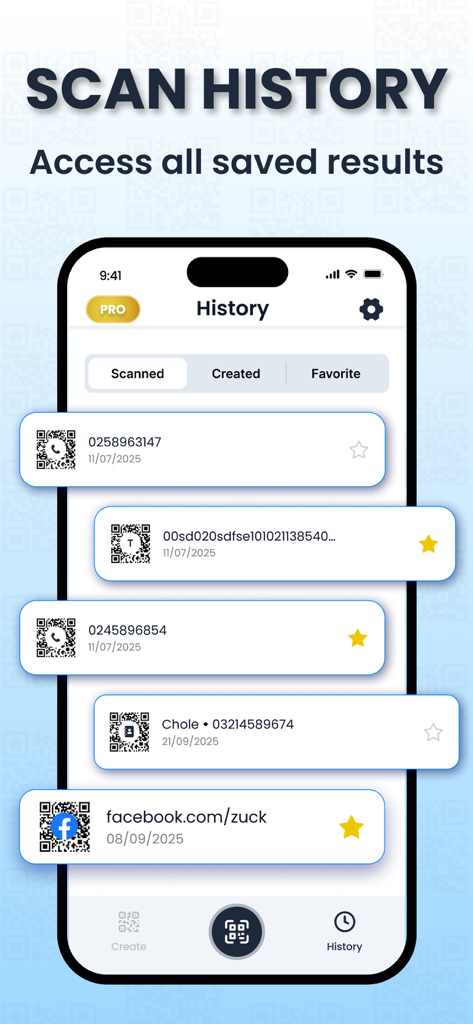
Mobile app interface displaying a list of scanned QR codes and barcodes with dates and favorites

Mobile app interface displaying a list of scanned QR codes and barcodes with dates and favorites

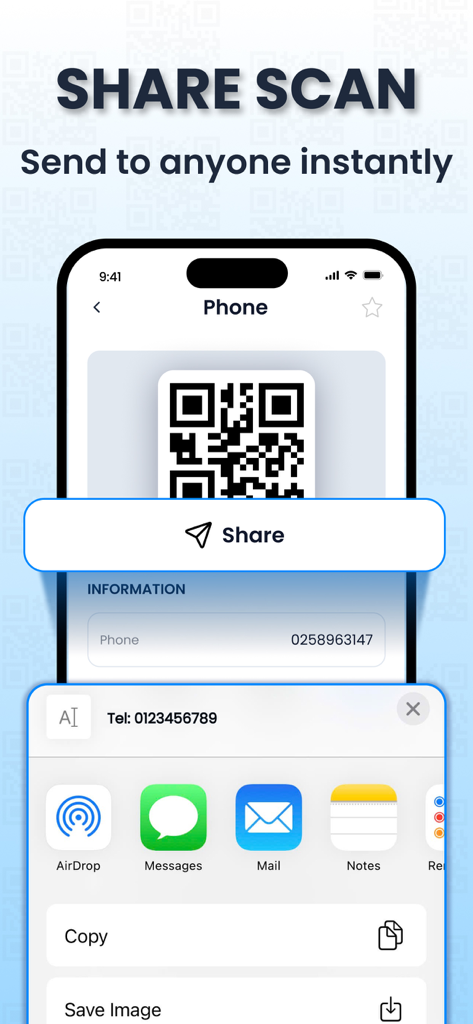
Mobile app screen showing a share menu with options to send a scanned QR code via AirDrop, Messages, and Mail

Mobile app screen showing a share menu with options to send a scanned QR code via AirDrop, Messages, and Mail

Master Every Scan with Ease

The tools that make this app stand out, trusted by 98K+ users.

🏷️

Smart Shopping Assistant

Scan barcodes at any retailer to instantly compare prices and view product details, ensuring you always get the best deal.

🪄

Instant QR Creation

Easily generate custom QR codes for Wi-Fi access, digital business cards, or social links to share with your clients and guests.

🕒

Organized Scan History

Never lose a link or product again. Your entire scan history is automatically saved and organized for quick access whenever you need it.

About the app

Everything you need to know about QR Code Reader—Barcode Scanner.

Description

QR Code Reader—Barcode Scanner is the all-in-one tool for scanning, reading, and creating QR codes and barcodes. With a fast camera scanner and smart utilities, you can instantly decode any code, look up product details, or generate your own QR codes for Wi-Fi, contacts, events, and more. Designed for both everyday users and businesses, this app delivers accurate results and keeps all your scans organized in one place. Key Features: SCAN QR CODES INSTANTLY - Quickly scan QR codes from your surroundings or saved images with our fast QR reader and access the information you need in seconds. READ BARCODES EFFORTLESSLY - Scan barcodes with ease to access product details, pricing, availability, and more. You can also enter serial numbers manually, making it simple to look up information anytime with our barcode checker. CREATE QR CODES - Generate QR codes for both personal and business purposes. This QR code app isn’t just a scanner – it’s a complete tool for creating and sharing your own codes, whether it’s for contact details, Wi-Fi access, or events. ACCESS YOUR SCAN HISTORY - Easily review, manage, and share your entire scan history in just a few taps. All of your QR and barcode scan details are neatly organized in one convenient place, making it simple to find what you need anytime. Enjoy a smooth, reliable scanning experience. **Premium Subscription ** Upgrade to Premium to unlock all features: unlimited scans, create & scan QR codes, and advanced editing tools. You can choose: - Weekly subscription (with 3-day free trial) at $4.99/week - Yearly subscription at $29.99/year Payment & Renewal: – Payment will be charged to your iTunes Account at confirmation of purchase (after the free trial period, if offered). – Subscription automatically renews unless auto-renew is turned off at least 24 hours before the end of the current period. – Your account will be charged for renewal within 24 hours prior to the end of the current period, at the same price of $9.99/week or $39.99/year. – You can manage subscriptions and turn off auto-renewal in your Account Settings after purchase. – Any unused portion of a free trial period, if offered, will be forfeited when you purchase a subscription. Privacy Policy: https://sites.google.com/view/qrcode-reader-scanner/privacy-policy Terms of Use (EULA): https://www.apple.com/legal/internet-services/itunes/dev/stdeula

Latest Version

1.2

Size

31.8 MB

First Released

Sep 23, 2025

Start Scanning Smarter Today

Join 98,000+ savvy shoppers and professionals. Compare prices instantly, create custom codes, and keep your history organized in one powerful app.

Download on App Store
FAQ

Frequently Asked Questions

Everything you need to know about QR Code Reader—Barcode Scanner

How do I scan QR codes with the QR Code Reader—Barcode Scanner app?

The QR Code Reader—Barcode Scanner app quickly scans QR codes from your surroundings or saved images using its fast QR reader feature. It accesses the information instantly.

Does the QR Code Reader—Barcode Scanner app support barcode scanning?

Yes, the QR Code Reader—Barcode Scanner app supports barcode scanning. It scans barcodes effortlessly to access product details, pricing, and availability. Users can also manually enter serial numbers.

Can I create QR codes using the QR Code Reader—Barcode Scanner app?

Yes, the QR Code Reader—Barcode Scanner app allows users to create QR codes for personal and business purposes. This includes generating codes for contact details, Wi-Fi access, or events.

What features are included in the Premium Subscription for QR Code Reader—Barcode Scanner?

The Premium Subscription for QR Code Reader—Barcode Scanner unlocks all features, including unlimited scans, the ability to create and scan QR codes, and advanced editing tools.

How much does the Premium Subscription for QR Code Reader—Barcode Scanner cost?

The Premium Subscription for QR Code Reader—Barcode Scanner offers a weekly plan at $4.99/week with a 3-day free trial, or a yearly subscription at $29.99/year.

Does the QR Code Reader—Barcode Scanner app offer a free trial for its Premium Subscription?

Yes, the QR Code Reader—Barcode Scanner app offers a 3-day free trial for its weekly Premium Subscription. Any unused portion of the free trial is forfeited upon purchasing a subscription.

How do I manage my subscription for the QR Code Reader—Barcode Scanner app?

Users manage subscriptions for the QR Code Reader—Barcode Scanner app and turn off auto-renewal in their Account Settings after purchase. Auto-renewal must be off 24 hours before the period ends.

Where can I find the privacy policy for the QR Code Reader—Barcode Scanner app?

The privacy policy for the QR Code Reader—Barcode Scanner app is available at: https://sites.google.com/view/qrcode-reader-scanner/privacy-policy.

Does the QR Code Reader—Barcode Scanner app keep a history of scanned items?

Yes, the QR Code Reader—Barcode Scanner app provides access to scan history. Users can easily review, manage, and share their entire scan history, which is neatly organized in one place.

What types of QR codes can I create with the QR Code Reader—Barcode Scanner app?

The QR Code Reader—Barcode Scanner app allows creation of QR codes for URLs, Wi-Fi, text, location, calendar events, and social media platforms like Facebook, Instagram, and Telegram.

App information, icons, screenshots, and descriptions displayed on this page are sourced from the Apple App Store and are the property of their respective developers. Download estimates and rankings are based on MWM's proprietary models and may not reflect actual figures. This page is provided for informational and analytical purposes only.

Believe this page infringes your intellectual property? File a dispute