QR Scanner and Barcode Reader

QR Scanner and Barcode Reader

Download on App Store
Logo of QR Scanner and Barcode Reader

QR Scanner and Barcode Reader: Scan, Create, and Organize with Ease

The essential all-in-one utility to unlock coupons, scan from your photo gallery, and keep a digital paper trail of every code you scan.

Publisher

Ngo Thi Thom

Category

Utilities

Downloads

723K+

User Rating

3.0/5

Total Ratings

100

Locales

1

Simplicity in Every Scan

Discover the interface used by 723K+ users.
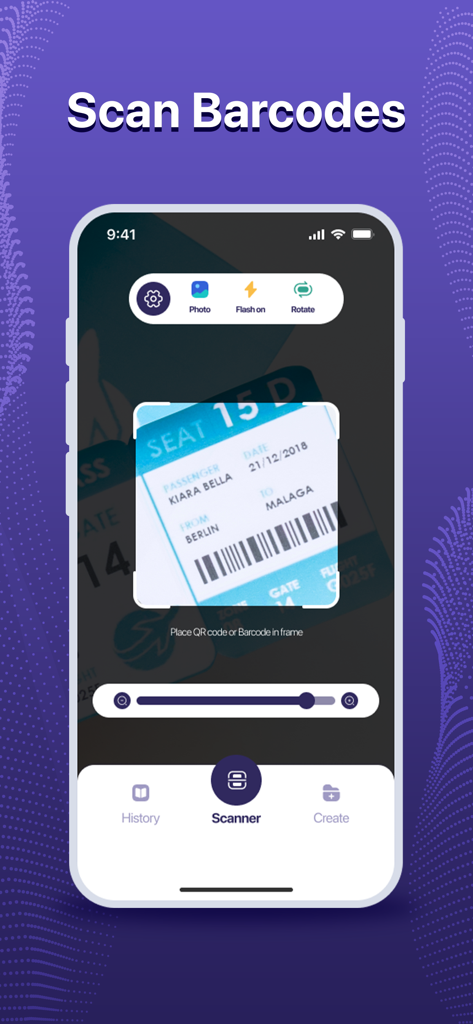
Mobile app interface scanning a barcode on a boarding pass with options for history and QR creation.

Mobile app interface scanning a barcode on a boarding pass with options for history and QR creation.

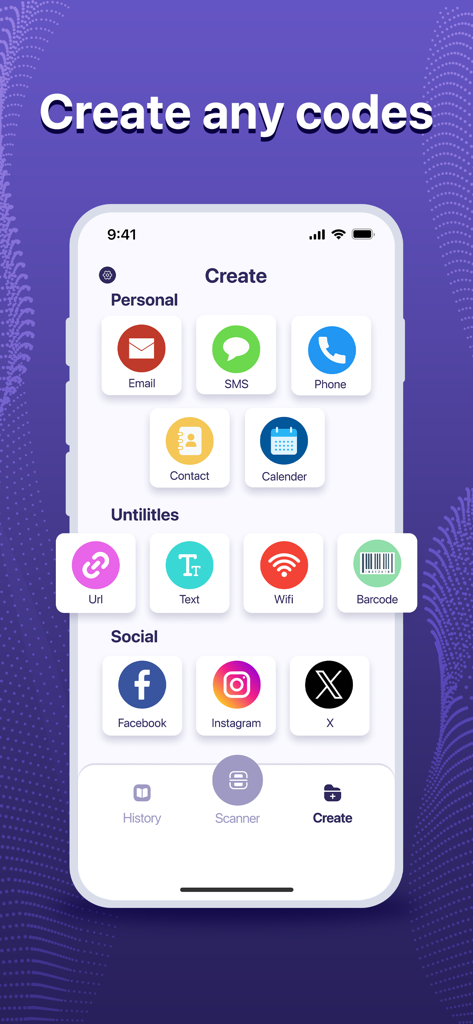
Interface for creating custom QR codes for personal contacts utilities and social media platforms

Interface for creating custom QR codes for personal contacts utilities and social media platforms

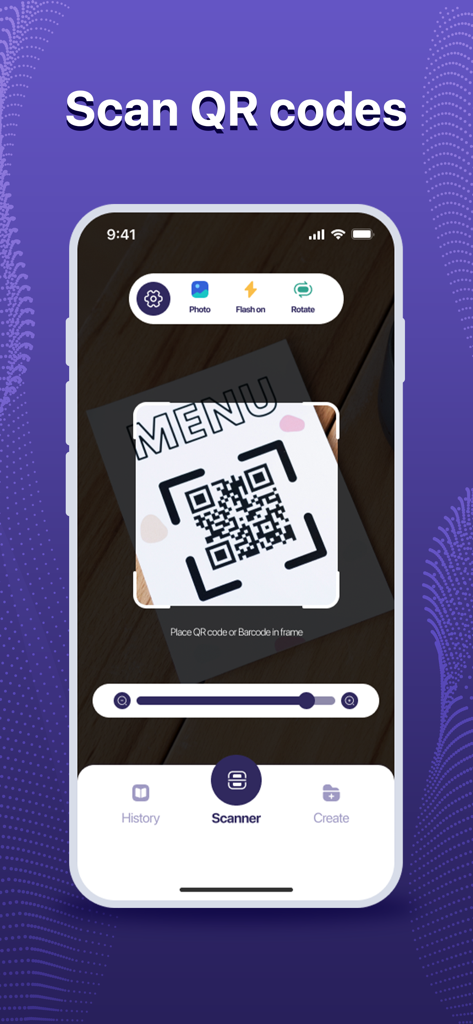
QR scanner app interface scanning a restaurant menu code

QR scanner app interface scanning a restaurant menu code

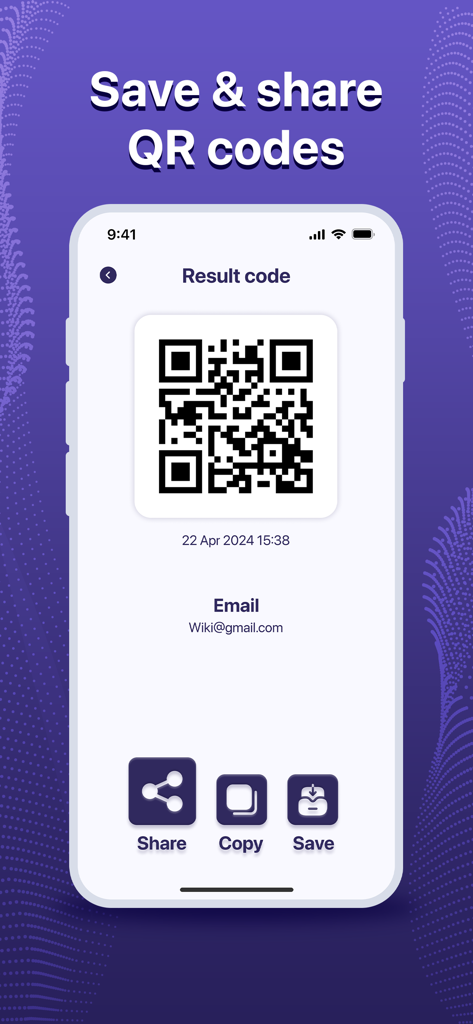
Smartphone screen showing options to save and share a generated QR code.

Smartphone screen showing options to save and share a generated QR code.

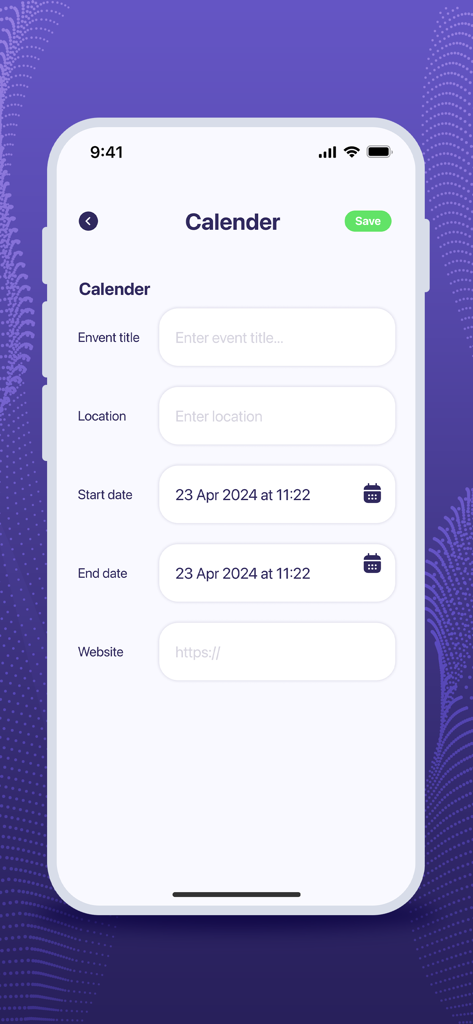
Interface of the QR Scanner app showing a form to create a calendar event QR code with fields for event title location and dates

Interface of the QR Scanner app showing a form to create a calendar event QR code with fields for event title location and dates

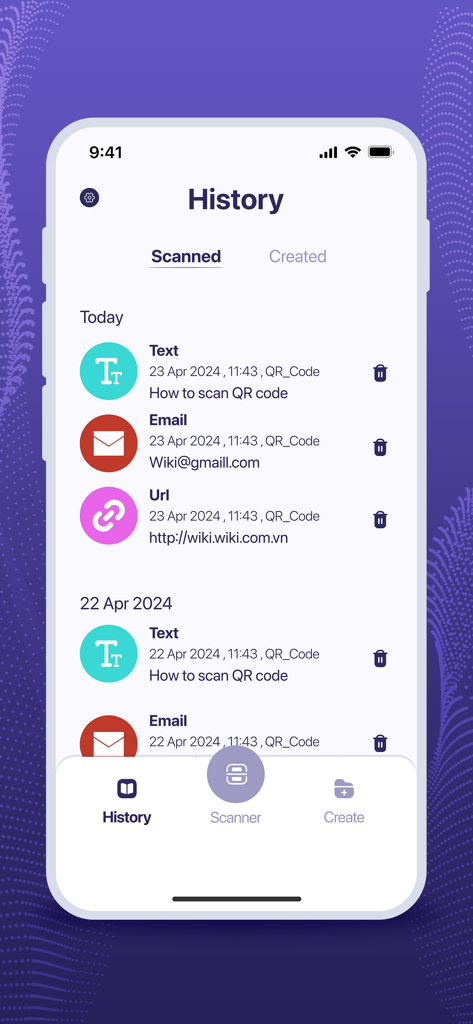
A list of previously scanned QR codes and barcodes displayed in the app history log.

A list of previously scanned QR codes and barcodes displayed in the app history log.

Efficiency at Your Fingertips

The tools that make this app stand out, trusted by 723K+ users.

🖼️

Scan Directly from Photos

Stop struggling with screenshots. Effortlessly decode QR codes received via text or saved in your gallery, a feature missing from native camera tools.

🏷️

Shop Smarter, Save Faster

Scan barcodes at your favorite retailers to instantly unlock exclusive digital coupons, check product reviews, and compare prices for the best deal.

📑

Organized Scan History

Never lose a restaurant menu or contact again. Your scans are automatically archived in a searchable history log, providing a perfect digital paper trail.

About the app

Everything you need to know about QR Scanner and Barcode Reader.

Description

Step into simplicity with our user-friendly QR Scanner app. Effortlessly scan QR codes and barcodes in any situation. Discover the convenience of our app's key features: Scan from image Quickly find QR codes in images or easily scan them with your device's camera for seamless code detection Barcode Reader: - Scan barcode quickly - Scan all common barcode formats - Point camera to the barcode and scan QR Code Creator Explore the multifunctionality of our QR code generator! With the ability to create QR codes for URLs, Wi-Fi networks, phone numbers, contacts, and text, you have endless possibilities at your fingertips. Easily share data by displaying it as a QR code on your screen and scanning it with another device. Why Choose QR Scanner - Barcode Reader ? - Support all common QR & barcode formats - All scan history will be saved - Scan QR / barcodes from gallery - Scan promotion and coupon codes How To Use: 1. Install the app. 2. Open it. 3. Tap "Scan" and point your camera at the QR code. 4. Access your scan history by tapping "History." 5. Customize your experience in "Settings." Elevate Your QR Scanner Experience - Download Now! Download our free QR Scanner - Barcode Reader scanning app now and scan QR code and scan barcode with ease!

Latest Version

1.9

Size

47.2 MB

First Released

May 29, 2024

Join 723K+ Users and Start Scanning Smarter Today

Get the all-in-one tool to scan from your gallery, track your history, and create custom QR codes. Fast, free, and built for your daily life.

Download on App Store
FAQ

Frequently Asked Questions

Everything you need to know about QR Scanner and Barcode Reader

What is QR Scanner and Barcode Reader?

QR Scanner and Barcode Reader is a user-friendly app that effortlessly scans QR codes and barcodes. It also generates QR codes for various data types, saves scan history, and supports common formats.

Does QR Scanner and Barcode Reader scan barcodes?

Yes, QR Scanner and Barcode Reader scans barcodes quickly. It supports all common barcode formats by pointing the camera at the barcode.

Can I scan QR codes from images using QR Scanner and Barcode Reader?

Yes, QR Scanner and Barcode Reader can quickly find and scan QR codes from existing images in your gallery or by using your device's camera.

What types of QR codes can QR Scanner and Barcode Reader create?

QR Scanner and Barcode Reader generates QR codes for URLs, Wi-Fi networks, phone numbers, contacts, text, and social media platforms like Facebook, Instagram, and X.

Does QR Scanner and Barcode Reader save scanning history?

Yes, QR Scanner and Barcode Reader saves all scan history. Users can access their scanned and created items in the 'History' section of the app.

Is the QR Scanner and Barcode Reader app free to download?

Yes, the QR Scanner and Barcode Reader app is free to download. Users can install it to scan QR codes and barcodes with ease.

How do I scan a QR code with QR Scanner and Barcode Reader?

To scan a QR code, install and open the QR Scanner and Barcode Reader app. Tap 'Scan' and point your device's camera at the QR code.

Can I save or share generated QR codes using QR Scanner and Barcode Reader?

Yes, after creating a QR code, QR Scanner and Barcode Reader allows you to share, copy, or save the generated 'Result code' directly from the app interface.

Does QR Scanner and Barcode Reader support scanning promotion codes?

Yes, QR Scanner and Barcode Reader supports scanning promotion and coupon codes. This feature is listed among the app's key benefits.

App information, icons, screenshots, and descriptions displayed on this page are sourced from the Apple App Store and are the property of their respective developers. Download estimates and rankings are based on MWM's proprietary models and may not reflect actual figures. This page is provided for informational and analytical purposes only.

Believe this page infringes your intellectual property? File a dispute