
This page is not an official page of the app or its developer, but an independent editorial publication created for informational and commentary purposes. Unless expressly stated otherwise, neither the app nor its developer is affiliated with, endorsed by, sponsored by, authorized by, or otherwise officially connected with MWM, Apple, Google Play, the app publisher, or the app's developer, and nothing on this page implies that the app was developed using MWM's services. Any trademarks, logos, screenshots, and other content remain the property of their respective owners.


Quentro
No more fumbling. This app delivers pure digital access, keeping your entry secure and instant.
Downloads
2.5M+User Rating
Total Ratings
786Publisher
Category
EntertainmentLocales
1Latest Version
4.4.24Size
65.5 MBFirst Released
Jan 4, 2019Assessing Key Capabilities for the Modern Event-Goer
Quentro: A Tech Analyst's Feature Evaluation
Dynamic QR Code Security
This tool features regenerating QR codes that invalidate screenshots and prints every 15 seconds, providing robust protection against ticket fraud and unauthorized sharing.
Offline Access
The app allows users to access and display e-tickets, digital IDs, and bookings even without an internet connection, guaranteeing entry and access regardless of venue connectivity.
Unified Credential Management
It provides a single, organized platform for e-tickets, digital IDs, and bookings, simplifying the organization and display of all event-related documents.
Secure Digital Wallet
The app provides a secure, paperless solution for storing event tickets and personal identification documents, eliminating the need for physical printouts.
Frequently Asked Questions
Everything you need to know about Quentro
What is Quentro?
Quentro is a mobile application designed for secure and simple management of e-tickets, digital IDs, and bookings. Users can store and display these items directly from the app.
How does Quentro ensure ticket security?
Quentro protects tickets by using QR codes that regenerate every 15 seconds. This feature invalidates screenshots and printed copies instantly, enhancing security.
Can I access Quentro tickets without an internet connection?
Yes, Quentro allows offline access. Users can use their e-tickets, show digital IDs, and access bookings even when they do not have an active internet connection.
Does Quentro allow transferring tickets?
Yes, Quentro supports secure ticket transfer. Users can send tickets to their contacts at any time directly through the application.
What types of digital documents does Quentro manage?
Quentro manages e-tickets, digital IDs, and bookings. The app provides a centralized and secure way to store and access these digital documents.
Are Quentro QR codes static?
No, Quentro QR codes are not static. They regenerate every 15 seconds to prevent unauthorized use of screenshots or printed copies, ensuring security.
The following screenshots and description are sourced directly from the app's official store listing and are the property of the app developer.
App Store
Screenshots
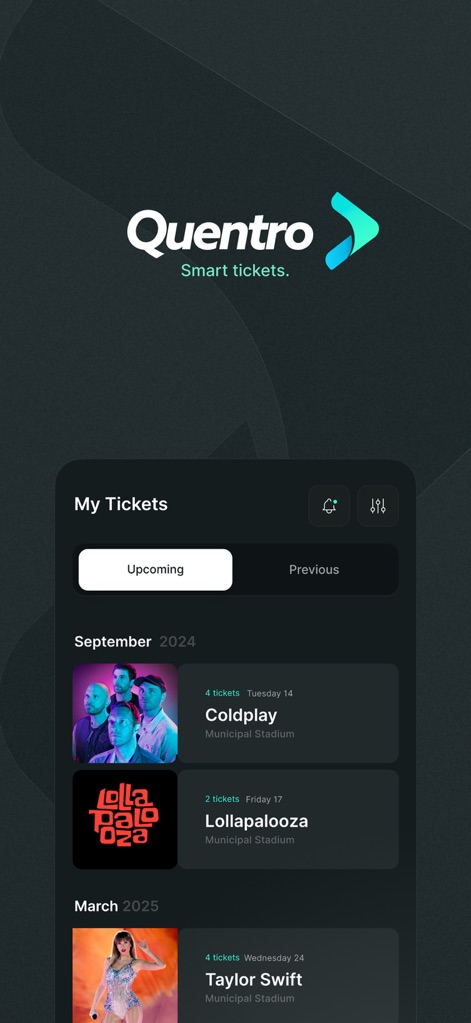
The app offers a personalized 'My Tickets' overview, meticulously organizing events by 'Upcoming' and 'Previous' tabs for streamlined access.
Your Event Portfolio
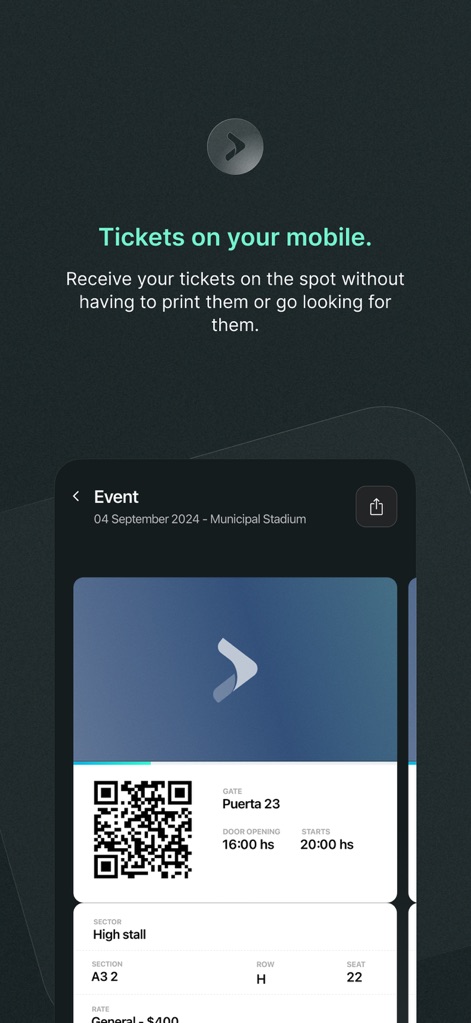
Explore the comprehensive event entry pass, displaying a prominent scannable QR code along with essential details like door opening times and specific seating assignments.
Digital Ticket View
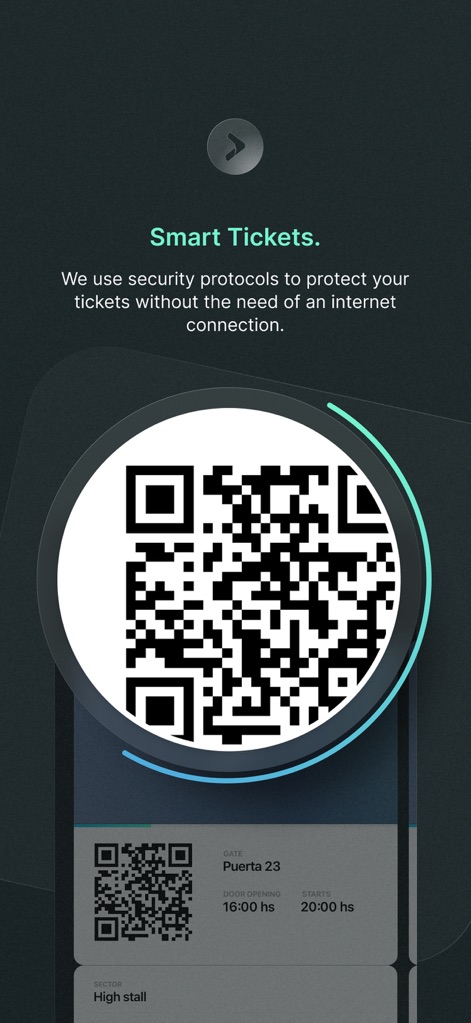
Witness the app's innovative dynamic QR code regeneration, a key security protocol designed to protect ticket information by invalidating screenshots.
Dynamic QR Security
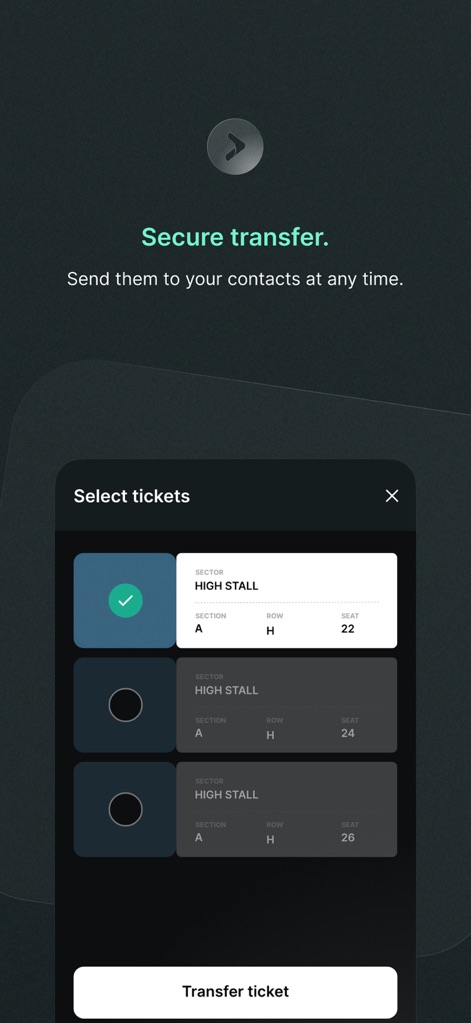
Discover the intuitive 'Select tickets' interface, enabling users to easily choose and securely transfer individual tickets to their contacts.
Secure Ticket Transfer
Description
Download
More Like This
Apps with similar features and user experience

SuperCards: Store Card
Super Apps Studio GmbH

Кошелёк: карты, скидки, кэшбэк
BESKONTAKT, OOO
NFC门禁卡 - 手机门禁通&电梯卡&公交卡
国文 林

Railcard
Train Information Services Limited

Magic Stamp
Park Technology Ltd

NFC Reader - Mobile Wallet
Jayshri Pipaliya

eBilet
eBilet Polska Sp. z.o.o.

Cartesio: documenti importanti
Sharklab SRL
This page is not an official page of the app or its developer, but an independent editorial publication created for informational and commentary purposes. Unless expressly stated otherwise, neither the app nor its developer is affiliated with, endorsed by, sponsored by, authorized by, or otherwise officially connected with MWM, Apple, Google Play, the app publisher, or the app's developer, and nothing on this page implies that the app was developed using MWM's services. Any trademarks, logos, screenshots, and other content remain the property of their respective owners.