
This page is not an official page of the app or its developer, but an independent editorial publication created for informational and commentary purposes. Unless expressly stated otherwise, neither the app nor its developer is affiliated with, endorsed by, sponsored by, authorized by, or otherwise officially connected with MWM, Apple, Google Play, the app publisher, or the app's developer, and nothing on this page implies that the app was developed using MWM's services. Any trademarks, logos, screenshots, and other content remain the property of their respective owners.

Quick & Easy Resume Builder CV
The simple, free way to create professional resumes right from your phone. Build a clean, objective CV in minutes and share your PDF instantly with recruiters.
Downloads
349K+User Rating
Total Ratings
1K+Publisher
Category
BusinessLocales
6Latest Version
1.4.19Size
33.5 MBFirst Released
Feb 15, 2021Build a Job-Winning Resume in Minutes
Skip the formatting stress. Create a professional, clean, and objective CV directly from your phone and land your next role faster.
Mobile-First Efficiency
No laptop? No problem. Design and edit your professional CV entirely from your iPhone during your commute or lunch break.
Recruiter-Ready Templates
Stop worrying about layout. Use clean, objective models designed to pass through ATS filters and impress US hiring managers.
Frequently Asked Questions
Everything you need to know about Quick & Easy Resume Builder CV
Is the Quick & Easy Resume Builder CV app free to use?
Yes, the Quick & Easy Resume Builder CV application allows users to create a curriculum vitae easily and simply for free.
What kind of resumes can I create with Quick & Easy Resume Builder CV?
The Quick & Easy Resume Builder CV application focuses on providing a model for clear, clean, and objective resumes to help users secure a job.
Does Quick & Easy Resume Builder CV save my information automatically?
Yes, the Quick & Easy Resume Builder CV application automatically saves your information. This enables users to edit their curriculum vitae at any time without rework.
How can I share my resume created with Quick & Easy Resume Builder CV?
Users can share their curriculum vitae as a PDF file directly from the Quick & Easy Resume Builder CV application. It provides quick sharing capabilities.
What personal data can I include in my resume using Quick & Easy Resume Builder CV?
The Quick & Easy Resume Builder CV app allows users to input personal data such as name, last name, birth date, marital status, driver's license, address, and city.
Can I add professional experience to my resume in Quick & Easy Resume Builder CV?
Yes, the Quick & Easy Resume Builder CV app includes sections for professional experience. Users input details like initial date, end date, office, company, and responsibilities.
Does Quick & Easy Resume Builder CV allow layout and color customization for resumes?
Yes, the Quick & Easy Resume Builder CV application offers customization options. Users can select different layouts and choose an accent color for their curriculum vitae.
Can I preview my resume before sharing it with Quick & Easy Resume Builder CV?
Yes, the Quick & Easy Resume Builder CV application provides a 'View Curriculum' screen. Users can preview their complete resume before sharing it.
The following screenshots and description are sourced directly from the app's official store listing and are the property of the app developer.
App Store
Screenshots
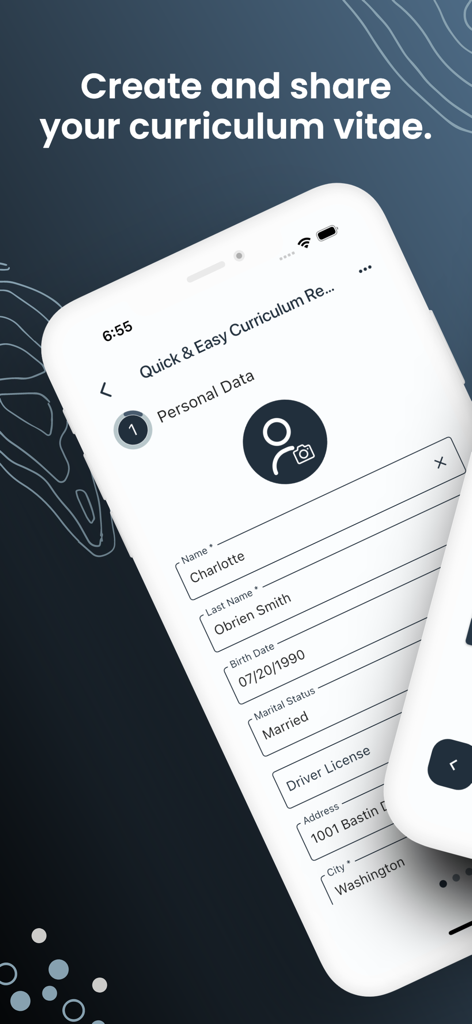
Mobile app interface for entering personal data like name and address to create a professional curriculum vitae
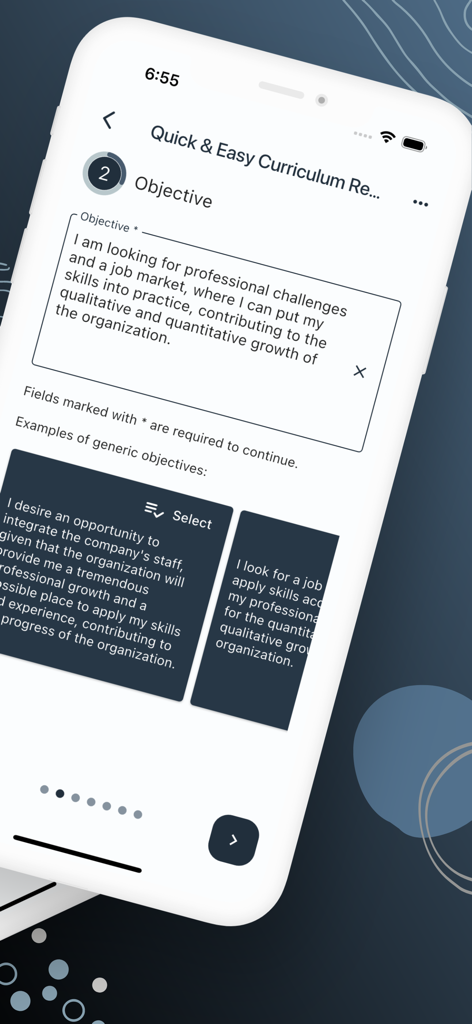
Interface of the Quick and Easy Resume Builder app showing how to write a professional objective with pre-written examples.
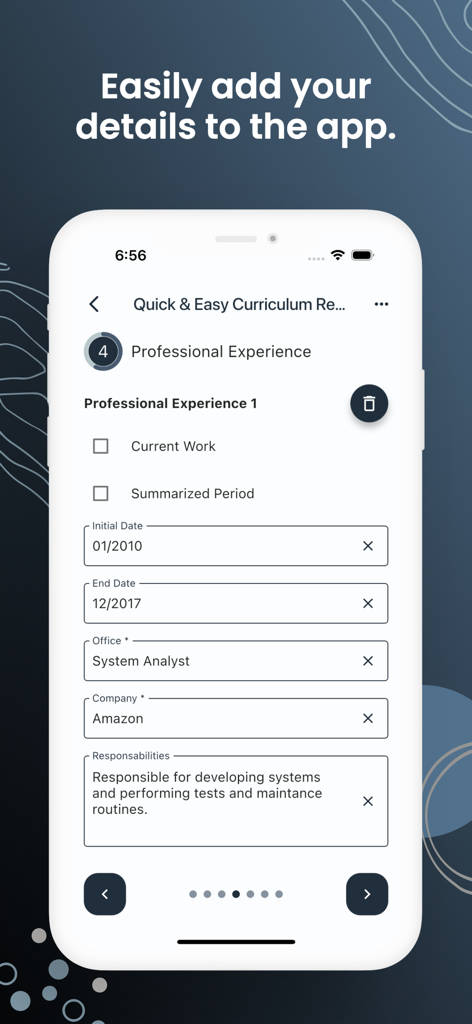
Interface of the resume builder app showing fields to enter professional experience including company and job title
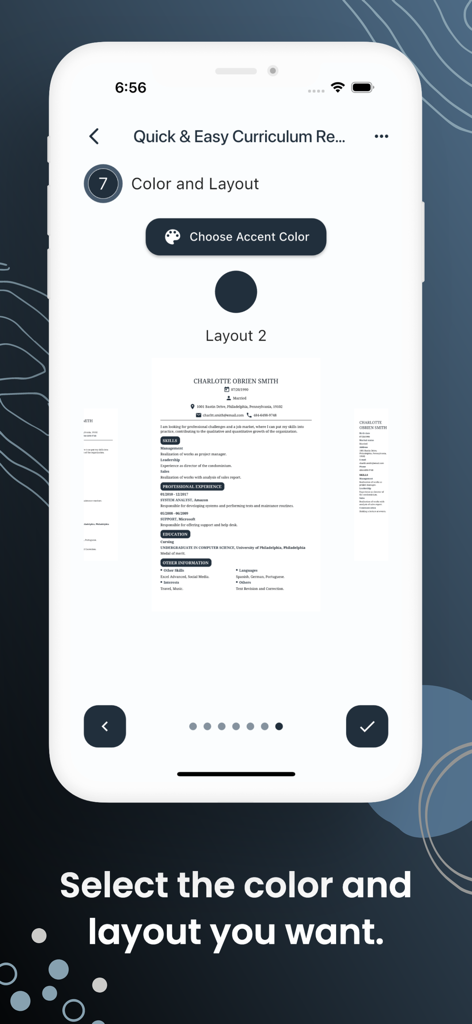
Selecting resume layout and accent color in the Quick and Easy Resume Builder app.
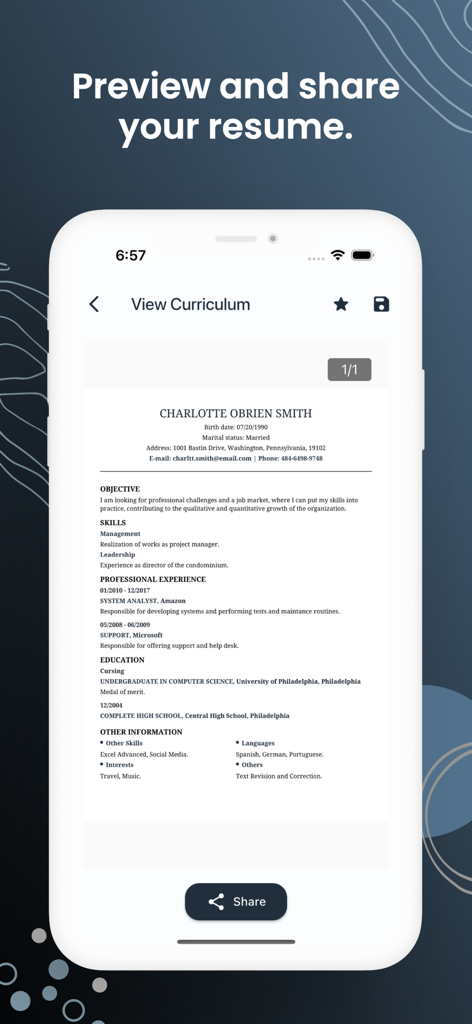
A mobile phone screen showing a professional resume preview and share option in the Quick and Easy Resume Builder app
Description
Download
More Like This
Apps with similar features and user experience
Resume : Intelligent CV Maker
Intelligent CV
Resume Builder - CV Creator
Clebson Pereira
Resume Builder - CV Engineer
First Pick Ltd
Resume Builder Pro with AI
Uncaught Exception Inc.
Resume Maker, CV Job Builder
Oleg Yuriev

Resume Builder⁺
Rounding Squares BV

履歴書作成(インディード)
Indeed Inc.

履歴書作成
WEBDIA INC.

Resume AI – Intelligent CV App
Giovanna Clemente
This page is not an official page of the app or its developer, but an independent editorial publication created for informational and commentary purposes. Unless expressly stated otherwise, neither the app nor its developer is affiliated with, endorsed by, sponsored by, authorized by, or otherwise officially connected with MWM, Apple, Google Play, the app publisher, or the app's developer, and nothing on this page implies that the app was developed using MWM's services. Any trademarks, logos, screenshots, and other content remain the property of their respective owners.