Reverse Image Search App

Reverse Image Search App


Download on App Store
Logo of Reverse Image Search App

Reverse Image Search App: Your AI Lens for Instant Discovery & Verification

Identify plants and objects, find shopping dupes, verify dating profiles, and translate text instantly. Search the world through your camera and get the answers you need in seconds.

Publisher

HEYOS YAZILIM HIZMETLERI TICARET LIMITED SIRKETI

Category

Reference

Downloads

2K+

User Rating

4.2/5

Total Ratings

0

Locales

1

Visual Intelligence at a Glance

Discover the interface used by 2K+ users.
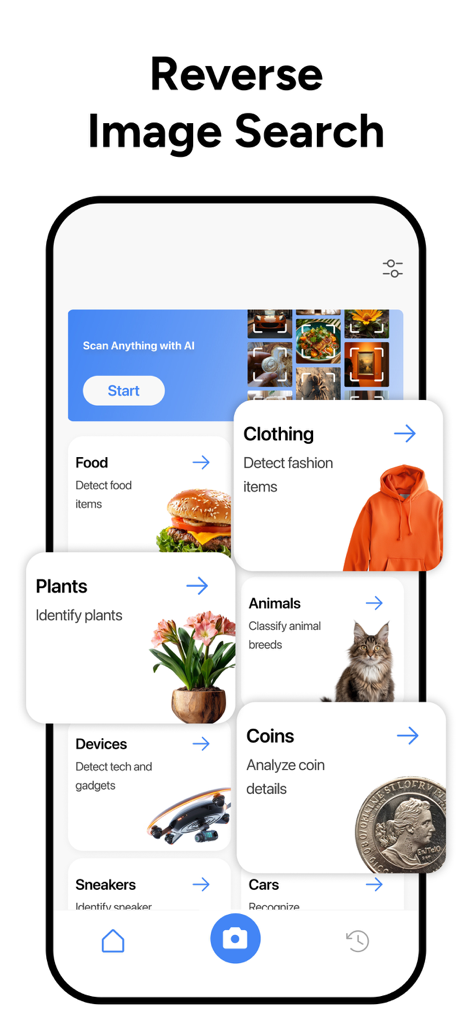
Mobile app interface of Reverse Image Search showing AI identification categories for plants clothing and animals

Mobile app interface of Reverse Image Search showing AI identification categories for plants clothing and animals

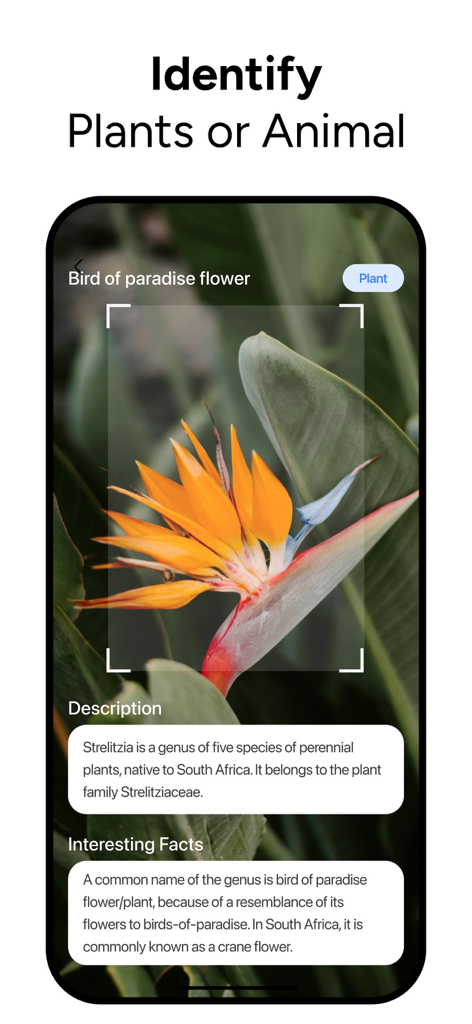
Mobile app screen showing the AI identification of a bird of paradise flower with descriptive facts

Mobile app screen showing the AI identification of a bird of paradise flower with descriptive facts

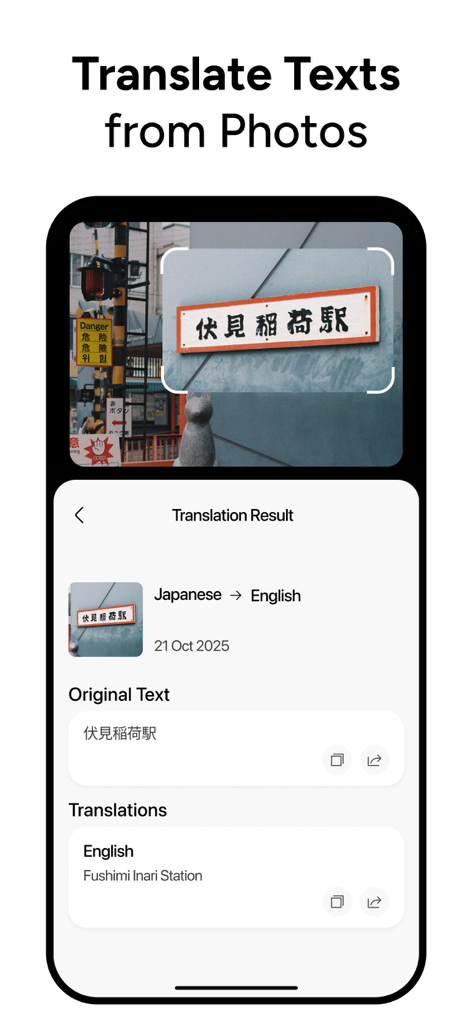
A smartphone interface showing a Japanese sign being translated into English using the Reverse Image Search App

A smartphone interface showing a Japanese sign being translated into English using the Reverse Image Search App

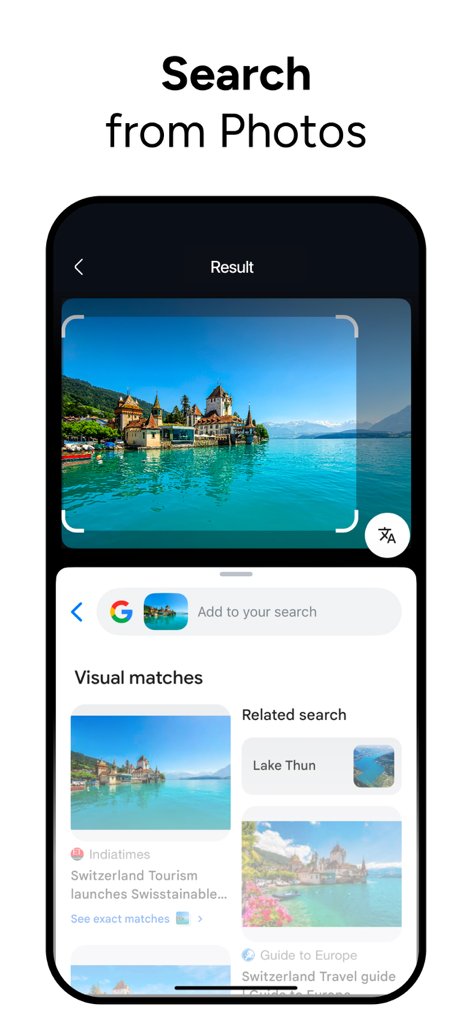
A mobile screen showing the reverse image search app identifying a castle on a lake with visual matches and related travel information.

A mobile screen showing the reverse image search app identifying a castle on a lake with visual matches and related travel information.

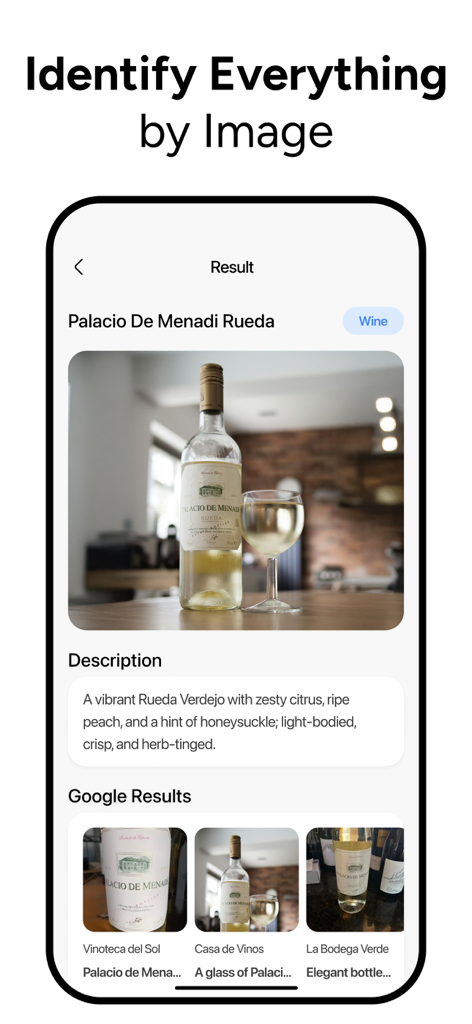
Mobile app interface showing a wine bottle identified by reverse image search with product details and similar search results.

Mobile app interface showing a wine bottle identified by reverse image search with product details and similar search results.

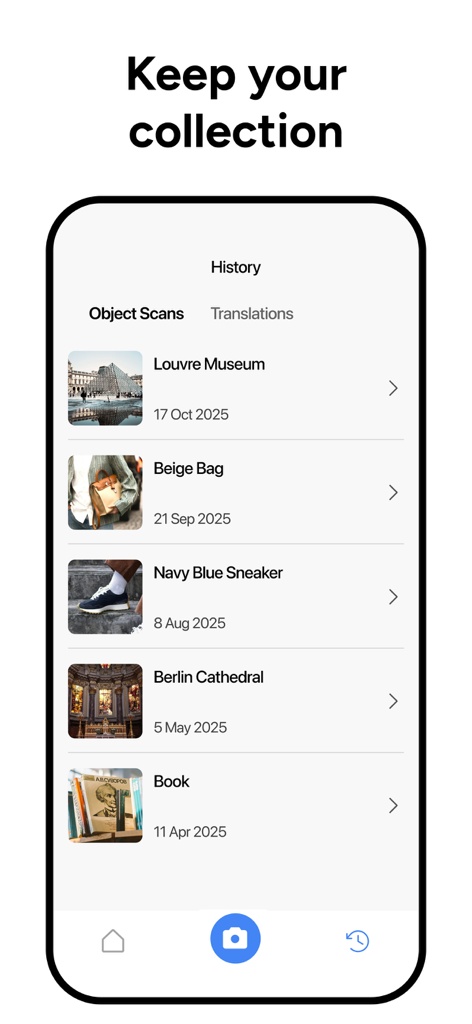
Smartphone screen showing the history of scanned objects including landmarks and fashion items in the Reverse Image Search App

Smartphone screen showing the history of scanned objects including landmarks and fashion items in the Reverse Image Search App

Search the World Through Your Lens

The tools that make this app stand out, trusted by 2K+ users.

🛍️

Shop Smarter with Visual Discovery

Find the best deals and stylish 'dupes' for fashion and home decor. Simply upload a screenshot to compare prices and locate original products instantly.

🛡️

Verify Profiles & Avoid Catfishing

Stay safe online by checking the authenticity of social media and dating profile pictures to ensure you're always talking to the real person.

🧠

AI Identification & Instant OCR

Recognize plants, animals, and landmarks on the go, or use built-in text recognition to extract and translate information from any document or sign.

About the app

Everything you need to know about Reverse Image Search App.

Description

Reverse Image Search App : AI Visual Search & Finder Reverse Image Search lets you search using a photo instead of words. Upload any picture or paste one from your gallery, and run a quick reverse image search to find matching images, visually similar results, and detailed context about the photo in seconds. It’s the simplest way to do image search when you only have a picture. You can also learn what’s inside the image. The app detects objects like products, animals, plants, places, faces, and logos, so your image search gives meaning, not just matches. If the photo contains text, you can translate text from photos with built-in OCR and instantly copy or understand what it says. Key Features -Reverse image search from Camera, Gallery, Files, or Clipboard -AI Visual Finder to recognize objects, products, plants, animals, places, and more -Translate text from photos with built-in OCR for quick, accurate extraction -High-resolution finder to locate clearer or original versions -Search history to revisit past reverse image search results anytime -Save & download results to your device with one tap -Fast, lightweight experience designed for quick searches -Privacy controls — clear your image search history whenever you want Use cases -Verify social media photos, memes, and news screenshots with reverse image search -Check dating profile pictures to avoid catfishing using image search -Find the name of a plant, pet, or landmark by running reverse image search -Shop smarter: do an image search on a product photo to compare prices -Locate wallpapers or high-res versions with reverse image search -Discover similar styles, outfits, or home décor through image search -Track down reused or stolen content with reverse image search Payment & Subscription Terms: Choose between the following subscription options for unlimited access to all features: • Weekly Subscription • Yearly Subscription Auto-Renewal: Subscriptions automatically renew unless auto-renew is turned off at least 24 hours before the end of the current period. Manage Subscriptions: You can manage your subscriptions and disable auto-renewal in your Account Settings after purchase. Payment: Payment is charged to your iTunes Account upon confirmation of purchase. Renewal Charges: Your account will be charged for renewal 24 hours before the end of the current period, based on the selected plan. Privacy Policy: https://heyos.co/privacy Terms of Use: https://heyos.co/terms-of-use

Latest Version

1.0

Size

86.0 MB

First Released

Dec 8, 2025

Ready to Unlock Your Visual Intelligence?

Join thousands of smart users identifying products, verifying social profiles, and translating the world in seconds. Get the ultimate AI-powered search tool for your iPhone today.

Download on App Store
FAQ

Frequently Asked Questions

Everything you need to know about Reverse Image Search App

What is Lens AI · Reverse Image Search?

Lens AI is a reverse image search app that allows users to search using photos instead of words. It identifies objects, translates text, and finds matching or visually similar images quickly.

Can Lens AI identify objects in photos?

Yes, Lens AI identifies objects like products, animals, plants, places, faces, and logos using its AI Visual Finder feature. It provides detailed context about the photo.

Does Lens AI · Reverse Image Search translate text from images?

Yes, Lens AI has a built-in OCR feature to translate text directly from photos. Users can quickly extract, copy, or understand the text in various languages.

How can I search using Lens AI · Reverse Image Search?

Lens AI allows users to initiate a reverse image search from their camera, gallery, files, or clipboard. Users upload or paste a picture to find matching or similar images.

Does Lens AI keep a history of my image searches?

Yes, Lens AI features a search history function. Users can revisit past reverse image search results and translations anytime, providing a record of their activity.

Can I save results from Lens AI · Reverse Image Search?

Yes, Lens AI allows users to save and download their reverse image search results directly to their device with one tap. This stores identified images or information.

What are the subscription options for Lens AI · Reverse Image Search?

Lens AI offers weekly and yearly subscription options. These subscriptions provide unlimited access to all the app's features and functionalities.

How does auto-renewal work for Lens AI subscriptions?

Lens AI subscriptions automatically renew unless the auto-renew feature is turned off at least 24 hours before the end of the current billing period.

Where can I manage my Lens AI · Reverse Image Search subscription?

Users can manage their Lens AI subscriptions and disable auto-renewal through their Account Settings after completing the initial purchase.

Does Lens AI · Reverse Image Search offer privacy controls?

Yes, Lens AI includes privacy controls. Users can clear their image search history whenever they choose, maintaining control over their data.

App information, icons, screenshots, and descriptions displayed on this page are sourced from the Apple App Store and are the property of their respective developers. Download estimates and rankings are based on MWM's proprietary models and may not reflect actual figures. This page is provided for informational and analytical purposes only.

Believe this page infringes your intellectual property? File a dispute