
Rogers Bank



Take total control of your Rogers Bank Mastercard from anywhere. Monitor your transactions, secure your account with instant card locking, and redeem your cash back rewards with just a few taps.
Publisher
Category
FinanceDownloads
403K+User Rating
Total Ratings
800Locales
2Discover the interface used by 403K+ users.
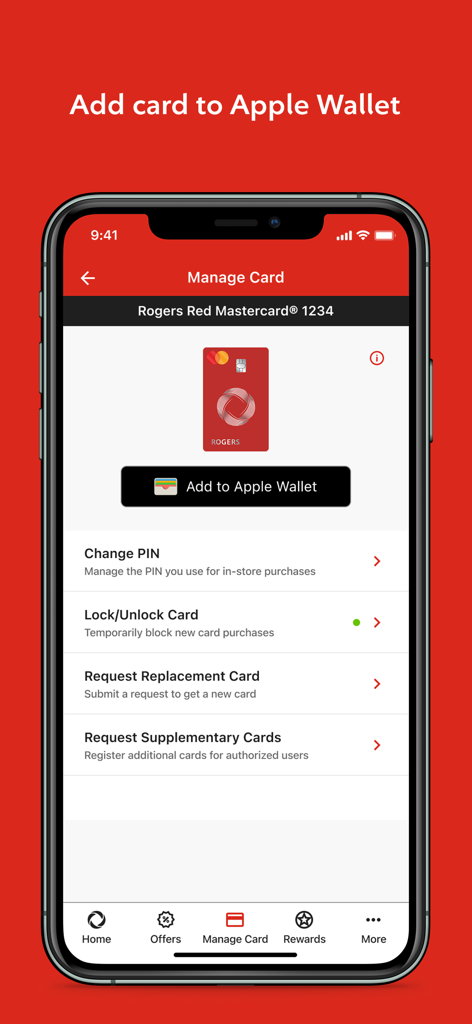
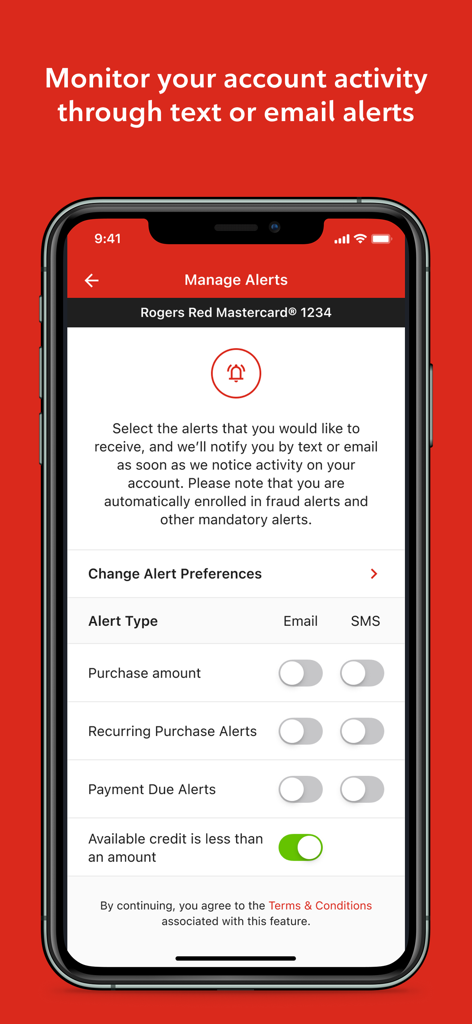
The tools that make this app stand out, trusted by 403K+ users.
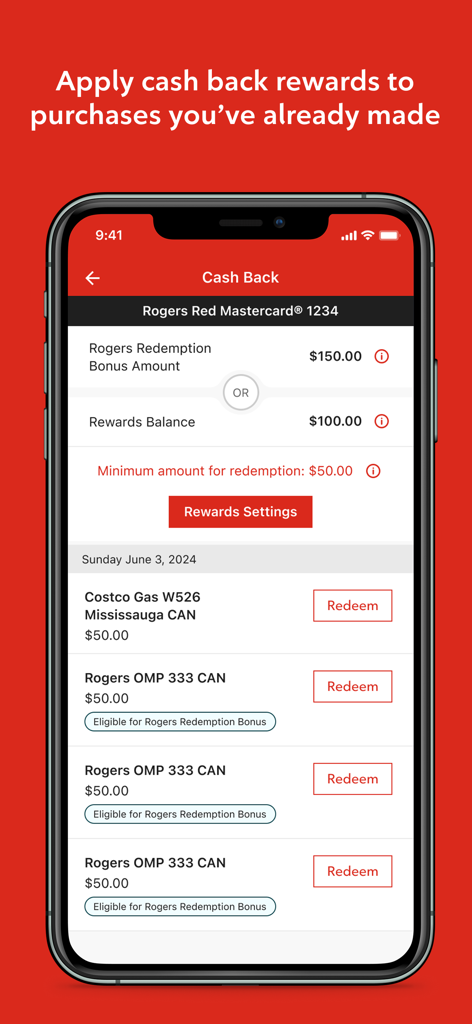
Maximize your value by redeeming cash back rewards directly against your purchases or Rogers services with just a few taps.
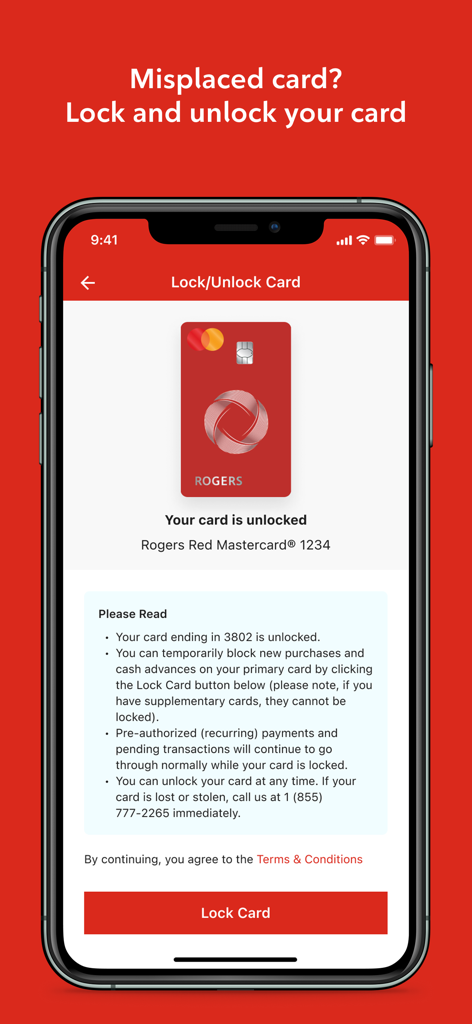
Peace of mind in your pocket. Lock and unlock your card instantly if it is misplaced and set custom alerts to stay ahead of fraud.
The perfect companion for snowbirds and travelers. Monitor your Canadian account and transaction history from anywhere in the world.
Insights from user reviews.
Sentiment Score
Summary
The app has received overwhelmingly negative feedback, primarily due to numerous critical functionality issues and a poorly implemented UI redesign. Users frequently report inability to log in, persistent "server failed to connect" errors, and consistent problems with Face ID, especially after updating to iOS 26. Many features, such as viewing statements, making credit card payments, and accessing transaction history, are either broken or difficult to use, with the new interface being described as confusing, cluttered with ads, and visually unappealing. These issues, combined with a lack of desired features like push notifications and multi-card support, have led to significant user frustration and a call to revert to the old app.
Common Themes
Everything you need to know about Rogers Bank.
Description
Latest Version
4.2.0
Size
39.2 MB
First Released
Sep 14, 2020
Join over 400,000 users. Download the Rogers Bank app to manage your Mastercard, lock your card for security, and redeem rewards instantly from anywhere.
Everything you need to know about Rogers Bank
The Rogers Bank app allows you to manage your Rogers Bank Mastercard account. Key features include viewing transaction history, redeeming cash back rewards, customizing alerts, and locking or unlocking your card.
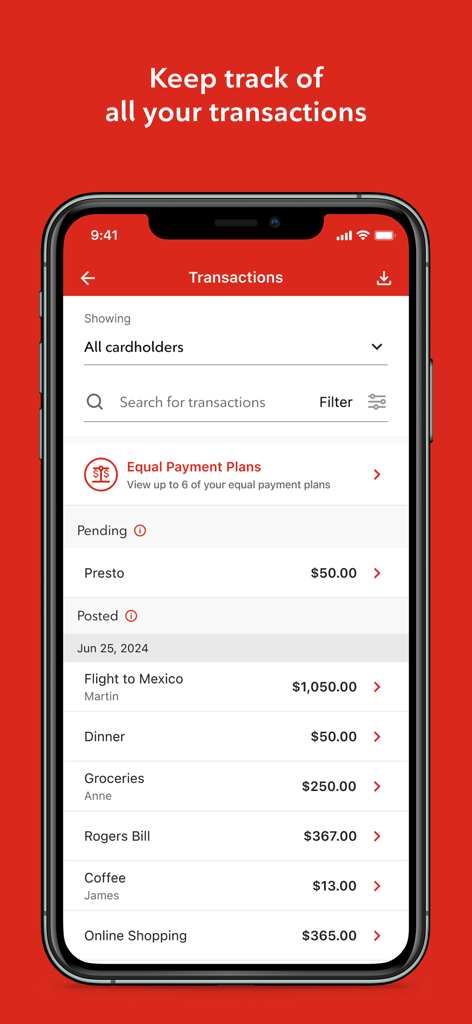
Yes, the Rogers Bank app provides access to your complete transaction history. You can track all card purchases and payments, with options to search and filter transactions, directly within the application.
You can redeem cash back rewards directly through the Rogers Bank app. It allows you to apply your accumulated rewards to eligible purchases you have already made. A minimum redemption amount may apply.
Yes, the Rogers Bank app features a lock and unlock card function. This allows you to temporarily block new purchases and cash advances on your Rogers Bank Mastercard for security.
The Rogers Bank app offers customizable alerts for your account activity. You can receive email or SMS notifications for purchase amounts, recurring purchases, payment due dates, and when your available credit is less than a specified amount.
Yes, you can add your Rogers Bank Mastercard to Apple Wallet directly through the app. This feature is available within the "Manage Card" section of the Rogers Bank application for convenient access.
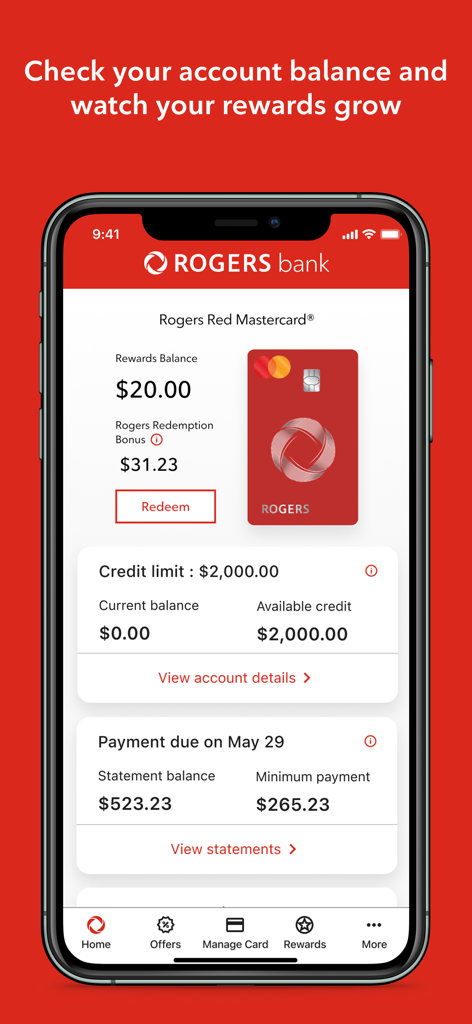
The Rogers Bank app displays key account details. This includes your Rewards Balance, Rogers Redemption Bonus, Credit Limit, Current Balance, Available Credit, Statement Balance, and Minimum Payment due with its due date.
Yes, the Rogers Bank app collects certain information upon download or update. This includes device and connection data, transaction data, and personal information, as outlined in their Privacy Notice.
Apps with similar features and user experience

CHINA MERCHANTS BANK CO.,LTD.

PingAn Bank
Credit One Bank, National Association
Synchrony Financial

Bank of Communications

Shanghai Pudong Development Bank Co.Ltd

Bread Financial Holdings, Inc.

Zhejiang Rural Commercial United Bank

Synchrony Financial
App information, icons, screenshots, and descriptions displayed on this page are sourced from the Apple App Store and are the property of their respective developers. Download estimates and rankings are based on MWM's proprietary models and may not reflect actual figures. This page is provided for informational and analytical purposes only.
Believe this page infringes your intellectual property? File a dispute
