
This page is not an official page of the app or its developer, but an independent editorial publication created for informational and commentary purposes. Unless expressly stated otherwise, neither the app nor its developer is affiliated with, endorsed by, sponsored by, authorized by, or otherwise officially connected with MWM, Apple, Google Play, the app publisher, or the app's developer, and nothing on this page implies that the app was developed using MWM's services. Any trademarks, logos, screenshots, and other content remain the property of their respective owners.


Rooms
Unleash raw digital artistry; Rooms gives users command over 3D worlds, not just pixels. The app proves to be a robust canvas for infinite digital creation.
Downloads
2.5M+User Rating
Total Ratings
12.7KPublisher
Category
GamesLocales
16Latest Version
3.45Size
249.7 MBFirst Released
Nov 17, 2023Evaluating key functionalities empowering young creatives and digital hobbyists in a retro 3D environment.
Rooms: An Analytical Review of Core Creative Features
Intuitive Room Editing
The app provides users with a comprehensive and intuitive drag-and-drop interface for building and customizing their virtual 3D spaces, allowing for boundless creative expression.
Custom Asset Creation
This tool features a built-in block editor, enabling users to create and customize their own 3D models ('Things'), significantly expanding their creative possibilities within the virtual environment.
Vast User-Generated Content Library
It allows users to explore tens of thousands of diverse user-generated rooms, including dioramas, mini-games, and stories, fostering inspiration and engagement within a vibrant community.
Creative Remixing Capabilities
The app provides the unique ability to remix existing user creations, encouraging collaborative design and allowing users to build upon others' work while crediting original authors.
Comprehensive 3D Model Library
This tool offers access to a library containing over 20,000 user-generated 3D models, providing a rich collection of assets for users to incorporate into their room designs.
Effortless Universal Sharing
It allows users to easily share their creations via unique URLs, making rooms viewable on both iOS and web platforms, which facilitates broad reach and community interaction.
Integrated Camera Mode
The app features a camera mode that enables users to navigate through virtual rooms and capture high-quality photos and videos, perfect for documenting and sharing their digital creations.
Engaging Weekly Building Challenges
This tool features fun weekly building challenges, which encourage user participation, foster creativity, and promote community interaction among designers.
Frequently Asked Questions
Everything you need to know about Rooms
What is the Rooms app?
Rooms is a free 3D creation app where users build, explore, and remix digital spaces. It combines elements of games, blank canvases, and social platforms, all presented in an 8-bit retro style.
Is the Rooms app free to use?
Yes, the Rooms app is entirely free. The description explicitly states "Free: no strings attached," making it accessible to all creative builders and curious minds.
How do users create and edit rooms and objects in the Rooms app?
Users create content in Rooms by editing spaces using drag-and-drop functionality and a library of over 15,000 3D models. A built-in block editor also allows for custom 'Things'.
Can I explore other users' creations in the Rooms app?
Yes, Rooms offers endless entertainment by allowing exploration of tens of thousands of user-generated rooms. Users can browse various creative dioramas and escape rooms within the app.
Does the Rooms app allow users to share their creations?
Yes, Rooms enables easy sharing of creations. Every room is made public at a unique URL, allowing it to be viewed on both iOS devices and through a web browser.
Can I record videos of my creations in the Rooms app?
Yes, the Rooms app includes a dedicated Camera Mode. This feature allows users to fly through their creations and capture virtual photos and videos.
What social interaction features does the Rooms app provide?
Rooms functions as a social space for interacting with thousands of creations. Users can remix other people’s rooms and 'things,' with full remix history visible on every room.
What interactive elements can be added to objects in Rooms creations?
Users can add diverse interactive elements to objects in Rooms, including motion, sound, particles, and dialogue. They can also control aspects like appearance, lights, and physics.
The following screenshots and description are sourced directly from the app's official store listing and are the property of the app developer.
App Store
Screenshots

The app showcases a vibrant honeycomb grid layout, inviting users to explore diverse user-generated rooms spanning various themes and styles.
Explore Creative Worlds
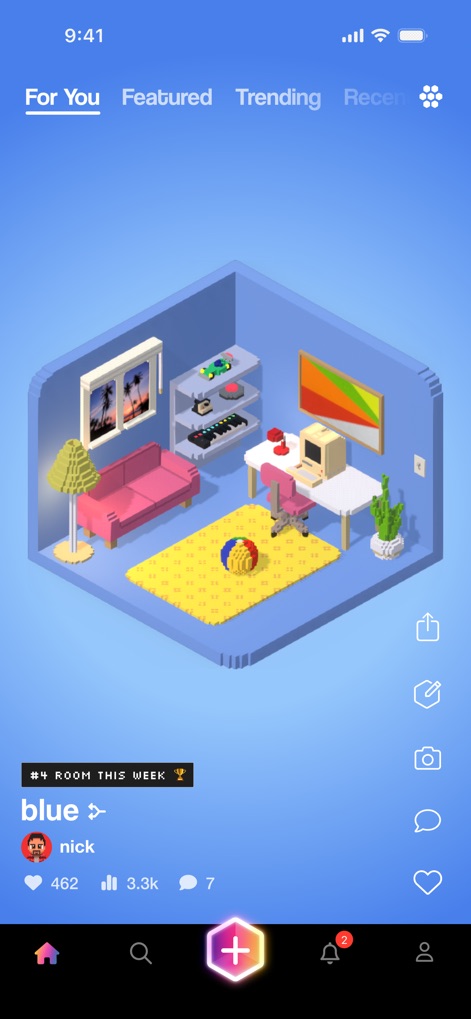
This tool presents a detailed isometric room, complete with interactive elements and a clear 'For You' feed navigation for personalized content discovery.
Curated Room Display
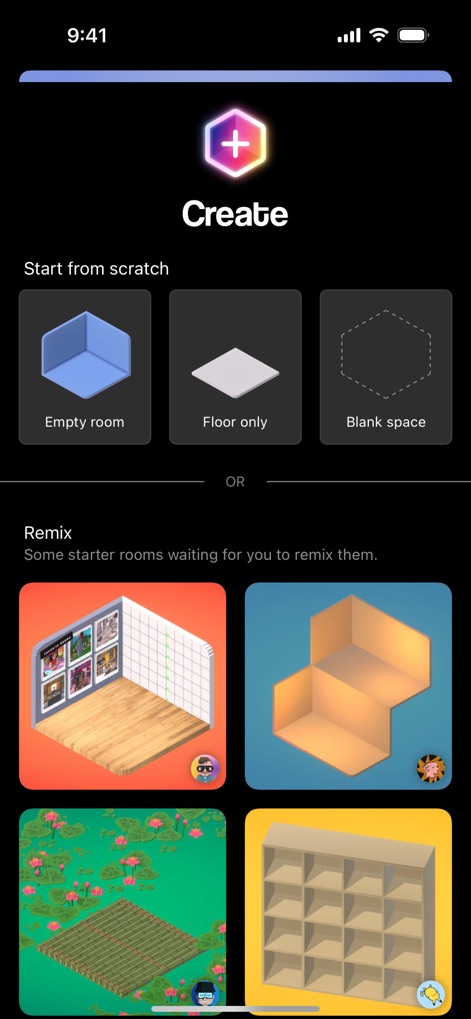
Users can begin their creations from scratch with options like an 'Empty room' or 'Floor only', or choose to 'Remix' existing starter rooms for immediate inspiration.
New Creation Start
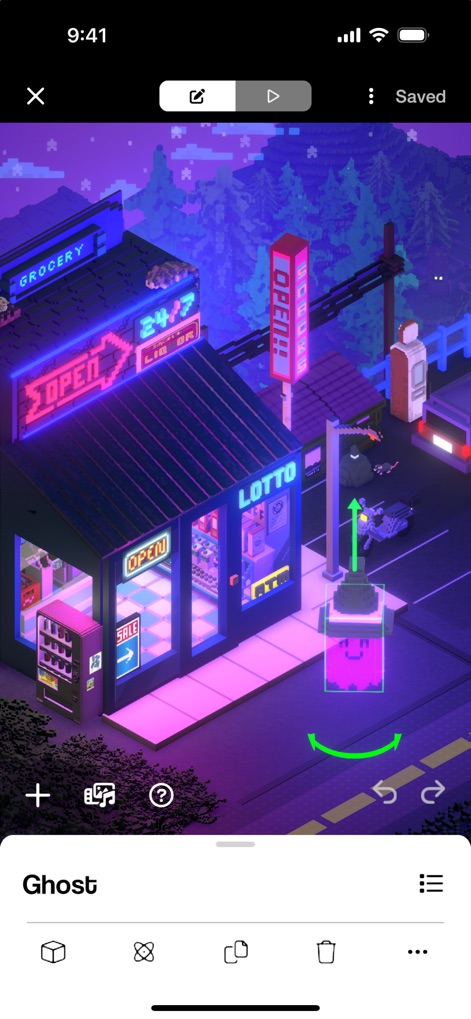
The editing interface highlights an object with clear manipulation handles for precise adjustments, supported by a comprehensive bottom toolbar offering various customization tools.
Intuitive Object Editing
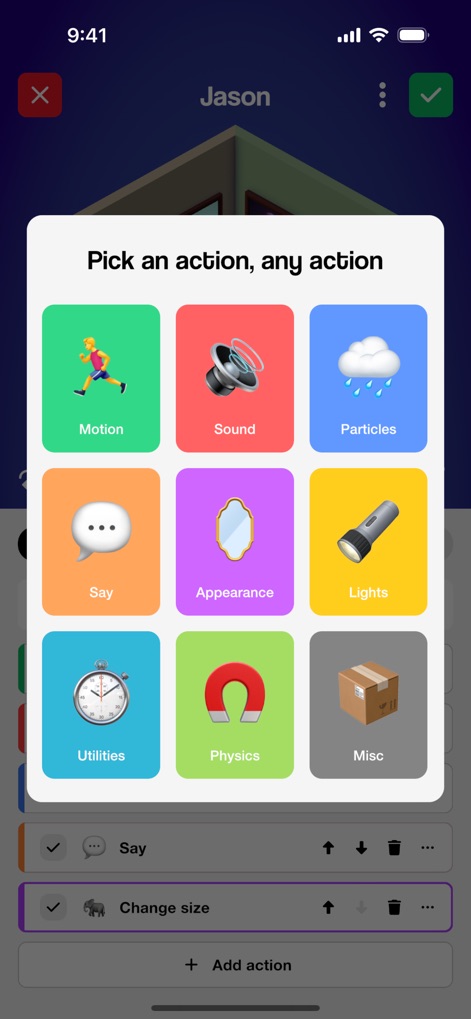
This powerful menu allows creators to assign diverse interactions to objects, presenting a grid of options from 'Motion' to 'Sound' for dynamic room behaviors.
Interactive Object Actions
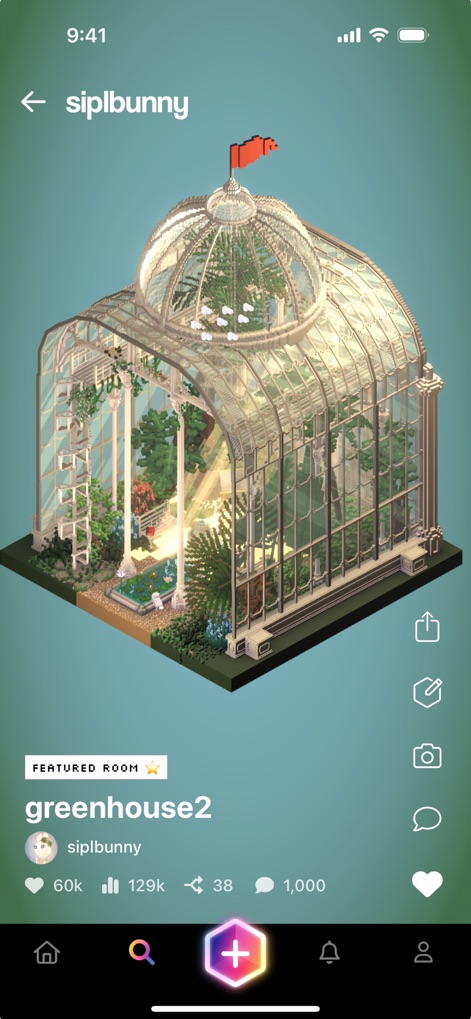
The app highlights community excellence through intricate 'greenhouse' builds, prominently featuring a 'Featured Room' badge to celebrate exceptional designs.
Showcasing Featured Works
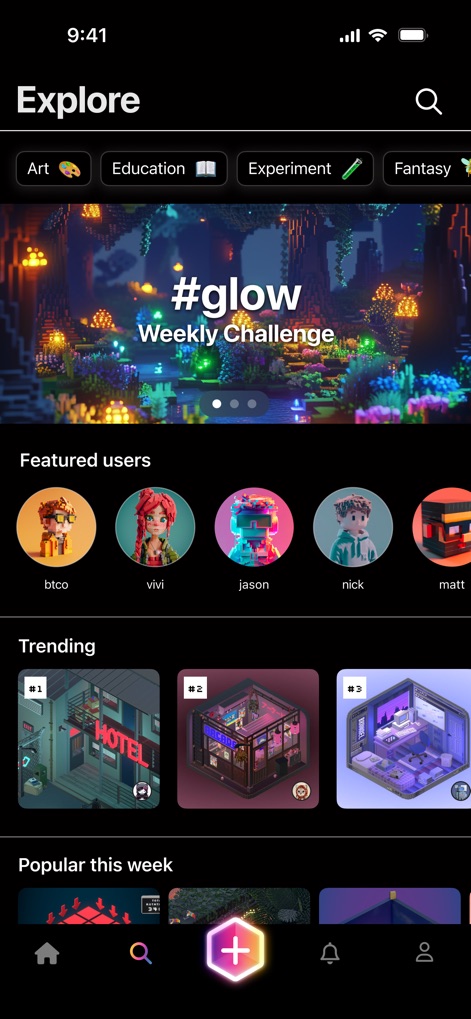
The explore section offers categorized browsing through themes like 'Art' and 'Education', along with dynamic 'Trending' and 'Popular this week' sections for fresh content.
Discover Trending Creations
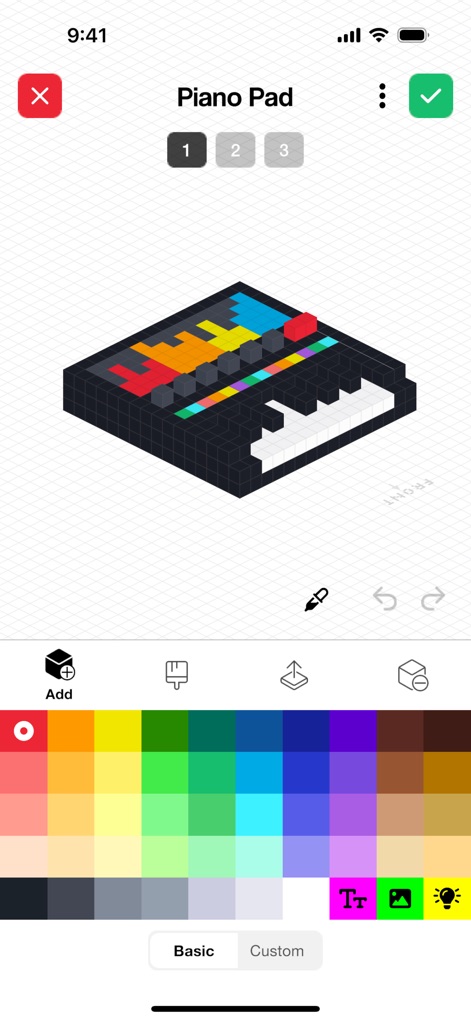
This detailed object editor provides a block editor grid for precise construction and an extensive color palette, enabling pixel-perfect design of custom items like a 'Piano Pad'.
Pixel-Perfect Design
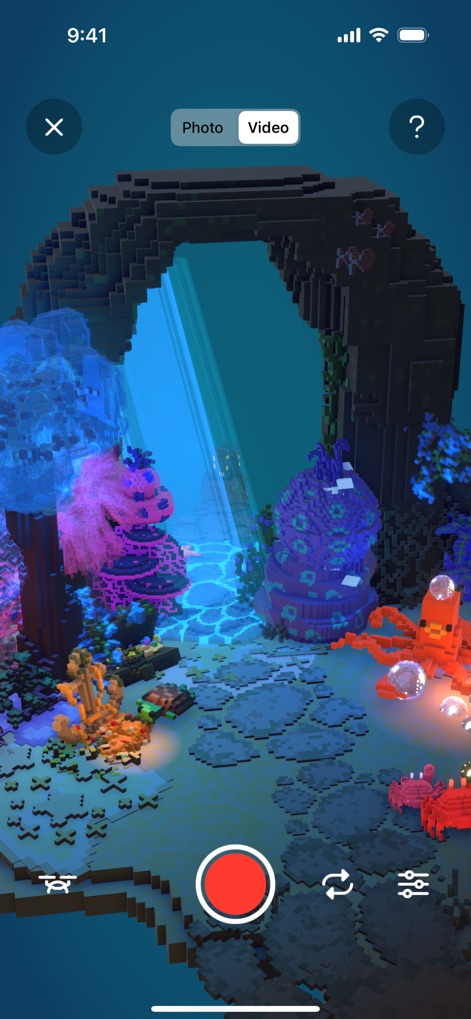
Users can capture their creations with dedicated 'Photo' and 'Video' toggles, utilizing the intuitive red record button for cinematic storytelling within their rooms.
Capture Cinematic Moments
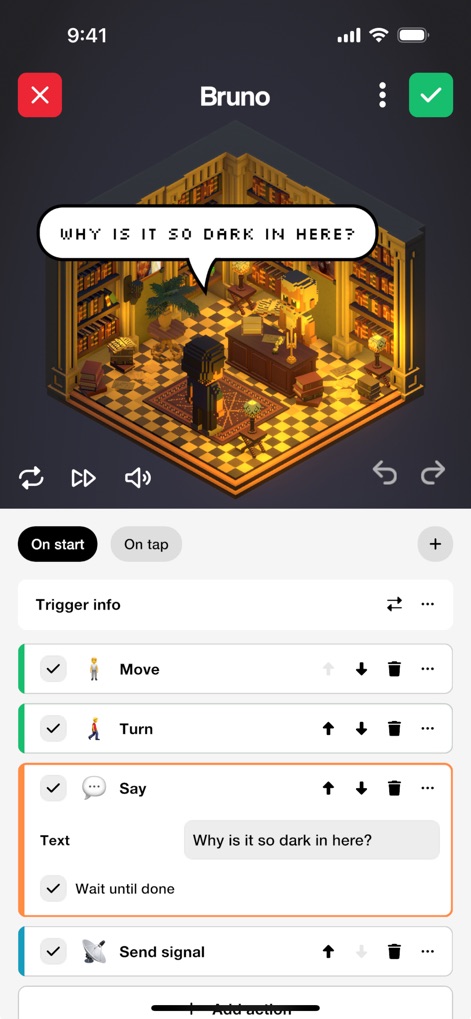
The app allows creators to define complex interactions using 'On start' and 'On tap' triggers, alongside a configurable action list to sequence behaviors like a 'Say' action with custom text.
Advanced Interaction Logic
Description
Download
More Like This
Top-ranked apps in the same category

Block Blast!
ARETIS LIMITED

Heartopia
XD Entertainment Co., Ltd.

Solitaire Associations Journey
Hitapps Games LTD

Roblox
Roblox Corporation

Gossip Harbor®: Merge & Story
Microfun Limited

Arrows – Puzzle Escape
Lessmore UG haftungsbeschraenkt

Township
PLR Worldwide Sales Limited

Last War:Survival
FUNFLY PTE. LTD.

Vita Mahjong
VITA STUDIO PTE. LTD.
This page is not an official page of the app or its developer, but an independent editorial publication created for informational and commentary purposes. Unless expressly stated otherwise, neither the app nor its developer is affiliated with, endorsed by, sponsored by, authorized by, or otherwise officially connected with MWM, Apple, Google Play, the app publisher, or the app's developer, and nothing on this page implies that the app was developed using MWM's services. Any trademarks, logos, screenshots, and other content remain the property of their respective owners.