Route Maker - Route Planner

Route Maker - Route Planner


Download on App Store
Logo of Route Maker - Route Planner

Route Maker - Route Planner: Effortless Multi-Stop Optimization for Every Journey

Stop backtracking and start saving time. Whether you’re managing field sales, delivery runs, or the perfect road trip, our smart optimizer handles up to 30 waypoints to find your most efficient path.

Download on App Store

Publisher

TAIKI HIRATA

Category

Navigation

Downloads

509K+

User Rating

3.2/5

Total Ratings

200

Locales

2

Efficiency in Motion

Discover the interface used by 509K+ users.
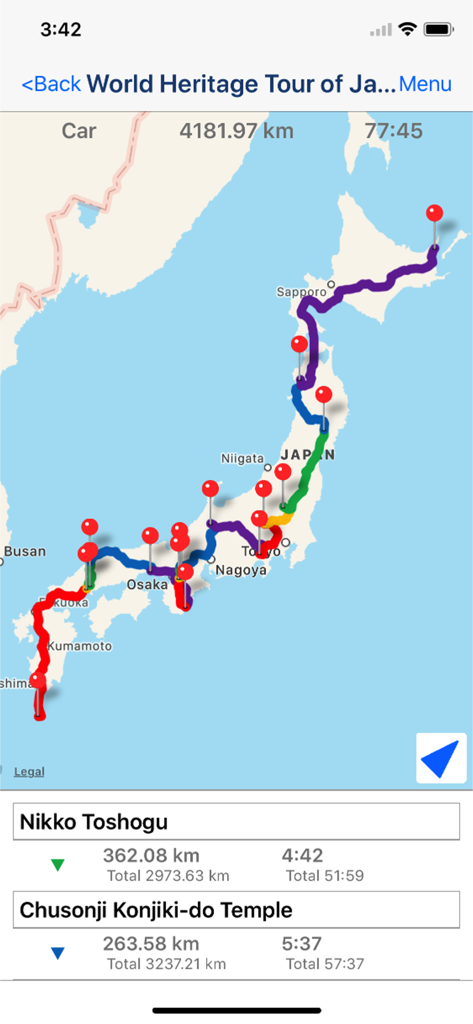
A multi-stop route map of Japan in the Route Maker app showing travel distance and time for a heritage tour.

A multi-stop route map of Japan in the Route Maker app showing travel distance and time for a heritage tour.

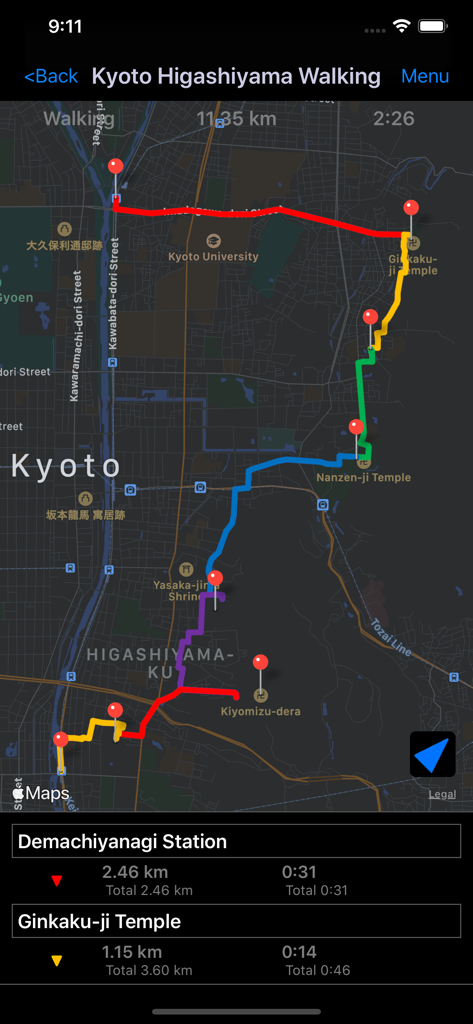
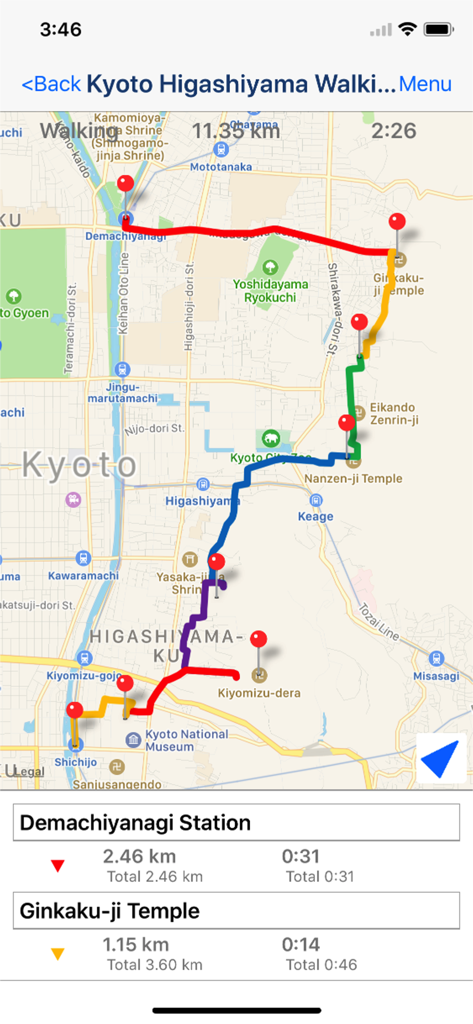
Screenshot of Route Maker app showing a multi-stop walking route in Kyoto with map pins and distances

Screenshot of Route Maker app showing a multi-stop walking route in Kyoto with map pins and distances

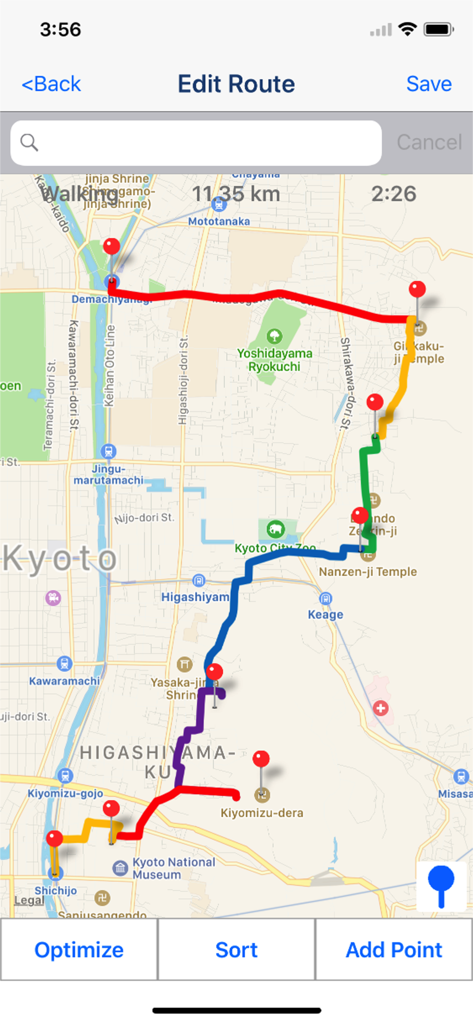
Route Maker app screen showing a multi-stop walking route optimized on a map with distance and time details.

Route Maker app screen showing a multi-stop walking route optimized on a map with distance and time details.

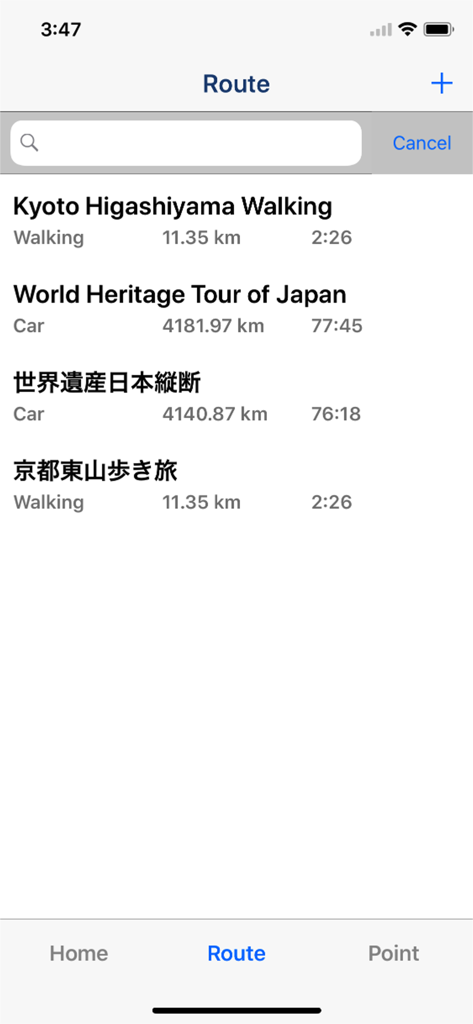
Screenshot of the Route Maker app showing a list of saved walking and driving routes with distances and estimated travel times.

Screenshot of the Route Maker app showing a list of saved walking and driving routes with distances and estimated travel times.

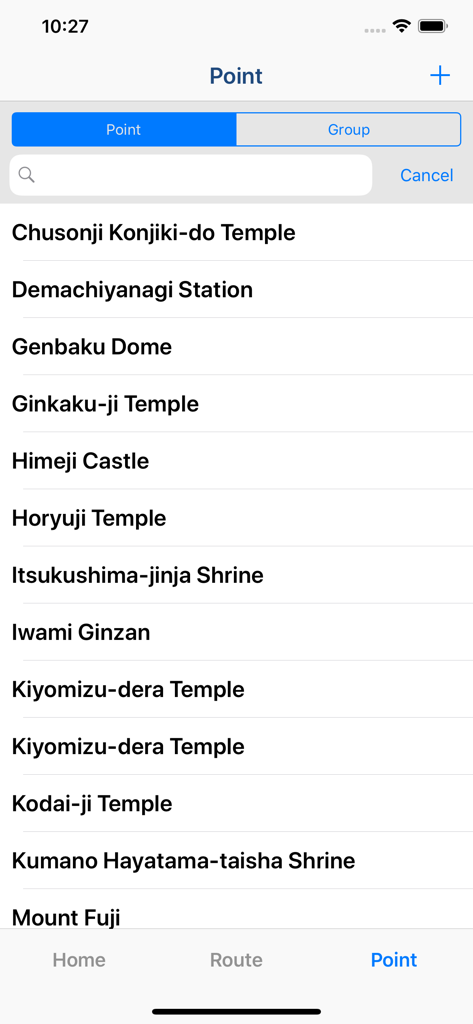
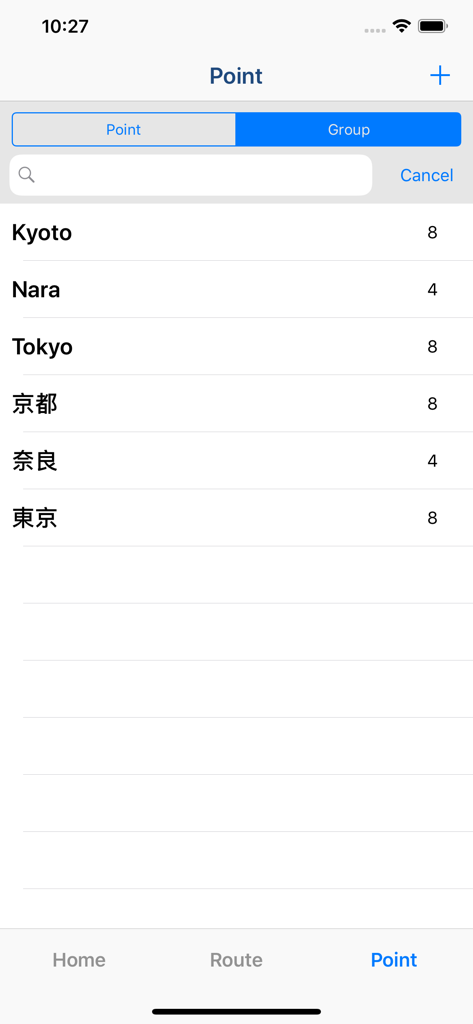
A list of saved destination points in the Route Maker app

A list of saved destination points in the Route Maker app

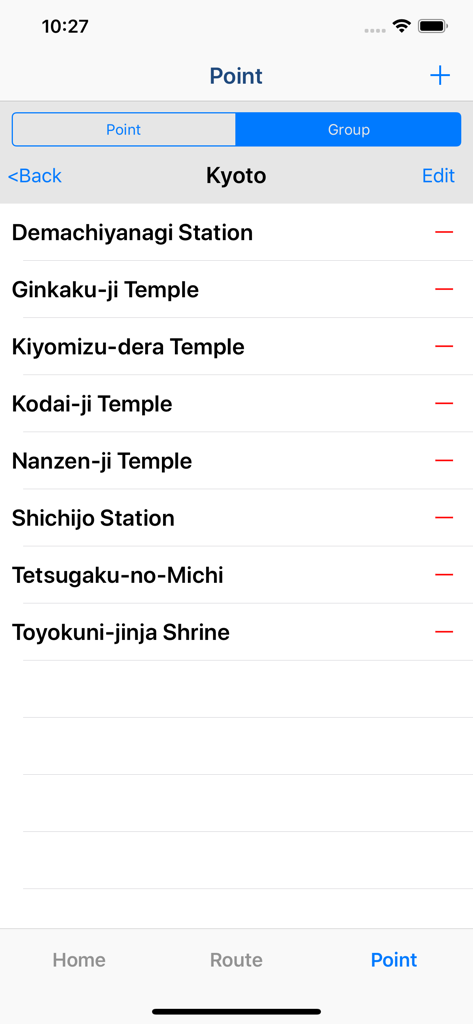
List of saved waypoints and groups in the Route Maker navigation app

List of saved waypoints and groups in the Route Maker navigation app

The point management screen in the Route Maker app showing a list of saved locations for a Kyoto route.

The point management screen in the Route Maker app showing a list of saved locations for a Kyoto route.

Route Maker app interface showing a multi-stop walking route on a map of Kyoto with distances and travel times

Route Maker app interface showing a multi-stop walking route on a map of Kyoto with distances and travel times

Master Your Schedule with Smart Routing

The tools that make this app stand out, trusted by 509K+ users.

Intelligent Route Optimization

Stop backtracking. Automatically reorder up to 30 stops to find the absolute fastest path, saving you valuable time and fuel costs every day.

⏱️

Precise Time & Distance Tracking

Know exactly when you will arrive. Get detailed metrics for your entire journey and between every waypoint to keep your schedule on point.

📁

Professional Grouping & Sharing

Organize clients or landmarks into custom groups and export your routes to Google My Maps via KML for seamless professional coordination.

About the app

Everything you need to know about Route Maker - Route Planner.

Description

Multiple Waypoints Route Planner Apps ! You can make trip route including multiple tourist attraction, when you plan travel. You can make business route to visit multiple customers, when you must do route sales. You can make drive route, when you must do delivery business. "Route maker" is app for making route including multiple waypoints. You can make route including multiple waypoints easily by using "Route Maker". You can know the time and distance of the entire interval. And you can also know the time and distance between each waypoints. If you purchase Add-on, you will be able to use additional functions for sharing your route with your friends. And you can make KML file. ■Function List 1. Make Point ・You can register point for making route by searching the location information from the facility name or address. ・You can include the facility name, address and phone number to the point. 2. Grouping points ・You can create a group of points and manage the registered points. 3. Make Route ・You can make route including multiple waypoints by using registered points. *Max number of waypoints is 10 in normally. If you purchase add-on, max number of waypoints will be 10 or more. ・You can sort waypoints freely, and optimize route. *Optimization is up to 30 points. ・Also you can use as a simple navigation apps by displaying your current location on map. ・You can know the time and distance of the entire interval. And you can also know the time and distance between each waypoints. 4. Share route by using "Route Maker" You can share your route with friends who use "Route Maker" by making Route File. *If you want to make route file, you need to purchase Add-on. 5. Share route by using "Google My Maps" You can share your route with friends through Google My Maps by making KML file. *If you want to make KML file, you need to purchase Add-on. ■About In-app Advertising Banner Advertising is displayed in Home Screen. You can hide these Advertising by purchasing "Additional Function Add-on".

Latest Version

2.5

Size

4.8 MB

First Released

Mar 9, 2015

Stop Backtracking and Start Optimizing Your Routes Today

Join over 500,000 professionals and travelers who save time and fuel with the smartest multi-stop planner on the App Store.

Download on App Store

App information, icons, screenshots, and descriptions displayed on this page are sourced from the Apple App Store and are the property of their respective developers. Download estimates and rankings are based on MWM's proprietary models and may not reflect actual figures. This page is provided for informational and analytical purposes only.

Believe this page infringes your intellectual property? File a dispute