
This page is not an official page of the app or its developer, but an independent editorial publication created for informational and commentary purposes. Unless expressly stated otherwise, neither the app nor its developer is affiliated with, endorsed by, sponsored by, authorized by, or otherwise officially connected with MWM, Apple, Google Play, the app publisher, or the app's developer, and nothing on this page implies that the app was developed using MWM's services. Any trademarks, logos, screenshots, and other content remain the property of their respective owners.


Router Keygen: WiFi Passwords
Lost your default router key? Skip the call to technical support and generate your WEP/WPA passwords offline in seconds. The essential DIY tool for budget-conscious problem solvers.
Downloads
1M+User Rating
Total Ratings
2K+Publisher
Category
ProductivityLocales
2Latest Version
2.2Size
1.9 MBFirst Released
Oct 6, 2016Regain Access in Seconds
Stop stressing over lost manuals or faded stickers. Router Keygen helps you recover your default WiFi passwords instantly, even when you're completely offline.
Zero Data Required
Generate passwords entirely offline. It is the perfect tool for when your internet is already down and you need to save your precious cellular data.
One-Tap Recovery
No complex setups or technical jargon. Just identify your router model from the list and get your default WEP or WPA key in a single tap.
Frequently Asked Questions
Everything you need to know about Router Keygen: WiFi Passwords
What is Router Keygen?
Router Keygen generates WEP and WPA passwords for wireless networks. It assists users in recovering default router passwords if they are forgotten or lost.
How does Router Keygen generate passwords?
Router Keygen generates default passwords for supported wireless networks. Users input a network identifier, and the app calculates the associated default password without an internet connection.
Does Router Keygen require an internet connection?
No, Router Keygen does not require an internet connection to generate default passwords for wireless networks. It functions completely offline.
Which router networks does Router Keygen support?
Router Keygen supports networks like Thomson, SpeedTouch, Orange, INFINITUM, BBox, DMax, BigPond, O2Wireless, Otenet, TN_private, Cyta, Blink, DLink, privat, Bouygues, Vodafone, Optimus, and MEO.
Can I copy generated passwords from Router Keygen?
Yes, users can copy generated passwords from Router Keygen. Tapping on a password in the list prompts a confirmation that it has been copied to the clipboard.
What types of passwords does Router Keygen generate?
Router Keygen generates WEP and WPA passwords. It specifically targets the default passwords associated with various wireless network types.
The following screenshots and description are sourced directly from the app's official store listing and are the property of the app developer.
App Store
Screenshots
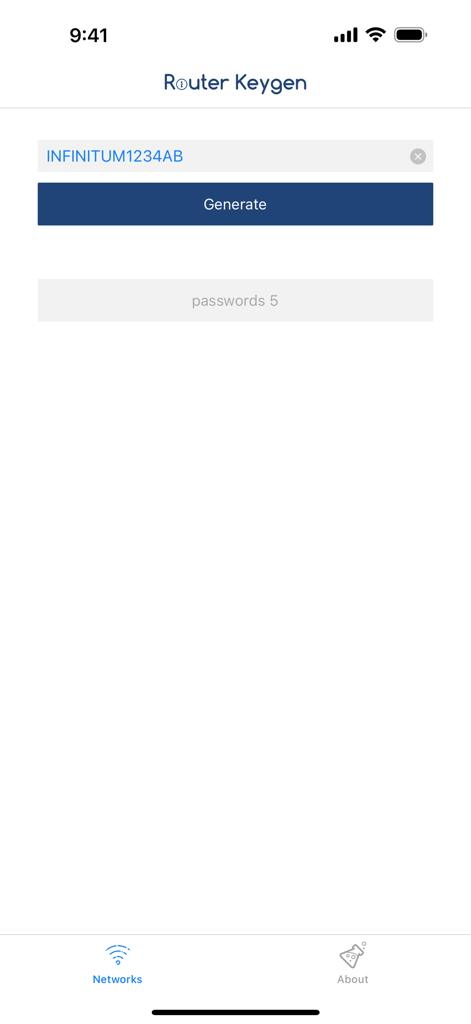
Router Keygen app interface showing the wifi password generation screen with a network name input and generate button
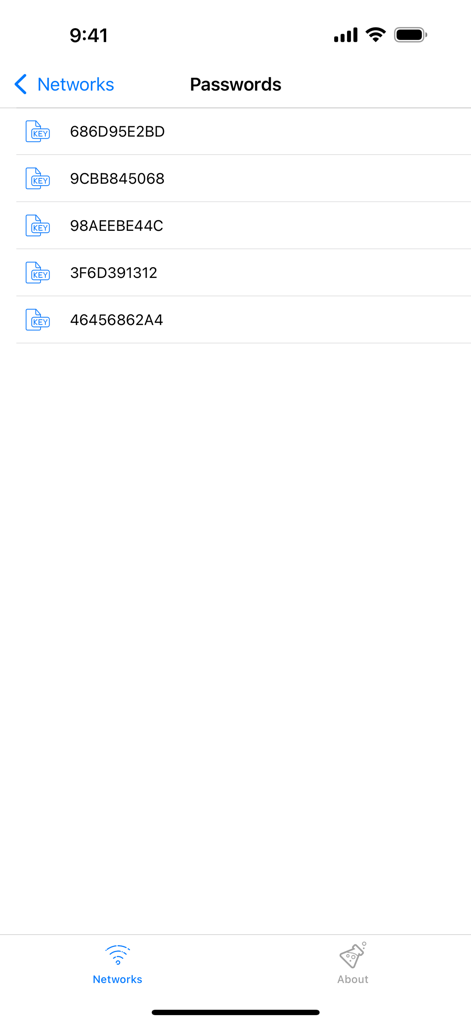
A list of generated wifi passwords displayed in the Router Keygen application
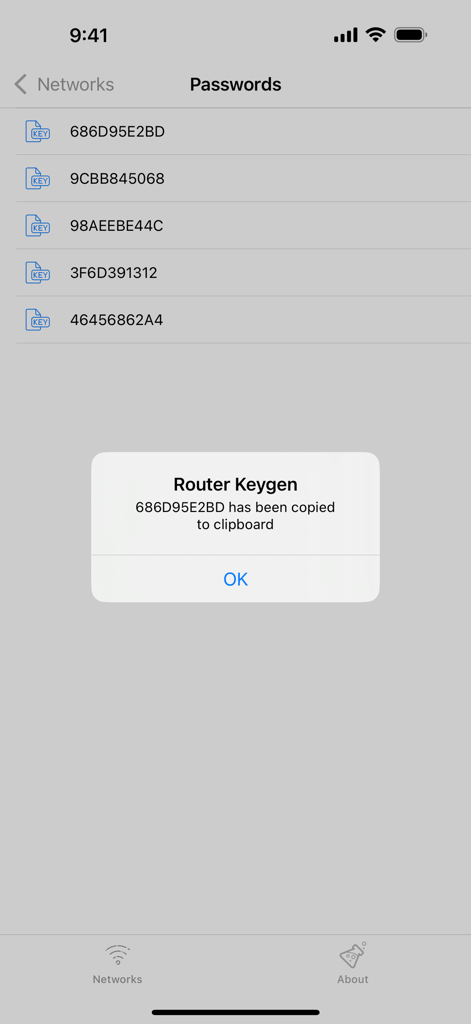
A list of generated WiFi passwords in the Router Keygen app with a copy to clipboard confirmation message
Description
Download
More Like This
Apps with similar features and user experience

This page is not an official page of the app or its developer, but an independent editorial publication created for informational and commentary purposes. Unless expressly stated otherwise, neither the app nor its developer is affiliated with, endorsed by, sponsored by, authorized by, or otherwise officially connected with MWM, Apple, Google Play, the app publisher, or the app's developer, and nothing on this page implies that the app was developed using MWM's services. Any trademarks, logos, screenshots, and other content remain the property of their respective owners.