
This page is not an official page of the app or its developer, but an independent editorial publication created for informational and commentary purposes. Unless expressly stated otherwise, neither the app nor its developer is affiliated with, endorsed by, sponsored by, authorized by, or otherwise officially connected with MWM, Apple, Google Play, the app publisher, or the app's developer, and nothing on this page implies that the app was developed using MWM's services. Any trademarks, logos, screenshots, and other content remain the property of their respective owners.

RunCline
Seamlessly sync your smart treadmill, Stryd, and heart rate monitors with Zwift. Automate your incline, capture pro-grade metrics like power and cadence, and bridge the gap between your hardware and the virtual world for a truly immersive training experience.
Downloads
0User Rating
Total Ratings
0Publisher
Category
SportsLocales
1Latest Version
2.0.1Size
11.0 MBFirst Released
Aug 31, 2019Elevate Your Indoor Training
Bridge the gap between your home gym hardware and virtual worlds. RunCline transforms your treadmill setup into a professional-grade performance lab.
Universal Bluetooth Bridge
Seamlessly connect your smart treadmill and foot pods to Zwift. Transmit speed, cadence, and power with zero lag for a truly immersive virtual run.
Precision Incline Sync
Manually broadcast incline or let RunCline automatically adjust your smart treadmill to match virtual terrain. Finally, your legs feel what your eyes see.
The following screenshots and description are sourced directly from the app's official store listing and are the property of the app developer.
App Store
Screenshots
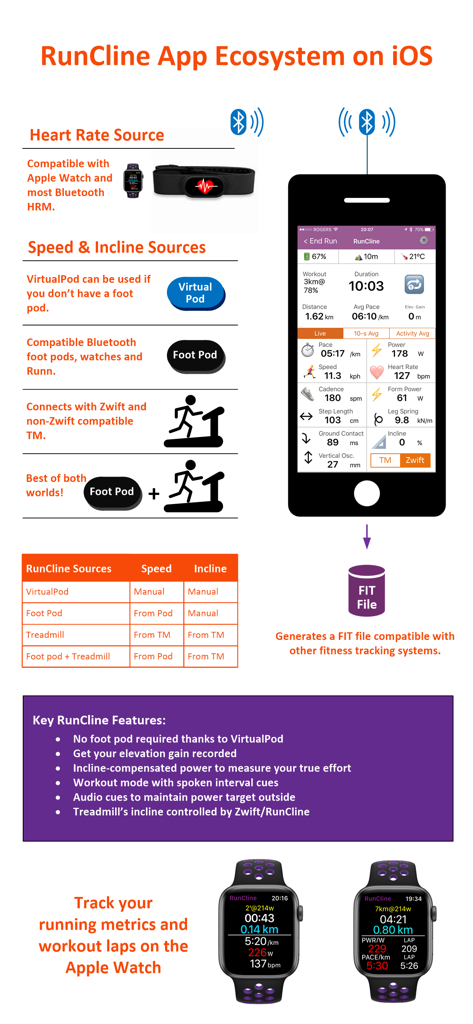
Infographic showing RunCline app ecosystem with connections for treadmills heart rate monitors and Apple Watch
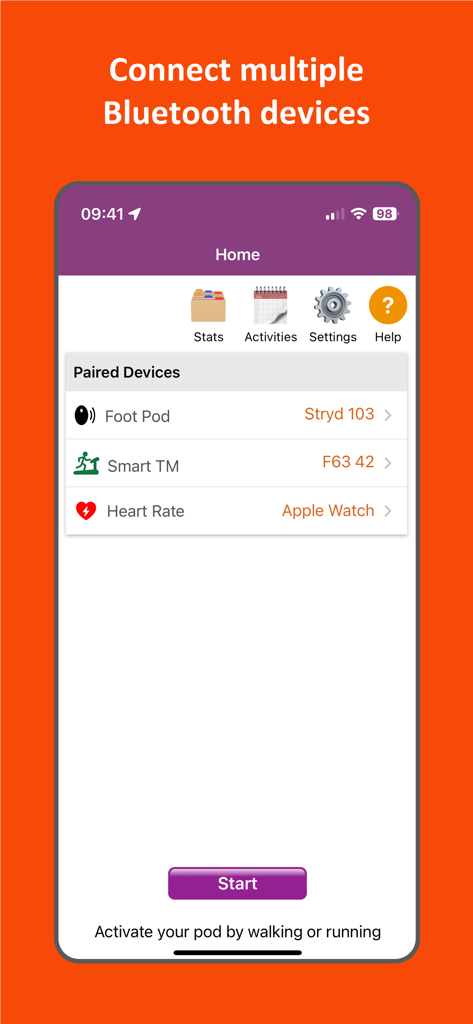
RunCline app interface showing paired Bluetooth fitness devices including foot pod smart treadmill and heart rate monitor
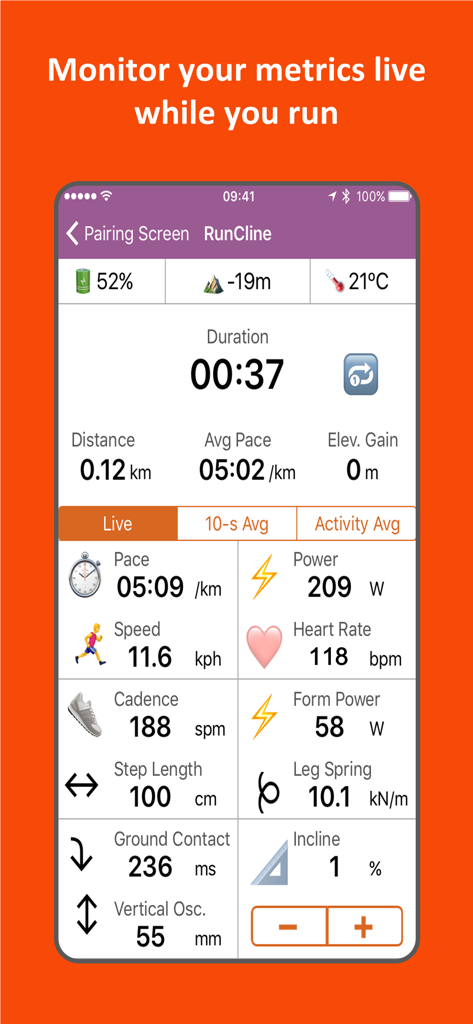
RunCline app interface displaying live running data including pace power heart rate and cadence
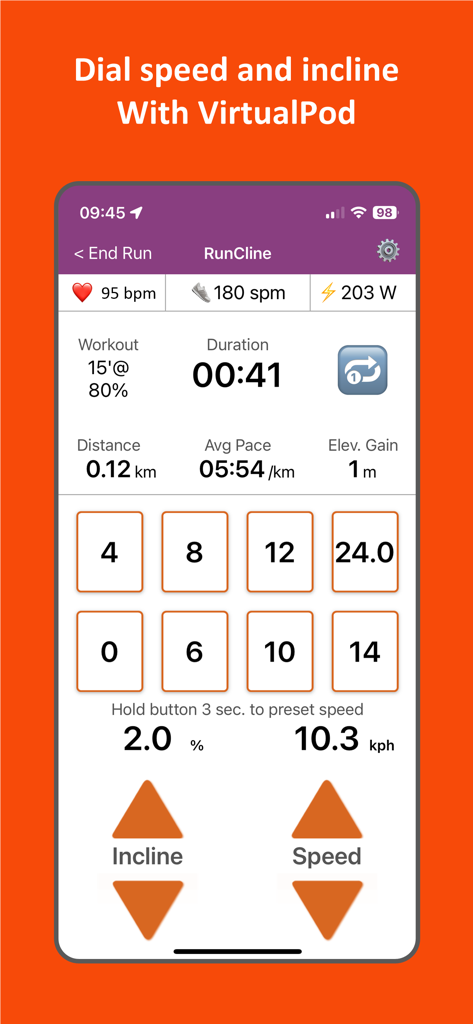
RunCline app interface showing manual speed and incline controls for treadmill workouts
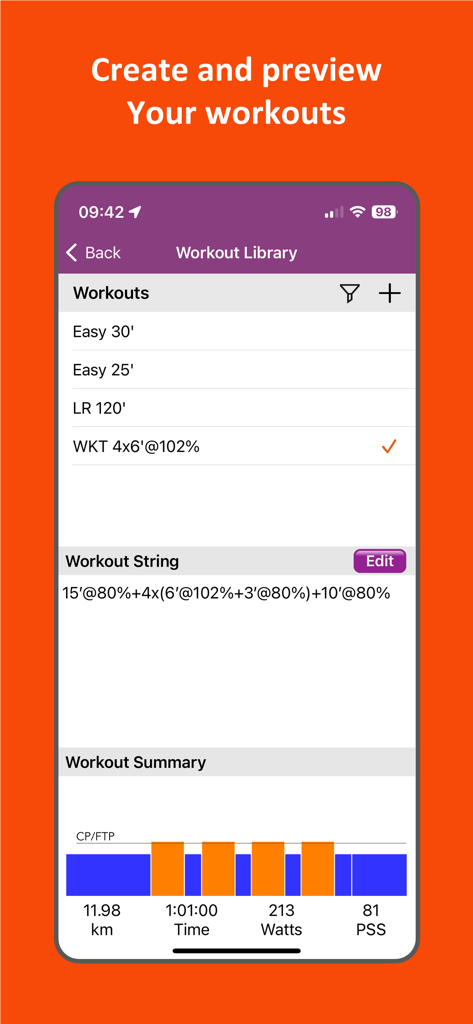
RunCline app interface displaying the workout library with a custom interval string and a performance summary chart showing metrics like power and distance
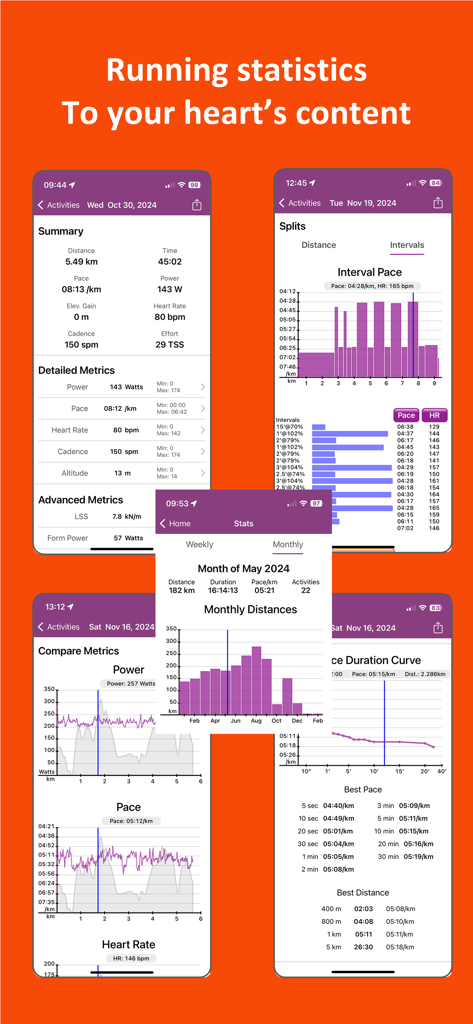
A collection of RunCline app screens displaying detailed running metrics, interval pace graphs, monthly distances, and performance comparisons.
Description
Download
More Like This
Top-ranked apps in the same category

得物 - 得到美好事物
Shanghai Dewu Information Group Co., Ltd.

虎扑-评分篮球足球游戏影视
Shanghai Kuanghui Network Technology Co., LTD

Olympic Games™
International Olympic Committee

懂球帝 - 足球篮球体坛数据
Hainan Football-Loving Girl Network Technology Co., Ltd.

Underdog Sports
Underdog Sports, Inc.

PrizePicks - Sports Picks
SidePrize, LLC

DraftKings Sportsbook & Casino
DRAFTKINGS LLC.

Flashscore: Live Scores & News
Livesport s.r.o.

DAZN: Stream Live Sports
DAZN Limited
This page is not an official page of the app or its developer, but an independent editorial publication created for informational and commentary purposes. Unless expressly stated otherwise, neither the app nor its developer is affiliated with, endorsed by, sponsored by, authorized by, or otherwise officially connected with MWM, Apple, Google Play, the app publisher, or the app's developer, and nothing on this page implies that the app was developed using MWM's services. Any trademarks, logos, screenshots, and other content remain the property of their respective owners.