
This page is not an official page of the app or its developer, but an independent editorial publication created for informational and commentary purposes. Unless expressly stated otherwise, neither the app nor its developer is affiliated with, endorsed by, sponsored by, authorized by, or otherwise officially connected with MWM, Apple, Google Play, the app publisher, or the app's developer, and nothing on this page implies that the app was developed using MWM's services. Any trademarks, logos, screenshots, and other content remain the property of their respective owners.


Salome - MPE Audio Sampler
Transform any sound into a playable polyphonic instrument in seconds. A boutique AUv3 sampler designed for speed, seamless loops, and multidimensional control on iOS and Mac.
Downloads
9K+User Rating
Total Ratings
100Publisher
Category
MusicLocales
1Latest Version
1.2.1Size
36.8 MBFirst Released
Oct 26, 2023Craft Unique Sounds Instantly
A professional-grade sampler designed for fluid creativity, MPE expression, and a friction-free workflow.
Fast & Fluid Sampling
Go from recording a sound to playing a polyphonic instrument in seconds without technical friction.
Expressive MPE Power
Unlock multidimensional control with per-note modulation for expressive, human-sounding electronic music.
Frequently Asked Questions
Everything you need to know about Salome - MPE Audio Sampler
What is Salome - MPE Audio Sampler?
Salome is an AUv3 MPE Audio Sampler for iOS and MacOS. It records or imports sounds, converts them into seamless loops, and plays them polyphonically using MPE or MIDI controllers.
What are the main features of Salome - MPE Audio Sampler?
Salome features AUv3 compatibility, built-in MPE keypads, MPE/MIDI I/O, a 12-mode Oberheim Xpander filter, Latch-mode faders, basic standalone mode, and non-destructive X-Fade looping for recorded/imported sounds.
How does Salome create seamless loops?
Salome creates effortless seamless loops using its non-destructive X-Fade feature. This allows users to record or import sounds and instantly play them as a polyphonic instrument.
What kind of sounds can Salome record or import?
Salome supports recording or importing sounds in WAV, AIF, and MP3 formats. These sounds are then instantly playable as a polyphonic instrument.
Is Salome - MPE Audio Sampler compatible with VST plugins?
No, Salome - MPE Audio Sampler does not support VST plugins. It is an AUv3 plugin compatible with Audio Unit hosts on iOS and MacOS.
What devices and operating systems is Salome compatible with?
Salome offers AUv3 plugins for iOS (iPhone, iPad) and MacOS (ARM, Intel). Full Audio Unit compatibility is provided, though not all hosts support all AU features.
How many notes of polyphony does Salome offer?
Salome - MPE Audio Sampler offers 15-note polyphony. Users play recordings with expressive MPE controls, either onscreen or using external devices.
Where can I find the user manual for Salome - MPE Audio Sampler?
The user manual for Salome - MPE Audio Sampler is available on ruismaker.com. This website provides detailed guidance for using the application.
What is the Latch-mode feature in Salome?
The Latch-mode in Salome lets users play the instrument using faders. Onscreen keypads can be latched, turning them into 2-dimensional faders for modulation control.
Does Salome - MPE Audio Sampler include a filter?
Yes, Salome includes a 12-mode filter. This filter design is based on the Oberheim Xpander and features controls for cutoff, resonance, and LFO modulation.
The following screenshots and description are sourced directly from the app's official store listing and are the property of the app developer.
App Store
Screenshots
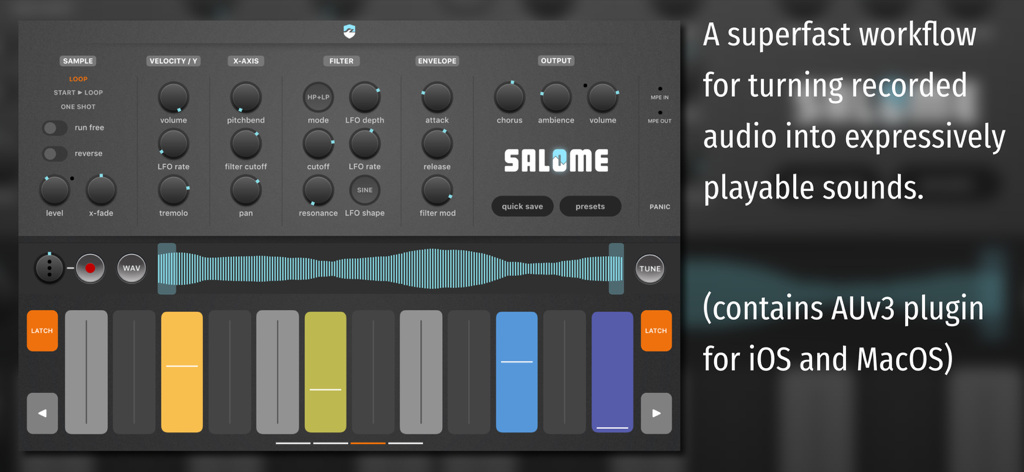
Salome MPE Audio Sampler user interface showing workflow controls and expressive pads
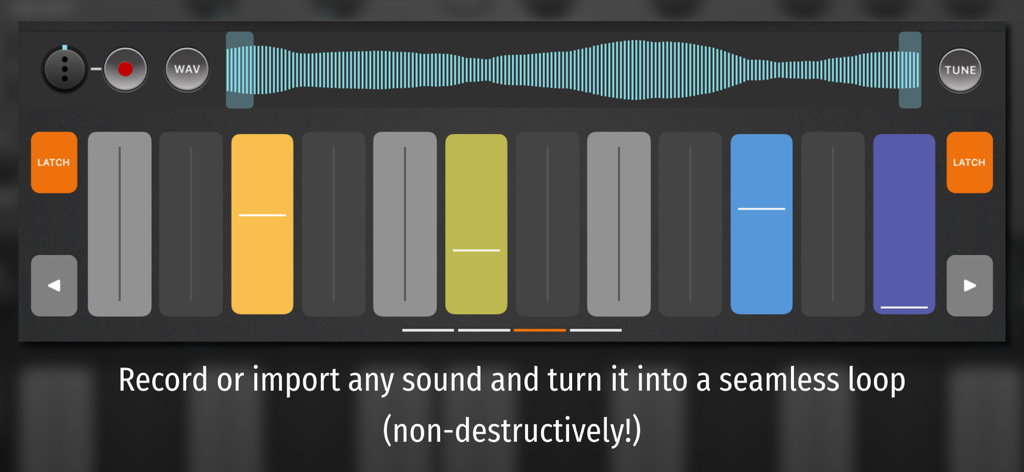
Interface of Salome MPE Audio Sampler showing a sound waveform and vertical performance pads.
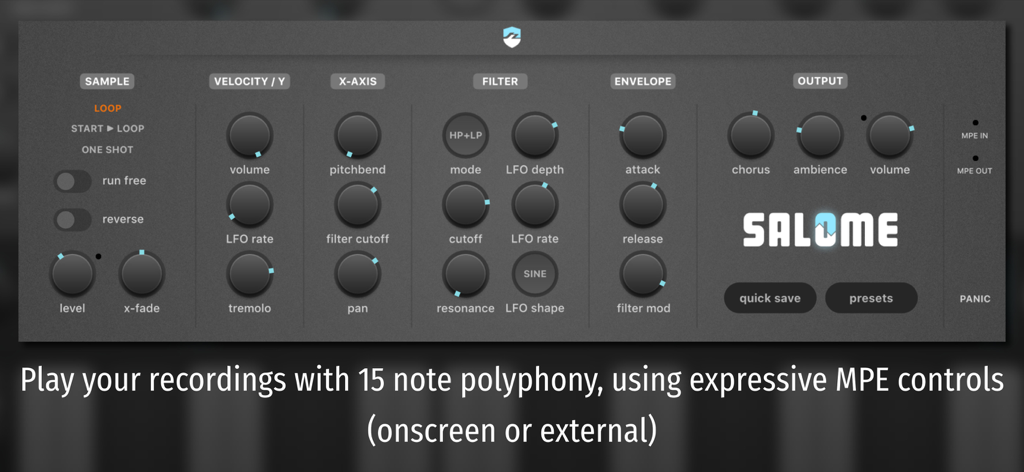
User interface of the Salome MPE Audio Sampler showing synthesis controls for filter envelope and output
Description
Download
More Like This
Top-ranked apps in the same category

Spotify: Music and Podcasts
Spotify

YouTube Music
Google LLC

Shazam: Find Music & Concerts
Apple Inc.

SoundCloud: The Music You Love
SoundCloud Global Limited & Co KG

Suno - AI Songs & Music
Suno Inc.

QQ音乐 - 听我想听
Tencent Technology (Shenzhen) Company Limited

Audiomack - Play Music Offline
Audiomack, Inc.

GuitarTuna: Tune & Play Guitar
Yousician Ltd

BandLab – Music Maker & Beats
BandLab Singapore Pte Ltd
This page is not an official page of the app or its developer, but an independent editorial publication created for informational and commentary purposes. Unless expressly stated otherwise, neither the app nor its developer is affiliated with, endorsed by, sponsored by, authorized by, or otherwise officially connected with MWM, Apple, Google Play, the app publisher, or the app's developer, and nothing on this page implies that the app was developed using MWM's services. Any trademarks, logos, screenshots, and other content remain the property of their respective owners.