
This page is not an official page of the app or its developer, but an independent editorial publication created for informational and commentary purposes. Unless expressly stated otherwise, neither the app nor its developer is affiliated with, endorsed by, sponsored by, authorized by, or otherwise officially connected with MWM, Apple, Google Play, the app publisher, or the app's developer, and nothing on this page implies that the app was developed using MWM's services. Any trademarks, logos, screenshots, and other content remain the property of their respective owners.


SaveTrip
Take full control of your journey with visual itineraries, map-based planning, and smart budget tracking. From receipt scanning to multi-currency conversion, organize every detail of your trip in one powerful app.
Downloads
46K+User Rating
Total Ratings
100Publisher
Category
TravelLocales
3Latest Version
1.50.20Size
68.7 MBFirst Released
May 7, 2020Your Entire Trip, Perfectly Organized
Designed for the Organized Explorer, SaveTrip combines powerful itinerary mapping with effortless expense tracking to take the stress out of your international adventures.
Visual Itinerary Mapping
Visualize your daily plans on a timeline and interactive map. Automatically calculate distances between stops to optimize your route and save precious travel time.
Smart Budget Management
Stop the mental math. Track expenses in any currency with automatic conversion, scan receipts instantly, and view beautiful spending graphs by category or person.
The following screenshots and description are sourced directly from the app's official store listing and are the property of the app developer.
App Store
Screenshots
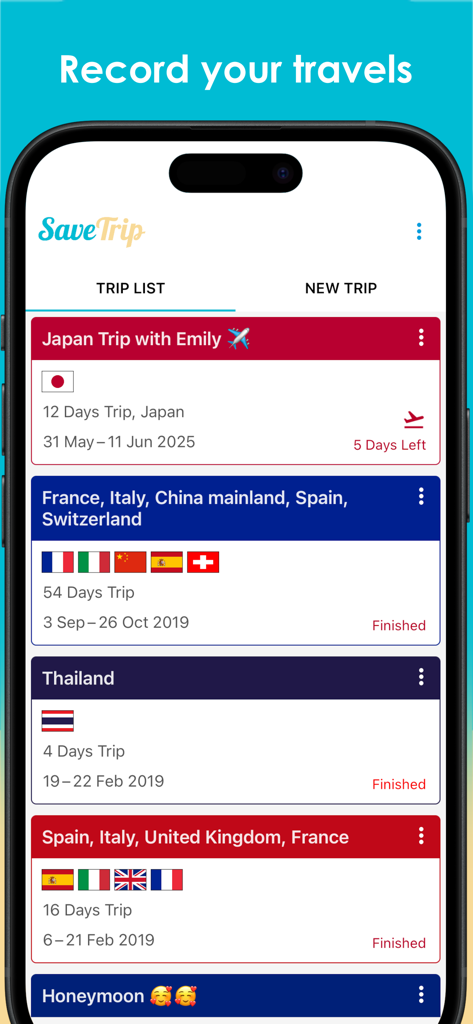
SaveTrip app interface displaying a list of organized travel itineraries with country flags and trip dates
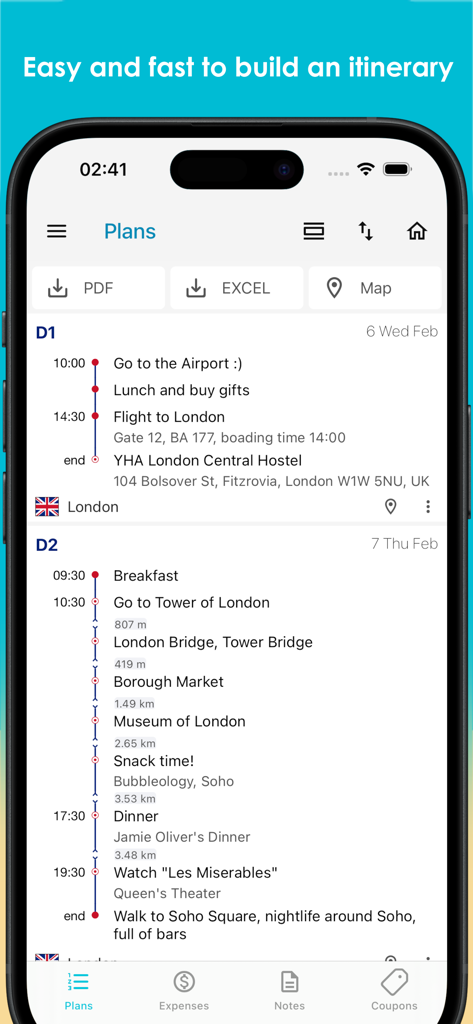
SaveTrip app interface showing a detailed daily travel itinerary with a timeline of activities for a London trip
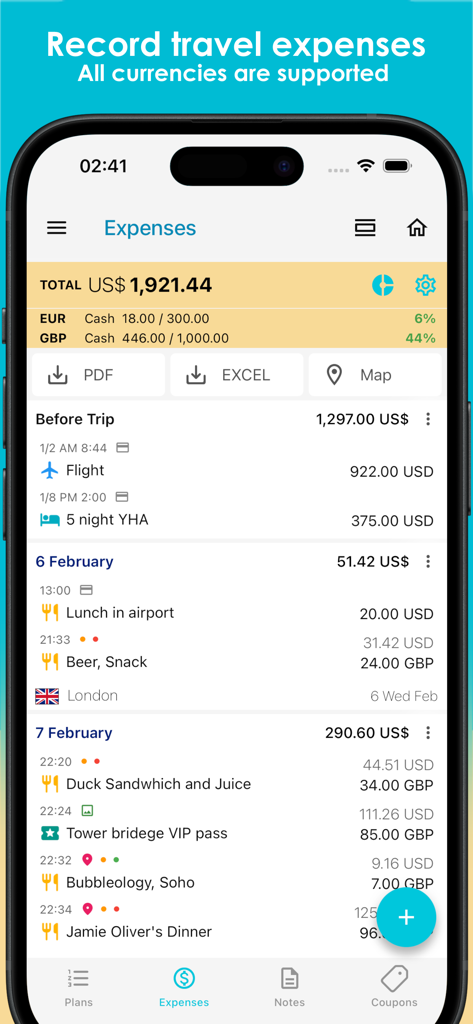
SaveTrip mobile app interface showing detailed travel expenses and budget tracking with multi-currency support
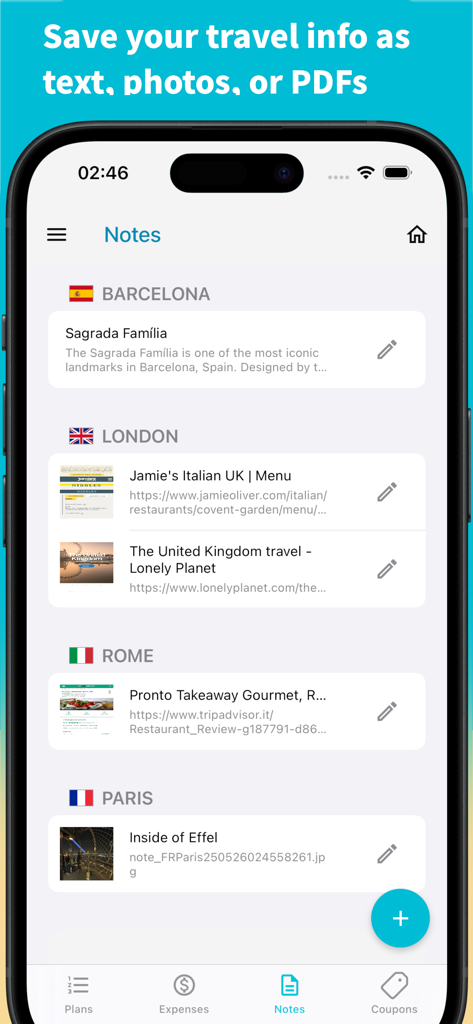
Mobile screen of the SaveTrip app displaying travel notes and saved links organized by cities like London and Paris.
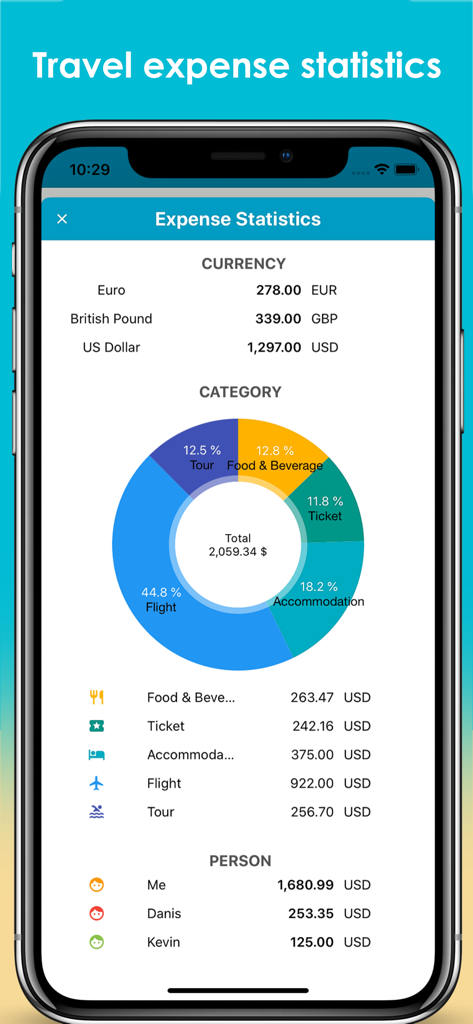
SaveTrip app screen displaying travel expense statistics with a colorful donut chart showing spending by category currency and person
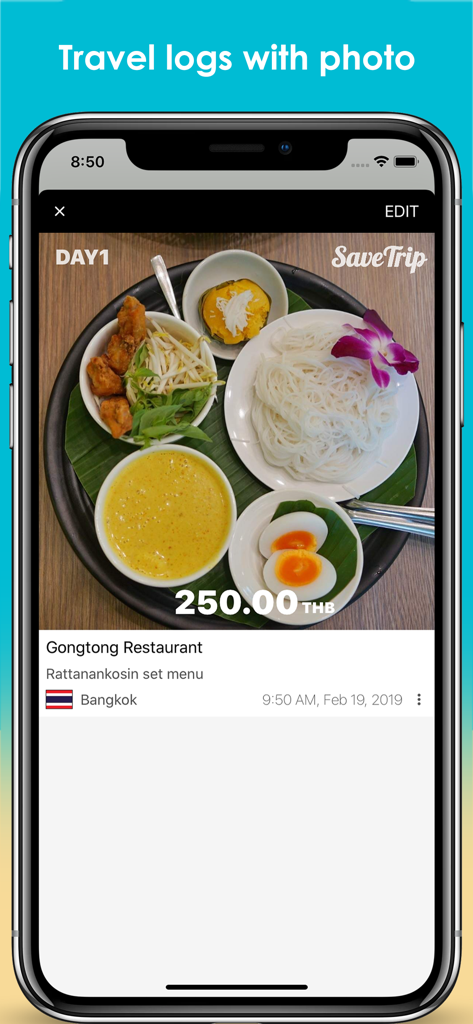
SaveTrip app interface displaying a travel log entry with a photo of a Thai meal and expense details in Bangkok
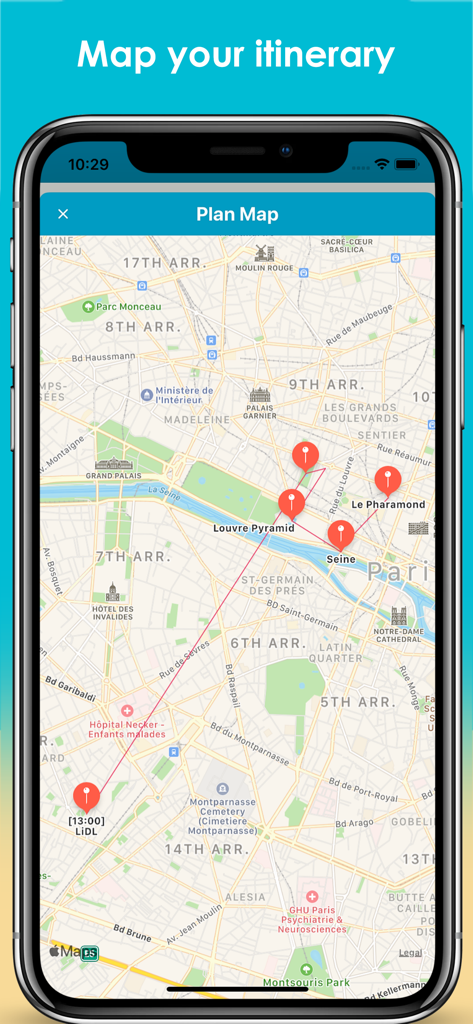
SaveTrip app showing a travel itinerary mapped out in Paris with location pins and paths.
Description
Download
More Like This
Top-ranked apps in the same category

Uber - Request a ride
Uber Technologies, Inc.

Airbnb
Airbnb, Inc.

铁路12306
ACADEMY OF RAILWAY SCIENCES CO., ltd.

Booking.com: Hotels & Travel
Booking.com B.V.

Grab: Taxi Ride, Food Delivery
GRABTAXI HOLDINGS PTE. LTD.

Trip.com: Book Flights, Hotels
Trip.com Travel Singapore Pte. Ltd.

DiDi China: Ride Hailing
Didi Chuxing (Beijing) Network Platform Technology Co., Ltd

去哪儿旅行-订酒店机票火车票
Beijing Qunar Information Technology Company Limit

Bolt: Request a Ride
BOLT TECHNOLOGY OU
This page is not an official page of the app or its developer, but an independent editorial publication created for informational and commentary purposes. Unless expressly stated otherwise, neither the app nor its developer is affiliated with, endorsed by, sponsored by, authorized by, or otherwise officially connected with MWM, Apple, Google Play, the app publisher, or the app's developer, and nothing on this page implies that the app was developed using MWM's services. Any trademarks, logos, screenshots, and other content remain the property of their respective owners.