School Assistant – Planner

School Assistant – Planner

Download on App Store
Logo of School Assistant – Planner
School Assistant – Planner: Your entire academic life, beautifully organized and 100% free.

Master your Google Classroom assignments and A/B schedules without the subscription fatigue. Built for the Apple ecosystem, featuring deep customization, widgets, and zero ads—by a student, for students.

Publisher

Sun Apps, LLC

Category

Education

Downloads

234K+

User Rating

4.8/5

Total Ratings

4K+

Locales

1

A Glimpse of Productivity

Discover the interface used by 234K+ users.
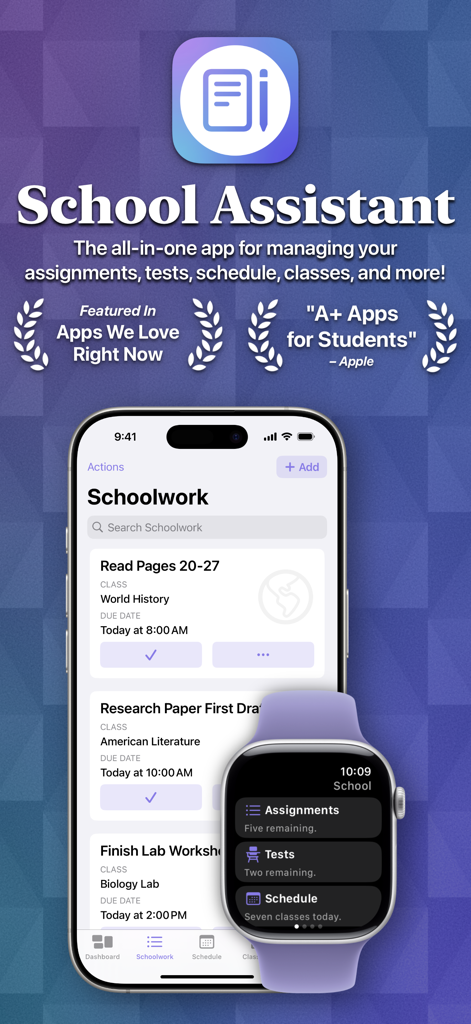
School Assistant app interface showing academic assignments on an iPhone and a summary dashboard on an Apple Watch

School Assistant app interface showing academic assignments on an iPhone and a summary dashboard on an Apple Watch

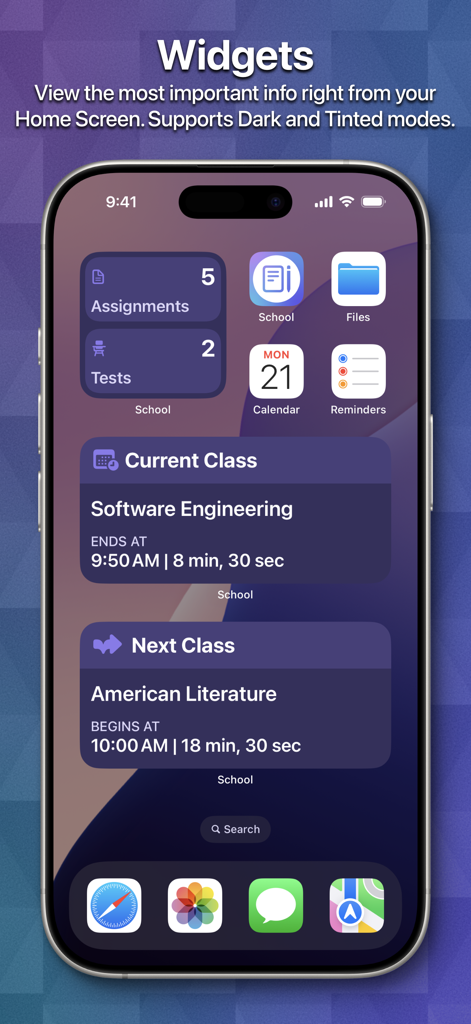
iPhone home screen displaying school planner widgets for assignments and class schedules

iPhone home screen displaying school planner widgets for assignments and class schedules

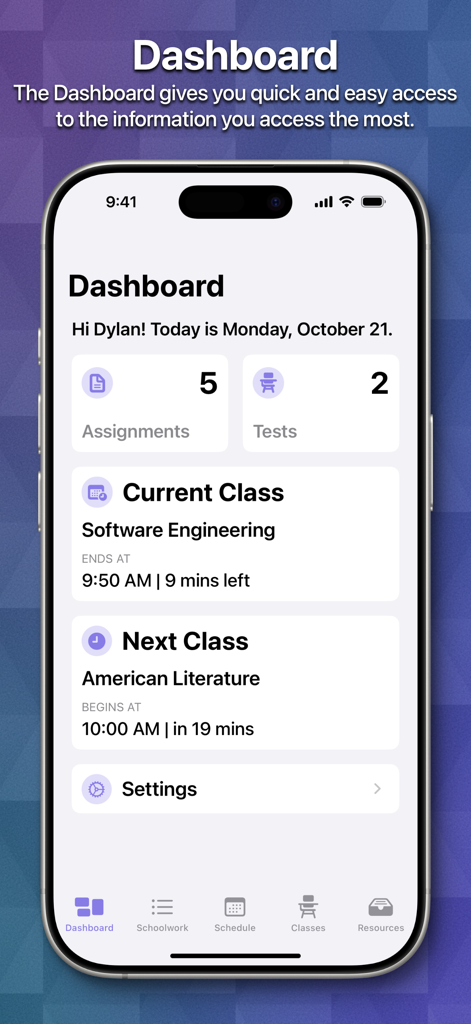
School Assistant Planner app dashboard on an iPhone showing student assignments tests and current class schedule overview

School Assistant Planner app dashboard on an iPhone showing student assignments tests and current class schedule overview

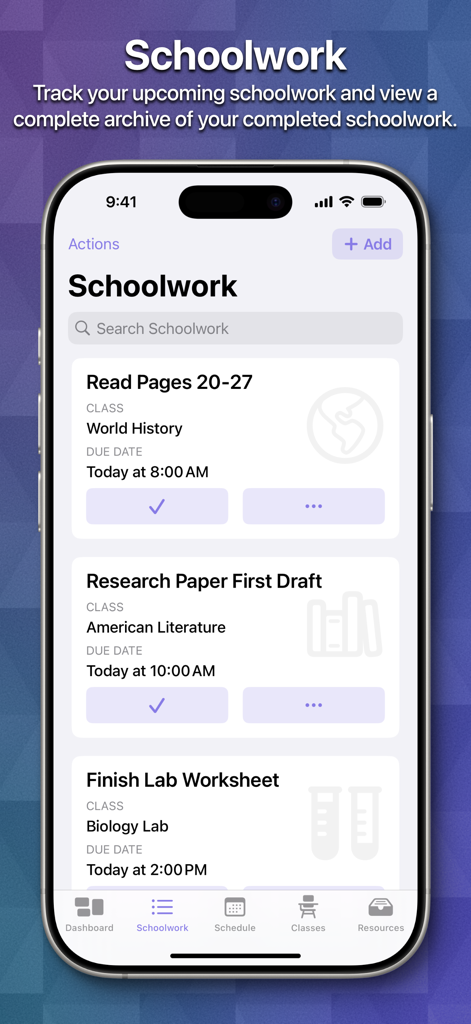
iPhone screen showing the Schoolwork section of the School Assistant app with a list of student assignments and deadlines

iPhone screen showing the Schoolwork section of the School Assistant app with a list of student assignments and deadlines

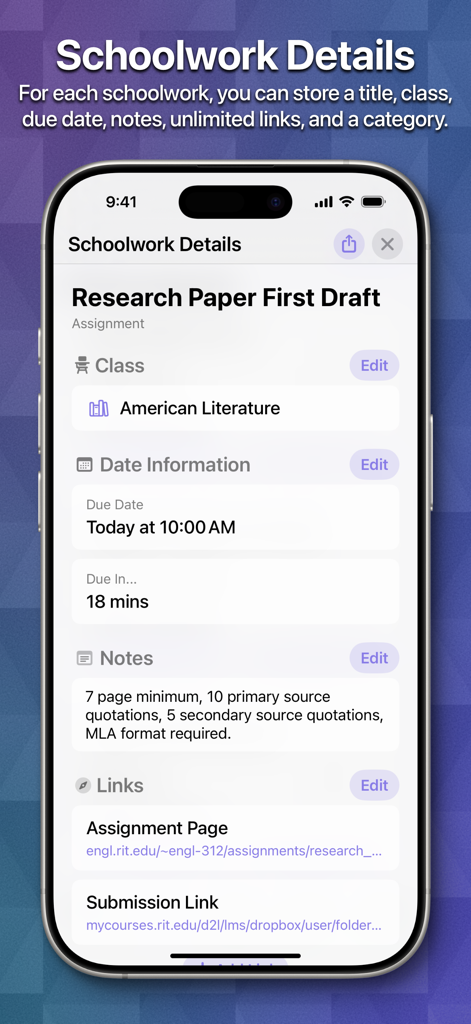
Screenshot of the Schoolwork Details screen in the School Assistant app showing a research paper assignment for an American Literature class.

Screenshot of the Schoolwork Details screen in the School Assistant app showing a research paper assignment for an American Literature class.

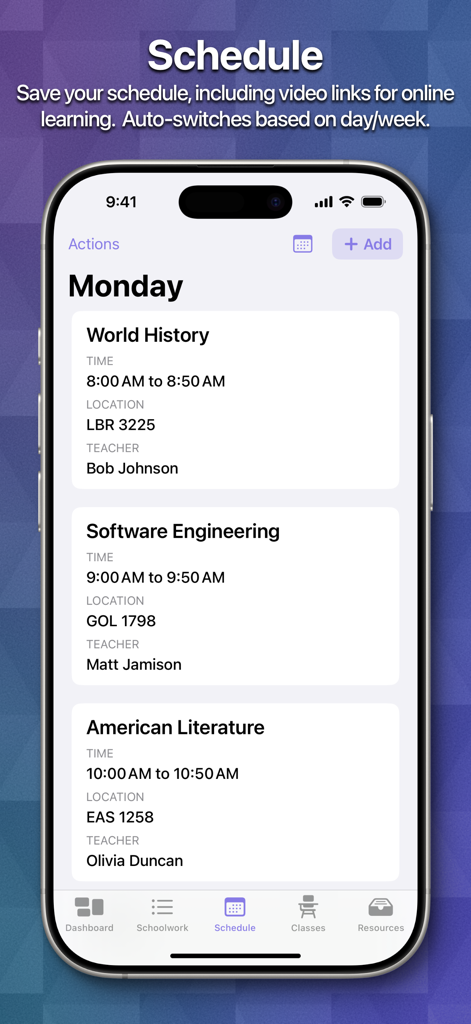
School Assistant Planner app displaying a daily class schedule with times, locations, and teachers.

School Assistant Planner app displaying a daily class schedule with times, locations, and teachers.

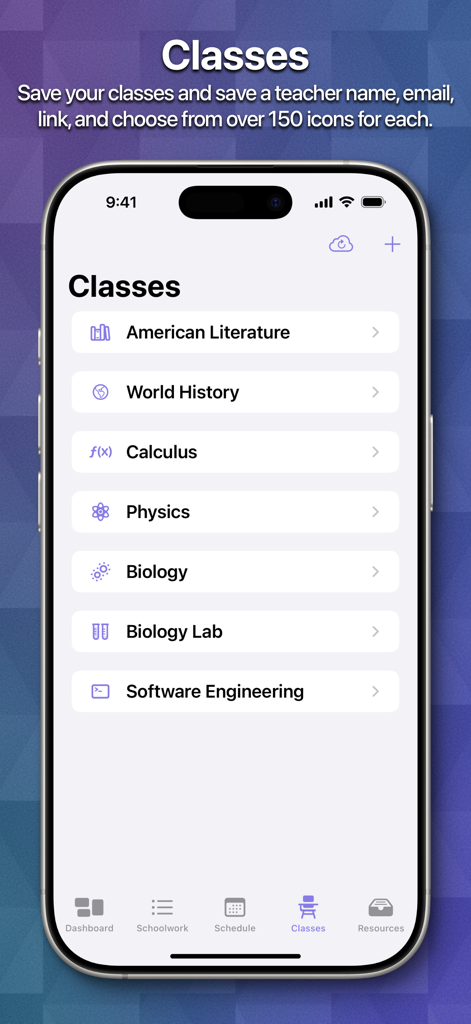
Screenshot of the School Assistant app showing a list of organized classes including literature history and calculus with custom icons

Screenshot of the School Assistant app showing a list of organized classes including literature history and calculus with custom icons

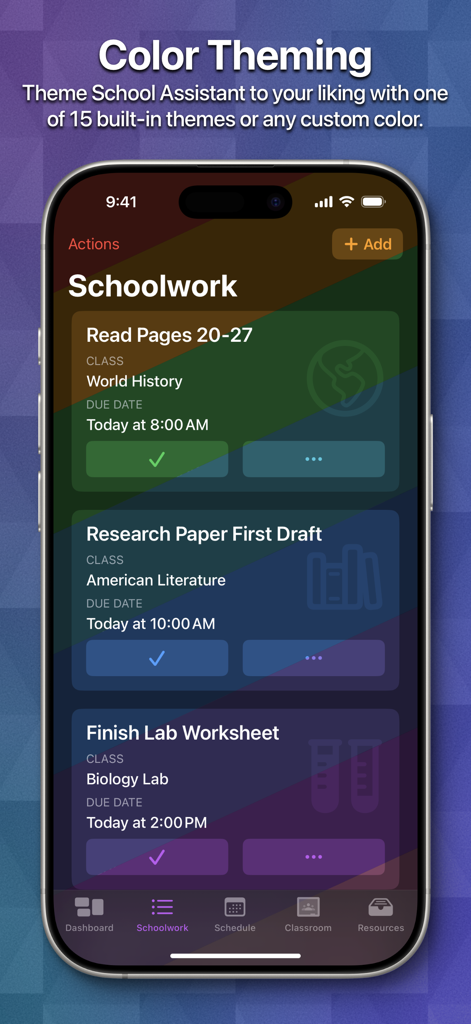
iPhone screen showing School Assistant app Schoolwork section with a rainbow color theme and a list of academic assignments

iPhone screen showing School Assistant app Schoolwork section with a rainbow color theme and a list of academic assignments

Master Your Academic Life

The tools that make this app stand out, trusted by 234K+ users.

🎓

Smart Google Classroom Sync

Directly pull your assignments into a unified dashboard. Sort by due date, class, or priority to see exactly what needs your focus.

Flexible Schedule Mastery

Perfect for complex US block schedules. Automatically switch between A/B weeks and see your next class at a glance with interactive widgets.

Seamless Apple Ecosystem

Stay synced across iPhone, Mac, and Apple Watch. Access your schedule instantly from your wrist or desktop with full iCloud integration.

About the app

Everything you need to know about School Assistant – Planner.

Description

School Assistant by Sun Apps is a simple but powerful school planner app. It allows you to quickly and easily keep track of homework, tests, and your schedule, see and save Google Classroom assignments, quickly access saved websites, and more. First, as a student myself, I know how hard it can be to pay for these types of apps. So, School Assistant is 100% free: no subscriptions, no paywalls, no premium features, and no ads! There is a tip jar if you feel like supporting, though (these are the in-app purchases the App Store shows). Schoolwork: - Manage your upcoming assignments and tests - Sort by due date, class, category, alphabetically, or manually - Add a related class, due date, links, and notes - Schedule reminders - Highlight upcoming and overdue schoolwork - Keep an entire archive of your completed schoolwork - View how many assignments/tests you have right from your Home Screen / Desktop with Widgets Schedule: - Keep track of your classes for every day - Add associated teacher and room information (or, add a link for online classes) - Automatically switch days based on the day of the week - Automatically switch between two weeks (great for A/B week schedules) - Manually switch between up to ten weeks - See your current class and next class on the Dashboard and with Home Screen / Desktop Widgets Classes: - In addition to Schoolwork and Schedule, you can manage your classes with a dedicated feature - Store your teacher’s name and email - Store notes for each class - Assign an icon to each class, which also shows in Schoolwork Apple Watch App: - Super quick access to your most important information - View your Schoolwork, automatically sorted into assignments and tests - View your Schedule for any day - View your current and next classes, and how long you have left - Set a custom theme color to match your Watch, band, or outfit - Designed for quick interactions Other features: - Set a custom accent color - Theme the entire app with a color of your choosing - Over 20 app icon choices - Full and automatic data syncing over iCloud - Tight iOS and iPadOS integration with support for features like Slide Over and Split View, iPad cursor, keyboard shortcuts, system sidebars, Home Screen widgets, Dynamic Text, and multi-window support - Support for iPhone, iPad, iPod touch, Mac, Apple Watch, and Apple Vision Pro - Designed with quick and easy usability in mind - Full support for Dark Mode and Tinted Home Screens Legal disclaimers for Google Classroom: ©2018 Google LLC, used with permission. Google and the Google logo are registered trademarks of Google LLC.

Latest Version

4.0

Size

117.4 MB

First Released

Nov 25, 2019

Organize Your Academic Life, 100% Free

Join over 234,000 students using the planner made by a student, for students. No subscriptions, no ads—just pure focus across your entire Apple ecosystem.

Download on App Store
FAQ

Frequently Asked Questions

Everything you need to know about School Assistant – Planner

Is School Assistant – Planner a free application?

Yes, School Assistant – Planner is 100% free; it has no subscriptions, paywalls, premium features, or ads. An optional tip jar is available for support.

How does School Assistant – Planner assist with schoolwork management?

School Assistant – Planner helps manage upcoming assignments and tests, allowing sorting, adding details like due dates and links, scheduling reminders, and archiving completed work.

Does School Assistant – Planner integrate with Google Classroom?

Yes, School Assistant – Planner allows users to see and save Google Classroom assignments, integrating this functionality directly into the app experience.

Which devices are compatible with School Assistant – Planner?

School Assistant – Planner supports a wide range of Apple devices including iPhone, iPad, iPod touch, Mac, Apple Watch, and Apple Vision Pro with tight iOS and iPadOS integration.

Does School Assistant – Planner include Home Screen widgets?

Yes, School Assistant – Planner offers Home Screen and Desktop Widgets. These display upcoming assignments/tests, current class, and next class, and support Dark and Tinted modes.

Does School Assistant – Planner synchronize data across multiple devices?

Yes, School Assistant – Planner provides full and automatic data syncing across all your devices using iCloud to ensure your information is always up-to-date.

What features does the School Assistant – Planner Apple Watch app offer?

The School Assistant – Planner Apple Watch app provides quick access to schoolwork, sorted assignments and tests, daily schedules, current/next classes, and custom theme colors.

Can users customize the appearance of School Assistant – Planner?

Yes, School Assistant – Planner allows extensive customization, including setting a custom accent color, theming the entire app, and choosing from over 20 app icon options.

App information, icons, screenshots, and descriptions displayed on this page are sourced from the Apple App Store and are the property of their respective developers. Download estimates and rankings are based on MWM's proprietary models and may not reflect actual figures. This page is provided for informational and analytical purposes only.

Believe this page infringes your intellectual property? File a dispute