
SchoolMessenger


The all-in-one communication hub for busy parents and students to receive instant alerts, secure teacher messages, and school updates in one organized inbox.
Publisher
Category
EducationDownloads
1M+User Rating
Total Ratings
5K+Locales
3Discover the interface used by 1M+ users.
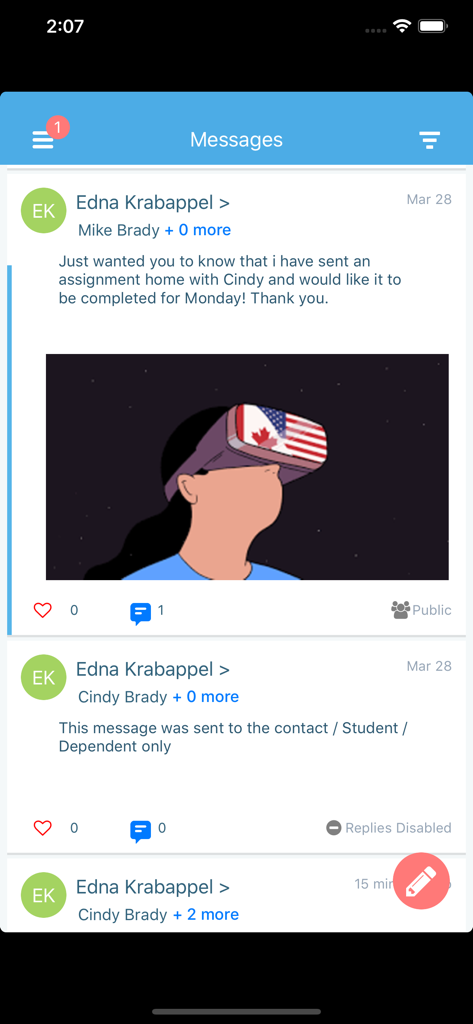
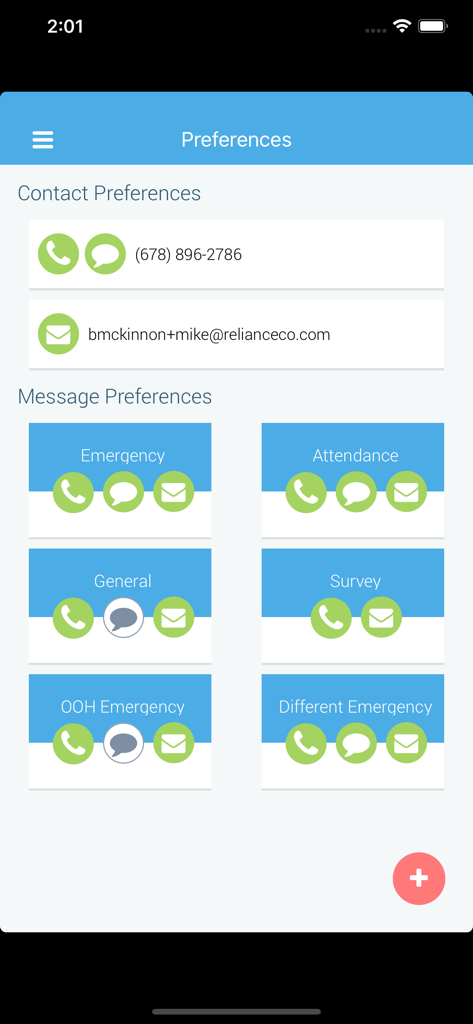
The tools that make this app stand out, trusted by 1M+ users.
Receive immediate push notifications for weather closures, bus delays, or emergency updates, giving you total peace of mind.
Connect directly with teachers and staff through secure two-way messaging that keeps everyone on the same page.
Take full control of your digital space by choosing exactly how you want to receive notifications across voice, email, and text.
Everything you need to know about SchoolMessenger.
Description
Latest Version
1.10.10
Size
42.8 MB
First Released
Apr 15, 2015
Join millions of busy parents and students who stay connected to their school community. Download SchoolMessenger today for instant alerts, direct teacher messaging, and total peace of mind.
Everything you need to know about SchoolMessenger
SchoolMessenger is an app designed to help parents, students, and staff remain engaged with their school or district. It facilitates connection and the reception of important communications.
The SchoolMessenger app provides an easy-to-read inbox, a scrollable notification view for various message types, detailed preference controls for notifications, and push notifications for alerts.
Yes, the SchoolMessenger app supports two-way teacher-parent-student messages if this feature is enabled by the school or district. Messages appear in the unified inbox.
Users can adjust notification settings within the SchoolMessenger app using the detailed preference control. This allows management of how emergency, attendance, and general message types are received.
To use the SchoolMessenger app, your school or district needs a SchoolMessenger notification service subscription with the app enabled. A valid email on file and iOS 14+ are also required.
No, the SchoolMessenger app is not designed for sending broadcast messages. For sending broadcast messages, users who are SchoolMessenger Communicate customers should download the Admin sender app.
The SchoolMessenger app delivers notifications via phone, email, and text content. These are accessible through a scrollable notification view, with push notifications also available for alerts.
Apps with similar features and user experience

CircleCo Inc

ClassApp Sistemas Ltda ME

Flare App, Inc.

Piccup, Inc.

Bookclubz, Inc.

Klara Technologies Inc.

DoorList Event Management, Inc.

Stay Informed GmbH

New World Solutions Pty Ltd
App information, icons, screenshots, and descriptions displayed on this page are sourced from the Apple App Store and are the property of their respective developers. Download estimates and rankings are based on MWM's proprietary models and may not reflect actual figures. This page is provided for informational and analytical purposes only.
Believe this page infringes your intellectual property? File a dispute