Schoolwork: Empowering Every Teacher to Maximize Every Student’s Potential
Transform your iPad classroom into a personalized learning environment. Save time on administration, gain deep insights into student progress, and provide real-time feedback all in one central hub.
Publisher
Apple Inc.
Category
Education
Downloads
86K+
User Rating
3.7/5
Total Ratings
500
Locales
33
Your Classroom, Visualized
Discover the interface used by 86K+ users.
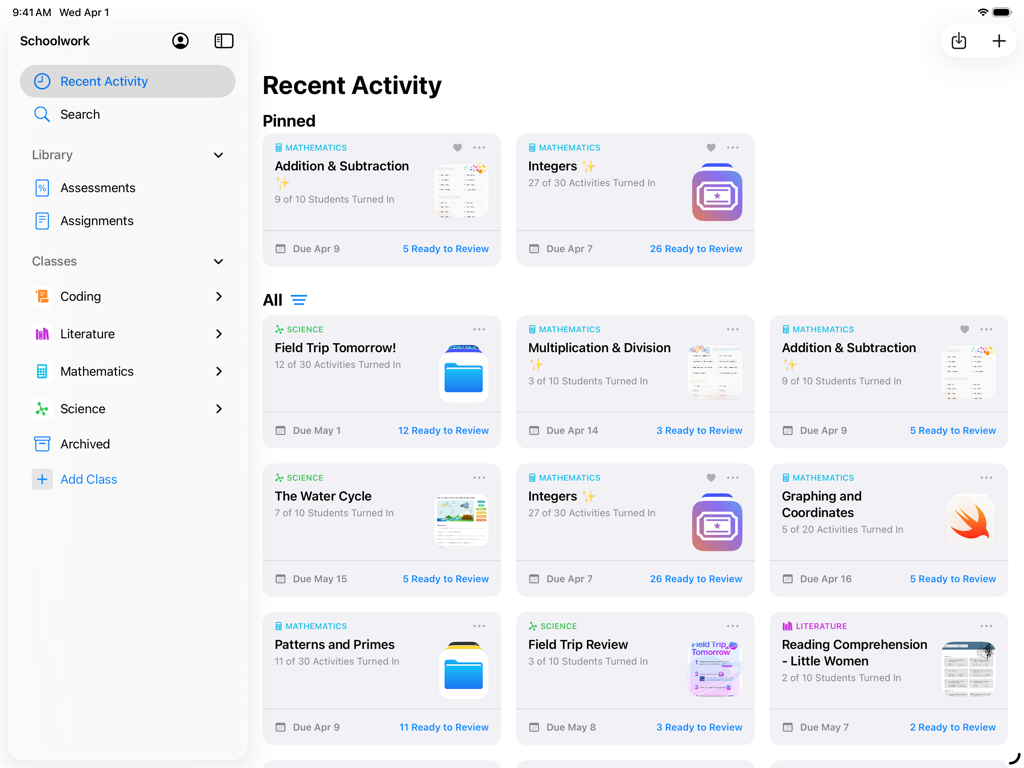
Dashboard view of the Schoolwork app on iPad showing teacher managed class activities and student progress
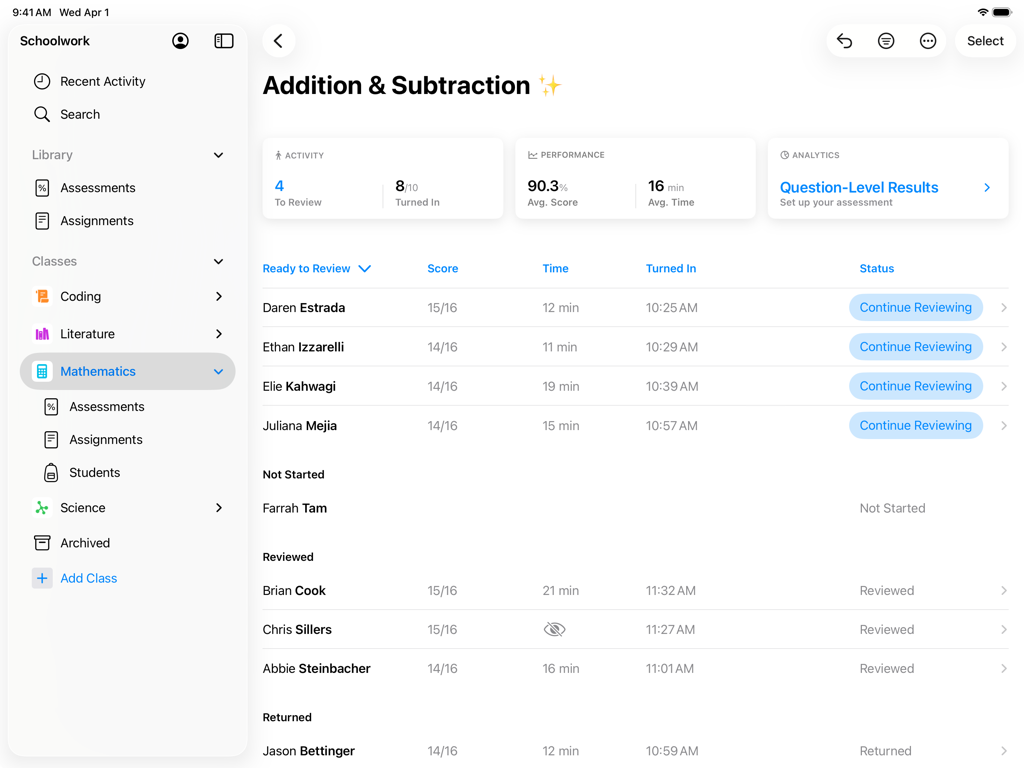
Teacher dashboard in the Schoolwork app showing student scores and progress for a mathematics assignment
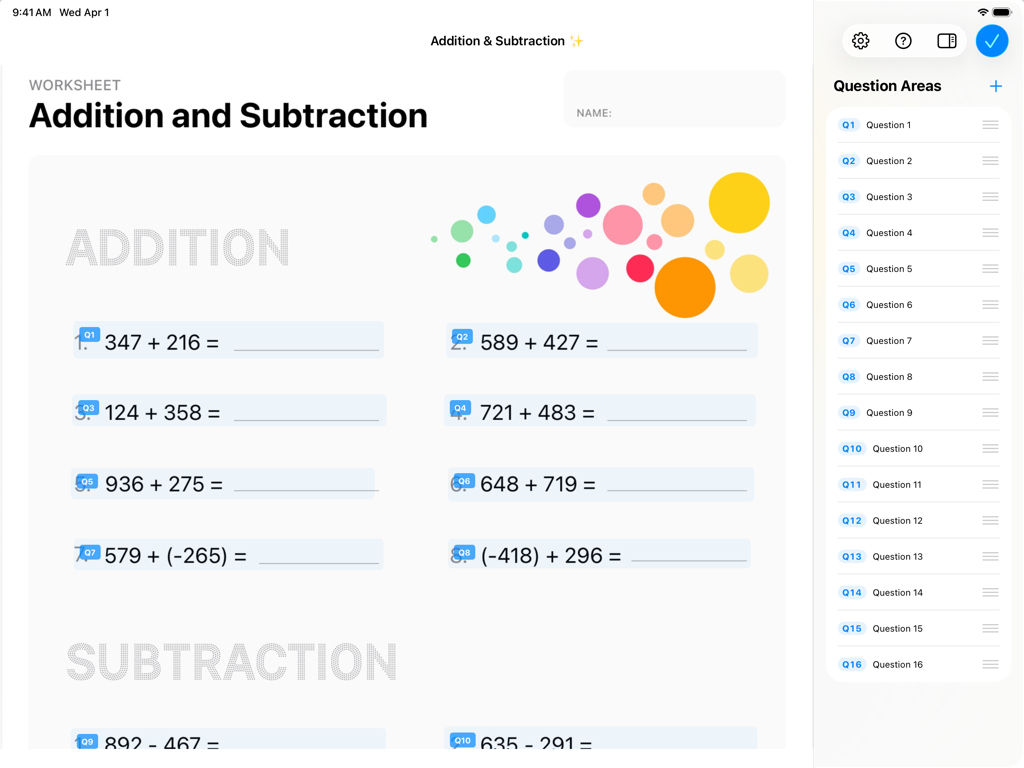
Apple Schoolwork app interface displaying a digital math worksheet with addition problems and a sidebar list of question areas.
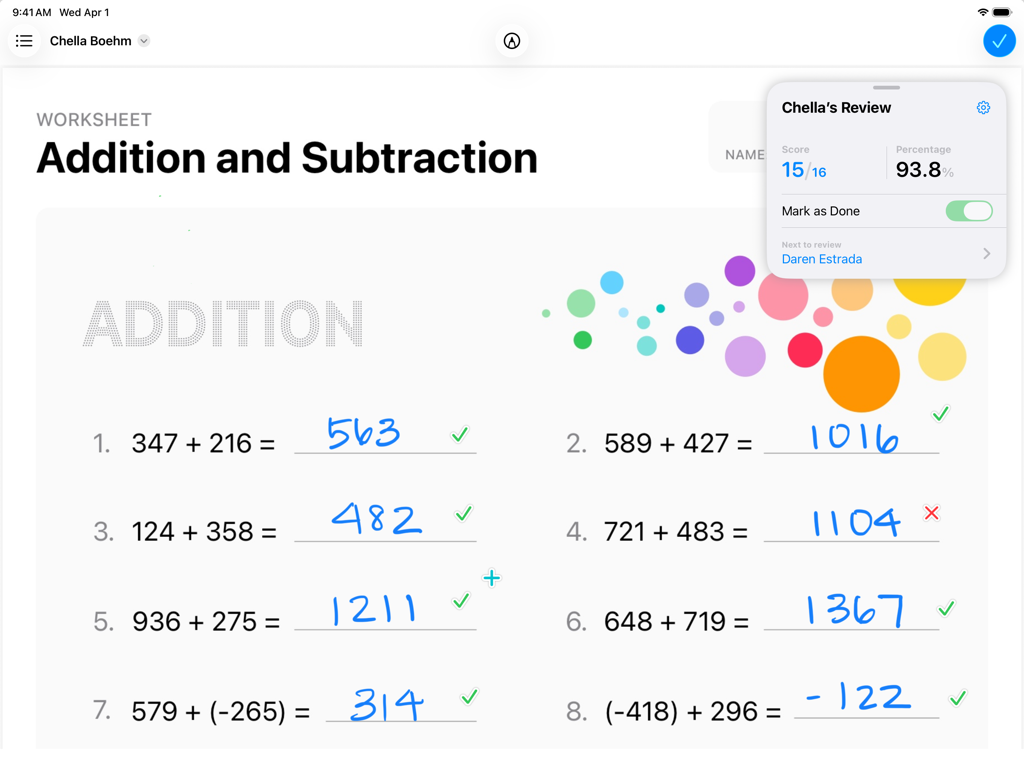
A math worksheet being graded in the Apple Schoolwork app on an iPad showing student progress and handwritten answers.
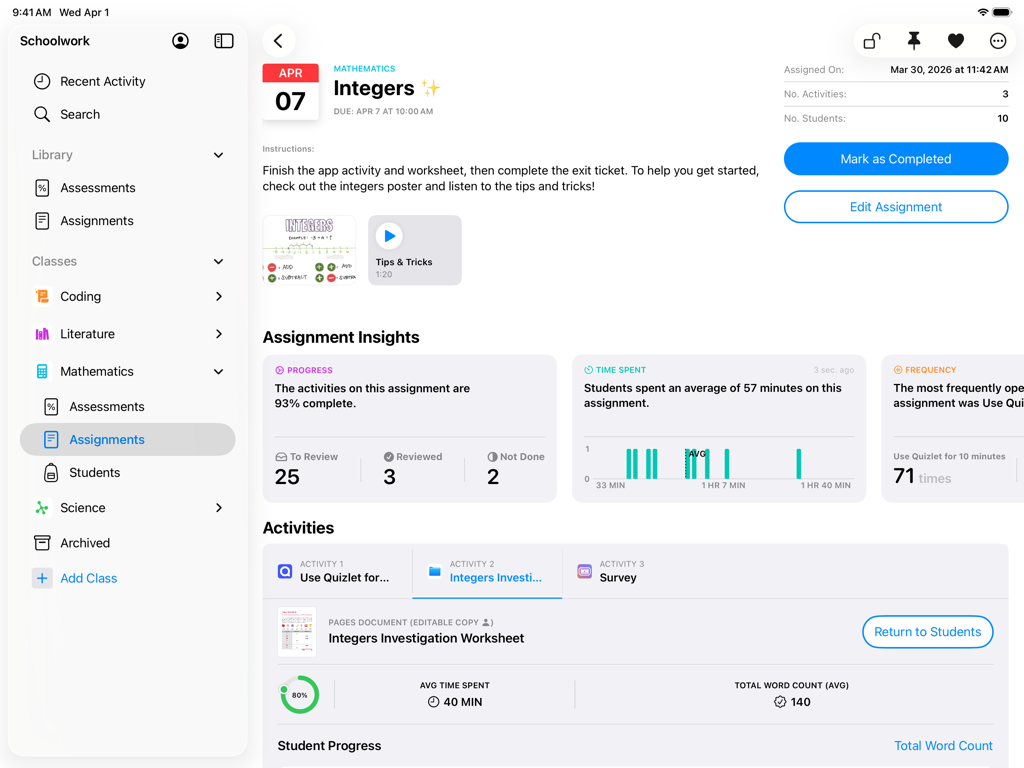
Apple Schoolwork app interface on iPad showing mathematics assignment insights and student progress tracking.
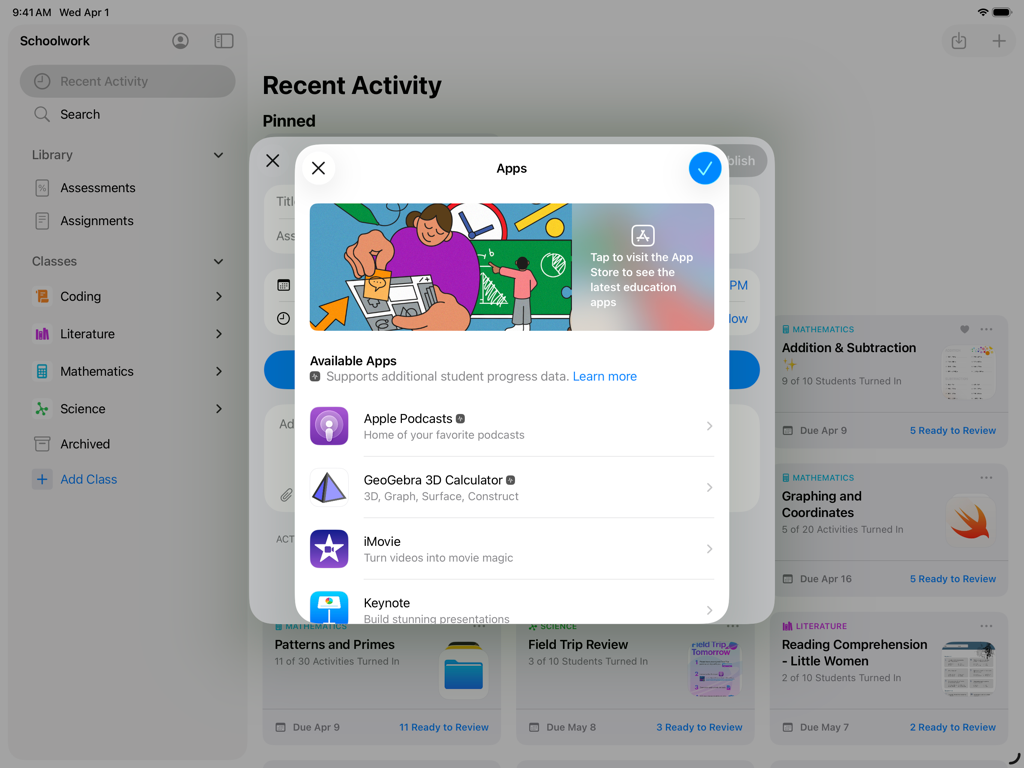
iPad screenshot of the Schoolwork app showing a menu to select educational apps for student assignments.
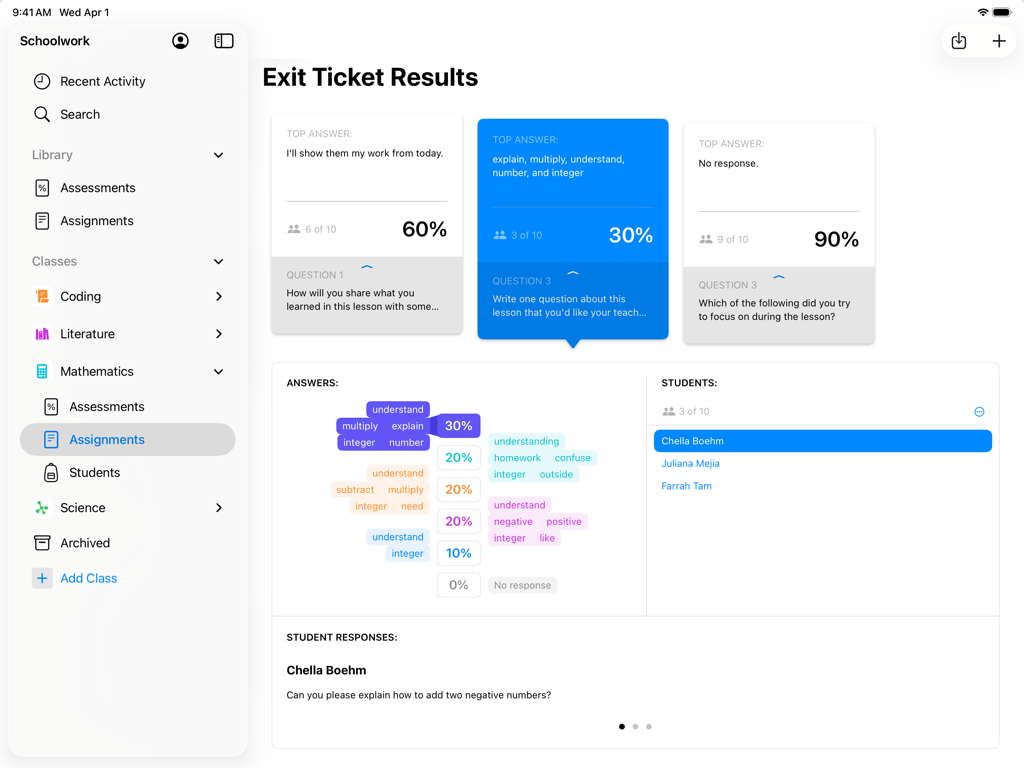
Teacher view of exit ticket results and student assessment data in the Apple Schoolwork app on iPad
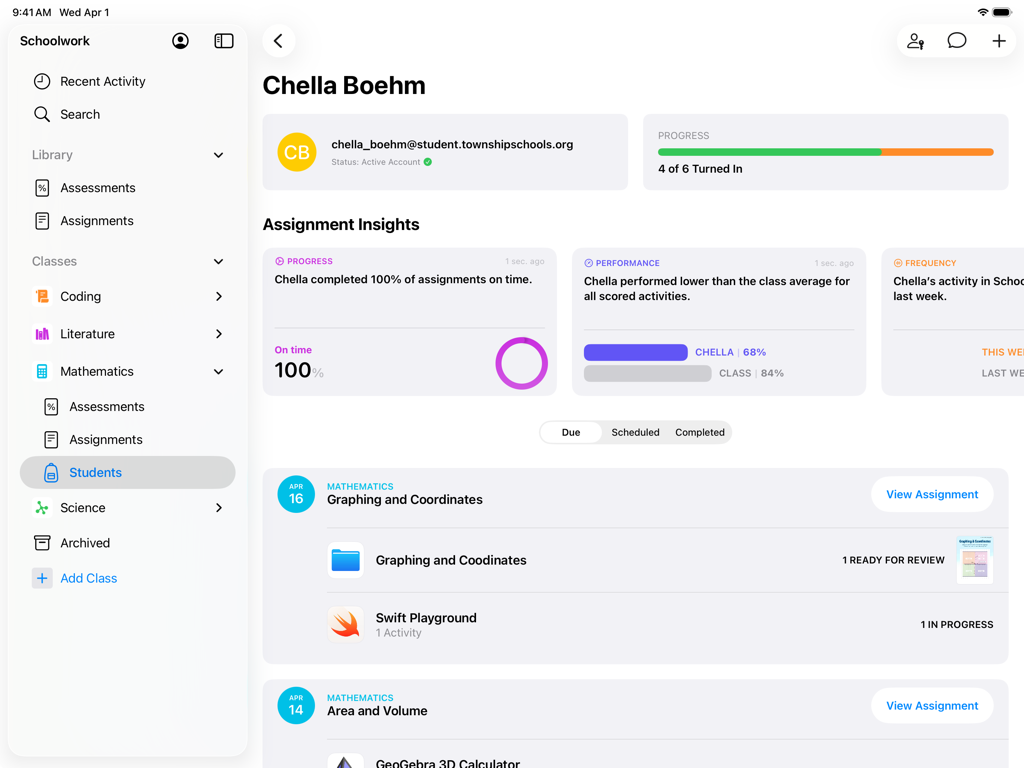
A student profile view in the Schoolwork app showing assignment progress and performance insights
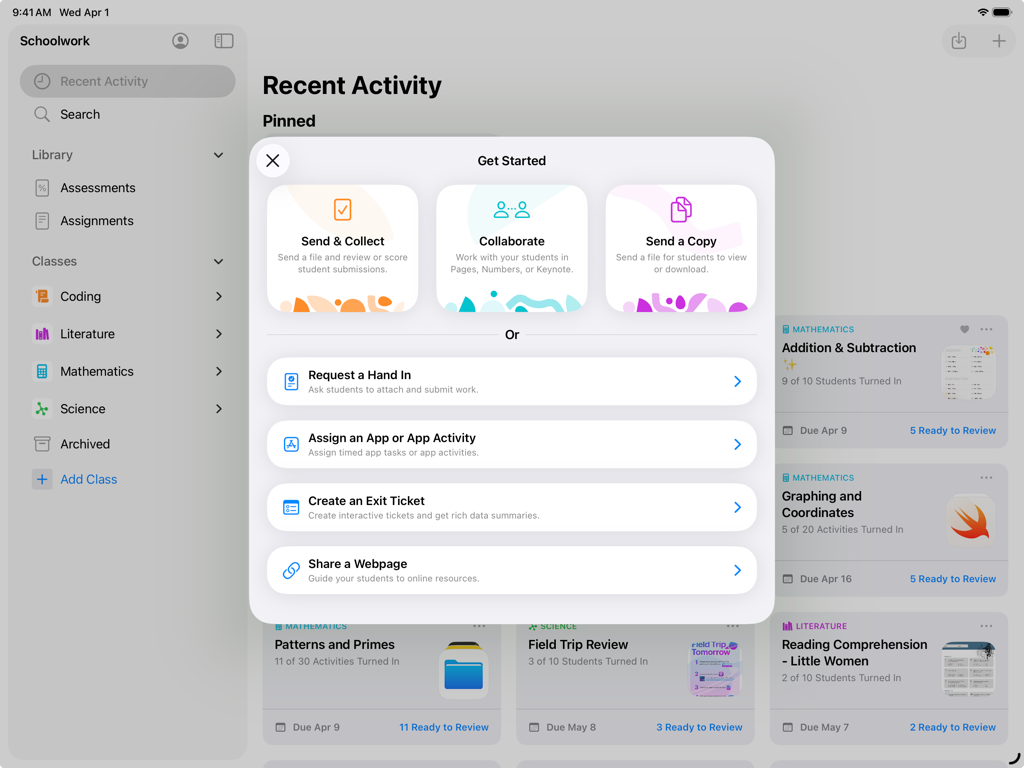
Schoolwork app on iPad showing the Get Started menu with assignment and collaboration options for teachers.
Empower Your Teaching with Precision
The tools that make this app stand out, trusted by 86K+ users.
✍️
Handwritten Feedback & Grading
Provide a personal touch with Apple Pencil. Mark up PDFs, photos, and assignments as naturally as you would on paper, directly within the app.
📊
Data-Driven Instruction
Identify exactly where students get stuck. Use item-level data and progress tracking across all your favorite educational apps to personalize support.
🔗
Seamless App Workflows
Assign specific activities inside external apps with a single tap. Students jump straight to the task, and you see their scores and time spent instantly.
About the app
Everything you need to know about Schoolwork.
Description
Schoolwork is an iPad app that helps teachers save time, identify trends, and maximize each student’s potential. Using Schoolwork, teachers can create and send assessments, assignments, class announcements, or study reminders.
With Schoolwork, teachers can send any document or file as a classroom assessment. They can review and score student work, and analyze student performance per item. For assignments, teachers can easily share materials, send students to a specific activity in an app, collaborate with students, and view student progress.
Teachers can see analytics, insights, and progress information on how students performed, making it easier to individualize instruction based on student needs.
Students get one central place to see assessments, assignments, announcements, submit work, and view their own progress.
Keep students focused and organized
• Students have one place to go to see their assessments, assignments, and announcements
• Students can see what is due this week, across all their classes
• In Pages, Keynote, and Numbers, and other supported apps, students can submit homework right from within the app
Collaborate and give real-time feedback
• Easily collaborate with individual students or with the entire class in just a few taps
• Add comments to students’ work while they’re working on an assignment, or after completing an assessment
• Easily review and score assessments with or without points
• Use Apple Pencil or your finger to mark up documents, assessments, PDFs, photos, and more
Assign specific activities within an app
• With apps optimized for Schoolwork, you can review an app’s list of assignable activities, then easily send one or more to a class or student
• With a single tap, students are brought directly to the assigned activity within the app
• For activities you assign in Schoolwork, you’ll be able to view student progress, including quiz scores, points earned, and time spent
Personalize instruction
• See a holistic view of a student’s progress, including submitted work and progress in apps, all in one place
• Use student progress to find students who might need an extra challenge, or extra support
• On assessments, use item-level data to identify trends and inform instructional next steps
Get started easily
• Your existing classes in Apple School Manager automatically show in Schoolwork
• Easily create new classes yourself right from within Schoolwork
Privacy
In order for teachers to view student progress or activities they assign in Schoolwork, schools are required to enable the Student Progress feature in Apple School Manager. Student progress is only reported for teacher-assigned activities that students complete while using a school-provided Managed Apple Account. All student progress data is encrypted in transit and at rest. If a school does not opt in, teachers and students can still use Schoolwork without this feature.
In order to provide and improve Schoolwork, Apple collects non-personally identifiable data about how users interact with the app.
Latest Version
3.2.1
Size
166.9 MB
First Released
Aug 6, 2018
Transform Your Teaching with the Power of Schoolwork
Download now to start creating impactful assignments, tracking real-time progress, and unlocking every student's potential—all from your iPad.
App information, icons, screenshots, and descriptions displayed on this page are sourced from the Apple App Store and are the property of their respective developers. Download estimates and rankings are based on MWM's proprietary models and may not reflect actual figures. This page is provided for informational and analytical purposes only.
Believe this page infringes your intellectual property? File a dispute