
Sciener smart lock


Eliminate physical keys by managing eKeys and passcodes from your smartphone. Unlock via Bluetooth, grant remote access to guests, and monitor every entry with real-time operation records.
Publisher
Category
LifestyleDownloads
1M+User Rating
Total Ratings
400Locales
34Discover the interface used by 1M+ users.
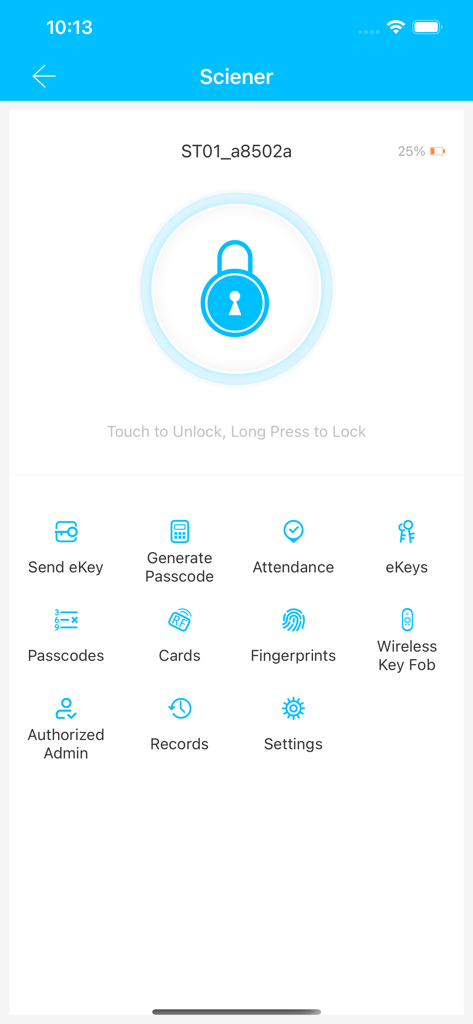
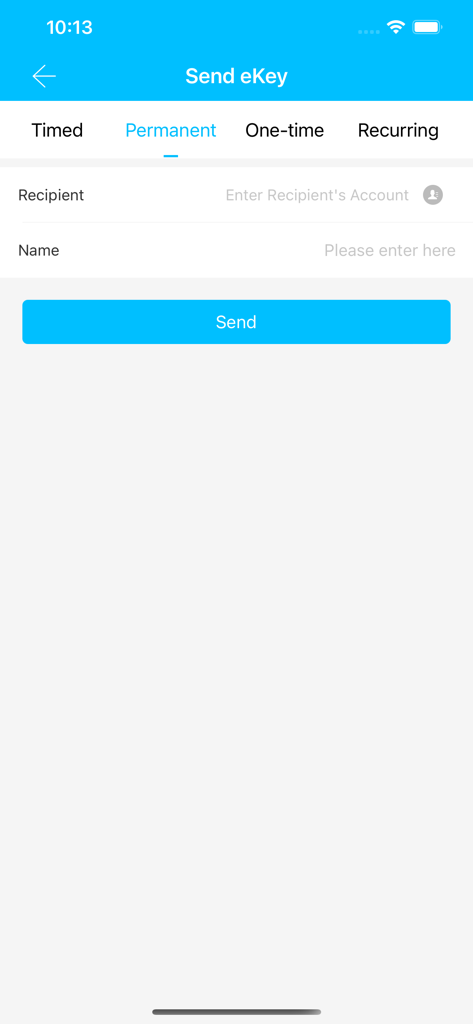
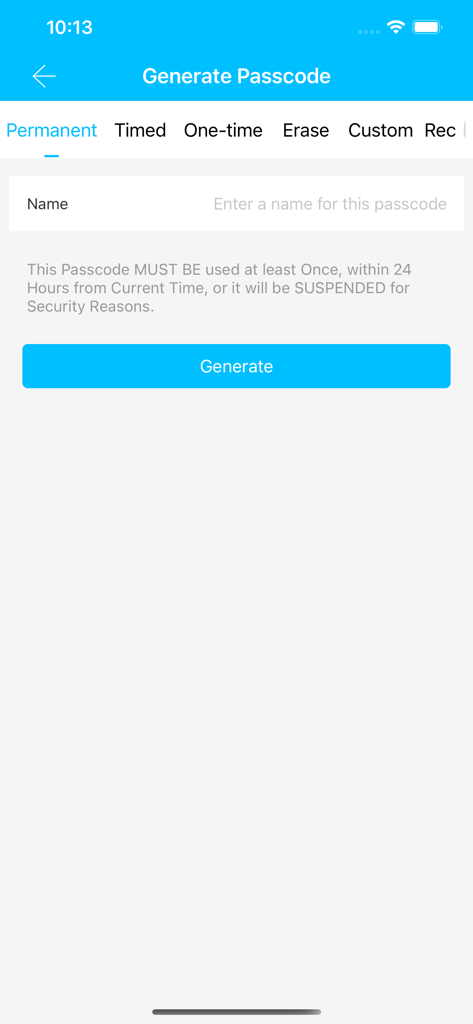
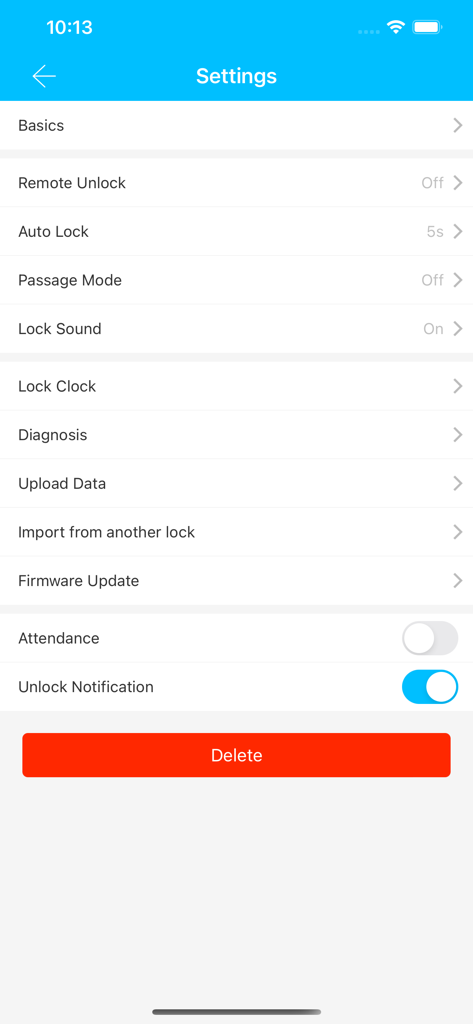
The tools that make this app stand out, trusted by 1M+ users.
Generate and send time-sensitive passcodes or digital eKeys to guests and contractors instantly, perfect for Airbnb hosts and busy managers.
Experience frictionless entry by unlocking your door directly from your iPhone or Apple Watch—no more carrying or losing physical keys.
Maintain total oversight with detailed operation records that show exactly who entered your property and at what time, 24/7.
Everything you need to know about Sciener smart lock.
Description
Latest Version
9.4.260205
Size
338.4 MB
First Released
Dec 8, 2013
Join over 1 million users automating their access control. Download Sciener now to manage eKeys, generate passcodes, and experience the freedom of a truly keyless lifestyle.
Everything you need to know about Sciener smart lock
The Sciener smart lock application manages smart locks, allowing users to unlock them via Bluetooth, manage eKeys and passcodes, and view operational records.
Yes, the Sciener smart lock application allows users to unlock their smart locks directly using their mobile phone's Bluetooth connection.
Sciener smart lock allows you to manage eKeys by sending permanent, timed, one-time, or recurring eKeys to recipients directly from the application interface.
The Sciener smart lock app allows you to generate various passcodes including permanent, timed, one-time, custom, and recurring types. It also supports erasing passcodes.
Yes, the Sciener smart lock application enables users to view all operation records directly within the app to monitor lock activity.
Yes, the Sciener app includes a 'Remote Unlock' feature within its settings, allowing users to control their smart lock remotely.
Yes, the Sciener smart lock application provides a 'Firmware Update' option in its settings, allowing users to update their connected smart lock's firmware.
Yes, the Sciener app offers an 'Auto Lock' feature, configurable with a default setting of 5 seconds, to automatically secure the smart lock after unlocking.
Generated passcodes in Sciener must be used at least once within 24 hours from their creation time; otherwise, they will be suspended for security reasons.
Yes, the Sciener smart lock app provides an 'Unlock Notification' feature in its settings, which users can toggle on or off to receive alerts.
Apps with similar features and user experience

The Chamberlain Group, Inc.

Schlage Lock Company, LLC

August Home, Inc.

ASSA ABLOY AMERICAS RESIDENTIAL INC.

Overhead Door Corporation

August Home, Inc.

Public Storage

Luxer Corporation

Nuki Home Solutions GmbH
App information, icons, screenshots, and descriptions displayed on this page are sourced from the Apple App Store and are the property of their respective developers. Download estimates and rankings are based on MWM's proprietary models and may not reflect actual figures. This page is provided for informational and analytical purposes only.
Believe this page infringes your intellectual property? File a dispute