
This page is not an official page of the app or its developer, but an independent editorial publication created for informational and commentary purposes. Unless expressly stated otherwise, neither the app nor its developer is affiliated with, endorsed by, sponsored by, authorized by, or otherwise officially connected with MWM, Apple, Google Play, the app publisher, or the app's developer, and nothing on this page implies that the app was developed using MWM's services. Any trademarks, logos, screenshots, and other content remain the property of their respective owners.


Seclore
Data doesn't leak. It's stolen. This app grants users total command over their information's destiny, no matter where it roams.
Downloads
50k+User Rating
Total Ratings
47Publisher
Category
BusinessLocales
3Latest Version
3.19.0000Size
1.1 MBFirst Released
May 23, 2012An Analytical Review of Key Features and Their Impact on Information Protection and Compliance for Business Professionals.
Seclore: A Deep Dive into Enterprise Data Security
Data-Centric Protection
The app provides unparalleled data-centric security, ensuring files remain protected regardless of where they are shared or stored.
Secure External Collaboration
It ensures only authorized users can access confidential information, even when shared with external partners and service providers outside the enterprise network.
Comprehensive Data Leakage Prevention
This tool significantly reduces the risk of data leakage from files accessed on mobile devices or shared via cloud-based services.
Contextual Access Management
The app provides precise information controls, allowing administrators to define who can access data, when, and from which devices or network locations.
Activity-Based Permission Control
It features granular permission controls that dictate specific actions users can perform, such as viewing, editing, copying, printing, or screen grabbing.
Extensive File Format Compatibility
This tool supports a wide array of file formats, including common office documents, PDFs, images, and secure email formats, ensuring comprehensive protection across diverse data types.
The following screenshots and description are sourced directly from the app's official store listing and are the property of the app developer.
App Store
Screenshots
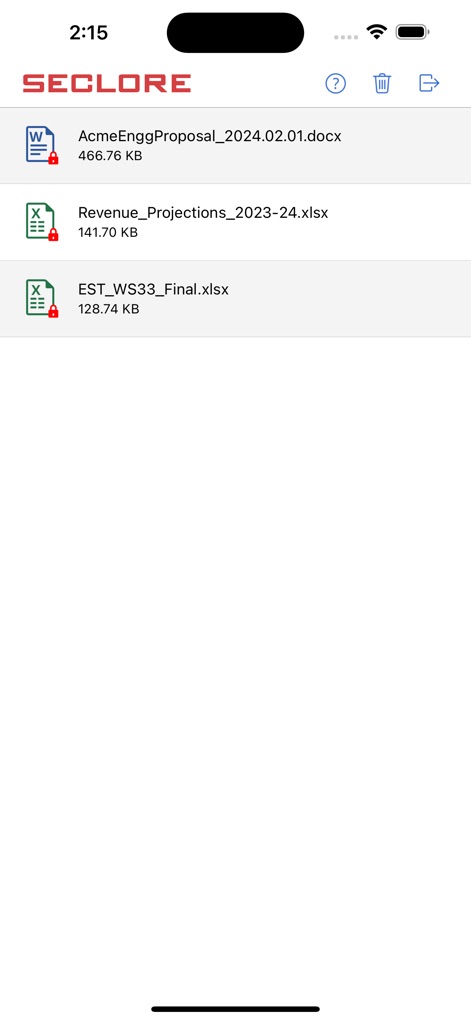
Observe how the app presents a clear list of protected documents, detailing file names and highlighting their security status with distinct lock icons.
Secured File Overview

Explore how users can access sensitive financial data within the app, displaying detailed spreadsheet content and the document's official title in the header.
Protected Spreadsheet View
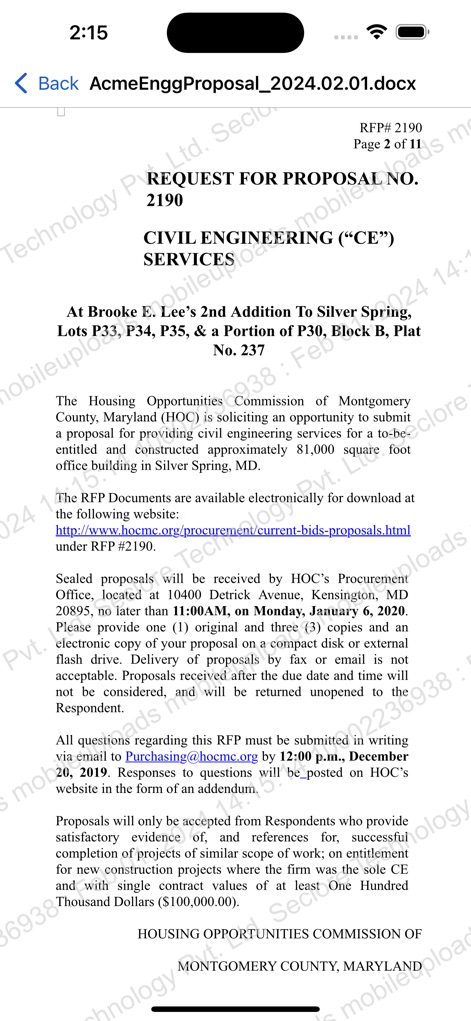
See the app's capability to render complex text documents, showcasing comprehensive proposal content alongside the vital page number indicator for navigation.
Controlled Document Access
Description
Download
More Like This
Top-ranked apps in the same category

Microsoft Teams
Microsoft Corporation

Zoom Workplace
Zoom Communications, Inc.

WhatsApp Business
WhatsApp Inc.

Indeed Job Search
Indeed Inc.

LinkedIn: Network & Job Finder
LinkedIn Corporation

Adobe Acrobat Reader: Sign PDF
Adobe Inc.

WeCom-Work Communication&Tools
Tencent Technology (Shenzhen) Company Limited

BOSS直聘-招聘求职找工作神器
Beijing China Product Bo Farce Network Technology Co., Ltd.

DingDing - Redefine Work in AI
DingTalk Technology Co., Ltd.
This page is not an official page of the app or its developer, but an independent editorial publication created for informational and commentary purposes. Unless expressly stated otherwise, neither the app nor its developer is affiliated with, endorsed by, sponsored by, authorized by, or otherwise officially connected with MWM, Apple, Google Play, the app publisher, or the app's developer, and nothing on this page implies that the app was developed using MWM's services. Any trademarks, logos, screenshots, and other content remain the property of their respective owners.