Share-A-Cart
Share-A-Cart
Download on App Store

This page is not an official page of the app or its developer, but an independent editorial publication created for informational and commentary purposes. Unless expressly stated otherwise, neither the app nor its developer is affiliated with, endorsed by, sponsored by, authorized by, or otherwise officially connected with MWM, Apple, Google Play, the app publisher, or the app's developer, and nothing on this page implies that the app was developed using MWM's services. Any trademarks, logos, screenshots, and other content remain the property of their respective owners.


Logo of Share-A-Cart
Download on App Store

Share-A-Cart

Stop the back-and-forth and simplify your shopping. From family groceries to classroom supplies, send your cart to anyone with a single link—works with Amazon, Walmart, and 95% of online stores.

Key Figures

Downloads

47K+

User Rating

2.0/5

Total Ratings

100

Publisher

UNIVERSAL CARTING SERVICES CORPORATION

Category

Shopping

Locales

1

Latest Version

3.14.0

Size

47.7 MB

First Released

Oct 30, 2020
Features

Collaborate Better, Shop Faster

The ultimate tool for busy parents, teachers, and teams to share shopping carts across thousands of retailers without the headache of account sharing.

Works Where You Shop

Instantly share carts from over 1,400 retailers, including Amazon and Walmart. No more copy-pasting individual product links for your household or office.

Privacy-First Sharing

Send your cart without ever sharing passwords or personal account details. Recipients load your list and check out securely on their own devices.

The following screenshots and description are sourced directly from the app's official store listing and are the property of the app developer.

App Store

Screenshots
Share-A-Cart - Share-A-Cart app welcome screen with two shopping cart illustrations and the slogan Shopping List Sharing Made Easy
Share-A-Cart app welcome screen with two shopping cart illustrations and the slogan Shopping List Sharing Made Easy

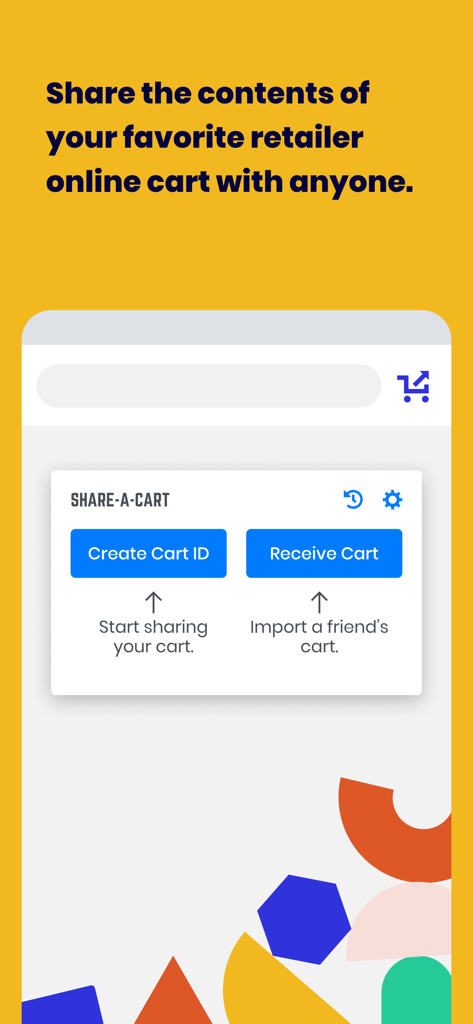
Share-A-Cart - Mobile app interface of Share-A-Cart showing options to create a cart ID and receive a cart for easy online shopping sharing
Mobile app interface of Share-A-Cart showing options to create a cart ID and receive a cart for easy online shopping sharing

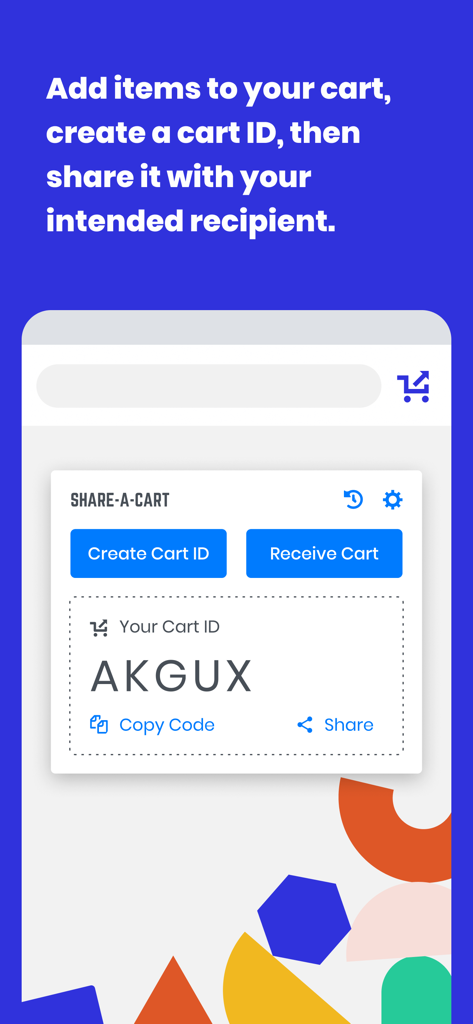
Share-A-Cart - Share-A-Cart mobile app screen showing a generated cart ID for sharing online shopping carts
Share-A-Cart mobile app screen showing a generated cart ID for sharing online shopping carts

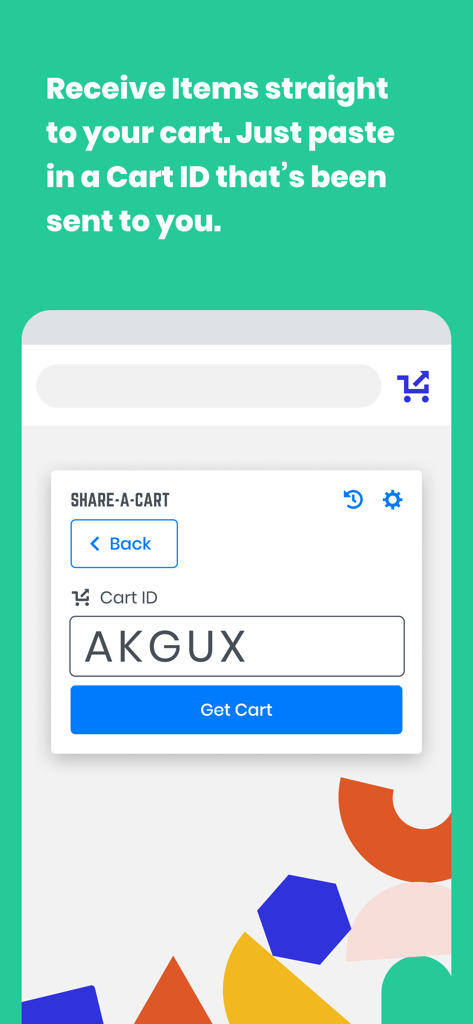
Share-A-Cart - Interface for receiving items by entering a Cart ID code

Interface for receiving items by entering a Cart ID code

Description

Share-A-Cart allows you to share the contents of your cart with anyone else. Affiliate Disclosure: Share-A-Cart may earn an affiliate commission on purchases facilitated by the extension. What Is Share-A-Cart? Share-A-Cart is a free browser extension that lets you share your online shopping cart with anyone. Whether you're planning a grocery trip, sending a gift list, or managing a classroom supply order, Share-A-Cart makes collaborative shopping simple and efficient. How to Share a Shopping Cart 1. Shop online like usual at your favorite retailer. 2. Use Share-A-Cart to generate a unique cart sharing link. 3. Send the link to anyone - they can instantly view and load your cart on their device. Great for Home Use - Share grocery lists with family - Send birthday or holiday gift ideas - Organize back-to-school shopping with kids or co-parents Perfect for Work - Teachers can share classroom supply lists with administrators - Office staff can streamline purchasing with centralized supply lists - Small businesses and teams can collaborate on procurement and restocking Supports Thousands of Retailers - Including Amazon, Walmart, Wayfair, Apple, and many more! - See all supported stores here: https://share-a-cart.com/supported Top Features - Free to use – no sign-up required - Supports 95% of all online stores - View & organize carts with tags and keywords - Reorder easily from cart history - Print & export carts you've created or received Who's Using Share-A-Cart? - Families & friends planning meals and gifts - Teachers and staff organizing supplies - Offices and businesses streamlining orders - Influencers sharing promoted products with followers - Homebuilders managing client needs Why Choose Us? - Trusted since 2018 - Over 2 million carts shared - Used in 1,400+ schools - We don't sell your data to any third parties or data brokers - Responsive customer support FAQs Q: Where is the extension icon? A: It's on the right side of your toolbar. You may want to pin it so that it's always there. Just click the icon that looks like a puzzle piece, and then click the pin icon next to Share-A-Cart. Q: What does Share-A-Cart do with my user data? A: We don't sell user data to any data brokers. You can access most of our features for free and without giving us your email address or going through any registration process. Q: If I send a link to a cart to someone, do they need the extension as well? A: Not always. Many major retailers are fully supported without requiring the extension on the recipient's end. Q: What if I find a retailer that you don't support? Or if I have an issue? A: Email us at info@share-a-cart.com, and we'll get back to you right away. We are adding support for new retailers every week. Q: Can the person I send a cart link to edit my cart? A: Yes! The receiver of the cart can add or remove items and change quantities. This is really helpful if you are sending a giant wishlist (like a Christmas gift list) to someone because it allows them to choose exactly what they want to order. Q: Why should I use Share-A-Cart instead of other extensions that do the same thing? A: No other extension supports as many stores as Share-A-Cart, and we have many helpful features that our competitors don't. We have been in business since 2018, and this is not a 'side project' for us. And if you report an idea for a feature, new retailer, or a bug, we get back to you right away! NOTE: Share-A-Cart does not complete any purchases on your behalf. It only helps shoppers move items from their cart to a recipient's cart. All checkouts must still be completed by the user. Share-A-Cart is not related to or endorsed by any of our listed retailers. Email: info@share-a-cart.com

Download

Download on App Store

This page is not an official page of the app or its developer, but an independent editorial publication created for informational and commentary purposes. Unless expressly stated otherwise, neither the app nor its developer is affiliated with, endorsed by, sponsored by, authorized by, or otherwise officially connected with MWM, Apple, Google Play, the app publisher, or the app's developer, and nothing on this page implies that the app was developed using MWM's services. Any trademarks, logos, screenshots, and other content remain the property of their respective owners.