Skylink TOD Alert

Skylink TOD Alert

Download on App Store
Logo of Skylink TOD Alert

Skylink TOD Alert: The Ultimate Top of Descent Companion for MSFS

Take back your freedom during long-haul flights. Get real-time push notifications and live cockpit data on your mobile device, ensuring you never miss a descent point again.

Download on App Store

Publisher

David Young

Category

Navigation

Downloads

0

User Rating

1.0/5

Total Ratings

0

Locales

1

Precision at a Glance

Discover the interface used by 0 users.
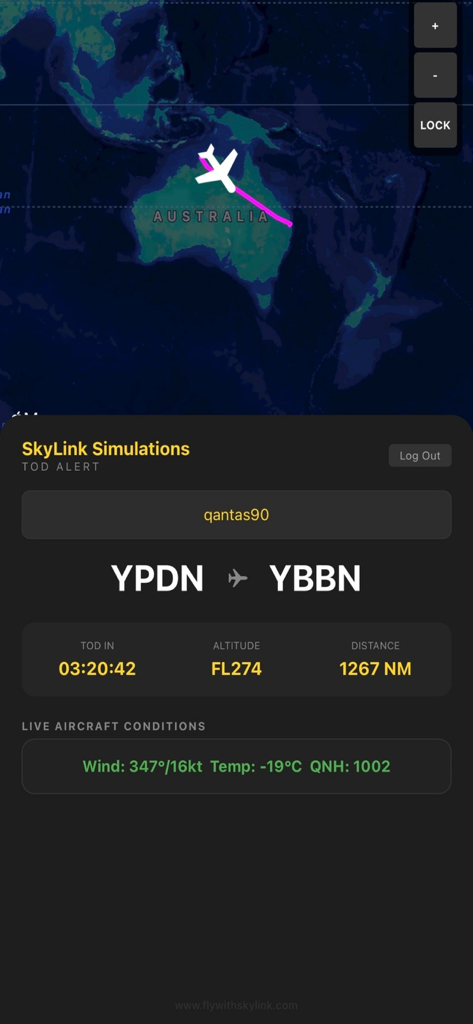
Skylink TOD Alert app showing live flight tracking and descent information

Skylink TOD Alert app showing live flight tracking and descent information

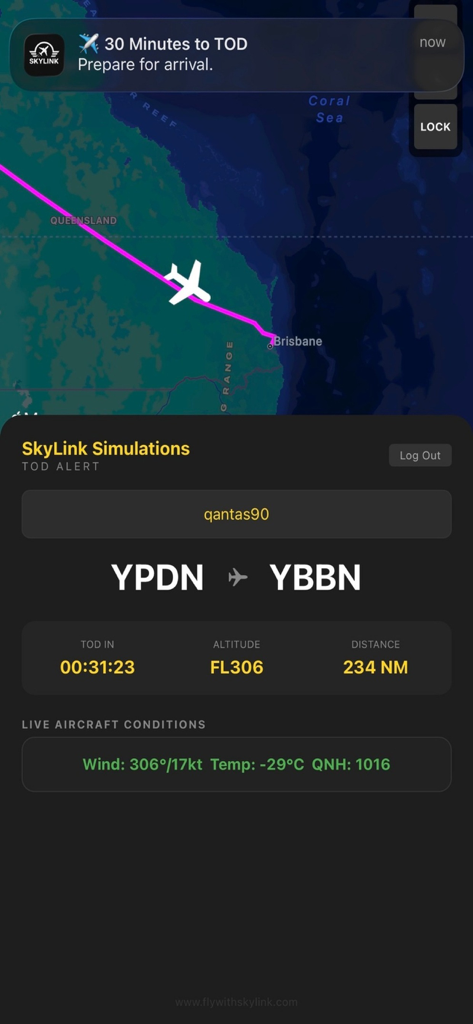
Skylink TOD Alert mobile app interface showing a live flight map and a notification for top of descent

Skylink TOD Alert mobile app interface showing a live flight map and a notification for top of descent

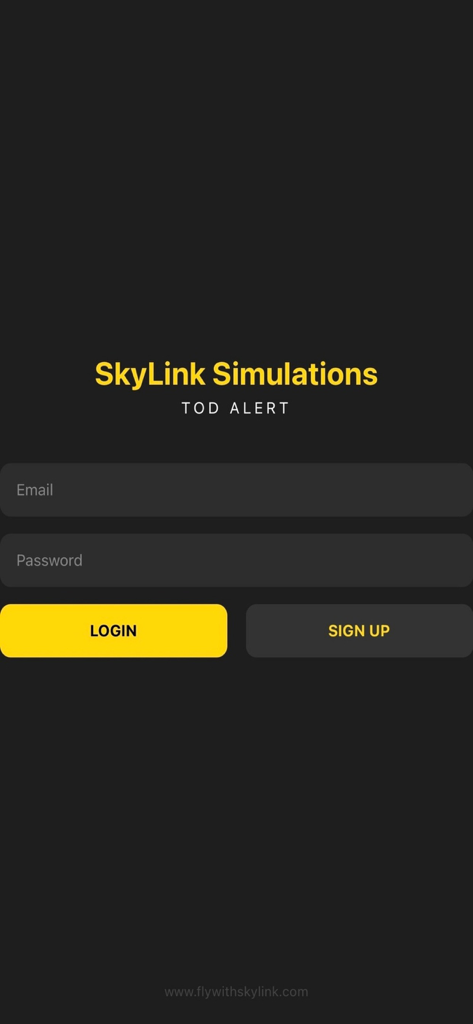
Login screen for the Skylink TOD Alert flight simulation companion app

Login screen for the Skylink TOD Alert flight simulation companion app

Precision Cockpit Awareness

The tools that make this app stand out, trusted by 0 users.

🔔

Smart Descent Alerts

Never miss your Top of Descent again. Get push notifications delivered directly to your device the moment it is time to prepare for arrival.

🗺️

Live Flight Status

Track your aircraft in real-time with an interactive map, including live wind, temperature, and altitude data for maximum realism.

✈️

Long-Haul Freedom

Reclaim your time during the cruise phase. Perfect for virtual airline pilots who need to step away without risking a missed waypoint.

About the app

Everything you need to know about Skylink TOD Alert.

Description

SkyLink TOD Alert Never miss your Top of Descent again. SkyLink TOD Alert is a real-time companion app for Microsoft Flight Simulator pilots who want accurate, hands-free Top of Descent awareness during flight. Paired with the free SkyLink TOD PC Bridge, the app tracks your active flight in real time and sends timely alerts so you know exactly when to prepare for descent, even during long-haul cruise. How It Works SkyLink TOD Alert works in conjunction with the SkyLink TOD PC Bridge, available for free from the SkyLink website. Install the SkyLink TOD PC Bridge on your PC Start your flight in Microsoft Flight Simulator Log in to SkyLink TOD Alert on your mobile device The bridge securely sends live flight data to the app Receive Top of Descent alerts and view live flight information The mobile app does not connect directly to Microsoft Flight Simulator. The PC Bridge handles all simulator communication. Key Features • Live Top of Descent countdown • Push notifications before TOD • Interactive live flight map • Displays departure and arrival airports • Remaining distance and current altitude • Live aircraft conditions including wind, temperature, and QNH • Designed for airliner operations • Works alongside MSFS on PC Why SkyLink TOD Alert During cruise, it’s easy to miss the moment descent planning begins. SkyLink TOD Alert continuously monitors your flight and notifies you at the right time, allowing you to step away from the sim without losing situational awareness. Ideal for long-haul flights, busy schedules, and pilots who want a smarter arrival workflow. Requirements • Microsoft Flight Simulator on PC • SkyLink TOD PC Bridge installed on the same PC • Active internet connection

Latest Version

1.0

Size

23.0 MB

First Released

Feb 5, 2026

Ready for Your Next Approach?

Stop tethering yourself to the simulator. Download Skylink TOD Alert today to gain the freedom of a mobile cockpit and never miss a Top of Descent again.

Download on App Store

App information, icons, screenshots, and descriptions displayed on this page are sourced from the Apple App Store and are the property of their respective developers. Download estimates and rankings are based on MWM's proprietary models and may not reflect actual figures. This page is provided for informational and analytical purposes only.

Believe this page infringes your intellectual property? File a dispute