
This page is not an official page of the app or its developer, but an independent editorial publication created for informational and commentary purposes. Unless expressly stated otherwise, neither the app nor its developer is affiliated with, endorsed by, sponsored by, authorized by, or otherwise officially connected with MWM, Apple, Google Play, the app publisher, or the app's developer, and nothing on this page implies that the app was developed using MWM's services. Any trademarks, logos, screenshots, and other content remain the property of their respective owners.

Sleep Cycle - Sleep Calculator
Master your morning with science-backed 90-minute sleep cycles and gentle natural alarms. Perfect for students and busy professionals who need to maximize every minute of rest.
Downloads
65K+User Rating
Total Ratings
400Publisher
Category
Health & FitnessLocales
14Latest Version
2.40Size
39.1 MBFirst Released
Mar 3, 2021Wake Up Refreshed, Every Single Day
Stop fighting your alarm. Our calculator uses science-backed 90-minute sleep cycles to ensure you wake up at the perfect moment, feeling energized and ready for your busy day.
Smart Cycle Optimization
Never wake up groggy again. We calculate the exact window when your brain is ready to awaken, based on natural biological sleep phases.
Instant 'Sleep Now' Logic
Perfect for late-night sessions. One tap tells you exactly when to set your alarm to maximize your recovery, even if you're short on time.
Frequently Asked Questions
Everything you need to know about Sleep Cycle - Sleep Calculator
What does the Sleep Cycle - Sleep Calculator app do?
The Sleep Cycle - Sleep Calculator app helps users wake up naturally by calculating optimal sleep and wake-up times based on 90-minute sleep cycles. It aims to maximize sleep quality and freshness.
How does Sleep Cycle - Sleep Calculator determine optimal wake-up times?
Sleep Cycle - Sleep Calculator determines optimal wake-up times by utilizing the average 90-minute human sleep cycle as its foundation. It identifies precise moments when the body and brain are prepared to awaken, preventing grogginess.
Does Sleep Cycle - Sleep Calculator use natural sounds for alarms?
Yes, Sleep Cycle - Sleep Calculator uses natural sounds for alarms. The app offers eight distinct natural sounds that increase slowly and steadily in volume over one minute to gently wake users.
What types of sleep calculations can Sleep Cycle - Sleep Calculator perform?
Sleep Cycle - Sleep Calculator can perform three types of calculations: when to wake up, when to go to sleep, and when to wake up if you fall asleep immediately. These functions optimize sleep cycles for a refreshed awakening.
Can I set alarms directly within the Sleep Cycle - Sleep Calculator app?
Yes, you can set alarms directly within the Sleep Cycle - Sleep Calculator app. Users can browse existing "Sleep Time" alarms and create new ones by specifying time, repeat days, sound, and alarm mode.
How many natural alarm sounds does Sleep Cycle - Sleep Calculator offer?
Sleep Cycle - Sleep Calculator offers eight natural sounds for alarms. These include Bird Song, Birds in the forest, Ambient loop, Gentle piano, Seaside Sounds, Garden, Rapid river, and Kenyan Savannah Grassland.
Can I adjust the default sleep cycle duration in Sleep Cycle - Sleep Calculator?
Yes, Sleep Cycle - Sleep Calculator allows users to adjust the default sleep cycle duration. The default setting for the sleep cycle is 90 minutes, which is the average time for most individuals.
Is the time it takes to fall asleep customizable in Sleep Cycle - Sleep Calculator?
Yes, the Sleep Cycle - Sleep Calculator app allows customization of the time it takes to fall asleep. Users can modify the default duration of 14 minutes within the app's settings.
Does Sleep Cycle - Sleep Calculator offer different themes?
Yes, Sleep Cycle - Sleep Calculator provides both light and dark themes. Users can select their preferred visual interface to personalize their experience within the application.
Where can I find the Privacy Policy for Sleep Cycle - Sleep Calculator?
The Privacy Policy for Sleep Cycle - Sleep Calculator is available at `https://mysticmobileapps.com/legal/privacy/sleepcycle`. Users can review the app's data handling practices by visiting this link.
The following screenshots and description are sourced directly from the app's official store listing and are the property of the app developer.
App Store
Screenshots
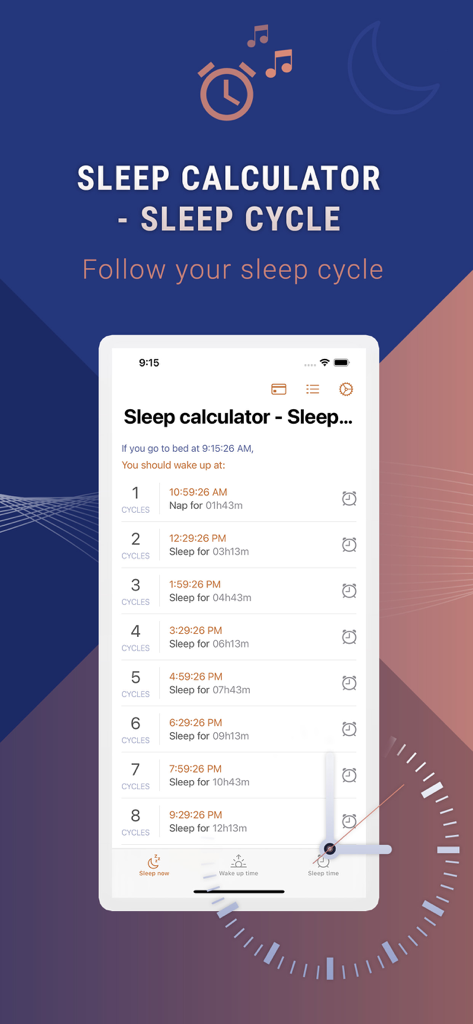
Interface of the Sleep Cycle app showing a list of optimal wake up times based on the number of sleep cycles.
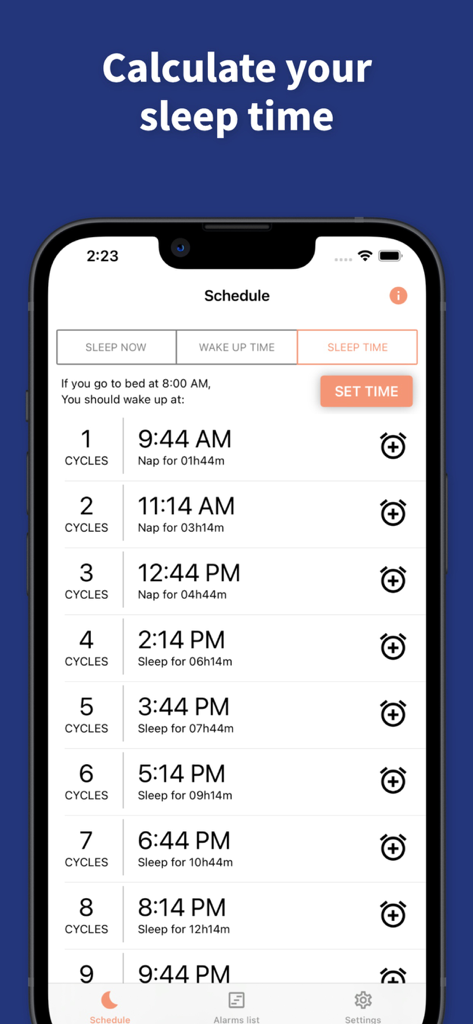
Sleep Cycle app interface showing a schedule of wake-up times based on different sleep cycles.
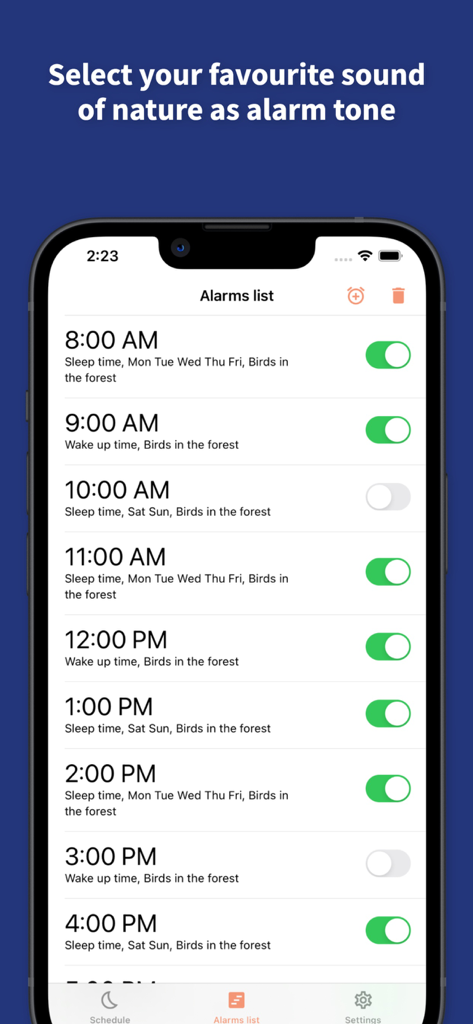
Sleep Cycle app alarm list interface showing nature sound wake up options
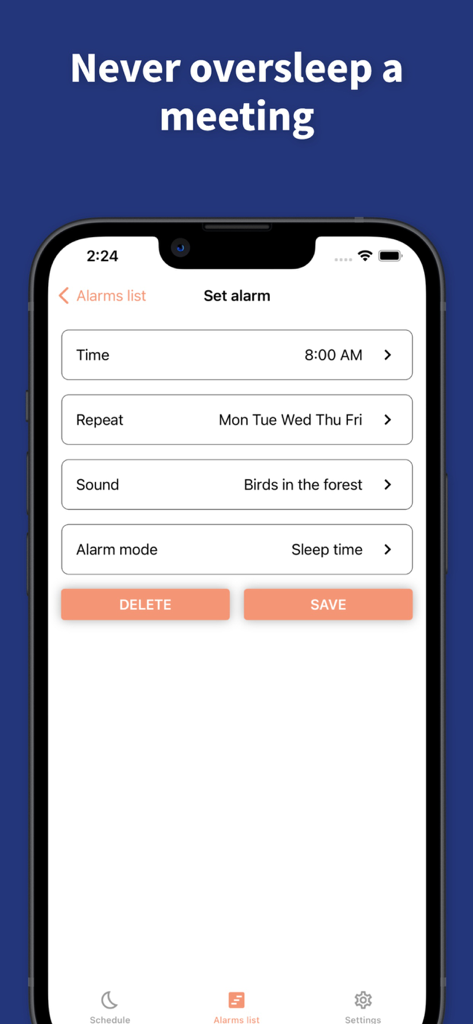
Interface for setting a morning alarm with natural sounds in the Sleep Cycle app.
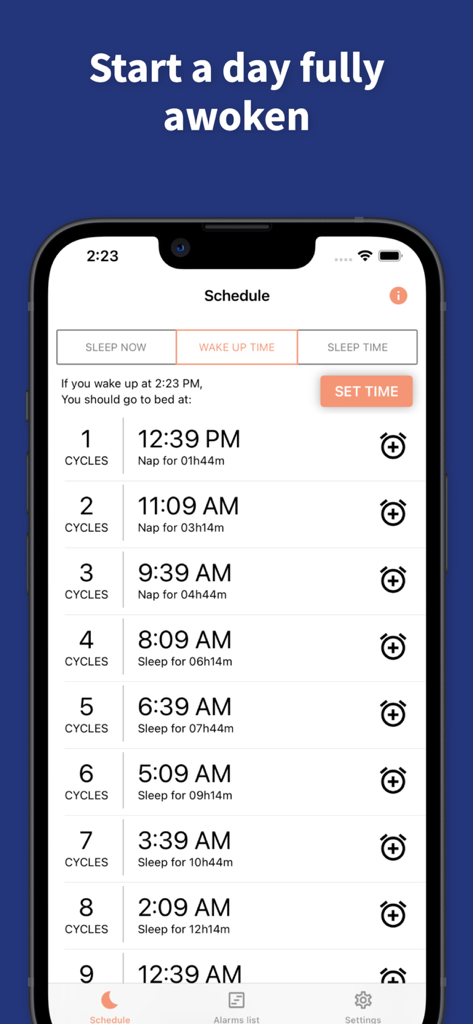
Sleep Cycle app screen showing a list of suggested bedtimes and sleep cycle durations for a specific wake up time
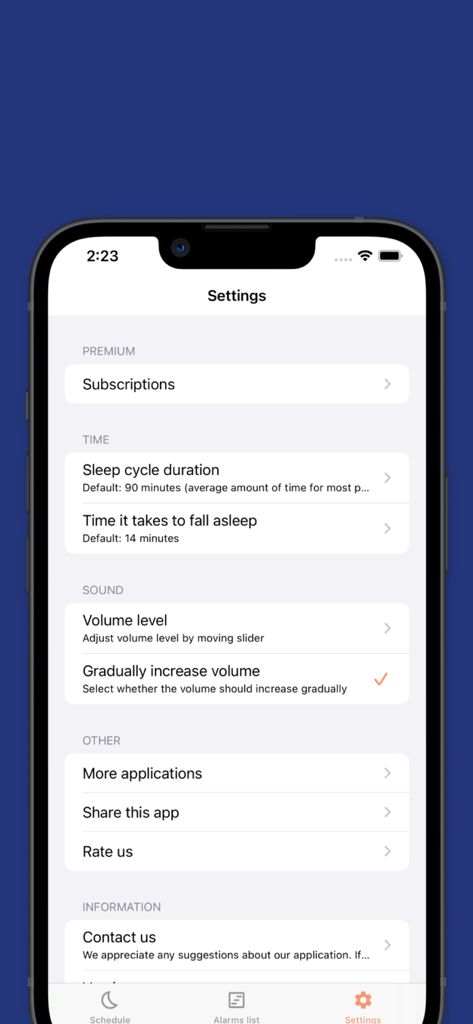
Settings menu of the Sleep Cycle app showing sleep duration and sound preferences
Description
Download
More Like This
Top-ranked apps in the same category

Strava: Run, Bike, Walk
Strava Inc.

Flo Cycle & Period Tracker
FLO HEALTH UK LIMITED

AI Calorie Tracker by Yazio
YAZIO GmbH

MyFitnessPal: Calorie Counter
MyFitnessPal, Inc.

Mi Fitness (Xiaomi Wear Lite)
Beijing Xiaomi Co., Ltd

美柚 - 经期·备孕·怀孕·育儿&亲友版
Xiamen Meet You Co., Ltd.

Cal AI - Calorie Tracker
Viral Development LLC

Yuka - Food & Cosmetic Scanner
Yuca

BitePal: Food Tracker Pet
REFACE LITHUANIA UAB
This page is not an official page of the app or its developer, but an independent editorial publication created for informational and commentary purposes. Unless expressly stated otherwise, neither the app nor its developer is affiliated with, endorsed by, sponsored by, authorized by, or otherwise officially connected with MWM, Apple, Google Play, the app publisher, or the app's developer, and nothing on this page implies that the app was developed using MWM's services. Any trademarks, logos, screenshots, and other content remain the property of their respective owners.