
This page is not an official page of the app or its developer, but an independent editorial publication created for informational and commentary purposes. Unless expressly stated otherwise, neither the app nor its developer is affiliated with, endorsed by, sponsored by, authorized by, or otherwise officially connected with MWM, Apple, Google Play, the app publisher, or the app's developer, and nothing on this page implies that the app was developed using MWM's services. Any trademarks, logos, screenshots, and other content remain the property of their respective owners.


Smart Inventory Manager
The simple, powerful, and completely offline solution for contractors and tradesmen. Manage your inventory, track employee check-outs, and prevent tool loss—all while keeping your data private on your device.
Downloads
0User Rating
Total Ratings
0Publisher
Category
BusinessLocales
1Latest Version
1.2Size
7.5 MBFirst Released
Apr 11, 2025Master Your Workshop and Job Site
The rugged, offline-first tool to track your equipment, manage supplies, and stop losing money on misplaced gear.
Works Anywhere, No Signal Needed
Manage your tools in basements, metal buildings, or remote sites. Your data stays 100% private and accessible without Wi-Fi.
Eliminate Tool Loss
Assign equipment to your crew with a tap. Know exactly who has the generator or the saw to ensure everything comes back to the shop.
Frequently Asked Questions
Everything you need to know about Smart Inventory Manager
Can Smart Inventory Manager be used without an internet connection?
Yes, Smart Inventory Manager is a completely offline solution. It functions without an internet connection, allowing users to manage inventory anywhere. Your data remains private on your device.
Where does Smart Inventory Manager store user data?
Smart Inventory Manager stores all user data securely on the device itself. No internet connection is required for operation, ensuring data remains private and local.
What types of inventory can Smart Inventory Manager track?
Smart Inventory Manager tracks both durable tools and consumable items in one place. This includes managing quantities for consumables and detailed records for all items.
Does Smart Inventory Manager support assigning tools to employees?
Yes, Smart Inventory Manager includes an Employee Check-In/Out feature. Users can easily assign tools to employees to track who has what, improving accountability and reducing loss.
Can Smart Inventory Manager generate inventory reports?
Yes, Smart Inventory Manager generates professional PDF inventory reports. These reports include images and are suitable for record-keeping, insurance, or sharing purposes.
What details can be recorded for each item in Smart Inventory Manager?
Smart Inventory Manager allows recording names, categories, quantities (for consumables), serial numbers, locations, notes, and images for each item. This ensures detailed item records.
What information is displayed on the Smart Inventory Manager dashboard?
The Smart Inventory Manager dashboard provides an overview including the total number of tools and the count of tools currently checked out.
How can I see all inventory items in Smart Inventory Manager?
Smart Inventory Manager offers a consolidated view in the "All Items" tab. This tab displays both tools and consumables together, providing a complete overview of the inventory.
How does Smart Inventory Manager show tool availability?
Smart Inventory Manager provides a "Status at a Glance" feature. It quickly shows which tools are available or checked out, and specifically identifies who is using them.
The following screenshots and description are sourced directly from the app's official store listing and are the property of the app developer.
App Store
Screenshots
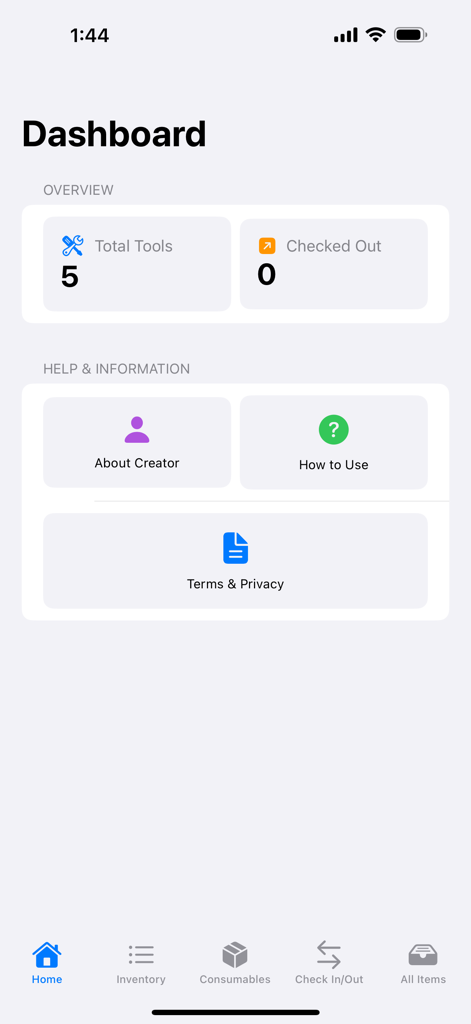
Dashboard of Smart Inventory Manager app displaying total tools and checked out items summary.
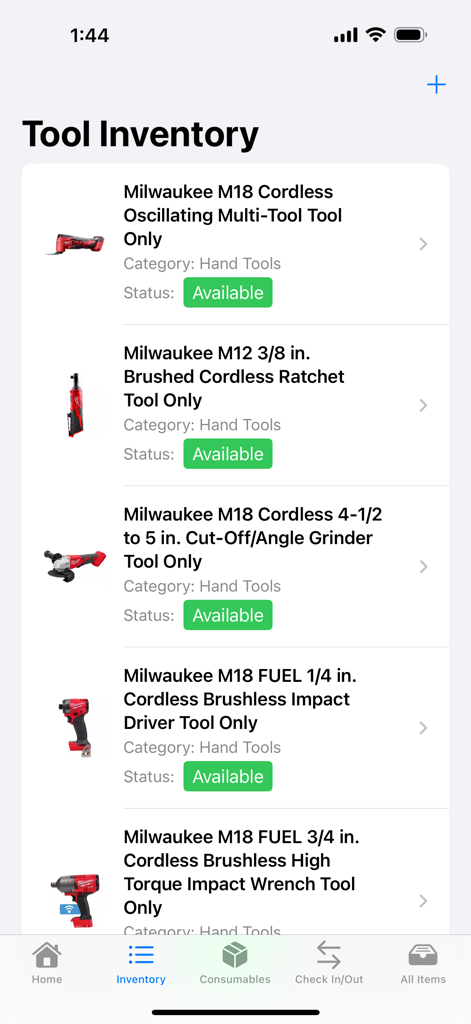
Smart Inventory Manager app showing a list of power tools with their current availability status
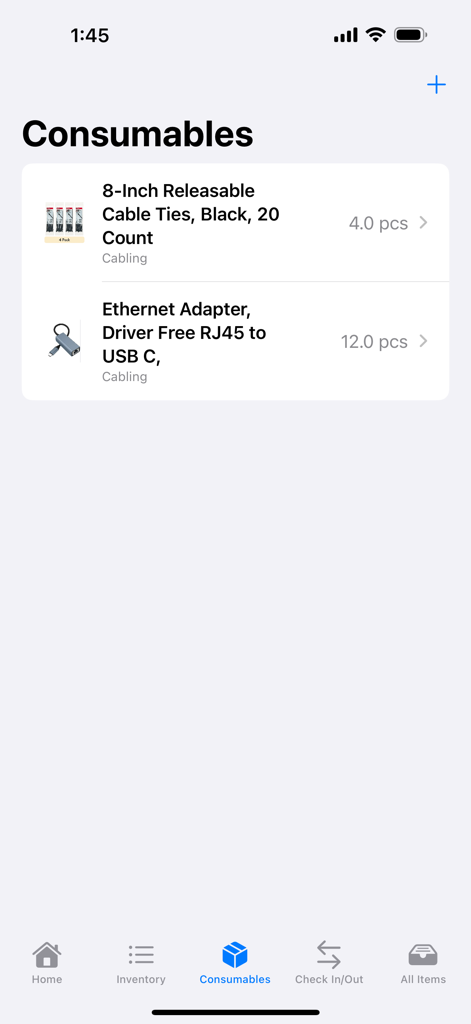
Consumables tracking screen in the Smart Inventory Manager app showing item names and current quantities for cabling supplies
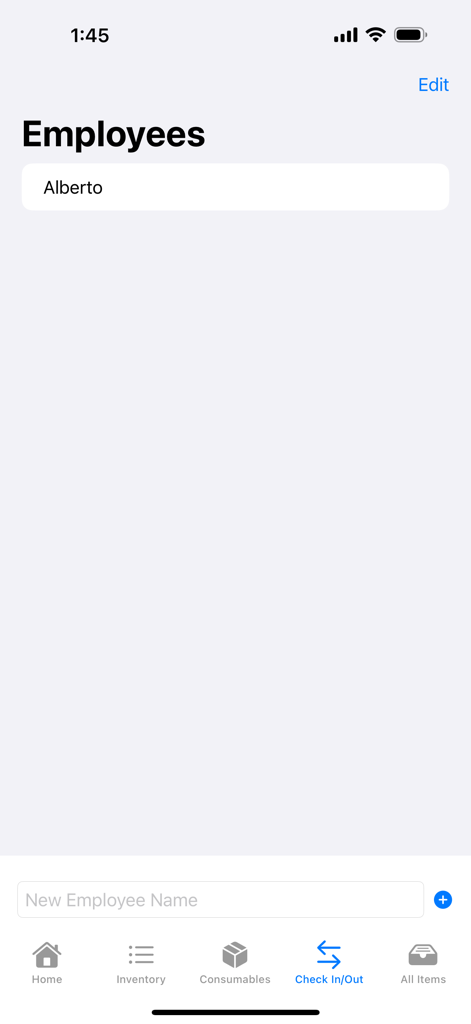
Employee management screen showing a list of workers for tracking tool check-ins and check-outs
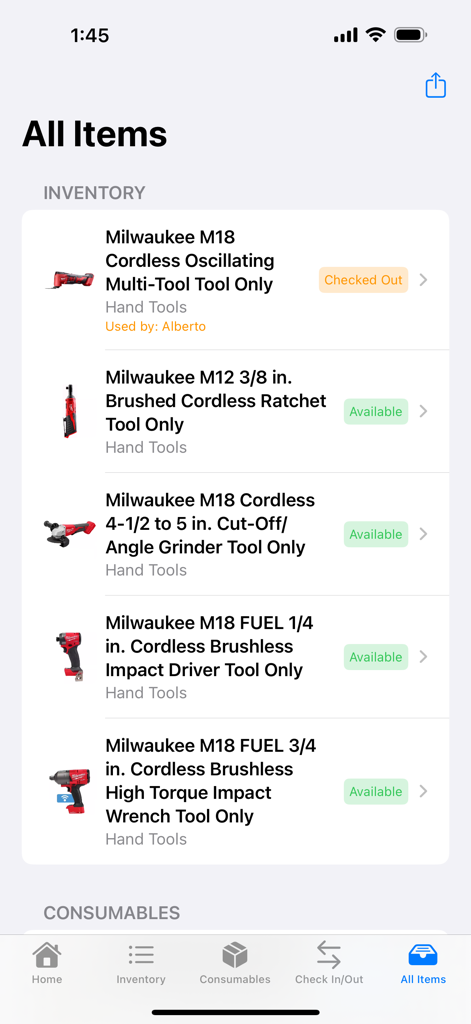
Mobile app screen showing an inventory list of power tools with status labels for available and checked-out items
Description
Download
More Like This
Top-ranked apps in the same category

Microsoft Teams
Microsoft Corporation

Zoom Workplace
Zoom Communications, Inc.

WhatsApp Business
WhatsApp Inc.

Indeed Job Search
Indeed Inc.

LinkedIn: Network & Job Finder
LinkedIn Corporation

Adobe Acrobat Reader: Sign PDF
Adobe Inc.

WeCom-Work Communication&Tools
Tencent Technology (Shenzhen) Company Limited

BOSS直聘-招聘求职找工作神器
Beijing China Product Bo Farce Network Technology Co., Ltd.

DingDing - Redefine Work in AI
DingTalk Technology Co., Ltd.
This page is not an official page of the app or its developer, but an independent editorial publication created for informational and commentary purposes. Unless expressly stated otherwise, neither the app nor its developer is affiliated with, endorsed by, sponsored by, authorized by, or otherwise officially connected with MWM, Apple, Google Play, the app publisher, or the app's developer, and nothing on this page implies that the app was developed using MWM's services. Any trademarks, logos, screenshots, and other content remain the property of their respective owners.