SnapBridge

SnapBridge

Download on App StoreDownload on Google Play
Logo of SnapBridge

SnapBridge: Professional Quality Meets Instant Sharing

Seamlessly sync high-resolution images from your Nikon camera to your mobile device. Control your gear remotely and share your stories with the world the moment they happen.

Publisher

NIKON CORPORATION

Category

Photo & Video

Downloads

8M+

User Rating

4.4/5

Total Ratings

181K+

Locales

12

Precision at Your Fingertips

Discover the interface used by 8M+ users.
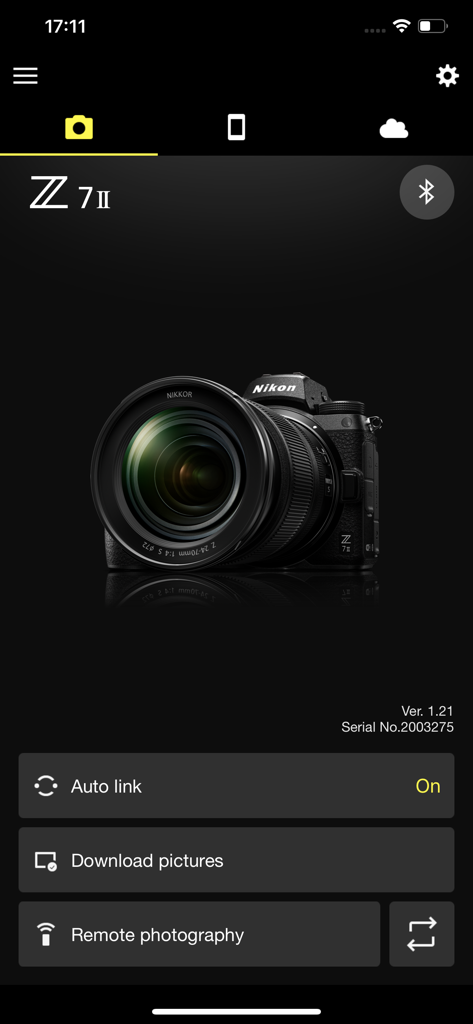
SnapBridge mobile app interface displaying a connected Nikon Z 7II camera with remote photography and download options.

SnapBridge mobile app interface displaying a connected Nikon Z 7II camera with remote photography and download options.

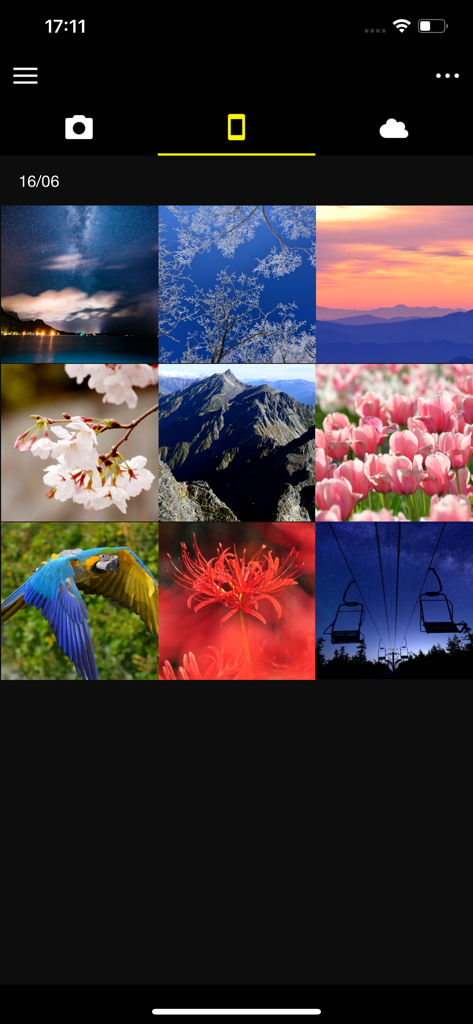
SnapBridge app interface showing a grid of downloaded camera photos including landscapes and nature.

SnapBridge app interface showing a grid of downloaded camera photos including landscapes and nature.

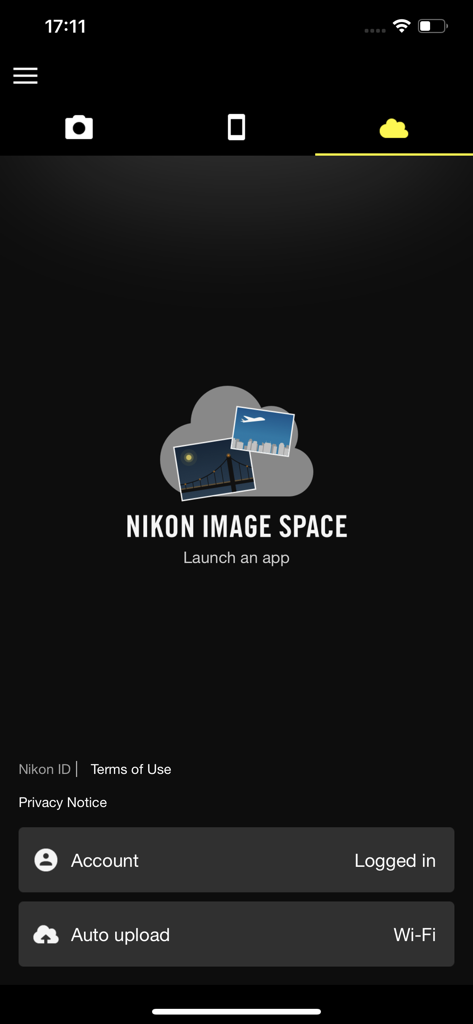
SnapBridge app interface showing the Nikon Image Space cloud storage settings with auto upload enabled

SnapBridge app interface showing the Nikon Image Space cloud storage settings with auto upload enabled

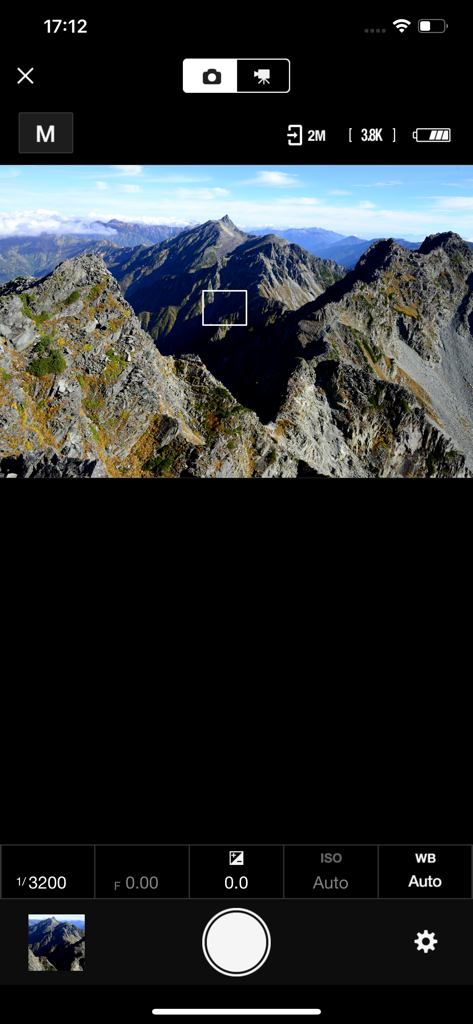
SnapBridge remote shooting interface displaying a mountain landscape live view with camera settings

SnapBridge remote shooting interface displaying a mountain landscape live view with camera settings

Professional Quality Meets Mobile Speed

The tools that make this app stand out, trusted by 8M+ users.

Seamless Auto-Download

Your photos transfer automatically to your phone as you take them, ready for instant editing and sharing on social media without cables or card readers.

📱

Remote Live View & Shutter

Use your phone as a remote screen and trigger. Frame the perfect solo shot or group portrait with a live preview right in the palm of your hand.

📍

Smart Location Tagging

Keep your travel memories perfectly organized by automatically syncing GPS data and time from your phone directly to your camera’s metadata.

Review Analysis

Insights from user reviews.

Sentiment Score

11%
Negative

Summary

Users widely report significant frustration with the app, primarily citing persistent and widespread connection issues across various Nikon camera models (e.g., Z5, D3500, Z8, D850) and different iOS versions (e.g., iPhone 13, 15, 17 Pro). Common complaints include difficulties in pairing, unstable connections, and app crashes, with specific mention that version 1.8 did not resolve Bluetooth problems for the P1000. Beyond connectivity, users criticize slow photo transfer speeds, a cumbersome user interface that lacks essential features like batch selection and filtering, and inadequate automatic download options. While a few users find the photo sharing features positive, the overall sentiment points to a deeply flawed and unreliable application.

Common Themes

Connection and Compatibility(35)
User Interface and Features(10)
Photo Transfer Speed(7)
App Stability(4)
General Positive Experience(4)
Photo Sharing(3)
Automatic Download Customization(1)

About the app

Everything you need to know about SnapBridge.

Description

Supported Digital Cameras as of October 2025 ZR, Z9, Z8, Z7II, Z7, Z6III, Z6II, Z6, Z5II, Z5, Zf, Zfc, Z50II, Z50, Z30, D6, D850, D780, D500, D7500, D5600, D3500, D3400, COOLPIX P1100, P1000, P950, A1000, A900, A300, B700, B500, B600, W300, W150, W100, KeyMission 80 The foregoing may include models not available in some regions. Be sure to update the camera firmware to the latest version. Use a computer to download the latest camera firmware from the Nikon Download Center. * According to your camera's model, you can download your camera's firmware via the SnapBridge app. http://downloadcenter.nikonimglib.com/ Principal Features - Once the camera is paired with your smart device, new photos can be downloaded automatically. - Adjust camera settings and take photos. - View the pictures on and download photos from the camera. - Use the app to pair the device with up to five cameras. - Automatically upload pictures taken with the camera to NIKON IMAGE SPACE (Note 1). - View downloaded photos or share them via e-mail or social media. - Add photo info or text to uploaded photos. - Download location data to the camera (Note 2) or set the camera clock to the time reported by the smart device. - Receive notifications of firmware updates for paired cameras. System Requirements iOS17.7, iOS18.7, iOS26.1 iPadOS17.7, iPadOS18.7, iPadOS26.1 iPhone 7 or later, iPad 5th or later, iPad mini 5th or later Bluetooth 4.0 or later There is no guarantee that this app will run on all devices. Notes - Note 1: Upload to NIKON IMAGE SPACE requires a Nikon ID. - Note 2: The GPS function runs continuously in the background, increasing the drain on the battery. The drain on the battery can be reduced by choosing power-saving mode. This feature is not recommended for use with devices not equipped with GPS. - If you are unable to download images or connect via Bluetooth or Wi-Fi after pairing, try one or more of the following solutions:  - Turn the paired camera off and then on again.  - Switch tabs in SnapBridge.  - Exit and relaunch SnapBridge. - Users can register for a Nikon ID using this app. - Enable Bluetooth and Wi-Fi when using this app. - Remote movie recording is not supported on some cameras. - Movies can be downloaded by switching to Wi-Fi and selecting the files manually. - Upload/download of AVI and interlaced movies is not supported. - 4K UHD movies transfer and playback are not supported on some devices. - Remote photography and movie download are available only if the camera has Wi-Fi (some cameras only). - Keep the app displayed in the foreground when downloading images from the camera via Wi-Fi. Download is not available when the app is running in the background. - The app may not perform as expected depending on your environment and network conditions. Using the App For more information, use the app "Help" option.

Latest Version

2.13.3

Size

78.4 MB

First Released

Sep 6, 2016

Ready to bridge the gap between pro-quality and instant sharing?

Join over 8 million creators. Download SnapBridge today to sync your Nikon camera with your smartphone and start sharing your high-resolution stories with the world in seconds.

Download on App StoreDownload on Google Play
FAQ

Frequently Asked Questions

Everything you need to know about SnapBridge

What is the SnapBridge app?

SnapBridge is an application for Nikon cameras that allows users to automatically download photos, adjust camera settings, perform remote photography, and upload images to NIKON IMAGE SPACE.

Which Nikon cameras are compatible with the SnapBridge app?

SnapBridge supports various Nikon cameras including Z series (e.g., Z9, Z7II), D series (e.g., D850, D780), and COOLPIX models (e.g., P1000, A1000) as of October 2025.

Can SnapBridge automatically download photos from my camera?

Yes, SnapBridge can automatically download new photos from your paired camera to your smart device. This feature activates once the camera is successfully paired.

Does SnapBridge support remote photography?

Yes, SnapBridge supports remote photography. Users can adjust camera settings and take photos directly from the app. Remote photography requires camera Wi-Fi on some models.

Can I upload photos to NIKON IMAGE SPACE using SnapBridge?

Yes, SnapBridge automatically uploads pictures taken with the camera to NIKON IMAGE SPACE. A Nikon ID is required for this service.

What are the system requirements for using SnapBridge?

SnapBridge requires iOS17.7, iOS18.7, or iOS26.1, or iPadOS versions 17.7, 18.7, or 26.1. An iPhone 7 or later, iPad 5th or later, or iPad mini 5th or later is necessary, with Bluetooth 4.0 or later.

How many cameras can I pair with the SnapBridge app?

Users can pair the SnapBridge app with up to five cameras. This allows management of multiple Nikon devices from a single smart device.

Does the SnapBridge app offer firmware update notifications?

Yes, the SnapBridge app provides notifications for firmware updates for paired cameras. Users must update their camera firmware to the latest version for optimal performance.

Can I download movies using the SnapBridge app?

Yes, movies can be downloaded by switching to Wi-Fi and manually selecting files in SnapBridge. Remote movie recording is not supported on some cameras, and AVI/interlaced movies are not supported for upload/download.

Is 4K UHD movie transfer supported by SnapBridge?

No, 4K UHD movies transfer and playback are not supported on some devices using SnapBridge. Users should check compatibility for their specific camera and smart device.

App information, icons, screenshots, and descriptions displayed on this page are sourced from the Apple App Store and are the property of their respective developers. Download estimates and rankings are based on MWM's proprietary models and may not reflect actual figures. This page is provided for informational and analytical purposes only.

Believe this page infringes your intellectual property? File a dispute