
This page is not an official page of the app or its developer, but an independent editorial publication created for informational and commentary purposes. Unless expressly stated otherwise, neither the app nor its developer is affiliated with, endorsed by, sponsored by, authorized by, or otherwise officially connected with MWM, Apple, Google Play, the app publisher, or the app's developer, and nothing on this page implies that the app was developed using MWM's services. Any trademarks, logos, screenshots, and other content remain the property of their respective owners.

Rokie - Remote for Roku Player
Clunky physical remotes are obsolete. Kraftwerk 9's app transforms your iPhone into the essential, seamless control center for all Roku streaming.
Downloads
12.5M+User Rating
Total Ratings
738.4KPublisher
Category
UtilitiesLocales
5Latest Version
1.7.11Size
78.3 MBFirst Released
Jul 24, 2015Rokie - Remote for Roku Player: Core Feature Analysis
An evaluation of key functionalities designed to enhance the iOS-based Roku control experience.
Intuitive Touchpad Navigation
This tool features a large touchpad, offering a superior and more precise way to browse menus and content compared to traditional directional buttons, catering to users who value convenience.
Automatic Device Detection
The app provides automatic detection of Roku devices on the Wi-Fi network, eliminating manual setup and making the initial connection seamless and user-friendly.
Cost-Free Remote Solution
The app provides a fully functional remote control alternative without any financial investment, appealing to users seeking value and a superior experience without extra cost.
Direct Channel Access
It allows users to launch Roku channels directly from the app, providing quick, one-tap access to frequently used streaming services and significantly improving content enjoyment.
Streamlined User Interface
The app features a sleek design and an intuitive interface, ensuring a pleasant and straightforward control experience by removing clutter and focusing on essential functions.
Universal Roku Compatibility
This tool is compatible with all Roku models, including various players and Roku TV, guaranteeing a wide reach and relevance for the entire target audience.
Frequently Asked Questions
Everything you need to know about Rokie - Remote for Roku Player
What is Rokie - Remote for Roku Player?
Rokie is a free, unofficial remote control application for Roku Streaming Player and Roku TV™ on iPhone and iPad. It offers a sleek design and an intuitive interface to control your Roku device.
Is the Rokie app free to use?
Yes, Rokie is a free remote control application for Roku Streaming Player and Roku TV on iOS devices. It allows users to control their Roku devices without cost.
How do I connect the Rokie app to my Roku device?
To connect the Rokie app, ensure your iOS device and Roku are on the same Wi-Fi network. Rokie automatically detects Roku devices on the network for a simple setup.
Is Rokie an official Roku Inc. product?
No, Rokie is not an official product of Roku, Inc. Kraftwerk 9, LTD is not affiliated with Roku, Inc., as stated in the application's disclaimer.
Which Roku models are compatible with the Rokie app?
Rokie is compatible with all Roku models. This includes Roku 1, 2, 3, Streaming Stick®, Express, Express+, Express 4K+, Premiere, Premiere+, Ultra, and Roku TV.
Can I launch Roku channels directly from the Rokie app?
Yes, the Rokie app allows you to launch Roku channels directly. This feature simplifies access to your favorite streaming services.
Does Rokie offer a touchpad for navigation?
Yes, Rokie features a large touchpad for easy menu and content navigation on your Roku device. This enhances the user experience.
Can I use my iOS keyboard for text input with the Rokie app?
Yes, you can use your iOS keyboard for text input with the Rokie app. However, some apps like YouTube and Hulu+ use their own on-screen keyboards and do not support this feature.
Does Rokie provide quick access to streaming services?
Yes, Rokie offers a quick access widget on iOS. This allows users to quickly open popular streaming services like Netflix, YouTube, and Prime Video directly from their device's home screen.
The following screenshots and description are sourced directly from the app's official store listing and are the property of the app developer.
App Store
Screenshots
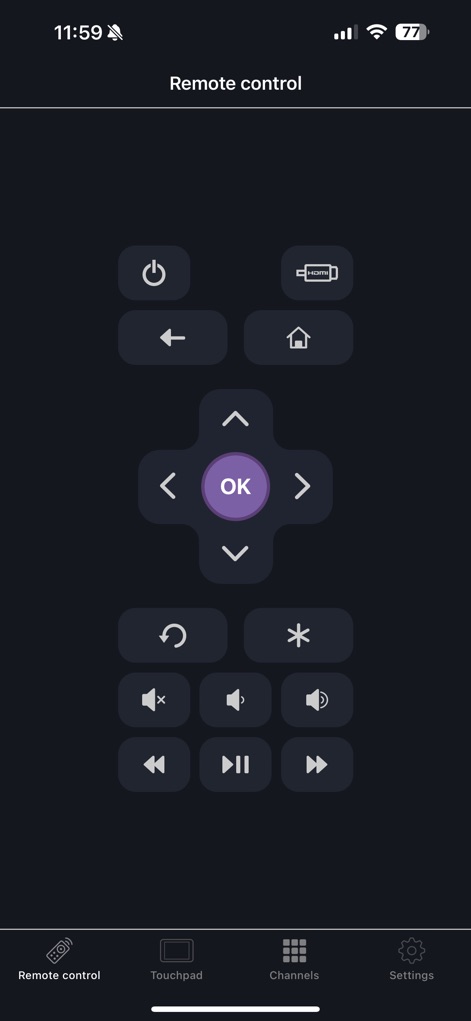
Full Remote Control
Users gain complete command over their Roku device with this intuitive remote control layout, featuring a classic D-pad for navigation and dedicated media playback buttons.
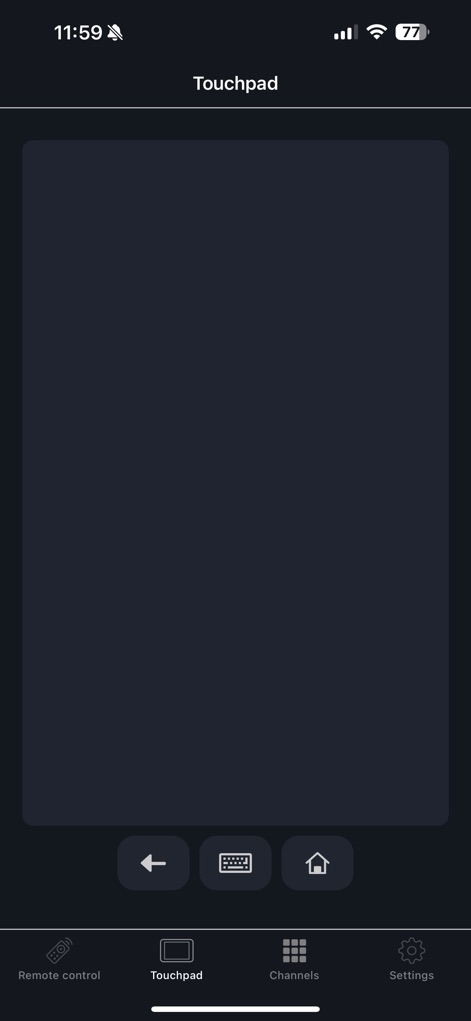
Expansive Touchpad
Navigate Roku menus effortlessly using the app's large, responsive touchpad area, providing smooth control alongside essential navigation buttons.
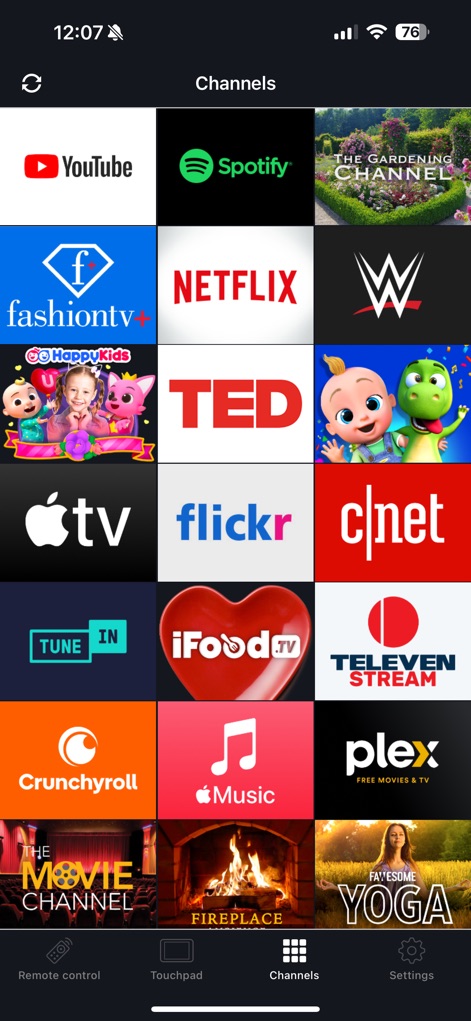
Instant Channel Launch
The app streamlines entertainment access, presenting a clear grid of channel icons for quick browsing and direct launching of favorite streaming platforms.
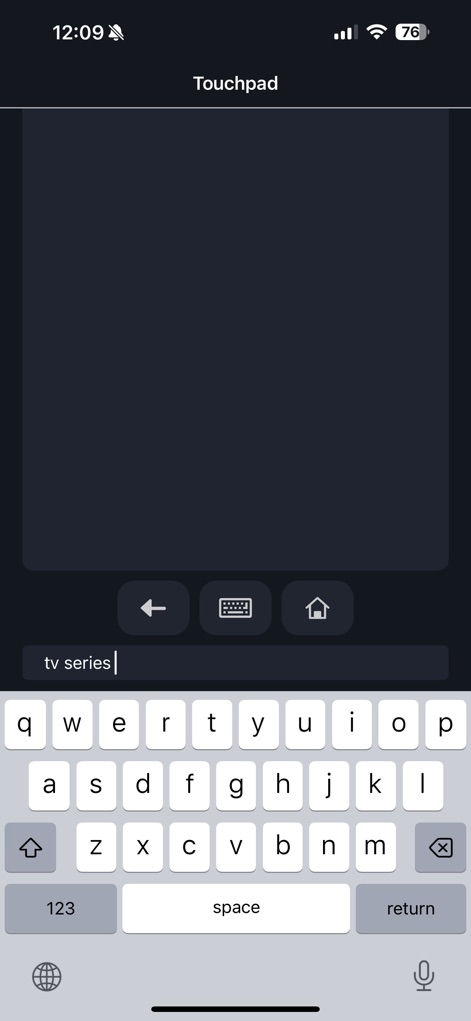
Seamless Keyboard Input
Experience convenient text entry within the app through the integrated iOS keyboard, allowing users to type directly into the visible input field for searches and credentials.
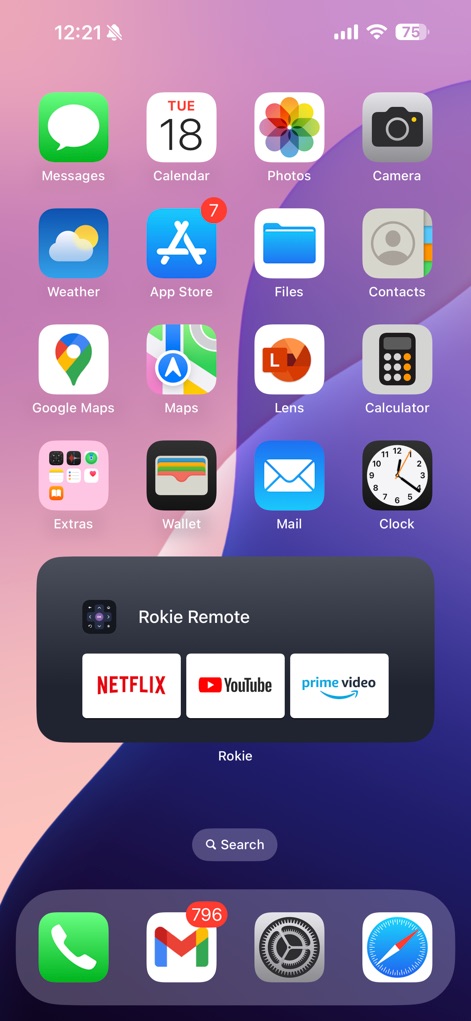
iOS Widget Integration
Enhance your iOS experience with a dedicated home screen widget, offering users quick launch app shortcuts to popular streaming services directly from their device.
Description
Download
More Like This
Apps with similar features and user experience

万能遥控器 - 万能空调控ּ遥控器
俊豪 梁
智能遥控 - 海尔空调电视遥控器智能红外空调电视遥控助手
晨 侯

万能遥控器-手机智能遥控家电通用
Qingdao Jushou Network Technology Co., Ltd.
万能遥控器·格力空调遥控器
浩轩 阮
智能遥控 - 手机空调电视万能遥控器
杰 黄
Remote for Vizio - Smart TV
Rashed Saifullina
Canon Camera Connect
Canon Inc.
万能遥控器-空调电视通用手机无线遥控
孟宸 杜
空调遥ּּ控器
晓晔 牛
This page is not an official page of the app or its developer, but an independent editorial publication created for informational and commentary purposes. Unless expressly stated otherwise, neither the app nor its developer is affiliated with, endorsed by, sponsored by, authorized by, or otherwise officially connected with MWM, Apple, Google Play, the app publisher, or the app's developer, and nothing on this page implies that the app was developed using MWM's services. Any trademarks, logos, screenshots, and other content remain the property of their respective owners.