
This page is not an official page of the app or its developer, but an independent editorial publication created for informational and commentary purposes. Unless expressly stated otherwise, neither the app nor its developer is affiliated with, endorsed by, sponsored by, authorized by, or otherwise officially connected with MWM, Apple, Google Play, the app publisher, or the app's developer, and nothing on this page implies that the app was developed using MWM's services. Any trademarks, logos, screenshots, and other content remain the property of their respective owners.


Snipe-Scan
Streamline your inventory audits and asset management with high-performance barcode scanning and one-tap check-ins, designed specifically for IT professionals on the move.
Downloads
100User Rating
Total Ratings
0Publisher
Category
BusinessLocales
1Latest Version
2.0Size
2.1 MBFirst Released
Apr 5, 2025Streamline Your IT Lifecycle
Snipe-Scan brings the full power of Snipe-IT to your pocket, eliminating manual data entry and making hardware audits faster than ever.
Precision Barcode Scanning
Identify assets instantly with an enhanced scanner built for speed and reliability, even in dimly lit server rooms.
One-Tap Asset Logistics
Check equipment in or out in seconds. Eliminate the 'last mile' problem by updating your database directly from the warehouse floor.
Frequently Asked Questions
Everything you need to know about Snipe-Scan
What is Snipe-Scan?
Snipe-Scan is a mobile client for Snipe-IT, an open-source IT asset management system. It streamlines inventory workflows by enabling asset management directly from a mobile device.
What are the key features of the Snipe-Scan app?
Snipe-Scan features include professional barcode scanning, adding and editing asset details, one-tap check-in/check-out, detailed asset information, and support for dark mode.
Does Snipe-Scan offer dark mode support?
Yes, Snipe-Scan supports dark mode for comfortable use in various lighting conditions. This feature enhances user experience during inventory management tasks.
What are the requirements to use Snipe-Scan?
To use Snipe-Scan, users need a running Snipe-IT server and a valid API access token. The app connects to the Snipe-IT inventory system securely.
Can I add new assets using Snipe-Scan?
Yes, Snipe-Scan allows users to add new assets. The app provides a dedicated interface to create new asset entries with required and optional details.
What is the subscription cost for Snipe-Scan?
Snipe-Scan costs $8.99 per year for a subscription. A demo mode is available to try the app's functionalities before subscribing.
Does Snipe-Scan offer a demo mode?
Yes, Snipe-Scan provides a demo mode. This allows users to experience the app's functions with simulated data without connecting to a live Snipe-IT server.
How do I check out an asset in Snipe-Scan?
To check out an asset with Snipe-Scan, navigate to the asset's details, select 'Check Out', and then fill in the required assignment details like user or location.
How can I edit asset details using Snipe-Scan?
Snipe-Scan enables editing of asset details. Users access an asset's information, then select 'Edit Asset' to modify various fields such as serial, status, or model.
How does asset searching work in Snipe-Scan?
Snipe-Scan searches for assets using its professional barcode scanner or a search function. When multiple assets with the same name are found, users can select the specific item.
The following screenshots and description are sourced directly from the app's official store listing and are the property of the app developer.
App Store
Screenshots
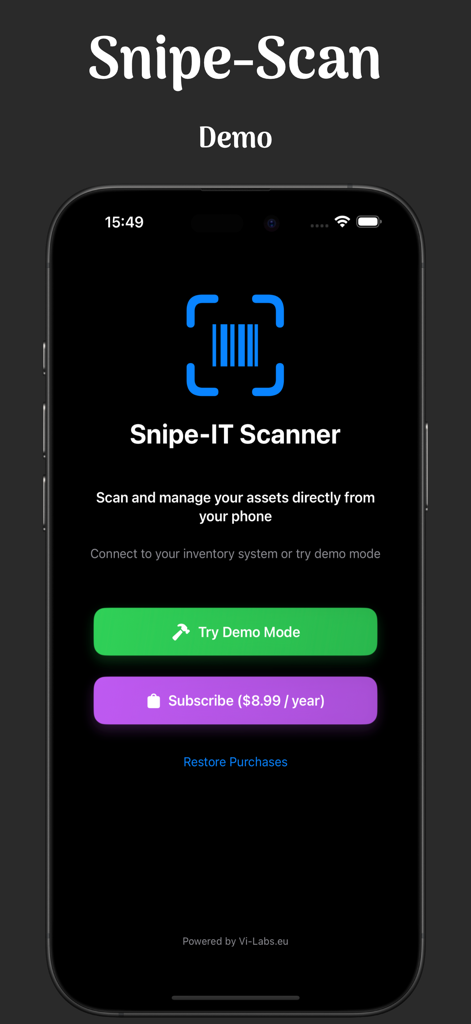
Snipe-Scan app interface showing the Snipe-IT scanner and demo mode option
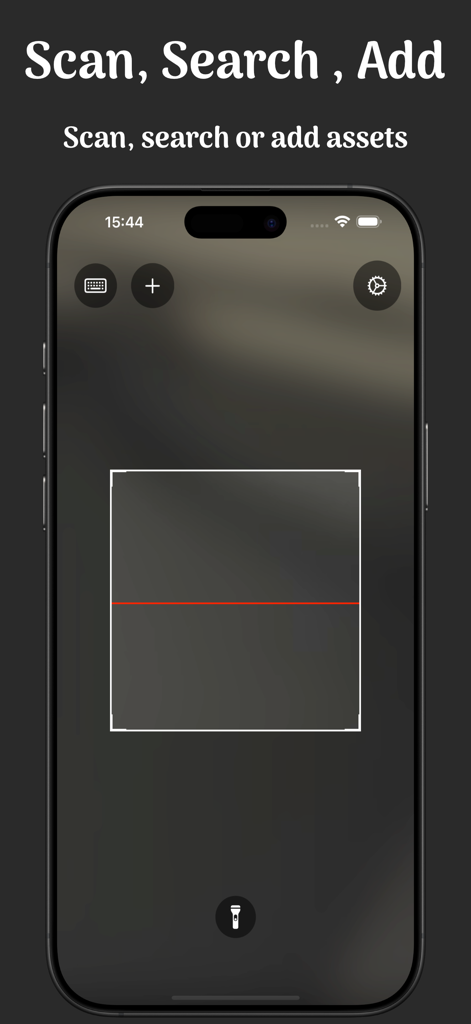
Snipe-Scan mobile app barcode scanner interface for IT asset management
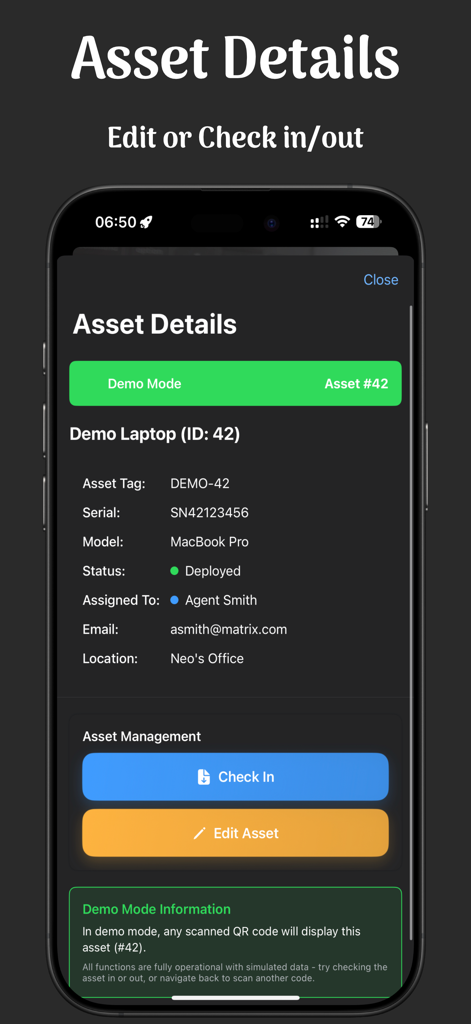
A mobile interface for Snipe-Scan displaying detailed IT asset information for a laptop with check-in and edit buttons in dark mode.
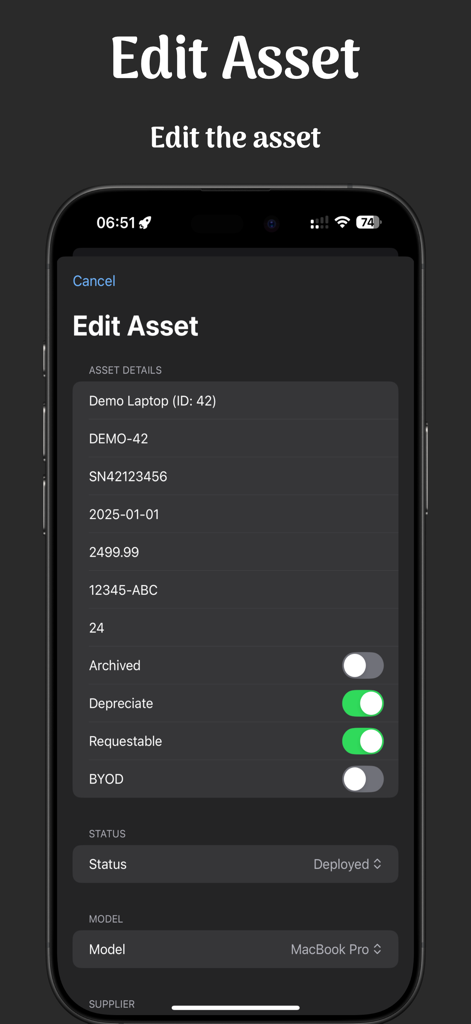
Snipe-Scan mobile app interface showing the edit asset form with hardware details and status options in dark mode
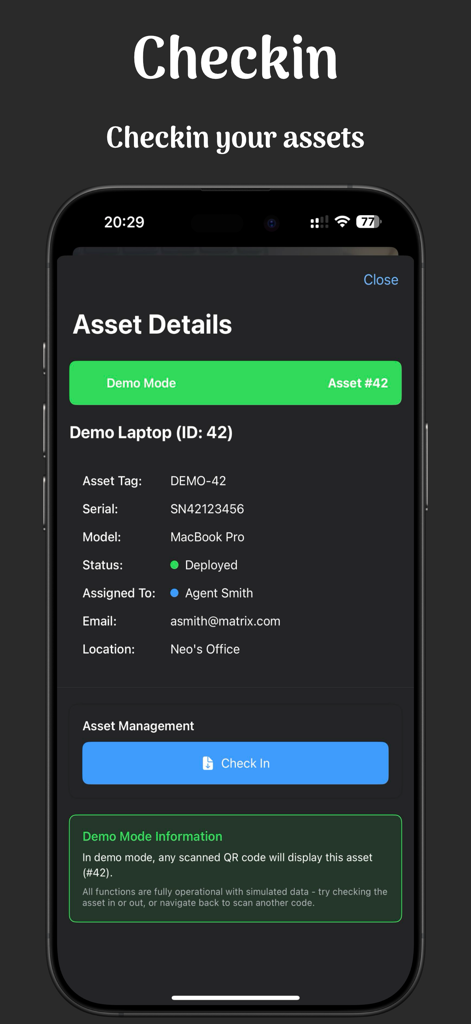
Snipe-Scan mobile app showing asset details for a laptop with a check in button
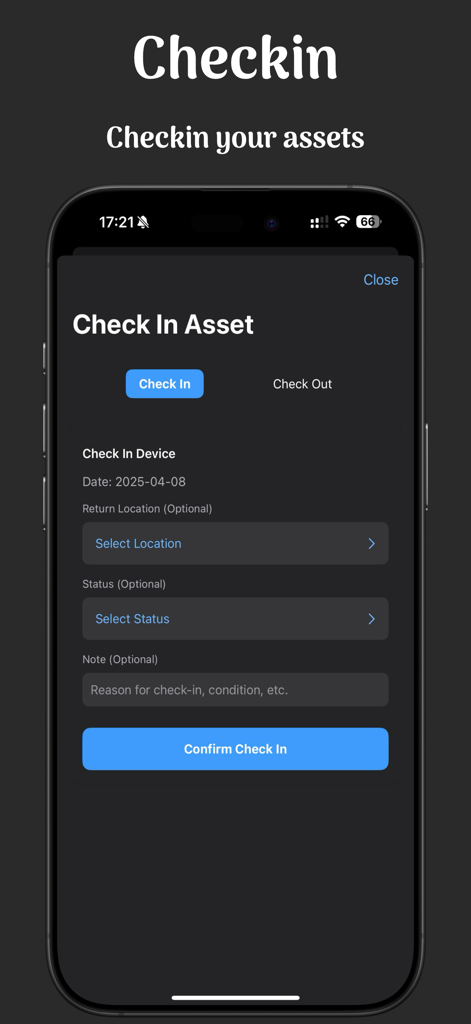
Snipe-Scan mobile app interface for checking in IT assets on an iPhone
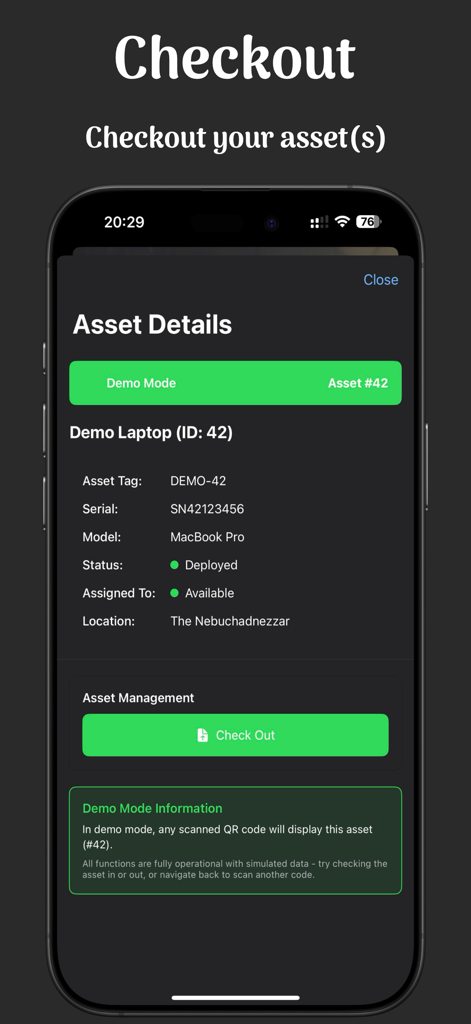
Mobile screen of Snipe-Scan app showing IT asset details for a laptop and a green check out button in dark mode.
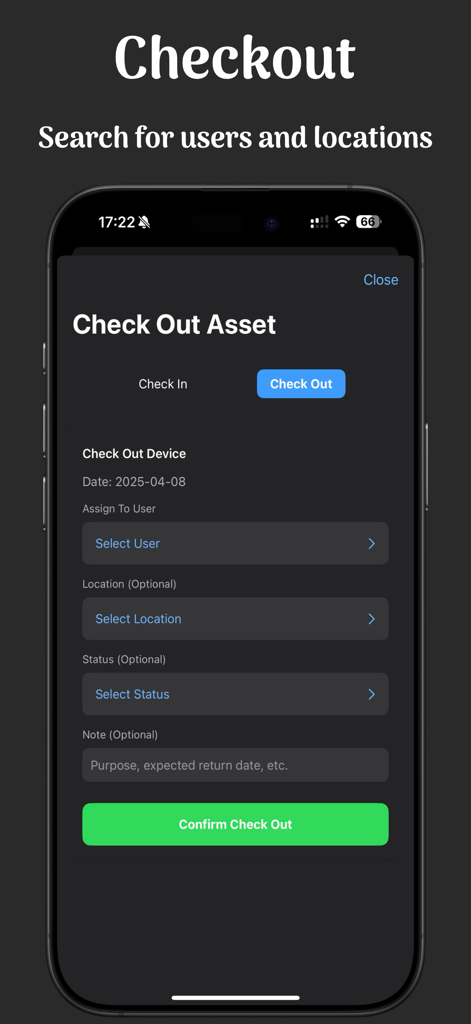
Mobile screen of Snipe-Scan app showing the asset checkout process with user and location selection
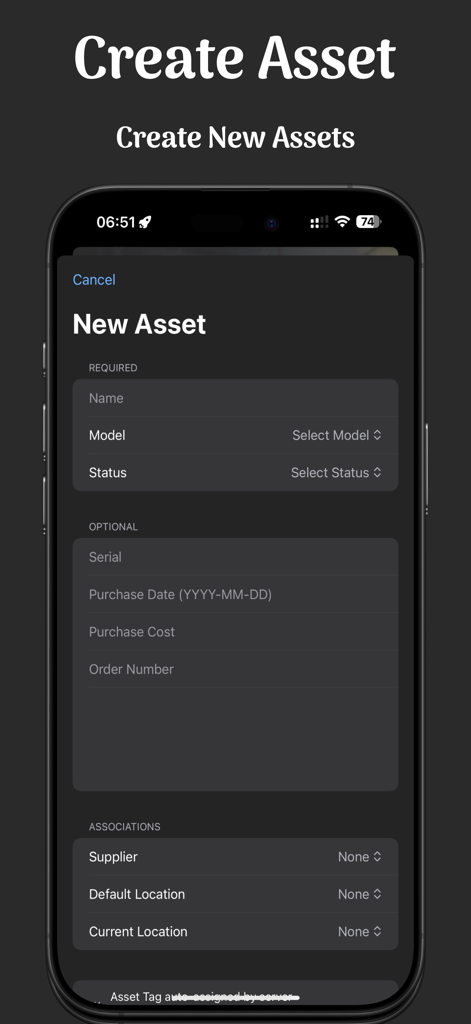
Mobile interface of the Snipe-Scan app showing the form to create a new IT asset with fields for name, model, and status in dark mode.
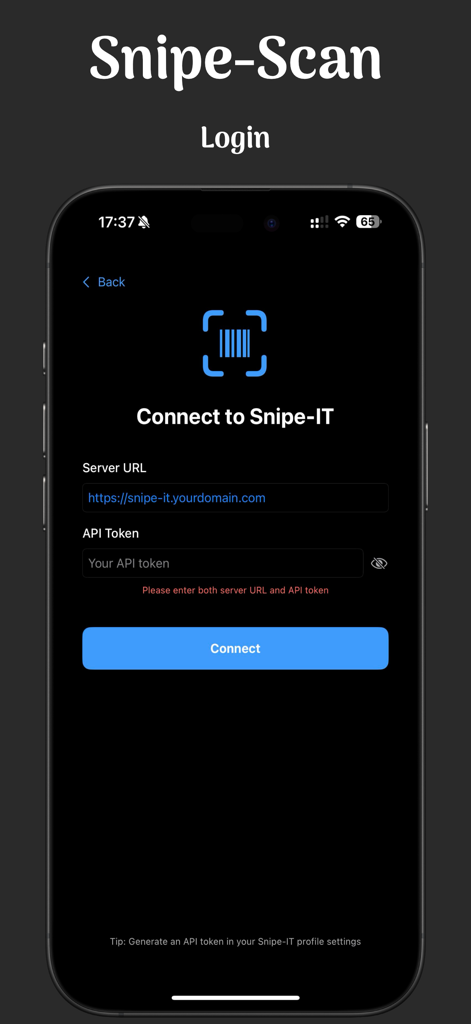
Snipe-Scan mobile app login page for Snipe-IT asset management connection.
Description
Download
More Like This
Top-ranked apps in the same category

Microsoft Teams
Microsoft Corporation

Zoom Workplace
Zoom Communications, Inc.

WhatsApp Business
WhatsApp Inc.

Indeed Job Search
Indeed Inc.

LinkedIn: Network & Job Finder
LinkedIn Corporation

Adobe Acrobat Reader: Sign PDF
Adobe Inc.

WeCom-Work Communication&Tools
Tencent Technology (Shenzhen) Company Limited

BOSS直聘-招聘求职找工作神器
Beijing China Product Bo Farce Network Technology Co., Ltd.

DingDing - Redefine Work in AI
DingTalk Technology Co., Ltd.
This page is not an official page of the app or its developer, but an independent editorial publication created for informational and commentary purposes. Unless expressly stated otherwise, neither the app nor its developer is affiliated with, endorsed by, sponsored by, authorized by, or otherwise officially connected with MWM, Apple, Google Play, the app publisher, or the app's developer, and nothing on this page implies that the app was developed using MWM's services. Any trademarks, logos, screenshots, and other content remain the property of their respective owners.