Sono: Debt tracker and manager
Download on App Store

This page is not an official page of the app or its developer, but an independent editorial publication created for informational and commentary purposes. Unless expressly stated otherwise, neither the app nor its developer is affiliated with, endorsed by, sponsored by, authorized by, or otherwise officially connected with MWM, Apple, Google Play, the app publisher, or the app's developer, and nothing on this page implies that the app was developed using MWM's services. Any trademarks, logos, screenshots, and other content remain the property of their respective owners.

Logo of Sono: Debt tracker and manager
Download on App Store

Sono: Debt tracker and manager

Ditch the messy notes and avoid the social friction. Sono is your digital IOU book for managing personal loans, shared expenses, and business debts with total clarity and privacy.

Key Figures

Downloads

19K+

User Rating

4.9/5

Total Ratings

700

Publisher

Danh Ngo

Category

Finance

Locales

45

Latest Version

4.5.3

Size

86.8 MB

First Released

Nov 13, 2022
Features

Master Your IOUs Without the Awkwardness

The smart, secure way for modern organizers to track shared expenses and personal loans without the social friction or mental load.

Total Financial Clarity

Replace messy notes and spreadsheets with a meaningful summary of every dollar borrowed or lent, available at a single glance.

Automated Peace of Mind

Set due dates and reminders for transactions so you never forget an IOU or have to have that uncomfortable 'where is it' conversation.

The following screenshots and description are sourced directly from the app's official store listing and are the property of the app developer.

App Store

Screenshots
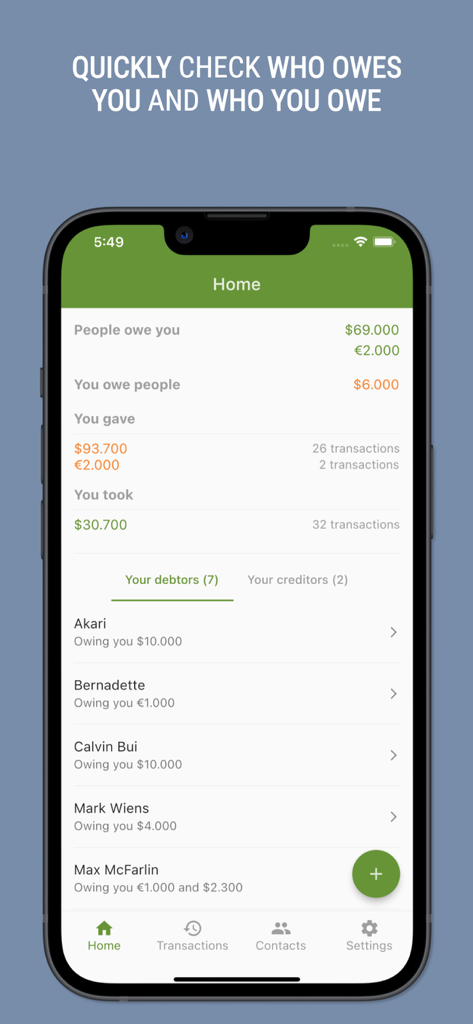
Sono: Debt tracker and manager - Interface of Sono app showing personal debt summaries and a list of contacts who owe money
Interface of Sono app showing personal debt summaries and a list of contacts who owe money

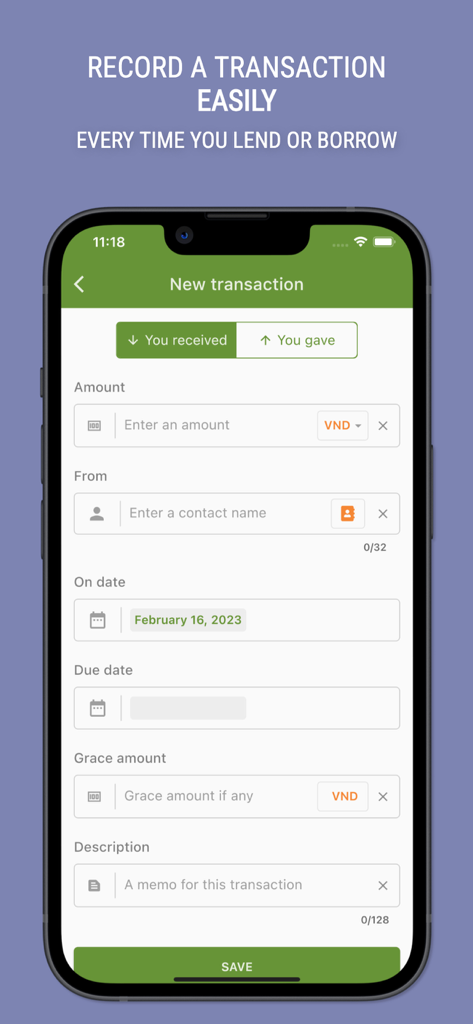
Sono: Debt tracker and manager - The Sono app interface for adding a new transaction to track personal debt
The Sono app interface for adding a new transaction to track personal debt

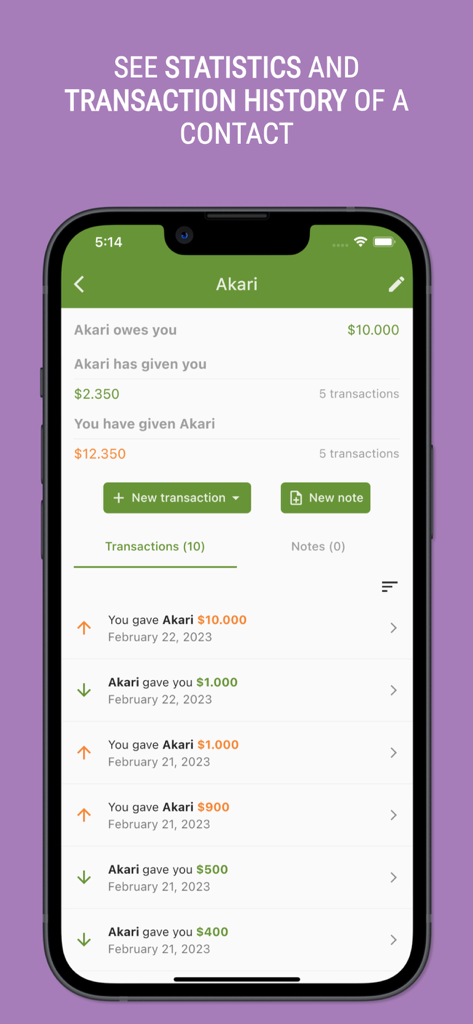
Sono: Debt tracker and manager - Mobile app screen showing debt statistics and transaction history for a contact
Mobile app screen showing debt statistics and transaction history for a contact

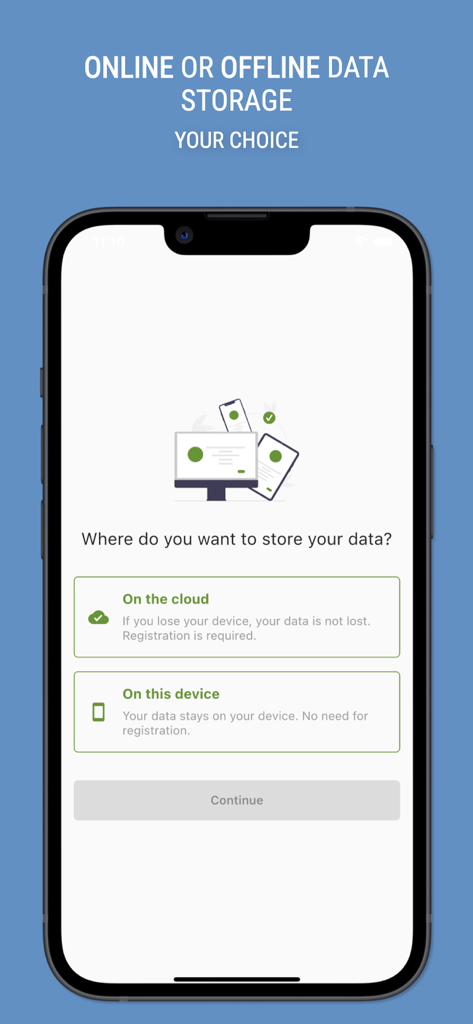
Sono: Debt tracker and manager - Mobile screen showing the choice between cloud and local data storage in the Sono debt tracker app.
Mobile screen showing the choice between cloud and local data storage in the Sono debt tracker app.

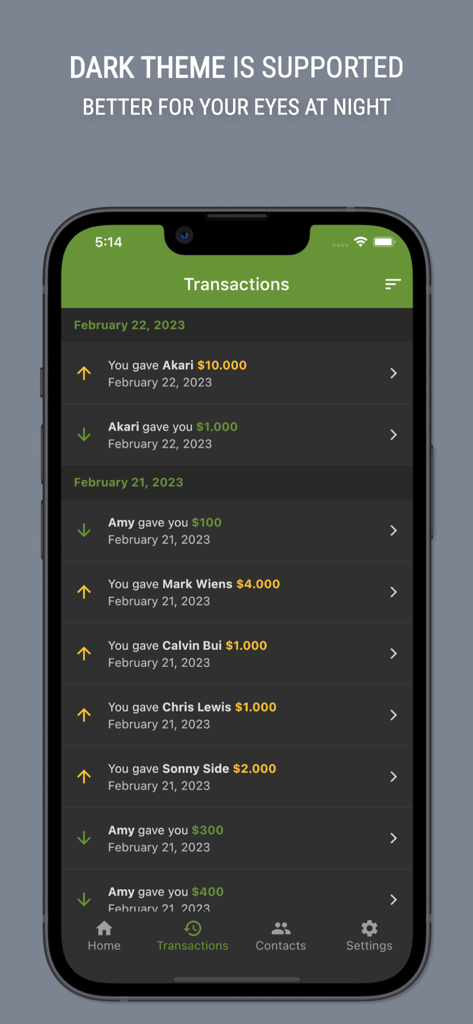
Sono: Debt tracker and manager - Smartphone screen showing the transactions list of the Sono debt tracker app in dark mode
Smartphone screen showing the transactions list of the Sono debt tracker app in dark mode

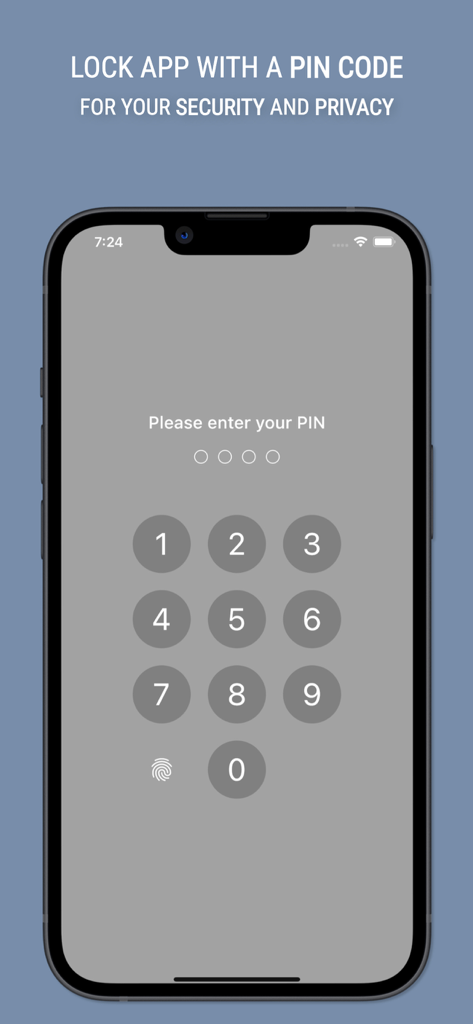
Sono: Debt tracker and manager - Sono debt manager app PIN code security screen with numeric keypad
Sono debt manager app PIN code security screen with numeric keypad

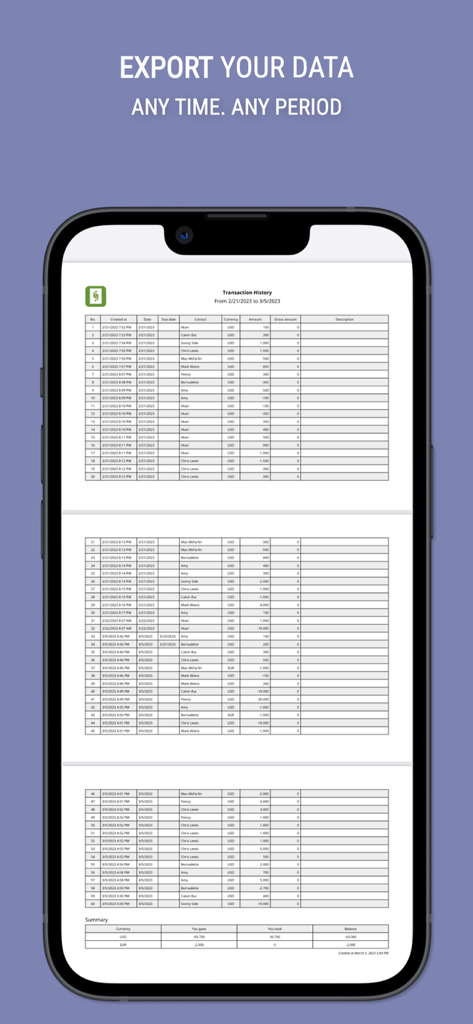
Sono: Debt tracker and manager - Sono app screenshot showing an exported transaction history list and debt summary

Sono app screenshot showing an exported transaction history list and debt summary

Description

Manage your debts easily and efficiently with Sono. Keep track of your borrowed and lent money by downloading our free app today! ▼ Why choose Sono for debt management? Avoid the hassle of forgetting important transaction details or relying on error-prone notes or Excel sheets. Sono is a smart and simple debt tracker and manager tool that makes it easy to record and keep track of all your financial activities related to debts. With Sono, you just need to record the transaction details each time you borrow or lend money. Sono will do the rest, helping you keep track of your debts so you never forget them again. ▼ Sono’s standard features include: - Display meaningful summary of your debts. - Record transactions to track what people owe you and what you owe people. - Manage your debtors and creditors. - Support multiple currencies. - Dark theme so it's better for your sleep at night. - You can add comments for a transaction, or create notes for a contact. - Reminder for transactions with due date. - Store data locally on your device or on the cloud so your data is not lost if you loose your phone. - Import your existing data to Sono from a CSV file. - Lock app with a PIN code. - Export data to PDF format. - Back up/Restore data. ▼ Premium features: - Multi-device support. Use Sono on all devices that you have. - Custom currency: you can add your own currency unit. - Biometric authentication. - Export data to CSV or Excel format. - Back up/Restore data with iCloud. - Attach files or photos to transactions. - Interest for transactions. - Add profile pictures for contacts. ▼ Your data is safe and secure Your data is safe with Sono. You can choose to store your information on your device or on the cloud, so you never have to worry about losing your important financial data. --- About premium subscription: - At confirmation of purchase, or following the completion of a free-trial period, payment will be charged to your Apple account. - Your subscription will automatically renew unless auto-renew is turned off at least 24-hours before the end of the current subscription period. - Your account will be charged for renewal within 24-hours prior to the end of the current subscription period. Automatic renewals will cost the same price you were originally charged for the subscription. - You can manage your subscriptions and turn off auto-renewal by going to your Account Settings on the App Store after purchase. - Any unused portion of a free trial period, if offered, will be forfeited. --- Terms of Use: https://sonofinance.com/terms-conditions/ Privacy policy: https://sonofinance.com/privacy-policy/ --- If you have any questions, issues or suggestions don’t hestitate to send us a message at hello@sonofinance.com. If you love our app, we would greatly appreciate it if you could leave a 5-star rating and review. Thank you!

Download

Download on App Store

This page is not an official page of the app or its developer, but an independent editorial publication created for informational and commentary purposes. Unless expressly stated otherwise, neither the app nor its developer is affiliated with, endorsed by, sponsored by, authorized by, or otherwise officially connected with MWM, Apple, Google Play, the app publisher, or the app's developer, and nothing on this page implies that the app was developed using MWM's services. Any trademarks, logos, screenshots, and other content remain the property of their respective owners.








