
This page is not an official page of the app or its developer, but an independent editorial publication created for informational and commentary purposes. Unless expressly stated otherwise, neither the app nor its developer is affiliated with, endorsed by, sponsored by, authorized by, or otherwise officially connected with MWM, Apple, Google Play, the app publisher, or the app's developer, and nothing on this page implies that the app was developed using MWM's services. Any trademarks, logos, screenshots, and other content remain the property of their respective owners.


SOOP - Live Streaming
It grants users immediate, unfiltered access to their digital idols.
Downloads
5M+User Rating
Total Ratings
87.6KPublisher
Category
EntertainmentLocales
5Latest Version
8.23.1Size
389.6 MBFirst Released
Dec 4, 2009An evaluation of key features driving user engagement and experience for a digitally native audience.
SOOP - Live Streaming: Core App Functionality Analysis
Premium Viewing Experience
The app provides advanced features such as ad-free viewing, VOD time machine, live preview, and multi-view streaming, significantly enhancing the user's entertainment experience.
Exclusive Original Content
It features access to unique SOOP original content, offering exclusive entertainment experiences not found elsewhere, appealing to users seeking fresh and diverse programming.
Interactive Community & Communication
This tool fosters active participation and direct interaction between users and streamers, enabling a strong sense of community and real-time engagement.
Dynamic Short-Form Content
The app offers a collection of short, engaging videos ('Catch') for quick consumption, catering to modern consumption habits and providing instant entertainment.
Dedicated Streamer Channels & VODs
It allows users to access dedicated channels where they can find the latest VODs and news from their favorite streamers, ensuring they stay updated even if they miss live broadcasts.
Personalized Streamer Access
The app enables quick access to preferred live broadcasts and content directly from the front screen, streamlining the user experience for frequent viewers of specific streamers.
Frequently Asked Questions
Everything you need to know about SOOP - Live Streaming
What is SOOP?
SOOP is a streaming platform focused on participation and communication. It offers a variety of content, including live broadcasts, VODs, and original content, allowing users to discover and interact with streamers.
What types of content are available on SOOP?
SOOP offers various content, including live broadcasts, VODs, short and fun 'Catch' content, and exclusive SOOP original content from partners like SSL and Cinety.
How does SOOP help users find content?
SOOP allows users to easily discover various content by navigating categories through its navigation menu. Users can also see their favorite streamers directly on the front screen.
What is SOOP Quick View Plus?
SOOP Quick View Plus is a subscription feature that allows users to skip VOD advertisements, participate in live broadcasts without video ads, rewatch missed scenes, and use a multi-view function for two broadcasts.
Does SOOP include VAT in its pass prices?
Yes, all pass prices for SOOP include VAT. The total amount may vary due to Apple's commission and pricing policies for each country.
How do I cancel my SOOP Quick View Plus subscription on iOS?
Users cancel iOS subscriptions via iTunes [Account Settings > Manage Subscriptions] or iOS [Settings > Apple ID > Subscriptions]. The subscription remains active until the current billing period ends.
Does the SOOP app require any mandatory permissions?
No, the SOOP app states that it has no required permissions. Users can utilize the service without granting any mandatory permissions.
What optional permissions does the SOOP app request?
The SOOP app requests optional permissions for the Camera (streaming), Microphone (streaming audio), Photo Library (attaching channel images), and Notifications (stream alerts, announcements).
Can SOOP users stream their own content?
Yes, users can become streamers on SOOP. The platform supports participation and communication, allowing individuals to broadcast and interact with various users.
Are SOOP iOS subscriptions automatically renewed?
Yes, SOOP iOS subscriptions are billed monthly and automatically renewed on the same date as the original purchase date, unless canceled at least 24 hours before the period ends.
The following screenshots and description are sourced directly from the app's official store listing and are the property of the app developer.
App Store
Screenshots
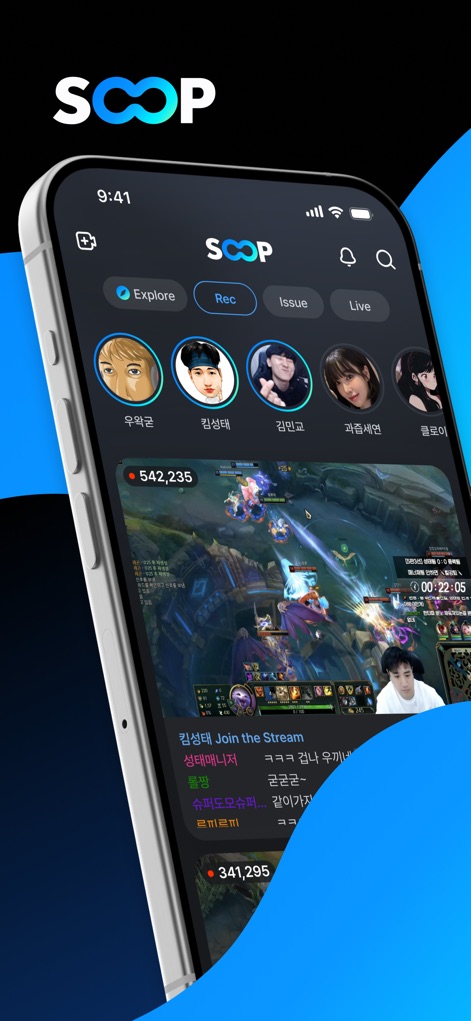
The app features a dynamic live streaming interface, prominently displaying real-time viewer counts and a dedicated section for popular streamer profiles.
Live Stream Hub
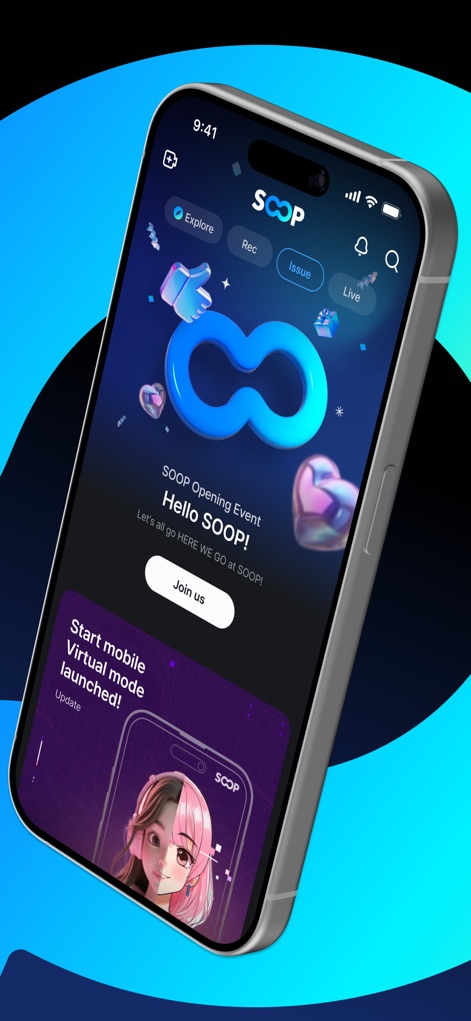
This tool keeps users informed with engaging event banners and announcements for new features, like the mobile virtual mode.
Updates & Events
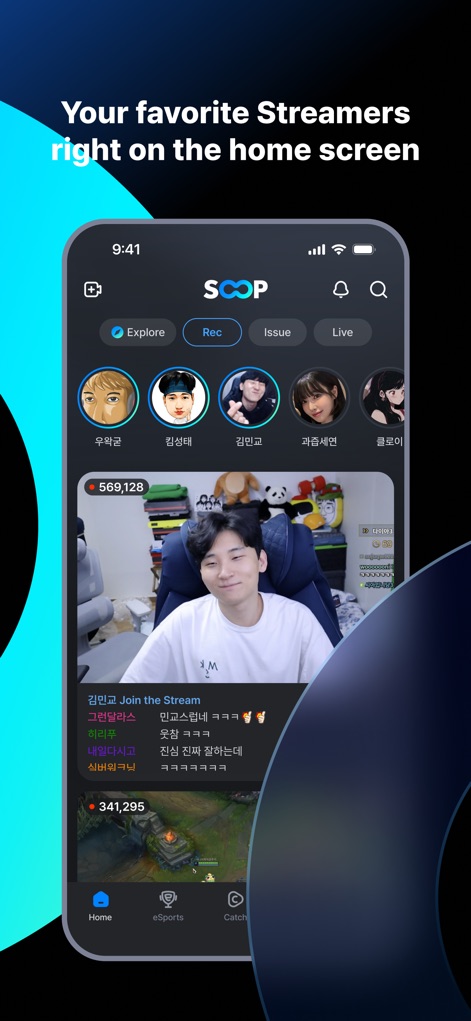
Users can quickly find their favorite streamers and live broadcasts directly from the home screen, supported by an intuitive bottom navigation bar.
Streamer Home Access
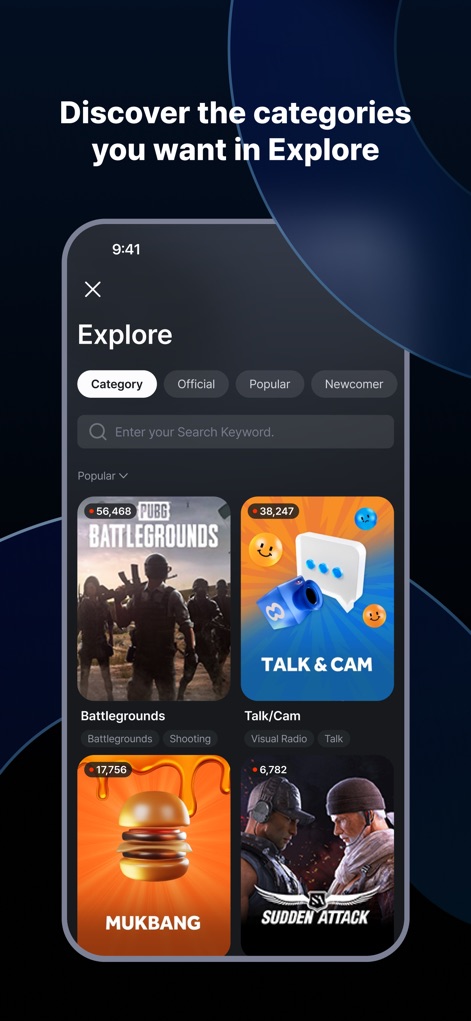
The 'Explore' section allows users to discover a wide array of content categories, from gaming to 'Talk & Cam', using a convenient search bar.
Diverse Content Explore
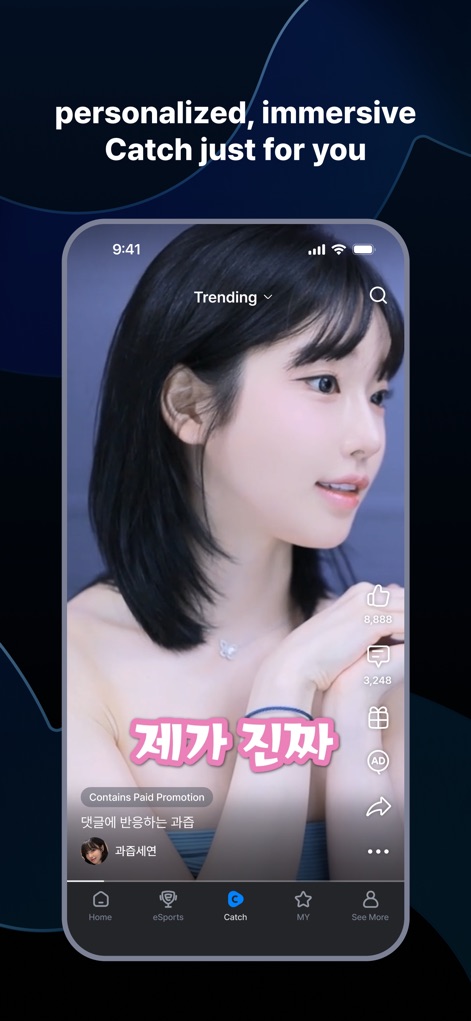
Experience personalized 'Catch' short videos, complete with interactive engagement options like 'like' and 'share' buttons.
Engaging Short-form Content
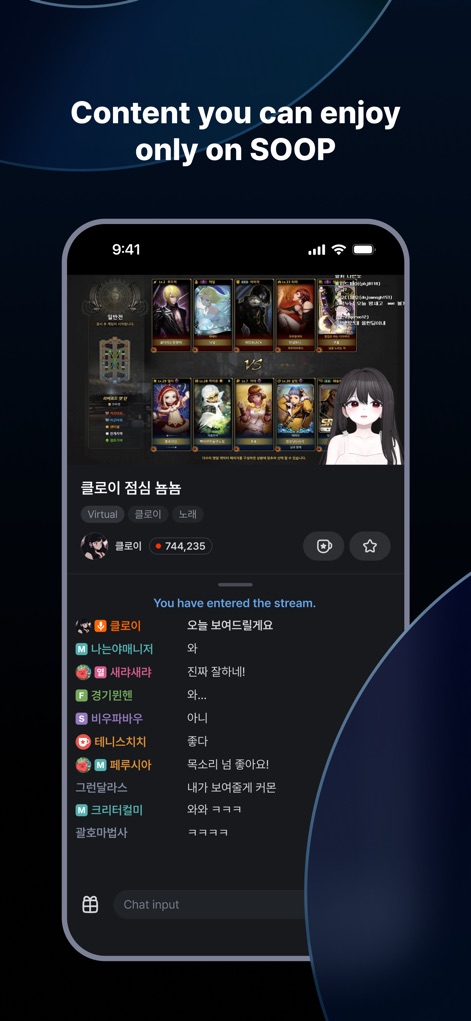
Discover SOOP's exclusive content, including unique virtual character streams, while engaging with a vibrant, real-time chat interface.
Unique Stream Experiences
Description
Download
More Like This
Apps with similar features and user experience

快手
Beijing Kwai Technology Co., Ltd.

映客直播
Beijing MeeLive Network Technology Co., Ltd.

Plamfy: Watch Streams&Go Live
Plamfy Limited

ビデオ通話 マシェトーク-電話で顔の見せ合い・ビデオチャット
MachevaraTalk inc.

Kako: Live, Vídeo & Chat
KAKO TECHNOLOGY CO., LTD

C2 Live - Live Streaming
C2 Capital Group, Inc.

KK-直播交友娱乐平台
Hangzhou Miluoxing Technology (Group) Co., Ltd

Piko Live: Live, Chat, Stream
FUTURISTIC SUPER LEARNING PRIVATE LIMITED

Pluto: Live Chat & Talk
POMFRET CAVE LIMITED
This page is not an official page of the app or its developer, but an independent editorial publication created for informational and commentary purposes. Unless expressly stated otherwise, neither the app nor its developer is affiliated with, endorsed by, sponsored by, authorized by, or otherwise officially connected with MWM, Apple, Google Play, the app publisher, or the app's developer, and nothing on this page implies that the app was developed using MWM's services. Any trademarks, logos, screenshots, and other content remain the property of their respective owners.