
This page is not an official page of the app or its developer, but an independent editorial publication created for informational and commentary purposes. Unless expressly stated otherwise, neither the app nor its developer is affiliated with, endorsed by, sponsored by, authorized by, or otherwise officially connected with MWM, Apple, Google Play, the app publisher, or the app's developer, and nothing on this page implies that the app was developed using MWM's services. Any trademarks, logos, screenshots, and other content remain the property of their respective owners.

Sophos Mobile Control
Seamlessly manage your corporate device, access enterprise apps, and ensure total data security with our industry-leading Unified Endpoint Management solution.
Downloads
316K+User Rating
Total Ratings
200Publisher
Category
BusinessLocales
10Latest Version
9.7.4Size
7.0 MBFirst Released
Dec 15, 2011Secure Productivity, Anywhere
Sophos Mobile Control empowers you to work flexibly while ensuring your device meets the highest standards of corporate security and data privacy.
Effortless Enrollment
Automatically sync your device with corporate policies to gain instant access to work email, enterprise apps, and secure networks.
Real-Time Compliance
Stay protected with automated monitoring that alerts you to security violations before they become liabilities for your career.
Frequently Asked Questions
Everything you need to know about Sophos Mobile Control
What is Sophos Mobile Control?
Sophos Mobile Control is a Unified Endpoint Management (UEM) solution. It enables companies to manage, control, and secure iOS and other mobile devices by configuring policies and distributing apps.
Do I need permission to install the Sophos Mobile Control app?
Yes, you must install the Sophos Mobile Control app only if your organization advises it. The app requires an appropriate Sophos management console to function correctly.
Can Sophos Mobile find a lost device?
Yes, Sophos Mobile can find a lost or stolen device. The app accesses the device's location in the background for this functionality.
Does Sophos Mobile Control continuously track my location?
No, Sophos Mobile Control does not routinely monitor or record your location. It accesses location data in the background specifically to help find a lost or stolen device.
What features does Sophos Mobile Control offer for organizations?
Sophos Mobile Control offers features for organizations including reporting device compliance, triggering synchronization, installing enterprise apps, displaying violations, and sending messages to devices.
How does Sophos Mobile Control report device compliance?
Sophos Mobile Control reports the device compliance status and displays general violations. For example, it identifies issues like a missing screen lock or a turned-off passcode.
How can I install apps using Sophos Mobile Control?
Sophos Mobile Control allows you to install apps from an Enterprise App Store. The "Apps" section lists available applications, including those categorized as Required or Recommended by your organization.
How do I connect my device to corporate management with Sophos Mobile Control?
You connect your device to corporate management by scanning a QR code or entering details manually. This information is typically provided in an enrollment email or a Self Service Portal.
The following screenshots and description are sourced directly from the app's official store listing and are the property of the app developer.
App Store
Screenshots
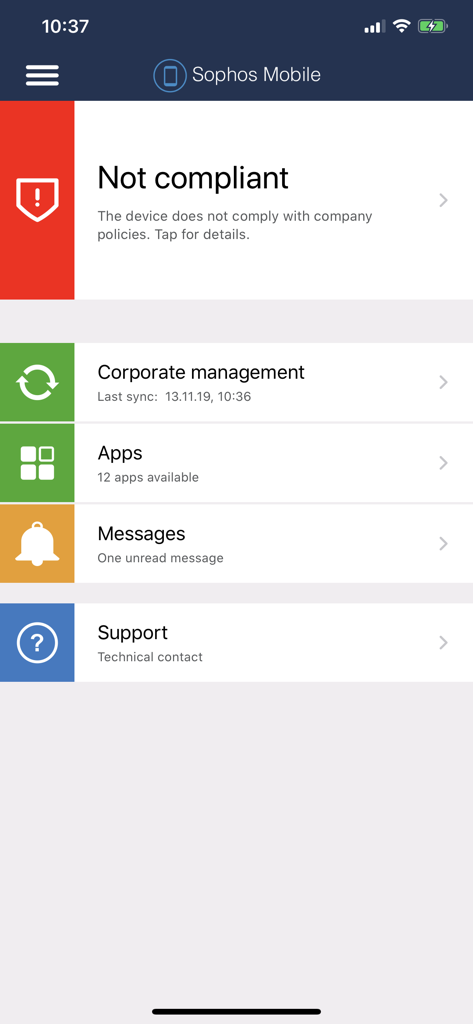
The main dashboard of the Sophos Mobile Control app showing a non compliant device status and enterprise management options
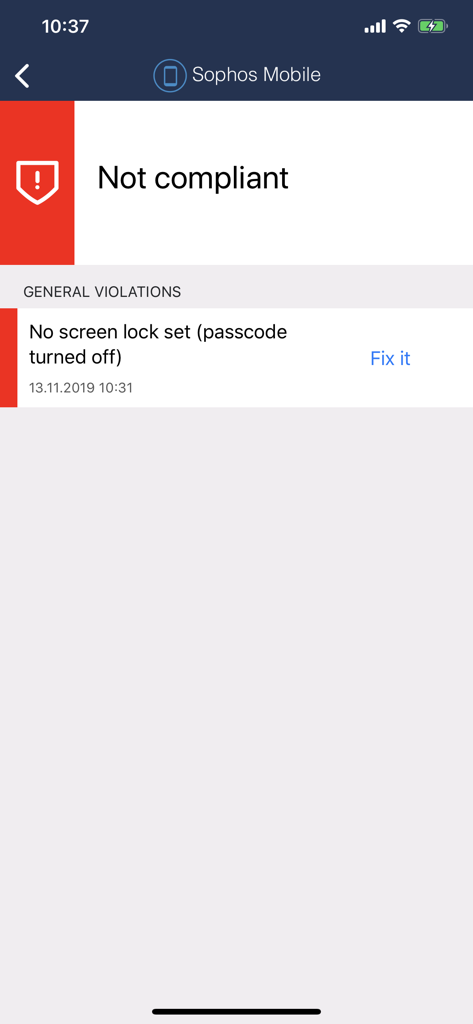
Sophos Mobile app displaying a not compliant status message with a security violation
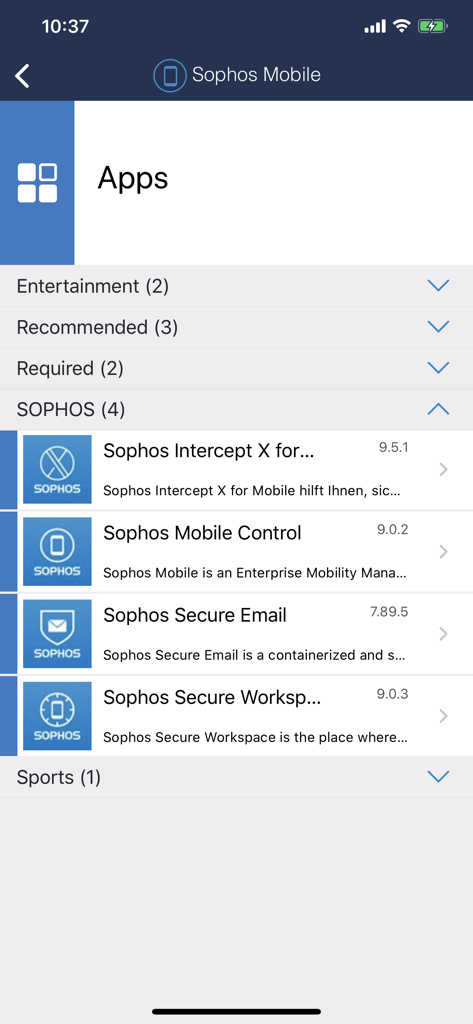
Sophos Mobile Control enterprise app store showing managed corporate applications
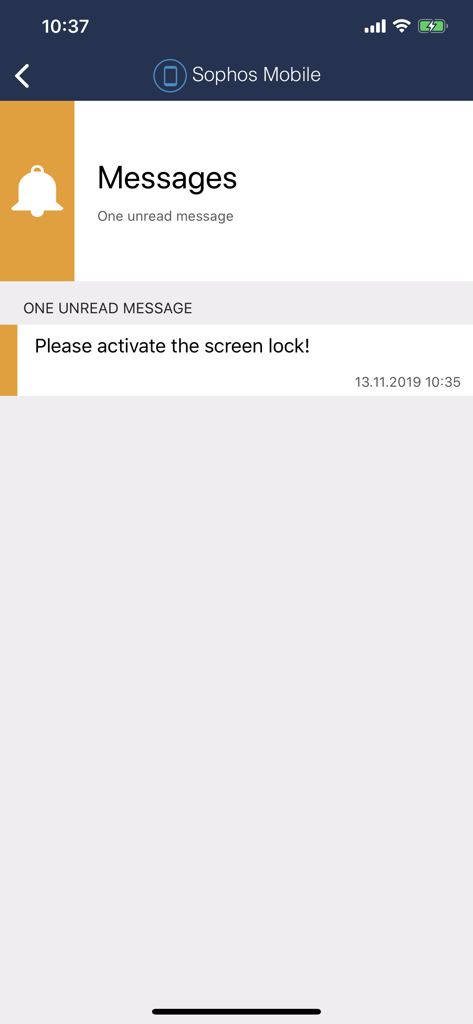
Sophos Mobile app notification to activate screen lock for security compliance
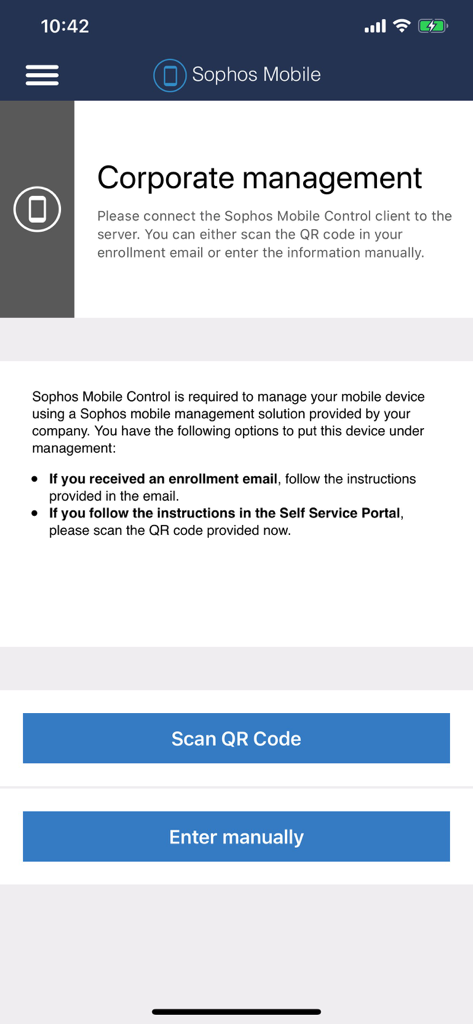
Sophos Mobile Control corporate management enrollment screen with options to scan QR code or enter data manually
Description
Download
More Like This
Top-ranked apps in the same category

Microsoft Teams
Microsoft Corporation

Zoom Workplace
Zoom Communications, Inc.

WhatsApp Business
WhatsApp Inc.

Indeed Job Search
Indeed Inc.

LinkedIn: Network & Job Finder
LinkedIn Corporation

Adobe Acrobat Reader: Sign PDF
Adobe Inc.

DingDing - Redefine Work in AI
DingTalk Technology Co., Ltd.

WeCom-Work Communication&Tools
Tencent Technology (Shenzhen) Company Limited

BOSS直聘-招聘求职找工作神器
Beijing China Product Bo Farce Network Technology Co., Ltd.
This page is not an official page of the app or its developer, but an independent editorial publication created for informational and commentary purposes. Unless expressly stated otherwise, neither the app nor its developer is affiliated with, endorsed by, sponsored by, authorized by, or otherwise officially connected with MWM, Apple, Google Play, the app publisher, or the app's developer, and nothing on this page implies that the app was developed using MWM's services. Any trademarks, logos, screenshots, and other content remain the property of their respective owners.