
This page is not an official page of the app or its developer, but an independent editorial publication created for informational and commentary purposes. Unless expressly stated otherwise, neither the app nor its developer is affiliated with, endorsed by, sponsored by, authorized by, or otherwise officially connected with MWM, Apple, Google Play, the app publisher, or the app's developer, and nothing on this page implies that the app was developed using MWM's services. Any trademarks, logos, screenshots, and other content remain the property of their respective owners.

SoundPad Pro Max
The ultimate iPad soundboard for AV techs, podcasters, and performers. Manage 150+ cues with pro-grade fades, gapless loops, and rock-solid wireless speaker reliability.
Downloads
1K+User Rating
Total Ratings
0Publisher
Category
MusicLocales
2Latest Version
1.5.7Size
71.2 MBFirst Released
Feb 14, 2021Pro-Level Sound Management for Live Performance
Transform your iPad into a powerful digital soundboard with precision playback, cloud syncing, and rock-solid reliability for events, podcasts, and theater.
Zero-Latency Reliability
Eliminate 'dead air' with our exclusive KeepAlive technology that prevents wireless speakers from entering sleep mode, ensuring every cue hits instantly.
Seamless Cloud Workflow
Import your high-quality WAV library instantly from iCloud Drive or Dropbox, allowing you to prep your show on a desktop and perform on your iPad.
The following screenshots and description are sourced directly from the app's official store listing and are the property of the app developer.
App Store
Screenshots
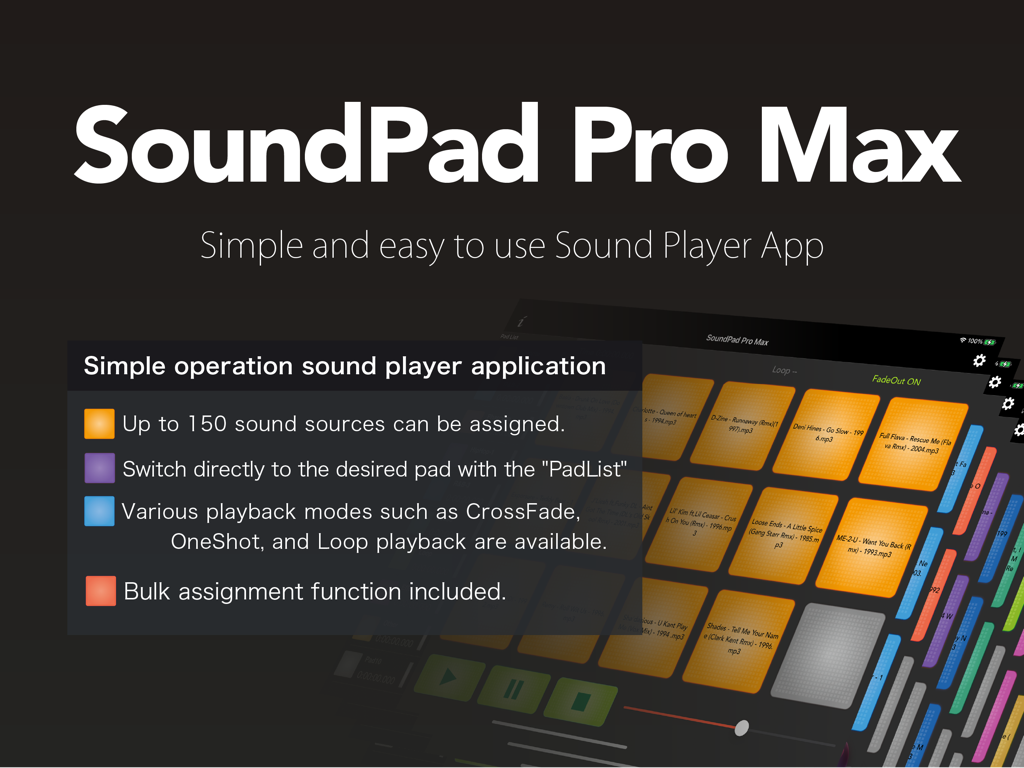
Interface of the SoundPad Pro Max app on iPad displaying a grid of sound pads and key features
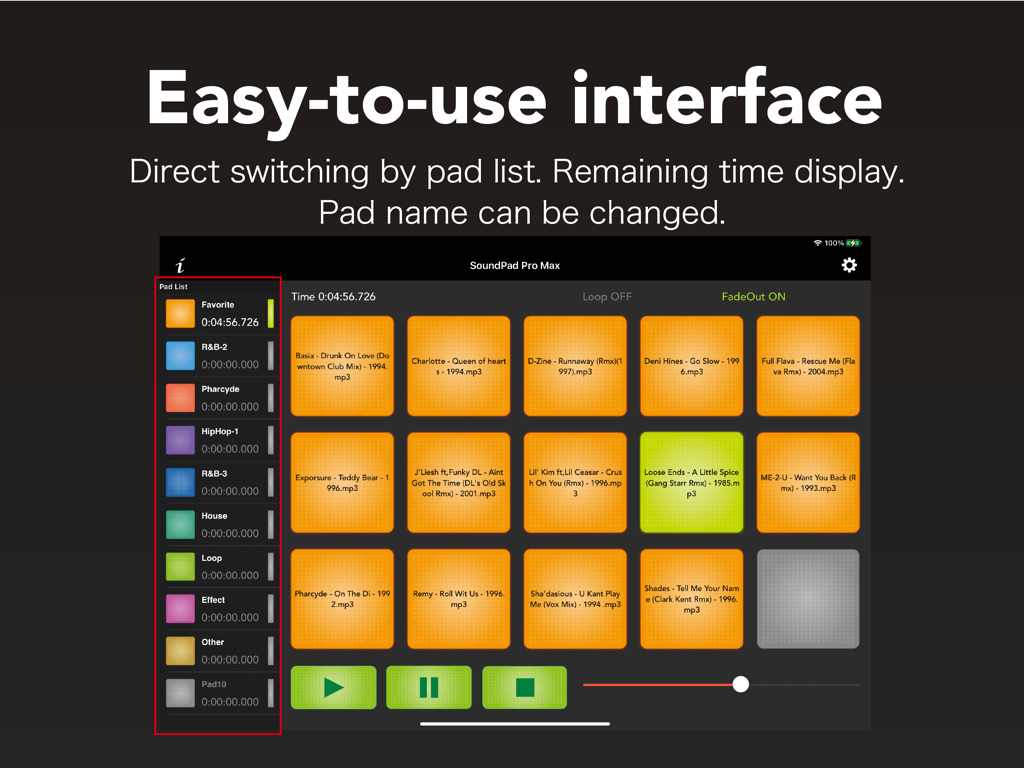
SoundPad Pro Max app interface showing a grid of sound pads and categories on an iPad
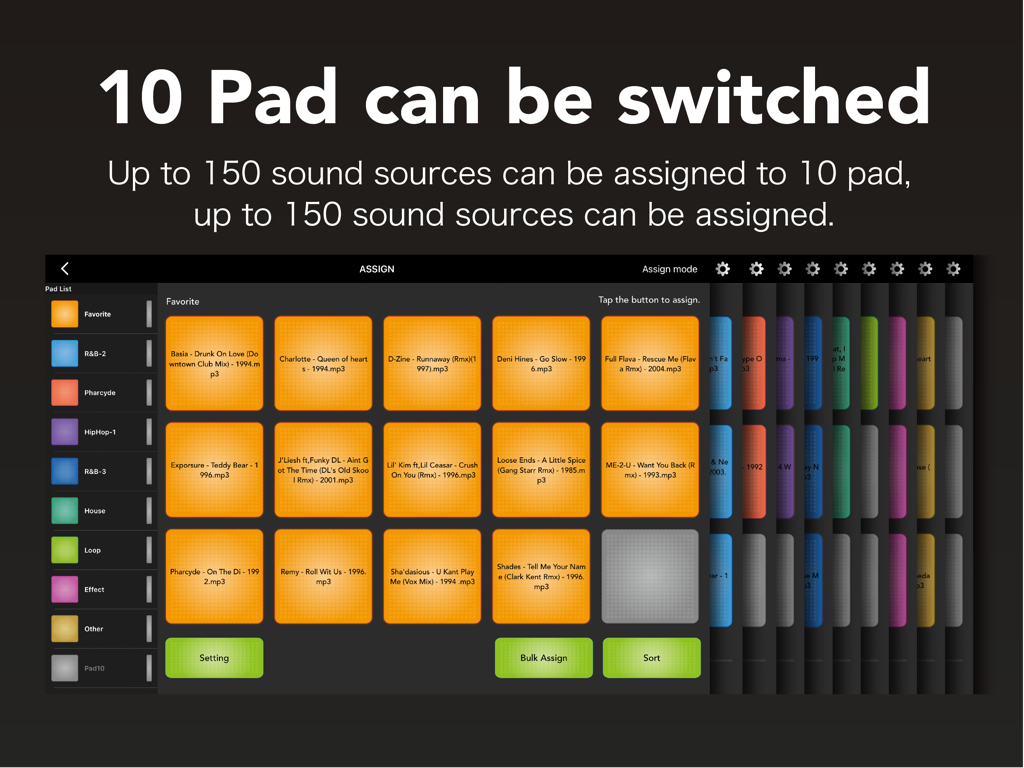
Professional soundboard interface with switchable pads and audio file assignments on iPad
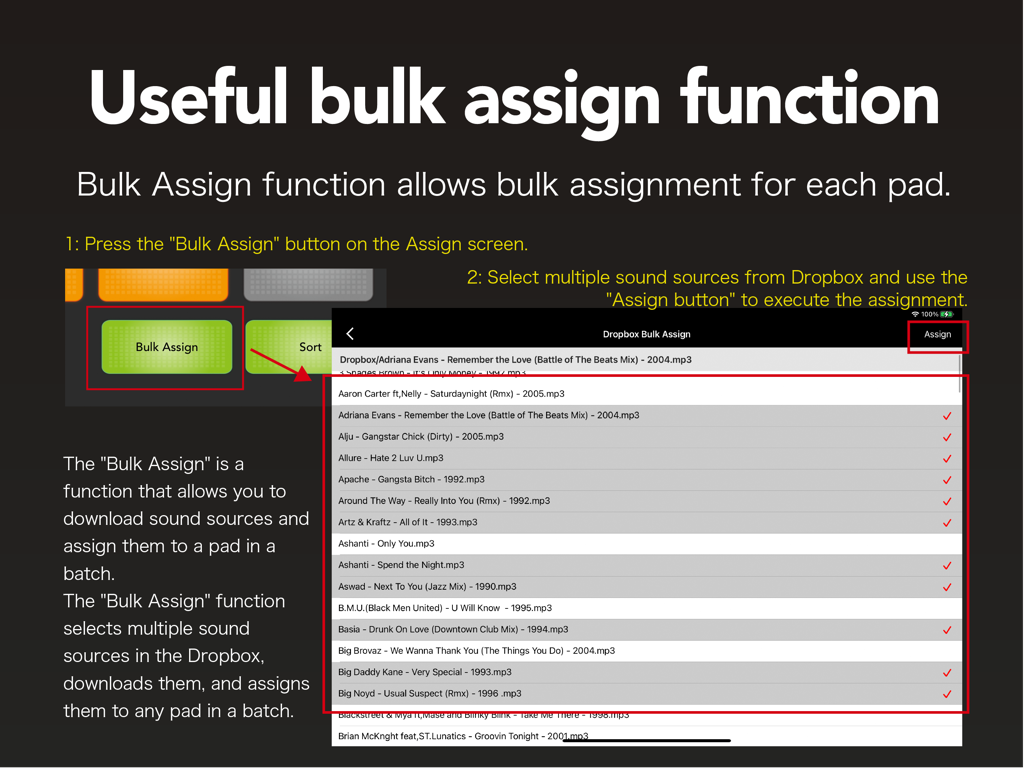
A tutorial screen explaining the bulk assign function for importing multiple audio files from Dropbox into the SoundPad Pro Max app.
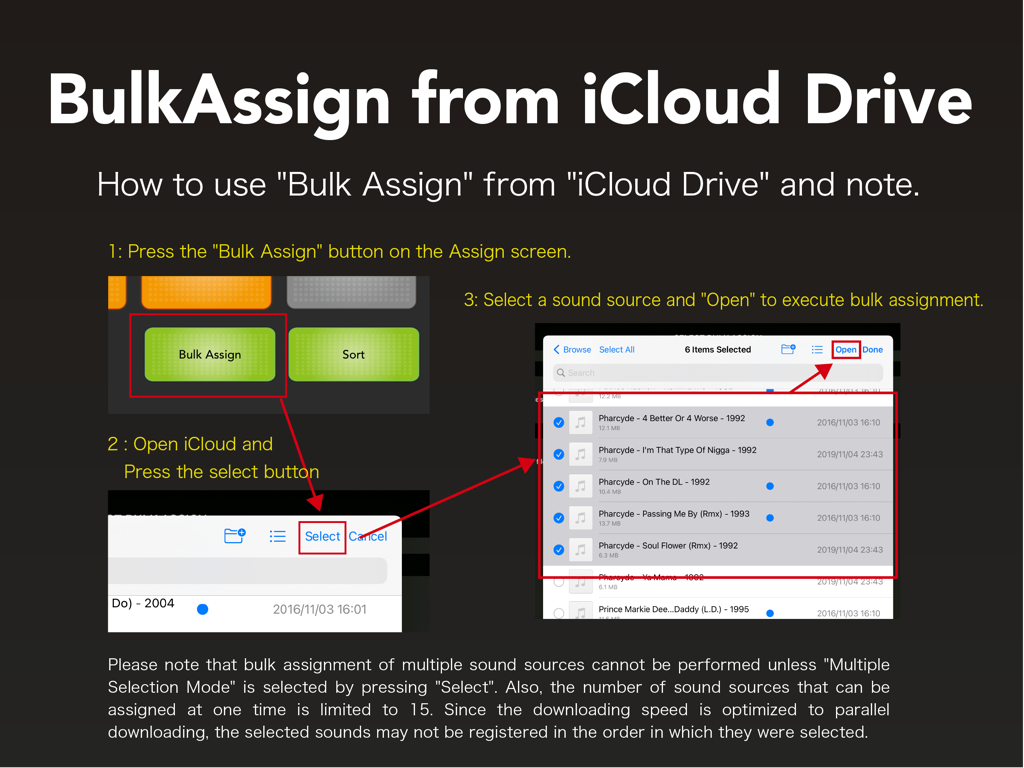
Instructional screen for bulk assigning audio sources from iCloud Drive in SoundPad Pro Max.
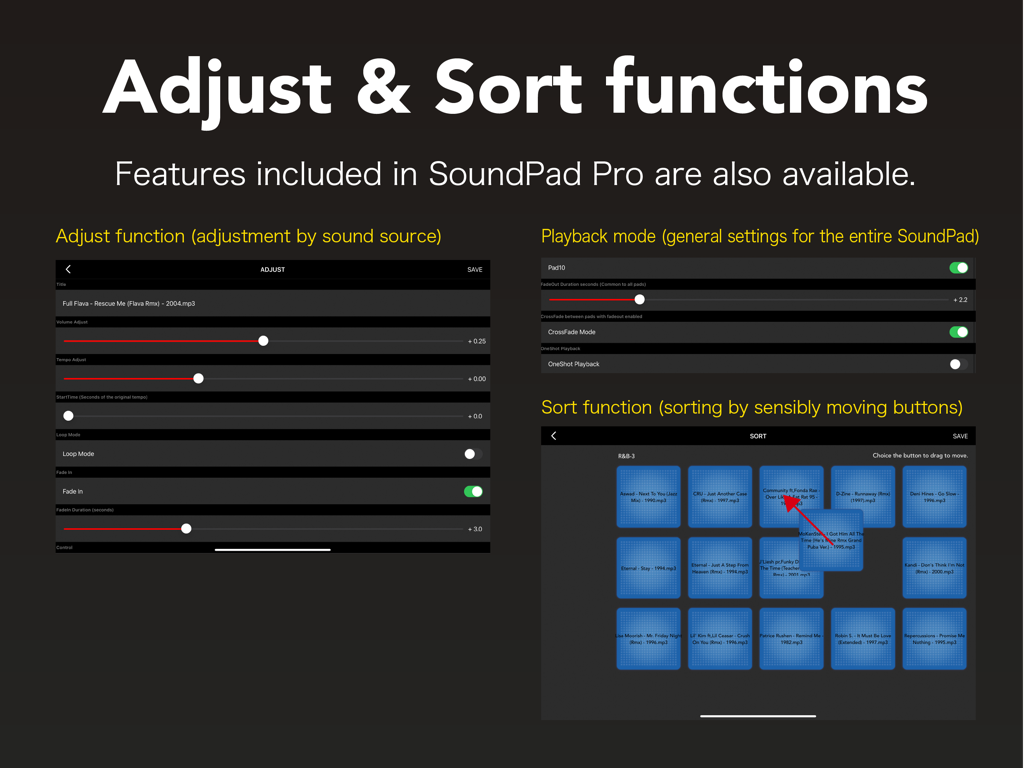
Interface of SoundPad Pro Max showing sliders for sound adjustment and a grid for sorting pads.
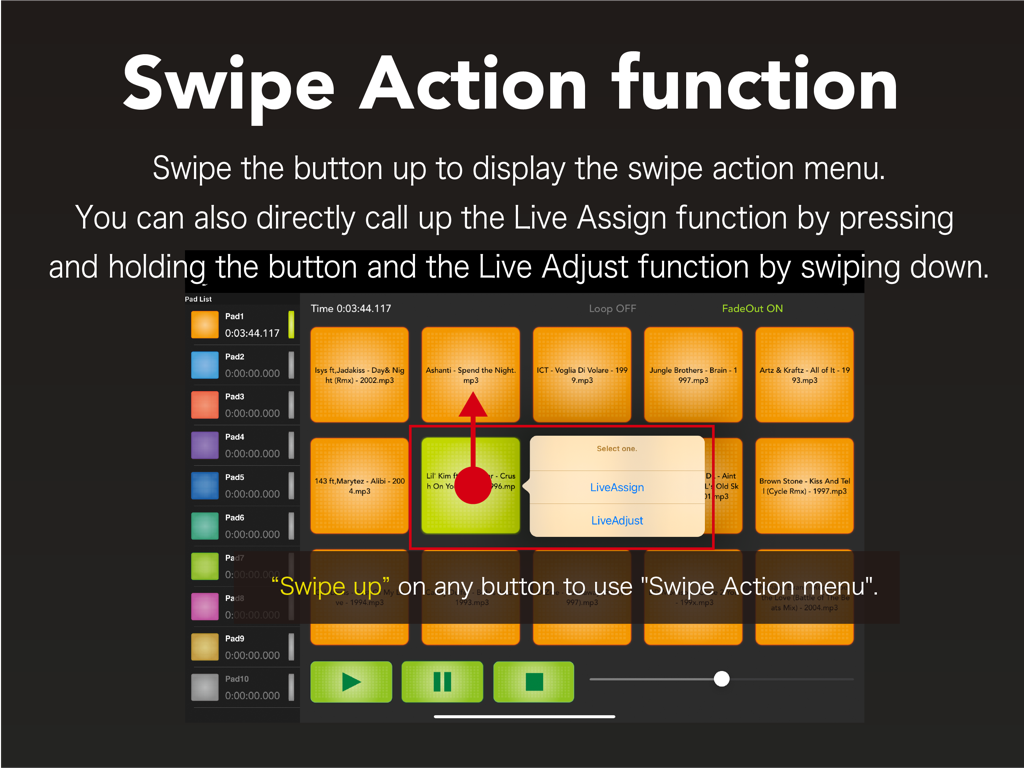
iPad interface of SoundPad Pro Max demonstrating the swipe up gesture on a sound pad to open the Swipe Action menu with options for LiveAssign and LiveAdjust.
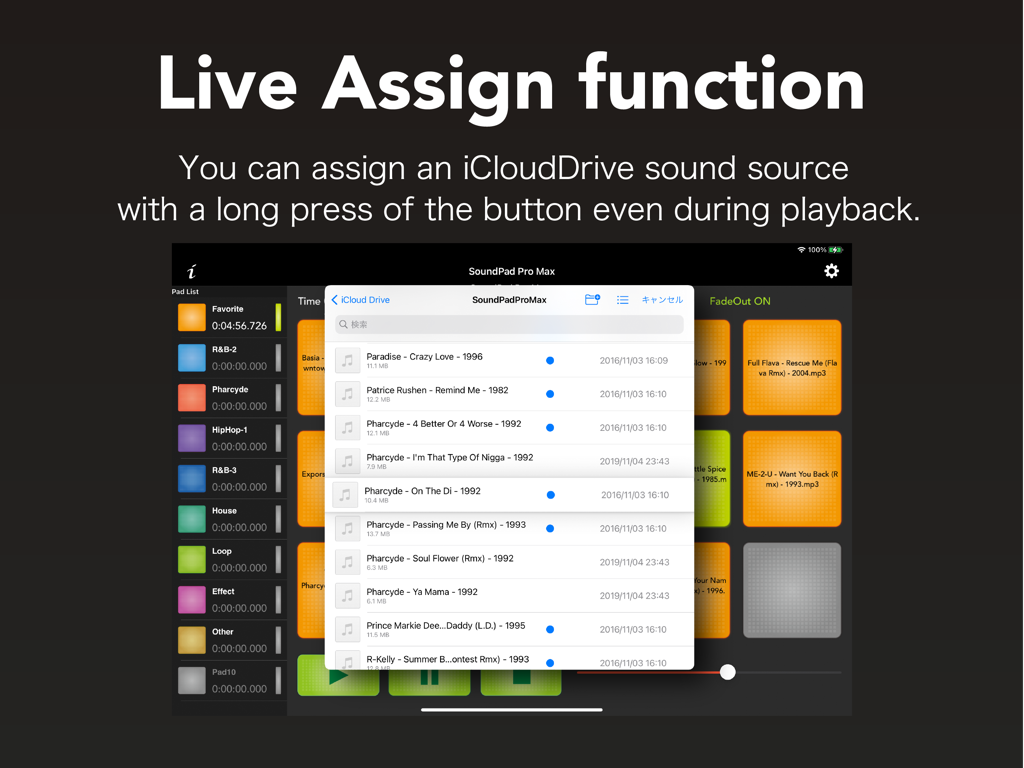
iPad interface of SoundPad Pro Max demonstrating the live assign function to import audio files from iCloud Drive.
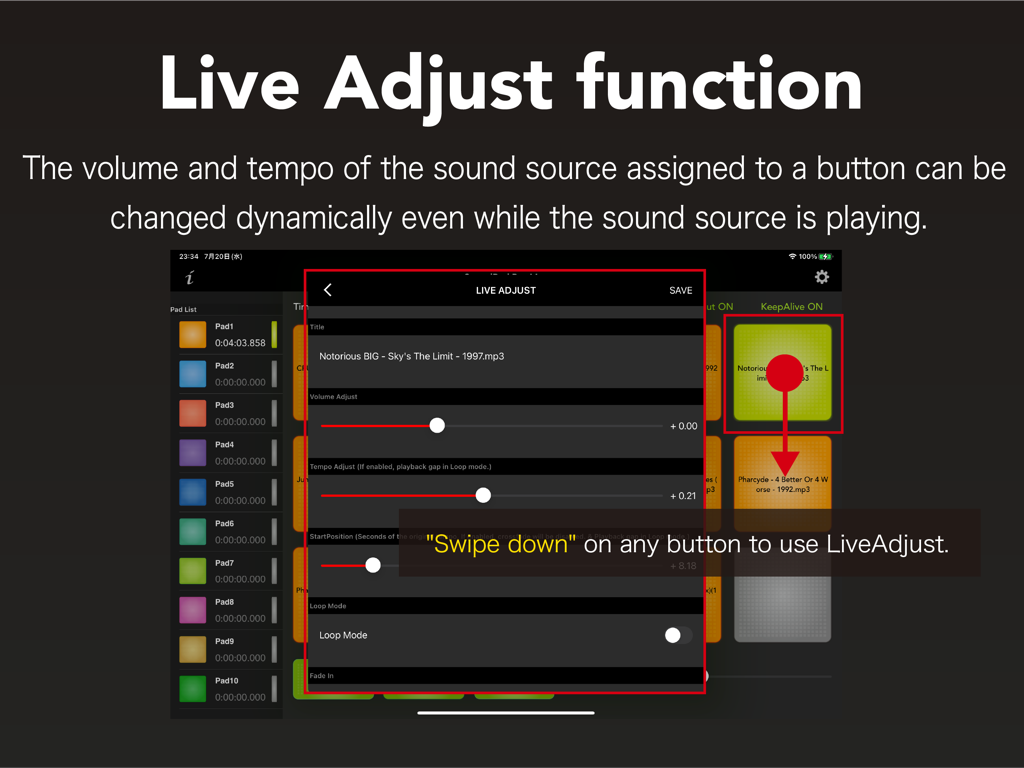
SoundPad Pro Max Live Adjust interface showing volume and tempo sliders for real-time audio control.
SoundPad Pro Max splash screen with colorful sound trigger pads
Description
Download
More Like This
Top-ranked apps in the same category

Spotify: Music and Podcasts
Spotify

YouTube Music
Google LLC

Shazam: Find Music & Concerts
Apple Inc.

SoundCloud: The Music You Love
SoundCloud Global Limited & Co KG

Suno - AI Songs & Music
Suno Inc.

QQ音乐 - 听我想听
Tencent Technology (Shenzhen) Company Limited

Audiomack - Play Music Offline
Audiomack, Inc.

GuitarTuna: Tune & Play Guitar
Yousician Ltd

BandLab – Music Maker & Beats
BandLab Singapore Pte Ltd
This page is not an official page of the app or its developer, but an independent editorial publication created for informational and commentary purposes. Unless expressly stated otherwise, neither the app nor its developer is affiliated with, endorsed by, sponsored by, authorized by, or otherwise officially connected with MWM, Apple, Google Play, the app publisher, or the app's developer, and nothing on this page implies that the app was developed using MWM's services. Any trademarks, logos, screenshots, and other content remain the property of their respective owners.