
This page is not an official page of the app or its developer, but an independent editorial publication created for informational and commentary purposes. Unless expressly stated otherwise, neither the app nor its developer is affiliated with, endorsed by, sponsored by, authorized by, or otherwise officially connected with MWM, Apple, Google Play, the app publisher, or the app's developer, and nothing on this page implies that the app was developed using MWM's services. Any trademarks, logos, screenshots, and other content remain the property of their respective owners.


SpareBank 1 Mobilbank
Take full control of your accounts, loans, and insurance policies in one secure dashboard. Experience a smarter way to manage your finances on the go with seamless BankID integration and Apple Watch support.
Downloads
1M+User Rating
Total Ratings
268K+Publisher
Category
FinanceLocales
3Latest Version
2026.01.12Size
56.0 MBFirst Released
Sep 26, 2011Your Entire Financial Life in One App
Experience the ultimate convenience of managing banking, insurance, and real estate in a single secure platform designed for your global lifestyle.
All-In-One Dashboard
Get a complete overview of your accounts, cards, and savings integrated with your insurance policies for total financial clarity.
Elite Security & Biometrics
Access your finances with peace of mind using industry-leading BankID authentication and frictionless Face ID or Touch ID login.
Frequently Asked Questions
Everything you need to know about SpareBank 1 Mobilbank
What is the SpareBank 1 Mobilbank app for?
The SpareBank 1 Mobilbank app offers easy access to banking and insurance services. It provides full control over accounts, cards, payments, savings, loans, and insurance policies.
How do I activate and sign in to SpareBank 1 Mobilbank?
You must activate the SpareBank 1 Mobilbank app with BankID. After activation, you sign in using a self-made PIN, Face ID, or Touch ID.
Can I become a SpareBank 1 customer using the mobile app?
Yes, non-customers can easily become a SpareBank 1 customer directly through the SpareBank 1 Mobilbank application.
What financial management features does SpareBank 1 Mobilbank include?
The SpareBank 1 Mobilbank app enables users to control accounts, cards, payments, savings, loans, and insurance policies. It provides a full overview of daily finances.
Does SpareBank 1 Mobilbank offer secure payment approval methods?
Yes, the SpareBank 1 Mobilbank app allows users to approve payments securely using Face ID or a personalized PIN.
How can I transfer funds between accounts in SpareBank 1 Mobilbank?
Users can make instant transfers between their accounts within the SpareBank 1 Mobilbank app. A dedicated "Transfer" screen facilitates this process.
Does SpareBank 1 Mobilbank allow customization of notifications?
Yes, the SpareBank 1 Mobilbank app includes a settings section to manage push notifications. Users can toggle alerts for eFaktura, messages, and card transactions.
Can I change the app theme in SpareBank 1 Mobilbank?
Yes, the SpareBank 1 Mobilbank app provides an option to choose between a light and dark mode interface for user preference.
Is 24/7 support available for SpareBank 1 Mobilbank users?
Yes, SpareBank 1 Mobilbank offers 24/7 support. Users can contact customer service via the app's chatbot, social media, or the customer service center.
Can I track my spending with the SpareBank 1 Mobilbank app?
Yes, SpareBank 1 Mobilbank provides spending insights. Users access an overview of their outgoing and incoming finances, categorized into expenses like groceries and regular costs.
The following screenshots and description are sourced directly from the app's official store listing and are the property of the app developer.
App Store
Screenshots
Illustration of a user interacting with various financial services in the SpareBank 1 Mobilbank app
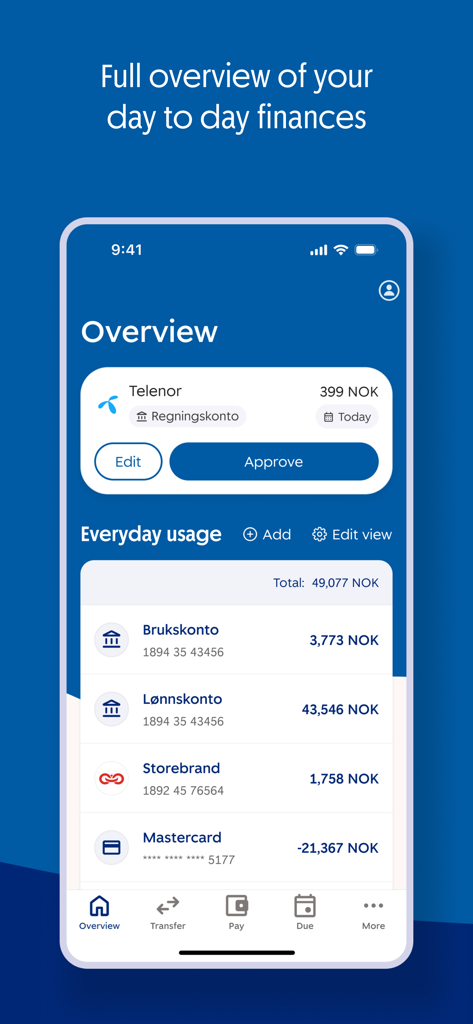
Mobile app interface showing a financial overview with account balances and a bill approval button
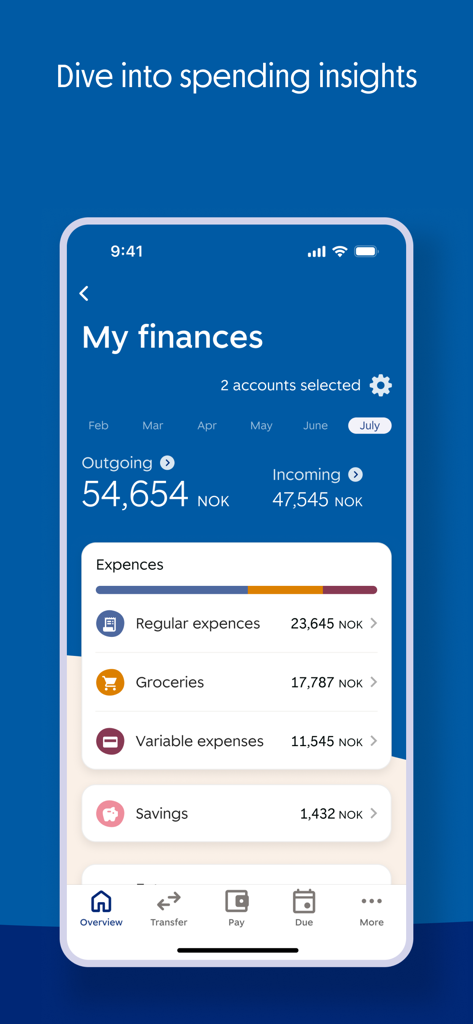
SpareBank 1 Mobilbank spending insights screen displaying monthly expenses and income
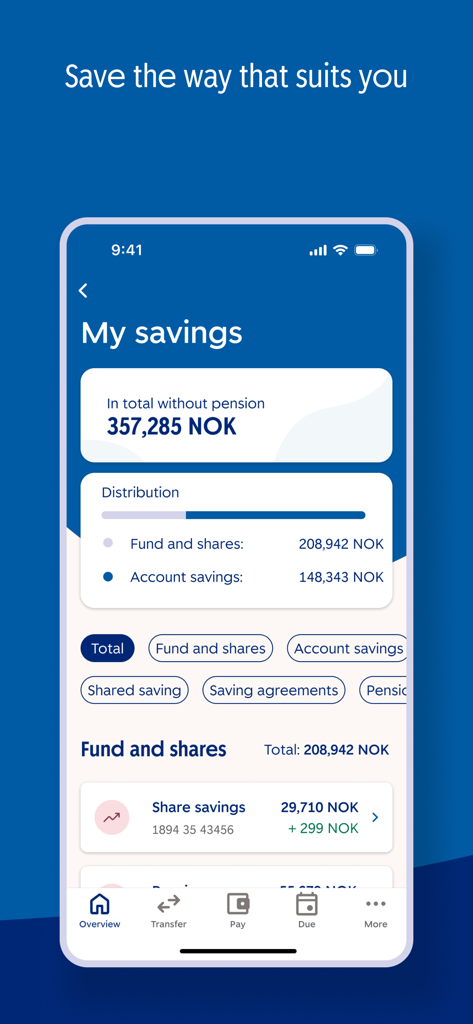
Interface of the SpareBank 1 Mobilbank app showing the My Savings screen with total balance and fund distribution
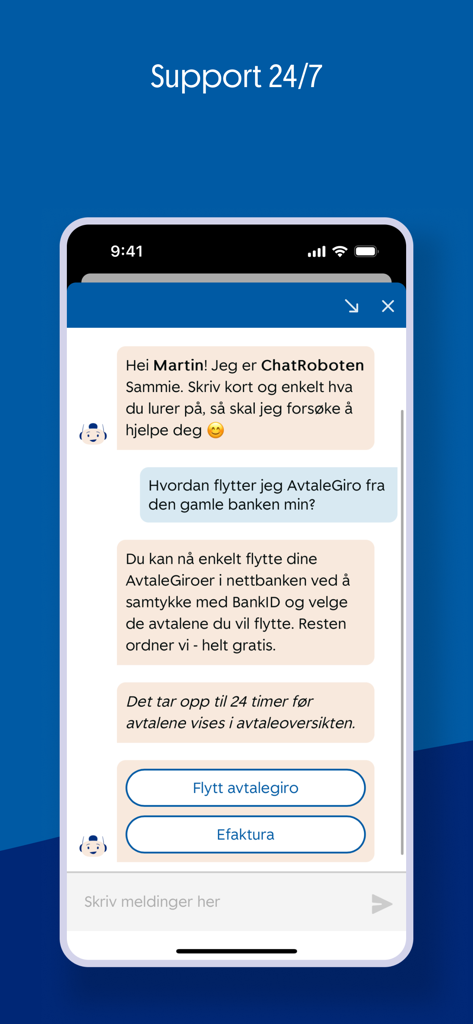
SpareBank 1 Mobilbank 24/7 support chatbot interface
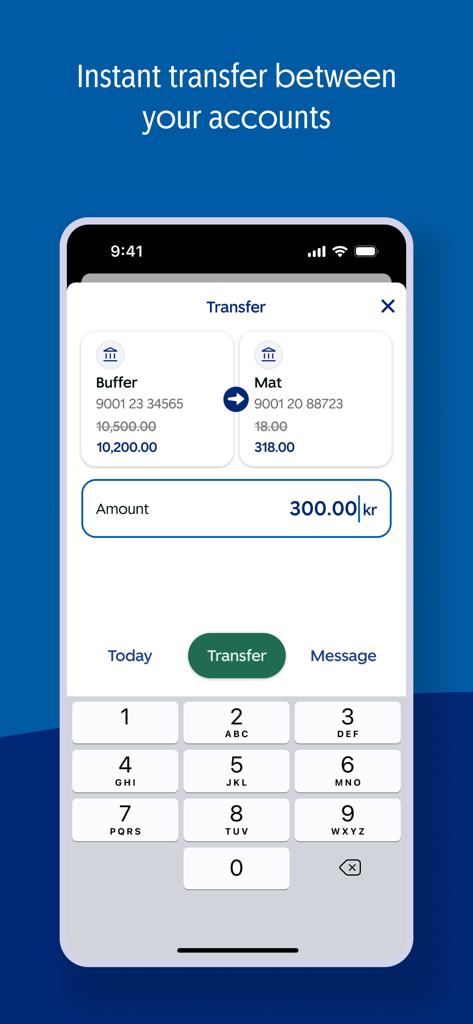
A screenshot of the SpareBank 1 Mobilbank app showing the interface for an instant money transfer between a buffer and food account
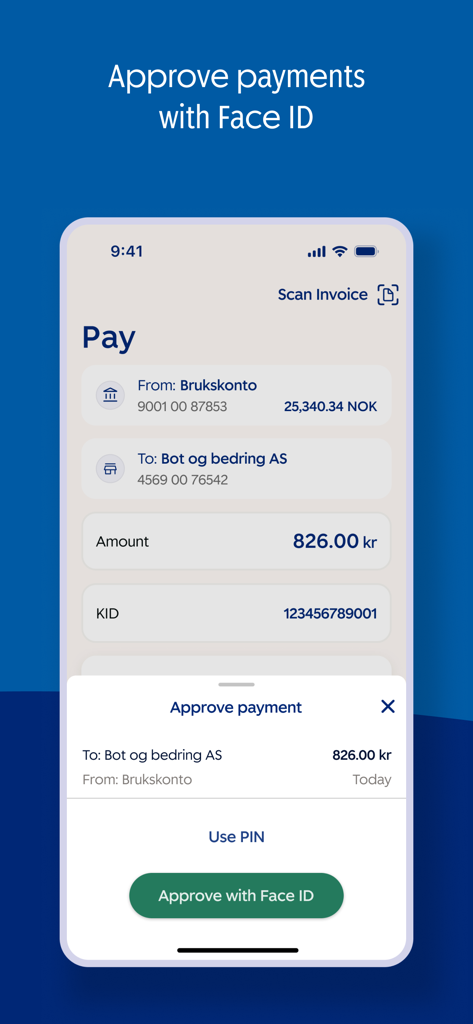
Payment approval screen in the SpareBank 1 Mobilbank app featuring Face ID biometric authentication
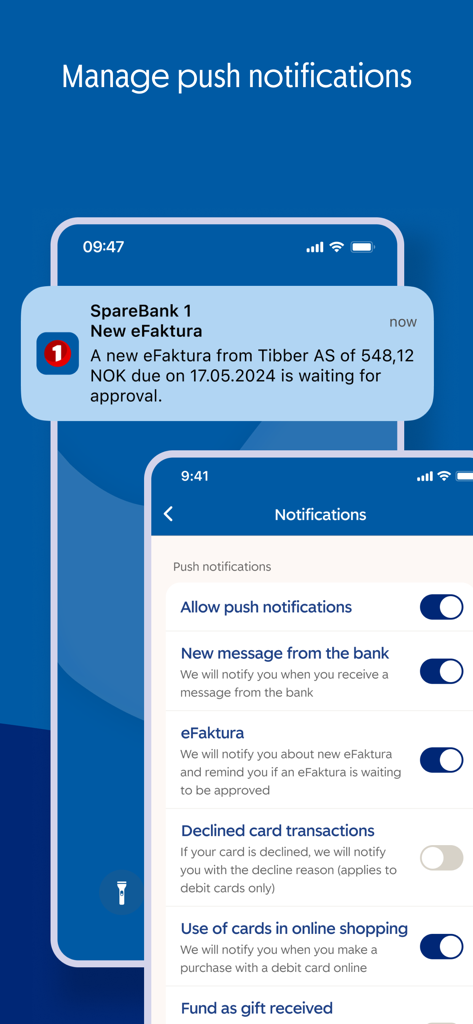
A mobile interface showing push notification settings for the SpareBank 1 app and a sample eFaktura alert on a phone lock screen
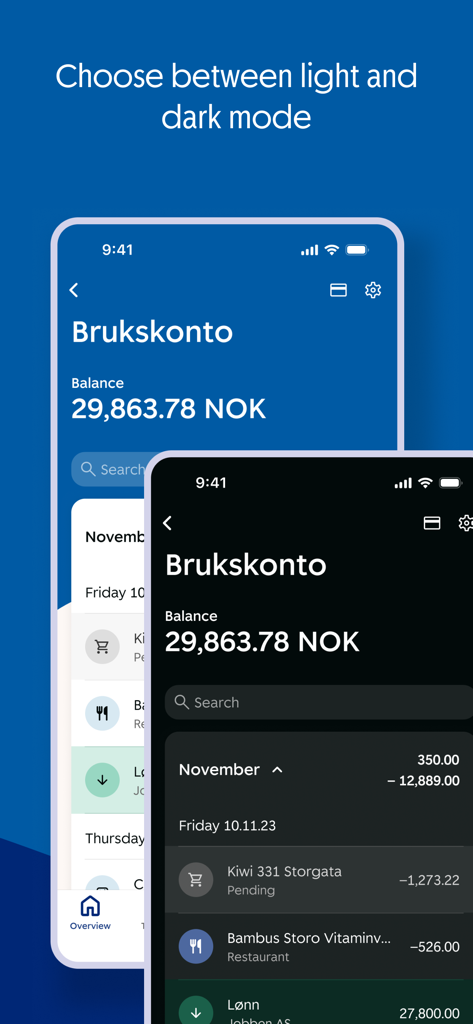
SpareBank 1 Mobilbank interface comparison between light and dark modes showing account balance and transaction history
Description
Download
More Like This
Apps with similar features and user experience

PayPal - Pay, Send, Save
PayPal, Inc.

中国农业银行
AGRICULTURAL BANK OF CHINA LIMITED

Mercado Pago: cuenta digital
MercadoLibre S.A.

中国工商银行
Industrial and Commercial Bank of China

Revolut: Send, spend and save
Revolut Ltd

HDFC Bank App (Early Access)
HDFC Bank Ltd

Zalopay - Quét Mọi QR
ZION JOINT STOCK COMPANY

Cash App
Block, Inc.

招商银行
CHINA MERCHANTS BANK CO.,LTD.
This page is not an official page of the app or its developer, but an independent editorial publication created for informational and commentary purposes. Unless expressly stated otherwise, neither the app nor its developer is affiliated with, endorsed by, sponsored by, authorized by, or otherwise officially connected with MWM, Apple, Google Play, the app publisher, or the app's developer, and nothing on this page implies that the app was developed using MWM's services. Any trademarks, logos, screenshots, and other content remain the property of their respective owners.