
This page is not an official page of the app or its developer, but an independent editorial publication created for informational and commentary purposes. Unless expressly stated otherwise, neither the app nor its developer is affiliated with, endorsed by, sponsored by, authorized by, or otherwise officially connected with MWM, Apple, Google Play, the app publisher, or the app's developer, and nothing on this page implies that the app was developed using MWM's services. Any trademarks, logos, screenshots, and other content remain the property of their respective owners.

Speech Jammer
Put on your headphones and try to talk while your own voice trips you up. Tackle tongue twisters, record the hilarious fails, and share the 'brain glitch' with your friends.
Downloads
1M+User Rating
Total Ratings
100Publisher
Category
EntertainmentLocales
2Latest Version
5.1.7Size
14.2 MBFirst Released
Feb 3, 2013Challenge Your Friends to the Ultimate Brain Glitch
Speech Jammer turns simple conversations into hilarious fails using Delayed Auditory Feedback. Perfect for parties, hangouts, and creating viral content with just your headphones.
Adjustable Speech Jamming
Fine-tune the delay to find the exact millisecond that triggers a total brain glitch, making it impossible to finish a sentence.
Record & Go Viral
Capture the funniest stutters and speech fails directly in the app to share instantly on TikTok, Reels, or with your group chat.
Frequently Asked Questions
Everything you need to know about Speech Jammer
What is the Speech Jammer app?
The Speech Jammer app echoes your voice back with an adjustable delay. This effect, known as Delayed Auditory Feedback (DAF), makes talking difficult or impossible. It provides a humorous experience by impairing speech.
How does Speech Jammer impair speech?
Speech Jammer impairs speech by echoing the user's voice back with an adjustable delay. This Delayed Auditory Feedback (DAF) disrupts the natural speaking process, making spontaneous and continuous talking challenging.
Does Speech Jammer allow recording sessions?
Yes, Speech Jammer allows users to record their jamming sessions. These recordings can be shared with friends via multiple platforms including iMessage, email, Facebook, Twitter, a copied link, or iTunes.
What are the sharing options for recordings in Speech Jammer?
Speech Jammer offers multiple sharing options for recordings. Users can share sessions with friends via iMessage, Text, E-Mail, Facebook, Twitter, a copied link, or through iTunes.
Can I use tongue twisters with Speech Jammer?
Yes, Speech Jammer includes a feature for tongue twisters to enhance the speech-impairing experience. This makes talking even more difficult during sessions and provides additional content.
Is Speech Jammer compatible with wireless headphones like AirPods?
Yes, Speech Jammer is compatible with wireless headphones, including Bluetooth headphones and AirPods. For optimal results and performance, wired headphones are generally recommended.
How do I adjust the delay in Speech Jammer?
Speech Jammer features an adjustable delay to impair speech effectively. Users can adjust the delay by manipulating a slider control within the app's interface to find their optimal settings.
What headphones work best with Speech Jammer?
Speech Jammer works best with noise-cancelling headphones and headphones featuring a built-in microphone. Wired headphones are specifically recommended for achieving proper results and optimal performance.
Can Speech Jammer function without any delay?
Yes, Speech Jammer can completely disable the delay feature. This allows the app to echo your voice back with almost no delay, offering a different auditory experience.
The following screenshots and description are sourced directly from the app's official store listing and are the property of the app developer.
App Store
Screenshots
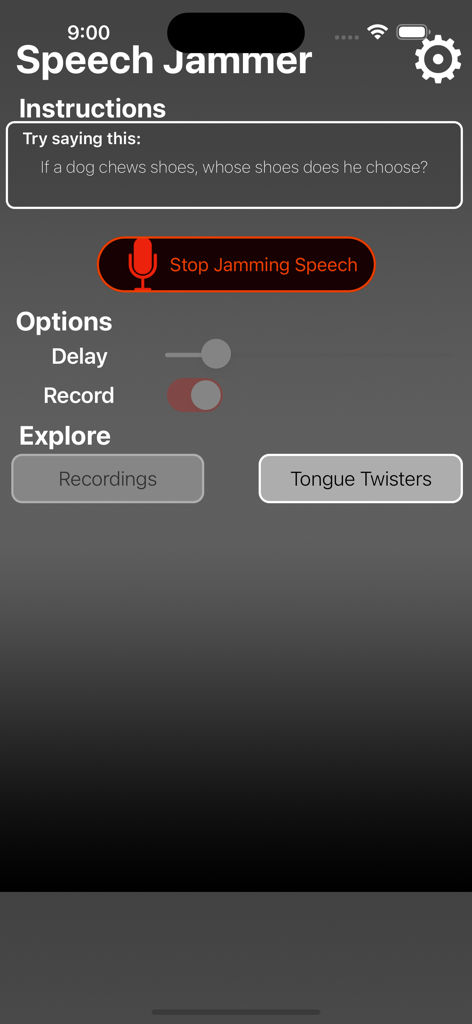
Interface of the Speech Jammer app showing a tongue twister challenge and audio delay settings.
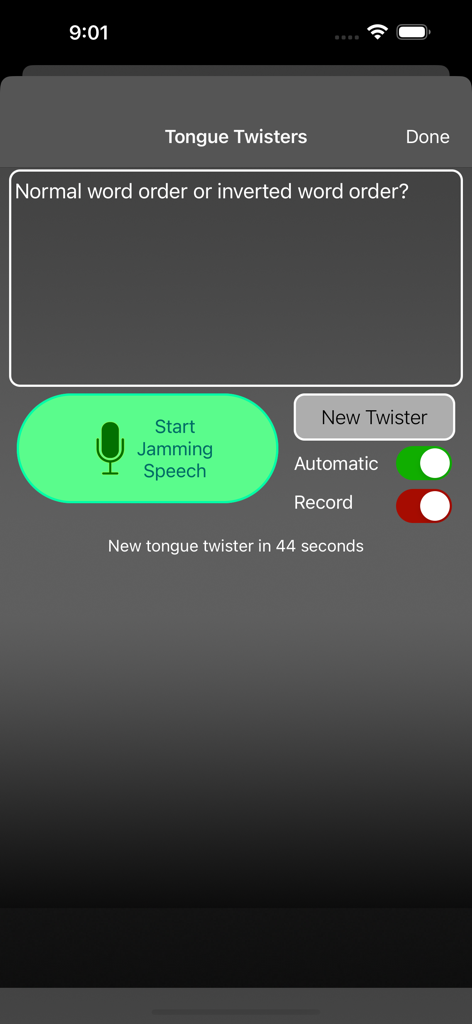
Speech Jammer app interface showing the tongue twisters challenge feature
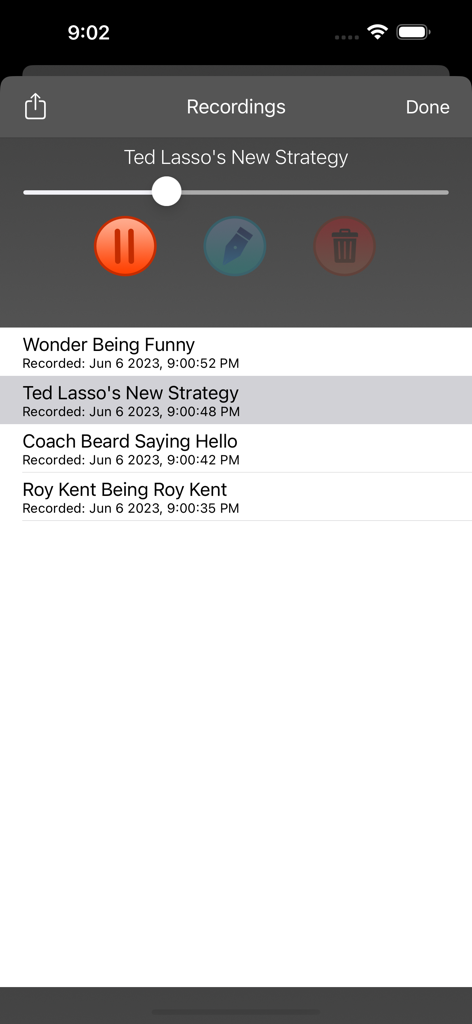
Speech Jammer app screen displaying a list of recorded voice sessions with playback and editing controls
Description
Download
More Like This
Apps with similar features and user experience

CountIt: Contador de Fiestas
ALEJANDRO FORTE BANON

你比我猜 - 聚会神器你演我猜
沃林 何

Previate Esta - Party Game
Leonardo Raffaelli

Truth or Dare *
Johan Gyldenkaerne

Football Spy
Jasper Vahldieck

PartyPal: Party Game
William Gjeruldsen

疯狂猜词(疯狂来往)-你演我猜聚会社交
Beijing Hortor Technology Co., Ltd.

Cheers - Party Games
Peter Skarheim

I Have Never: Dirty Party Game
Mykola Albert
This page is not an official page of the app or its developer, but an independent editorial publication created for informational and commentary purposes. Unless expressly stated otherwise, neither the app nor its developer is affiliated with, endorsed by, sponsored by, authorized by, or otherwise officially connected with MWM, Apple, Google Play, the app publisher, or the app's developer, and nothing on this page implies that the app was developed using MWM's services. Any trademarks, logos, screenshots, and other content remain the property of their respective owners.