
This page is not an official page of the app or its developer, but an independent editorial publication created for informational and commentary purposes. Unless expressly stated otherwise, neither the app nor its developer is affiliated with, endorsed by, sponsored by, authorized by, or otherwise officially connected with MWM, Apple, Google Play, the app publisher, or the app's developer, and nothing on this page implies that the app was developed using MWM's services. Any trademarks, logos, screenshots, and other content remain the property of their respective owners.

Speed Reading Books App
Stop struggling with overwhelming blocks of text. Transform any book into an effortless, eye-friendly reading stream that helps you absorb knowledge faster without the fatigue or eye strain.
Downloads
400User Rating
Total Ratings
0Publisher
Category
BooksLocales
1Latest Version
1.3.1Size
41.7 MBFirst Released
Oct 15, 2024Master Your Reading List in Half the Time
Stop letting books gather dust. Our advanced RSVP technology and smart scanning help you finish your To-Be-Read pile with zero eye strain and total focus.
Effortless Flow Reading
Eliminate eye fatigue by focusing on a single spot. Words flow at your chosen pace, allowing you to process text faster without the physical strain of scanning lines.
Instant Book Digitization
Breathe life into your physical library. Use your camera to snap a photo and instantly convert printed text into a high-speed, digital reading experience.
Frequently Asked Questions
Everything you need to know about Speed Reading Books App
Does Speed Reading Books App reduce eye strain during reading?
Yes, Speed Reading Books App significantly reduces eye strain. Its "one-spot" reading style means users do not need to move their eyes, preventing fatigue associated with following text or extensive scrolling.
Can Speed Reading Books App convert printed text into digital format?
Yes, the Speed Reading Books App offers automatic text recognition. Users can snap a picture of any printed text using their phone's camera, and the app instantly converts it into a clean, readable digital format.
Is Speed Reading Books App secure for my personal data?
Yes, Speed Reading Books App ensures total privacy for user data. All processing of images and text occurs locally on the device, meaning personal content never leaves the device or flows over the network.
What languages does Speed Reading Books App support?
Speed Reading Books App supports multiple languages. It recognizes and segments text based on the iPhone’s system language settings, accommodating various languages like English, Spanish, and Japanese for diverse users.
How does Speed Reading Books App help me read faster?
The Speed Reading Books App uses a unique one-spot reading method, allowing text to flow at an adjustable speed without eye movement. This eliminates scrolling and page flipping, making reading effortless and faster.
Can I adjust the reading speed in Speed Reading Books App?
Yes, users can adjust the reading speed in Speed Reading Books App. The auto-reading mode allows speed adjustments in precise increments of 0.1 seconds, enabling a personalized pace for each user.
How does Speed Reading Books App handle complicated sentences?
Speed Reading Books App utilizes smart word segmentation. It automatically breaks down text into meaningful, easy-to-read word groups, enabling users to process and understand content faster without getting stuck on complex sentences.
The following screenshots and description are sourced directly from the app's official store listing and are the property of the app developer.
App Store
Screenshots
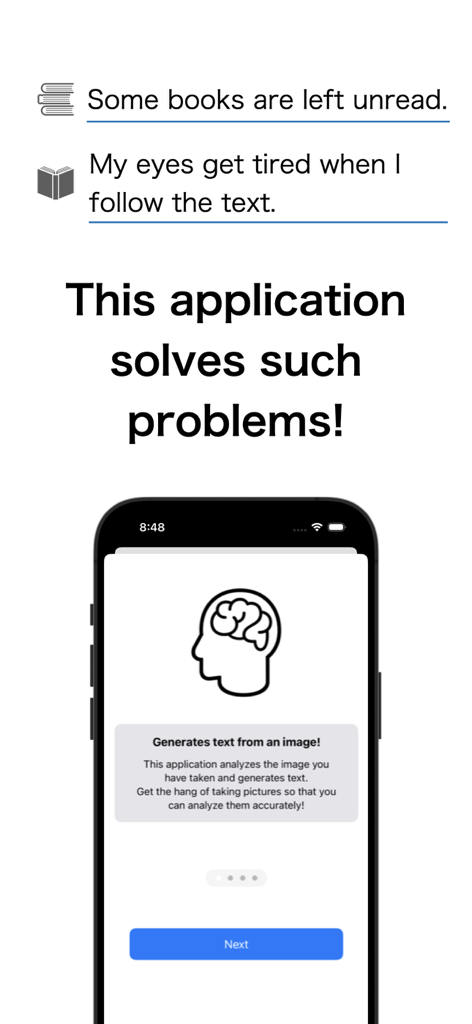
A mobile app screen describing how it solves unread books and eye strain problems using text generation from images.
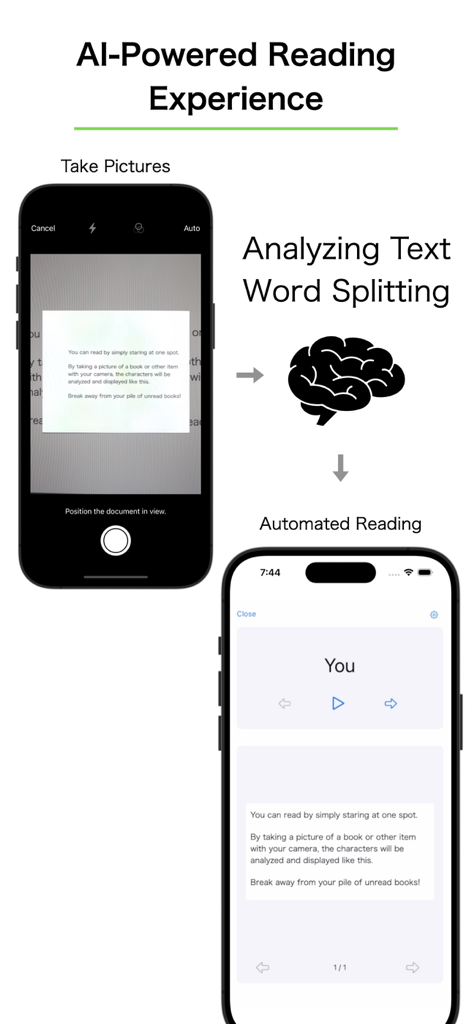
A diagram of the AI powered speed reading app workflow from image capture to text presentation.
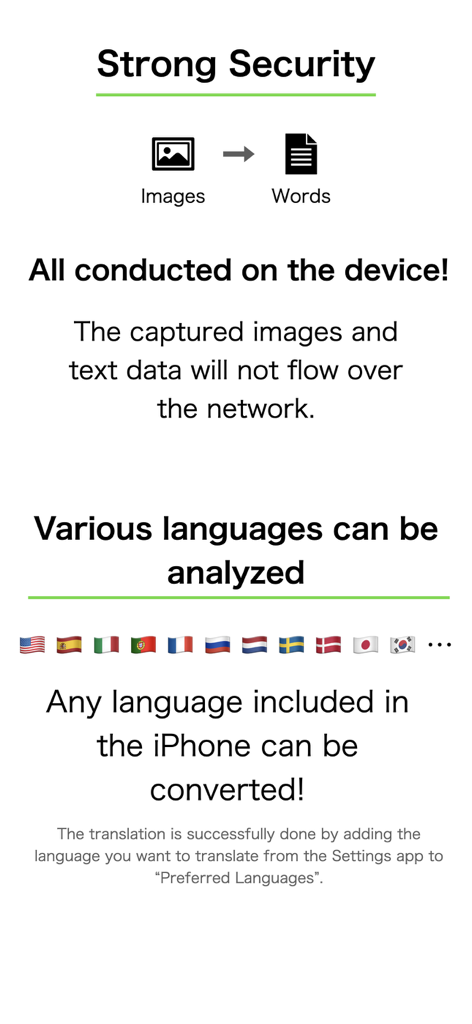
Graphic showing on-device data security and support for multiple international languages
Description
Download
More Like This
Top-ranked apps in the same category

Amazon Kindle
AMZN Mobile LLC

Audible: Audiobooks & Podcasts
Audible, Inc.

七猫小说-看小说电子书的阅读神器
Shanghai Seven-Cat Culture Media Co.,Ltd.

QQ阅读
Shenzhen Tencent Computer Systems Company Limited

Wattpad - Read & Write Stories
Wattpad Corp

Libby, the library app
OverDrive, Inc.

微信读书
Tencent Technology (Shenzhen) Company Limited

起点读书-看小说听书的阅读神器
Shanghai Xuan Ting Entertainment Information & technology CO.,LTD

Goodreads: Book Reviews
Goodreads, Inc
This page is not an official page of the app or its developer, but an independent editorial publication created for informational and commentary purposes. Unless expressly stated otherwise, neither the app nor its developer is affiliated with, endorsed by, sponsored by, authorized by, or otherwise officially connected with MWM, Apple, Google Play, the app publisher, or the app's developer, and nothing on this page implies that the app was developed using MWM's services. Any trademarks, logos, screenshots, and other content remain the property of their respective owners.