
This page is not an official page of the app or its developer, but an independent editorial publication created for informational and commentary purposes. Unless expressly stated otherwise, neither the app nor its developer is affiliated with, endorsed by, sponsored by, authorized by, or otherwise officially connected with MWM, Apple, Google Play, the app publisher, or the app's developer, and nothing on this page implies that the app was developed using MWM's services. Any trademarks, logos, screenshots, and other content remain the property of their respective owners.


Steam Link
No longer tethered. This app turns your iOS device into a portal for your existing PC game library.
Downloads
5M+User Rating
Total Ratings
12.0KPublisher
Category
GamesLocales
27Latest Version
1.3.25Size
54.9 MBFirst Released
May 16, 2019An analysis of key features enabling high-fidelity PC game streaming on iOS devices.
Steam Link: Bridging Desktop Gaming to Mobile
Extended PC Gaming Accessibility
The app provides the capability to stream a user's entire desktop PC game library directly to their iPhone or iPad, transforming mobile devices into portable extensions of their high-fidelity gaming setup within the home network.
Seamless Local Network Integration
This tool features robust integration with the user's local network, enabling low-latency, high-quality streaming of PC games from their computer to their iOS device for a responsive gaming experience.
Comprehensive Controller Compatibility
It allows users to pair MFI and Steam Controllers directly with their iOS device, ensuring traditional and precise control inputs essential for a true PC gaming experience on a mobile screen.
Optimized Performance Guidance
The app provides clear recommendations for network configuration, such as using Ethernet for the host PC and a 5GHz Wi-Fi band for the iOS device, to maximize streaming quality and minimize input lag.
Frequently Asked Questions
Everything you need to know about Steam Link
What is the Steam Link app?
The Steam Link app streams desktop Steam games to an iPhone or iPad. It requires a computer running Steam and an iOS device on the same local network.
Can I play my PC Steam games on my iPhone with Steam Link?
Yes, the Steam Link app allows users to play their existing PC Steam games on an iPhone or iPad by streaming them from a computer running Steam.
What are the requirements to use the Steam Link app on iOS?
To use the Steam Link app, an iPhone or iPad with iOS 11.0 or higher is needed. A computer running Steam (Windows, Mac, or Linux) and a shared local network are also required.
Does the Steam Link app support game controllers?
Yes, the Steam Link app supports MFI or Steam controllers. Users must pair a compatible controller to their iOS device to play games.
How do I connect the Steam Link app to my computer?
Users connect the Steam Link app by ensuring their iOS device and computer running Steam are on the same local network. The app then scans for available computers.
How can I get the best performance from Steam Link?
For optimal Steam Link performance, connect your computer via Ethernet to a 5GHz WiFi router. Your iOS device should also connect to the 5GHz band within reasonable router range.
The following screenshots and description are sourced directly from the app's official store listing and are the property of the app developer.
App Store
Screenshots

This screen highlights the app's readiness to stream, showing users the quick setup status with checks for 'Home' network and 'Good Connection' before they hit 'Start Playing'.
Seamless Setup
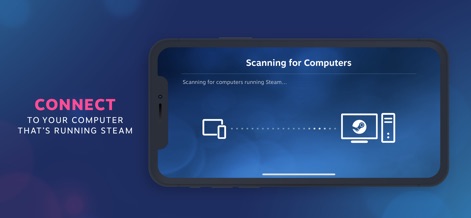
This visual illustrates the streamlined computer detection process, showing the iOS device actively 'Scanning for Computers' and the clear diagram representing the connection to the 'Steam-running computer'.
Network Discovery
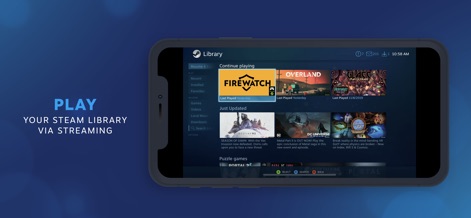
Users can explore their extensive Steam game library directly on their iOS device, featuring options to 'Resume playing' favorite titles and a clear display of the 'Just Updated' game section.
Your Library, Anywhere
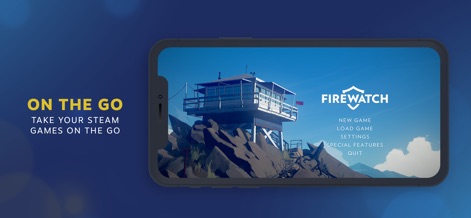
This screenshot confirms the high-fidelity streaming experience, displaying a PC game's full title screen, like 'Firewatch', complete with its original 'New Game' and 'Settings' menu options.
Immersive Gameplay
Description
Download
More Like This
Top-ranked apps in the same category

Block Blast!
ARETIS LIMITED

Heartopia
XD Entertainment Co., Ltd.

Solitaire Associations Journey
Hitapps Games LTD

Roblox
Roblox Corporation

Gossip Harbor®: Merge & Story
Microfun Limited

Arrows – Puzzle Escape
Lessmore UG haftungsbeschraenkt

Township
PLR Worldwide Sales Limited

Last War:Survival
FUNFLY PTE. LTD.

Vita Mahjong
VITA STUDIO PTE. LTD.
This page is not an official page of the app or its developer, but an independent editorial publication created for informational and commentary purposes. Unless expressly stated otherwise, neither the app nor its developer is affiliated with, endorsed by, sponsored by, authorized by, or otherwise officially connected with MWM, Apple, Google Play, the app publisher, or the app's developer, and nothing on this page implies that the app was developed using MWM's services. Any trademarks, logos, screenshots, and other content remain the property of their respective owners.