Steelpan App PRO V2
Steelpan App PRO V2
Download on App Store

This page is not an official page of the app or its developer, but an independent editorial publication created for informational and commentary purposes. Unless expressly stated otherwise, neither the app nor its developer is affiliated with, endorsed by, sponsored by, authorized by, or otherwise officially connected with MWM, Apple, Google Play, the app publisher, or the app's developer, and nothing on this page implies that the app was developed using MWM's services. Any trademarks, logos, screenshots, and other content remain the property of their respective owners.

Logo of Steelpan App PRO V2
Download on App Store

Steelpan App PRO V2

Unlock professional-grade learning with the Steelpan Professor. Practice Panorama-winning arrangements, connect via MIDI, and customize your layout—from Tenor to Bass, the ultimate digital pan yard is in your pocket.

Key Figures

Downloads

3K+

User Rating

4.4/5

Total Ratings

0

Publisher

salmon cupid

Category

Music

Locales

1

Latest Version

1.0.7

Size

43.2 MB

First Released

Jan 23, 2022
Features

Master the Art of Steelpan Anywhere

Experience the world's most advanced digital steel orchestra. Designed for professionals and students, our patented technology brings the authentic sound and feel of the Caribbean to your fingertips.

Master with the Steelpan Professor

Learn legendary Panorama arrangements and any MIDI file with real-time visual guidance that shows you exactly where to play every note.

Patented Custom Pad Mapping

Personalize your layout to match your physical instrument. Our unique mapping technology allows you to program any note to any location for seamless practice.

The following screenshots and description are sourced directly from the app's official store listing and are the property of the app developer.

App Store

Screenshots
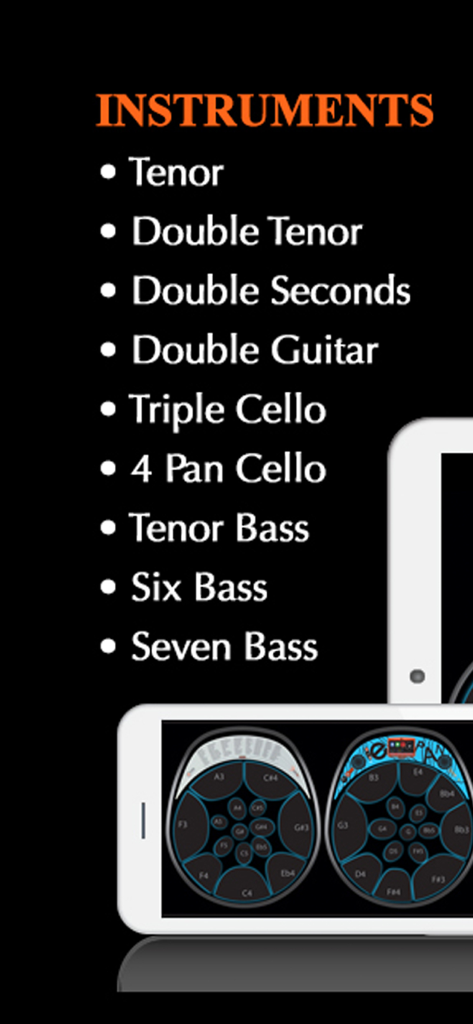
Steelpan App PRO V2 - Steelpan App PRO V2 instrument list and digital interface.
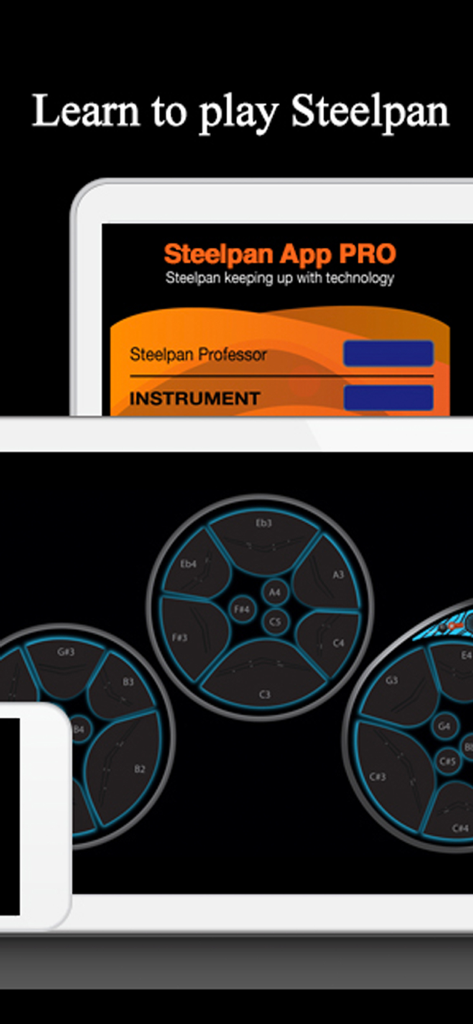
Steelpan App PRO V2 instrument list and digital interface.

Steelpan App PRO V2 - Steelpan App PRO V2 interface showing digital drum pads and musical note markings on a tablet.
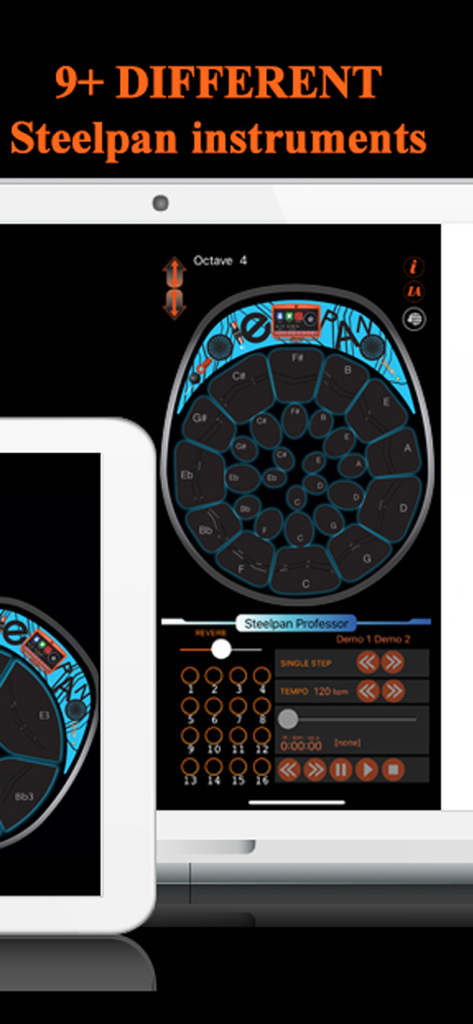
Steelpan App PRO V2 interface showing digital drum pads and musical note markings on a tablet.

Steelpan App PRO V2 - Steelpan App PRO V2 user interface displaying a virtual instrument layout and learning tools on a tablet
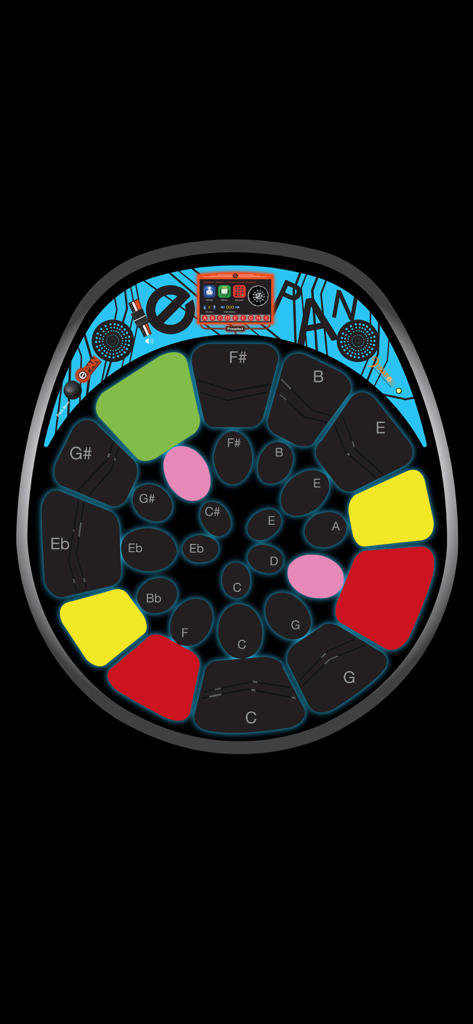
Steelpan App PRO V2 user interface displaying a virtual instrument layout and learning tools on a tablet

Steelpan App PRO V2 - Digital steelpan interface with colored pads for music learning and performance
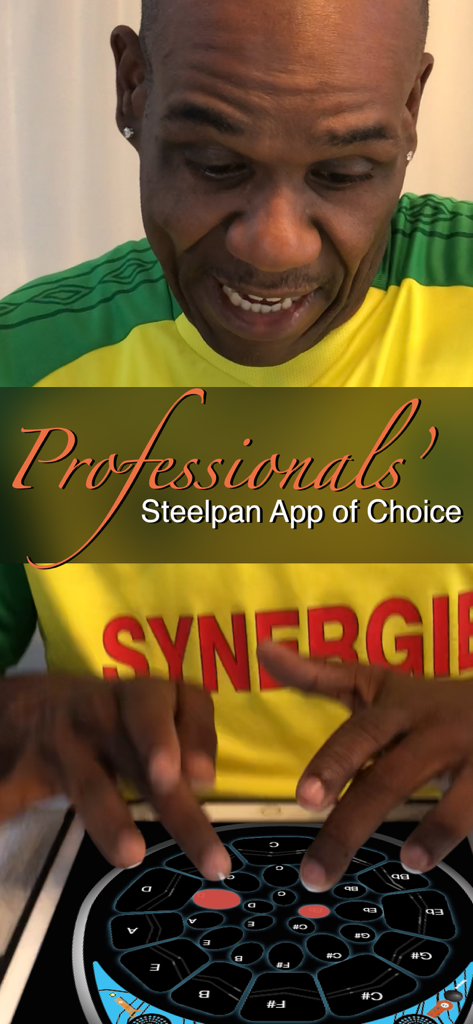
Digital steelpan interface with colored pads for music learning and performance

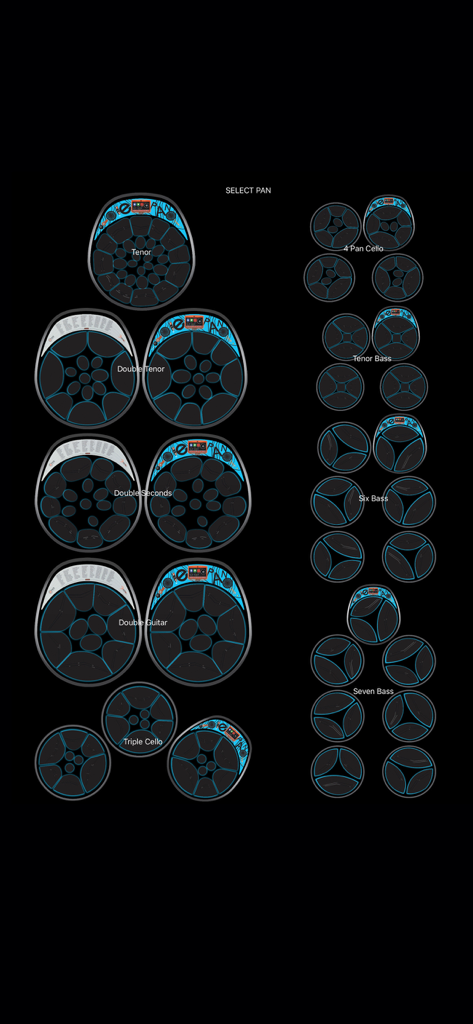
Steelpan App PRO V2 - A professional musician playing the Steelpan App PRO V2 on a tablet

A professional musician playing the Steelpan App PRO V2 on a tablet

Steelpan App PRO V2 - Two children sitting on the grass looking at a tablet for the Steelpan Professor music education app.
Two children sitting on the grass looking at a tablet for the Steelpan Professor music education app.

Steelpan App PRO V2 - Instrument selection menu in the Steelpan App PRO V2 showing various steel drum types from Tenor to Seven Bass
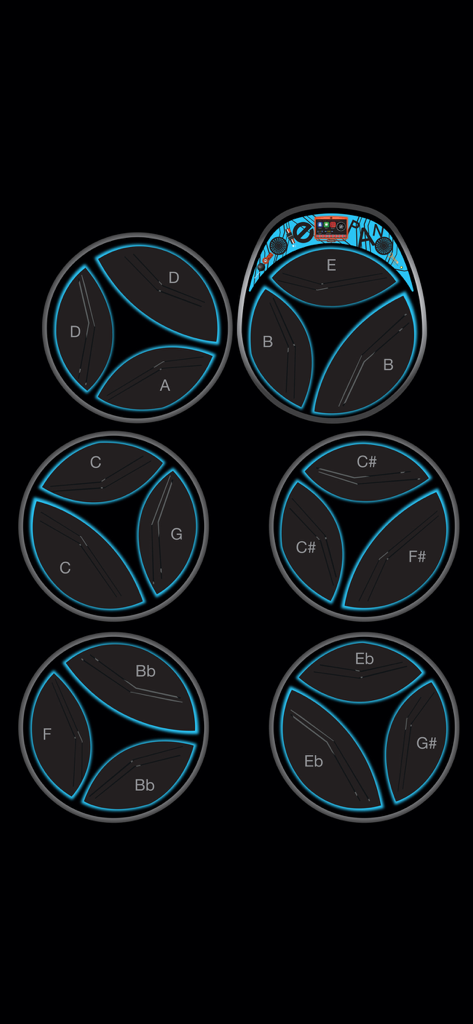
Instrument selection menu in the Steelpan App PRO V2 showing various steel drum types from Tenor to Seven Bass

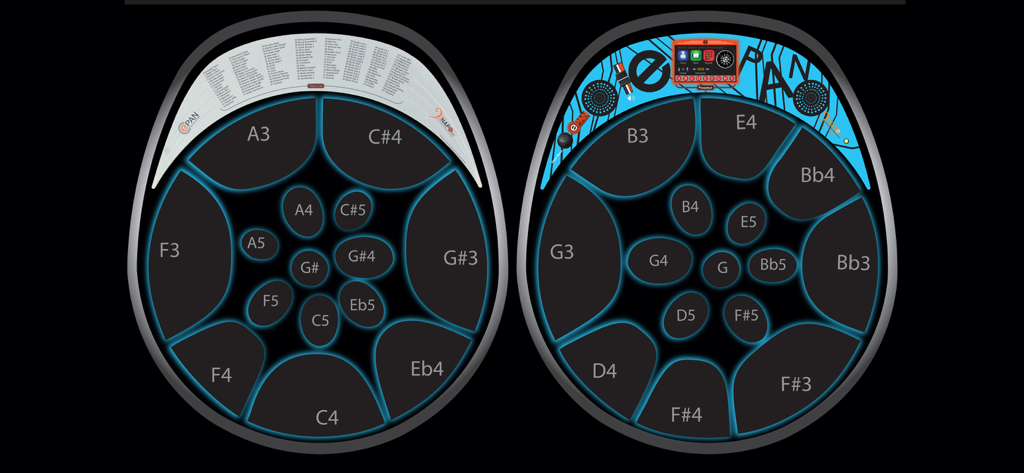
Steelpan App PRO V2 - Digital interface of a six-bass steelpan instrument featuring circular pads with labeled musical notes and blue glowing outlines.
Digital interface of a six-bass steelpan instrument featuring circular pads with labeled musical notes and blue glowing outlines.

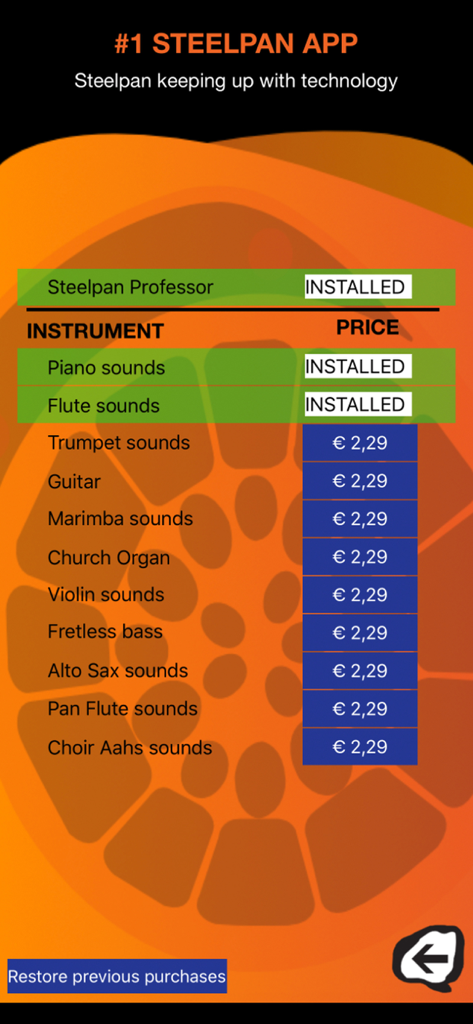
Steelpan App PRO V2 - In-app purchase screen for Steelpan App PRO V2 showing available musical instrument sounds and the Steelpan Professor feature.
In-app purchase screen for Steelpan App PRO V2 showing available musical instrument sounds and the Steelpan Professor feature.

Steelpan App PRO V2 - Digital steelpan layout showing professional note mappings and E-Pan interface

Digital steelpan layout showing professional note mappings and E-Pan interface

Description

This app is the most popular steelpan learning and music discovery tool. Learn how to play the Steelpan like a pro with our Steelpan Professor with Core MIDI capabilities. This Steelpan App PRO possesses technology that is PATENTED. VARIED INSTRUMENTS This app possesses some features of the E-Pan; the World's 1st Electronic Synthesized Steelpan. It is as the name implies; the BEST steelpan app on the market. Not only can you play different styles of steelpan on instruments such as Tenor (soprano voice), Double Tenor (alto voice), Double Seconds (alto voice), Double Guitar (tenor voice), Triple Cello (tenor voice), 4 Pan Cello (tenor voice), Tenor Bass (baritone voice), Six Bass (bass voice) and Seven Bass (bass voice), but it is a teaching tool. EDIT PAD MAPPING This Steelpan App PRO V2 is the first and only app that allows users to "Edit Pad Mapping" by programming any note in any location he/she sees fit. STEELPAN PROFESSOR This app has an In-App available for users to acquire a feature called "Steelpan Professor" through the use of MIDI files allowing them to learn any song available on the web. It also has a feature that works with iOS Core MIDI System. For example, when you connect your tablet or smartphone to a keyboard or electronic steelpan, you can play your instrument and the exact notes will be mirrored on your tablet or smartphone with the sound coming from your tablet or smartphone. FEATURES • This Steelpan App PRO allows you to teach and learn virtually. • Once you have acquired the "Steelpan Professor" the history-making arrangements from Duvone Stewart come FREE; "The year for love" (played by BP Renegades) and "Limbo" (played by Pan Elders). Both these arrangements placed 1st in Panorama in 2018. This has never been achieved before. • It allows you to use any MIDI file available on the web to learn to play any song available. • It allows you to change octaves. • It has a note display feature. • The Steelpan App PRO provides access to the sounds of just about every musical instrument which is built-in to the app. • Users can also choose any particular instrument range as the Steelpan App PRO will be able to play the complete range from the highest Tenor (soprano voice) B6 to the lowest Bass (bass voice) E1. • With the use of a lightning connector you can connect your tablet or smartphone to a MIDI controller, keyboard, or electronic Steelpan (such as the E-Pan). Playing the controller will control this app lighting up the corresponding note. • Steelpan App PRO will facilitate play-along to accompany your favourite songs (karaoke-style) by using the Steelpan Professor. • It will help you learn how to read music. • It will help you to teach in the classroom digitally. • It will help you to create tutorials digitally when hooked up to a controller. INSTRUCTIONS • IMPORTANT - After downloading this app, please turn the ringer "on" on your device and turn the volume up in order to hear the instruments play. • Place two fingers on the screen and with a pinching motion, the user would be able to select an instrument of choice. • Pressing the "Edit Pad Mapping" button allows users to change the notes. After pressing the "Edit Pad Mapping" button, first, press the note you would like to change to select it then press the "up" and "down" arrow to scroll to your note and octave of choice. • Visit our YouTube channel for more instructions about how to use this app. To access the YouTube channel, go to YouTube and search #1 Steelpan App GOLD/PRO. We will be uploading pertinent information to this channel from time to time. You can also find us on facebook as "Steelpan App". • The "IA" button takes you to our In-App page where you can download the "Steelpan Professor" and different instrument tones. Privacy Policy: https://yourwebsite.com/privacy Terms of Use (EULA): https://www.apple.com/legal/internet-services/itunes/dev/stdeula/

Download

Download on App Store

This page is not an official page of the app or its developer, but an independent editorial publication created for informational and commentary purposes. Unless expressly stated otherwise, neither the app nor its developer is affiliated with, endorsed by, sponsored by, authorized by, or otherwise officially connected with MWM, Apple, Google Play, the app publisher, or the app's developer, and nothing on this page implies that the app was developed using MWM's services. Any trademarks, logos, screenshots, and other content remain the property of their respective owners.







