Stitch Fiddle & Craft Maker

Stitch Fiddle & Craft Maker

Logo of Stitch Fiddle & Craft Maker

Stitch Fiddle & Craft Maker: Turn Your Photos into Custom Cross-Stitch Masterpieces

Transform any image into a detailed, stitch-ready pattern using 477 official DMC colors. Design, customize, and track your progress entirely offline—the perfect tool for mindful makers who value privacy and personalization.

Publisher

Patrick van der Ploeg

Category

Lifestyle

Downloads

100+

User Rating

1.0/5

Total Ratings

0

Locales

1

Patterns Come to Life

Discover the interface used by 100+ users.
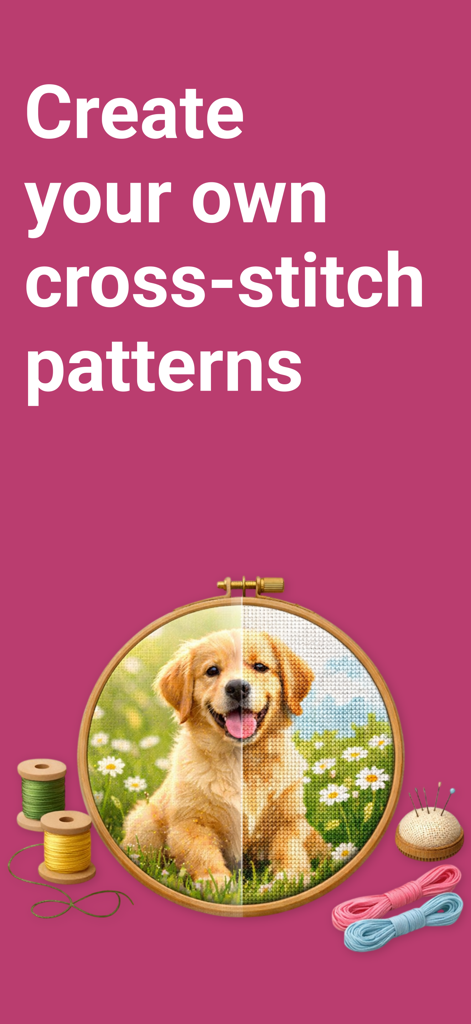
An embroidery hoop showcasing a puppy photo transforming into a cross-stitch pattern alongside colorful threads and a pincushion

An embroidery hoop showcasing a puppy photo transforming into a cross-stitch pattern alongside colorful threads and a pincushion

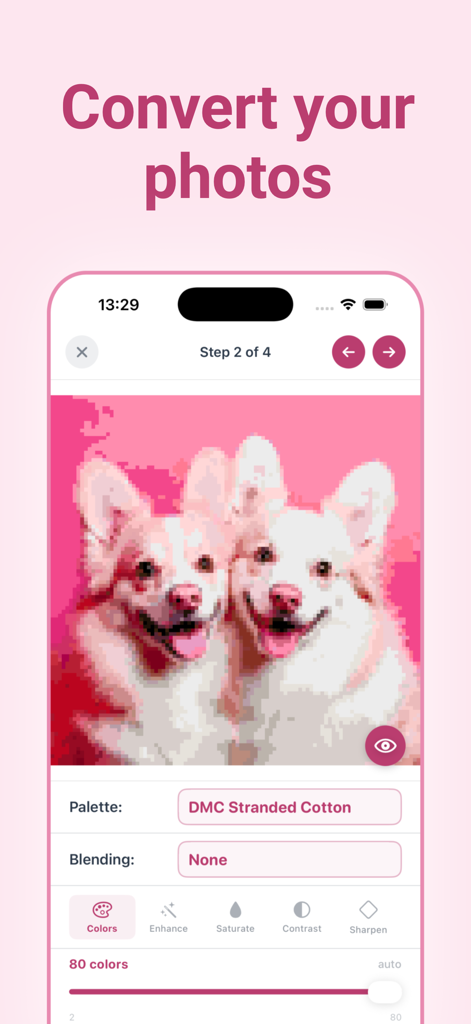
Interface showing how to convert a puppy photo into a cross stitch pattern using DMC thread colors

Interface showing how to convert a puppy photo into a cross stitch pattern using DMC thread colors

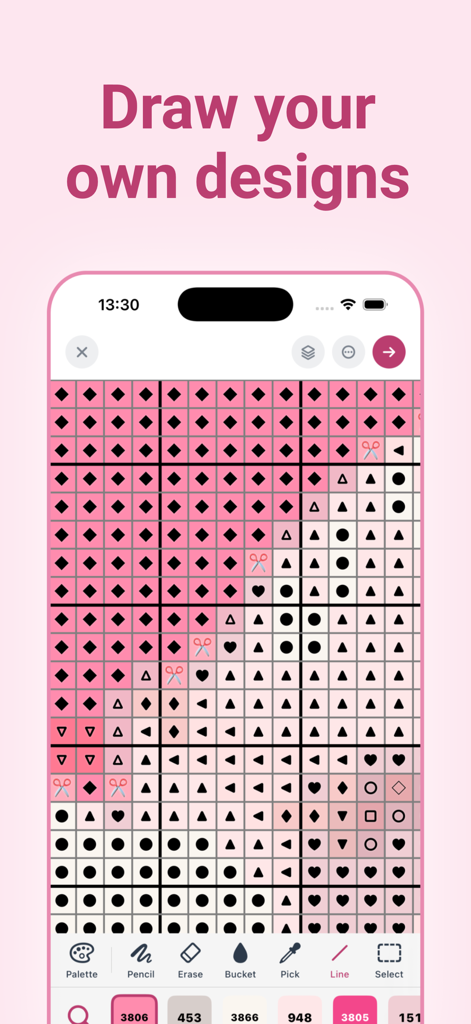
Cross stitch pattern editor interface showing a custom design with symbols and DMC thread colors.

Cross stitch pattern editor interface showing a custom design with symbols and DMC thread colors.

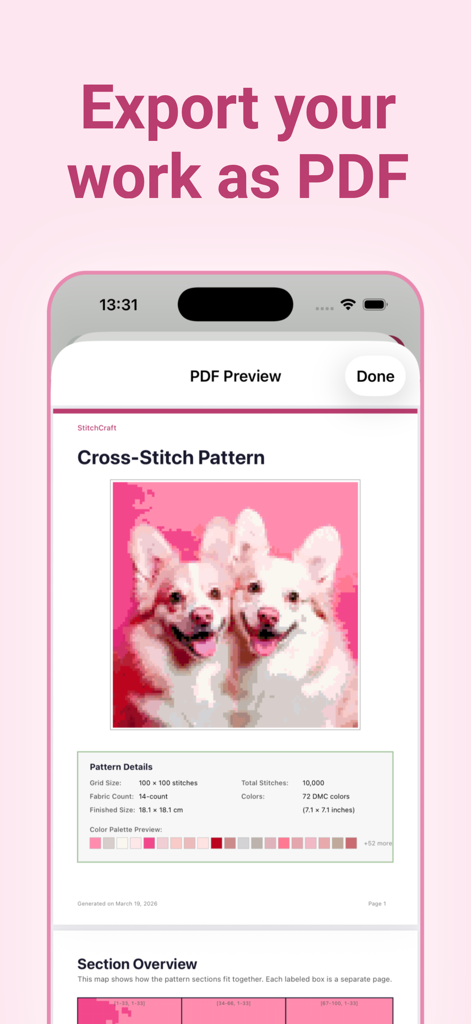
A preview of a custom cross-stitch pattern featuring two dogs being exported as a PDF file in the StitchCraft app.

A preview of a custom cross-stitch pattern featuring two dogs being exported as a PDF file in the StitchCraft app.

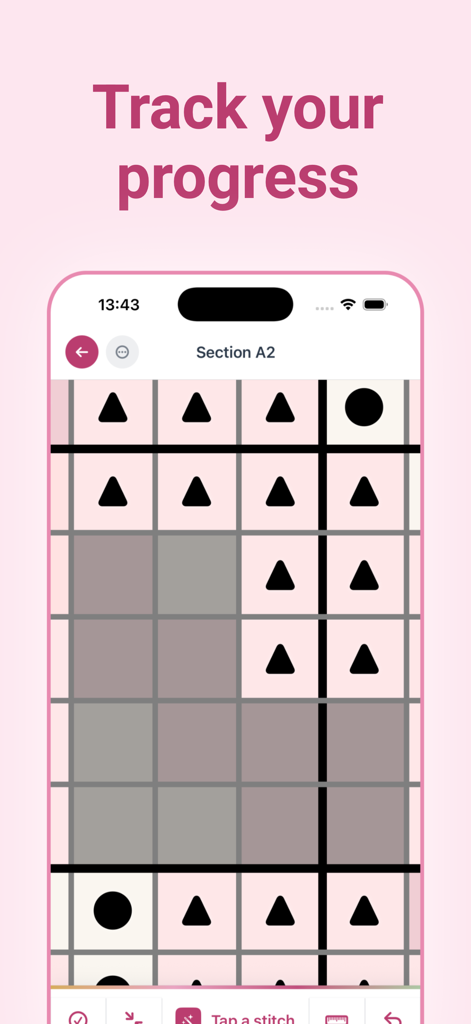
A digital cross stitch pattern grid in the Stitch Fiddle app showing symbols and completed stitches for progress tracking

A digital cross stitch pattern grid in the Stitch Fiddle app showing symbols and completed stitches for progress tracking

From Photo to Masterpiece

The tools that make this app stand out, trusted by 100+ users.

📸

Turn Memories into Patterns

Transform your favorite photos of pets, family, or travel into detailed, stitch-ready grids in just four simple steps.

🧵

Perfect Color Matching

Access the full library of 477 official DMC thread colors and generate an automated shopping list with exact skein counts and costs.

Track Every Stitch

Stay motivated with digital progress tracking. Tap to mark completed stitches and see your project percentage grow in real-time.

About the app

Everything you need to know about Stitch Fiddle & Craft Maker.

Description

Turn Your Photos Into Cross-Stitch Patterns StitchCraft transforms any photo into a detailed, stitch-ready cross-stitch pattern — right on your iPhone. Whether you are a beginner or a seasoned stitcher, StitchCraft gives you the tools to design, customize, and track your projects from start to finish. No account required. No internet needed. Everything happens on your device. How It Works Pick a photo from your library and follow a simple four-step wizard. Choose your grid size, select your thread colors, fine-tune brightness and contrast, and preview the final pattern before generating. The result is a color-mapped grid based on real DMC thread codes, ready to stitch. Prefer to start from scratch? Create a blank canvas and draw your own design using the built-in editor tools. Real DMC Thread Colors StitchCraft includes a library of 477 official DMC colors — 441 Stranded Cotton and 36 Light Effects. Every color in your pattern is matched to a real DMC code, so you know exactly which threads to buy. Browse the full color library, search by name or code, and swap colors at any time. Powerful Pattern Editor - Switch between color view, symbol view, or combined view - Draw, erase, and flood-fill individual stitches - Use the eyedropper tool to pick colors directly from the grid - Add backstitch lines for outlines and fine details - Swap all instances of one color with another in a single tap - Undo recent changes Track Your Progress Tap any stitch to mark it as completed. StitchCraft keeps a running count and percentage so you always know how far along you are. Large patterns are split into manageable sections that you can navigate, complete, and review one at a time. Custom Palettes Create your own thread palettes from any combination of DMC colors. Use them in the pattern wizard to control exactly which colors are available. Rename, duplicate, or delete palettes as needed. Export and Share Generate a print-ready PDF with everything you need: - Full-color pattern preview and grid stats - Section-by-section grid pages with symbols and row numbers - Color legend with DMC codes, stitch counts, and swatch previews - Shopping list with skein quantities and estimated cost - Fabric size recommendations for your chosen fabric count Share the PDF via AirDrop, email, print, or save it to Files. Shopping List See exactly how many skeins of each color you need, the total estimated cost, and the recommended fabric dimensions — all calculated automatically based on your pattern size and fabric count. Built for Stitchers - Supports fabric counts from 11ct to 28ct - Shows finished dimensions in both centimeters and inches - Symbols assigned to every color for monochrome printing - Patterns up to 200 x 200 stitches - Projects saved locally and persist across app restarts Free to Start Create up to three patterns per day with grids up to 80 stitches wide and 20 colors. Unlock the full experience with StitchCraft Premium for larger patterns, advanced blending modes, image adjustments, custom palettes, PDF export, and shopping lists.

Latest Version

1.0.5

Size

16.4 MB

First Released

Feb 23, 2026

Bring Your Most Cherished Photos to Life, One Stitch at a Time

Download StitchCraft for free and transform your favorite memories into custom patterns today. No account required—just pure, offline creativity right on your device.

App information, icons, screenshots, and descriptions displayed on this page are sourced from the Apple App Store and are the property of their respective developers. Download estimates and rankings are based on MWM's proprietary models and may not reflect actual figures. This page is provided for informational and analytical purposes only.

Believe this page infringes your intellectual property? File a dispute