
This page is not an official page of the app or its developer, but an independent editorial publication created for informational and commentary purposes. Unless expressly stated otherwise, neither the app nor its developer is affiliated with, endorsed by, sponsored by, authorized by, or otherwise officially connected with MWM, Apple, Google Play, the app publisher, or the app's developer, and nothing on this page implies that the app was developed using MWM's services. Any trademarks, logos, screenshots, and other content remain the property of their respective owners.


Stopfinder
Track your child’s school bus in real-time, receive GeoAlert arrival notifications, and stay connected with your district. Ensure safety and eliminate the morning guesswork for your busy family.
Downloads
660K+User Rating
Total Ratings
10K+Publisher
Category
EducationLocales
1Latest Version
3.1.6Size
160.1 MBFirst Released
Sep 4, 2019Every Stop, Every Route, Total Peace of Mind
Stopfinder simplifies school logistics by providing real-time tracking, instant alerts, and secure communication tools designed specifically for the modern parent's busy schedule.
Real-Time GeoAlerts
Eliminate the guesswork. Create custom alert zones and receive instant push notifications the moment your student’s bus arrives at or departs from school or your stop.
Live ETA Tracking
Stay out of the wind and rain. View the bus’s precise Estimated Time of Arrival based on live traffic and location data, so you know exactly when to head outside.
Frequently Asked Questions
Everything you need to know about Stopfinder
What is the Stopfinder app?
Stopfinder gives parents and guardians access to view and share their student’s bus stop assignments. It also enables communication with the Transportation Department for participating Districts.
How does Stopfinder help parents monitor their student's bus?
Stopfinder allows parents to view their student's bus on a map and create GeoAlert zones. Users receive notifications when the bus arrives at or departs from these alert zones.
Can I receive bus ETA notifications with Stopfinder?
Yes, Stopfinder users can configure Estimated Time of Arrival (ETA) notifications. These display the bus’s ETA based on the student’s assigned stop and the bus’s location.
How do I communicate with the school district's Transportation department using Stopfinder?
Stopfinder allows users to send and receive messages from the school district’s Transportation department. This communication happens directly within the app's Message Center.
Can I complete forms for my student within the Stopfinder app?
Yes, Stopfinder Forms allows app users to complete electronic forms sent from their district. Users can view new and submitted forms in the Stopfinder Message Center.
Does Stopfinder provide student attendance tracking?
Yes, the Stopfinder app allows users to view attendance history. Users can also receive notifications when attendance has been taken or a vehicle substitution has been made.
Can I share my student's schedule with others using Stopfinder?
Yes, Stopfinder allows users to share their student’s assigned trip stops and schedule. The app provides a dedicated interface for sharing schedule details with others.
What kind of notifications does Stopfinder offer?
Stopfinder offers GeoAlerts for bus arrival/departure, Estimated Time of Arrival (ETA) notifications, attendance notifications, and vehicle substitution notifications.
The following screenshots and description are sourced directly from the app's official store listing and are the property of the app developer.
App Store
Screenshots
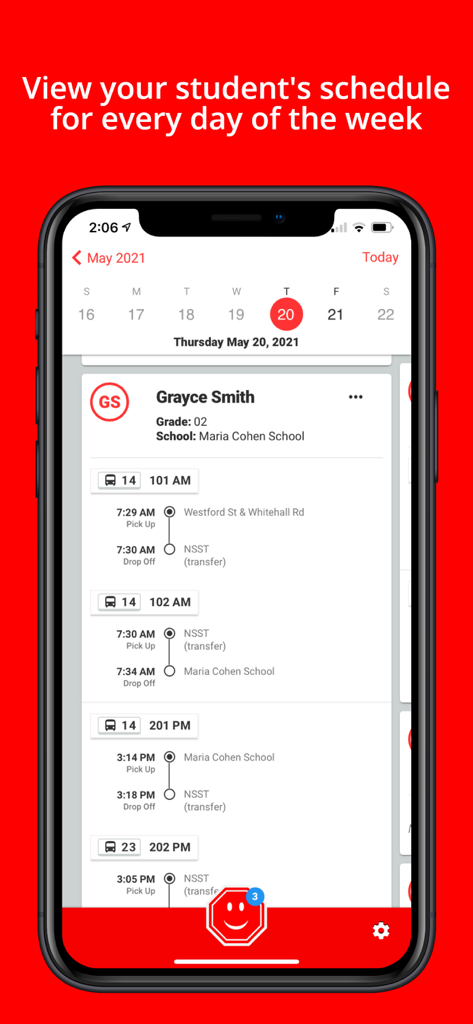
Stopfinder app interface showing a student daily school bus pickup and drop-off schedule
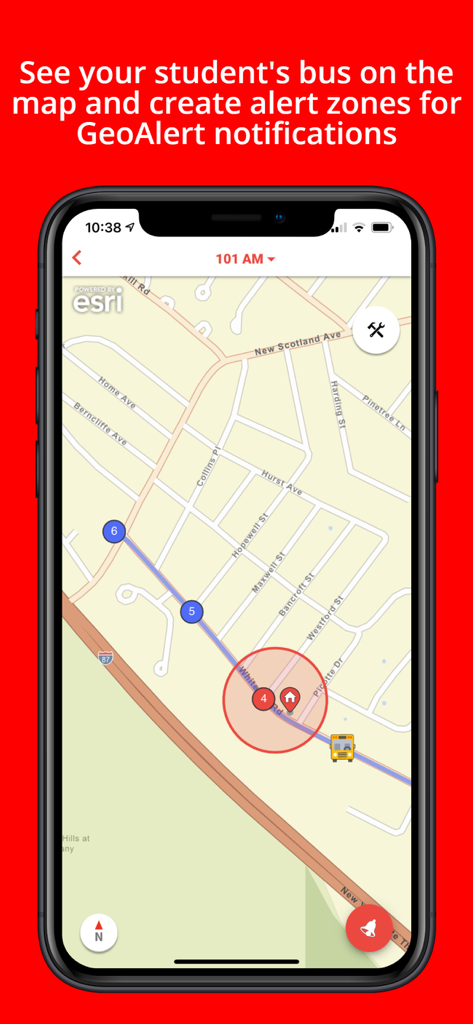
Interface showing real-time school bus tracking on a map with a GeoAlert zone for notifications.
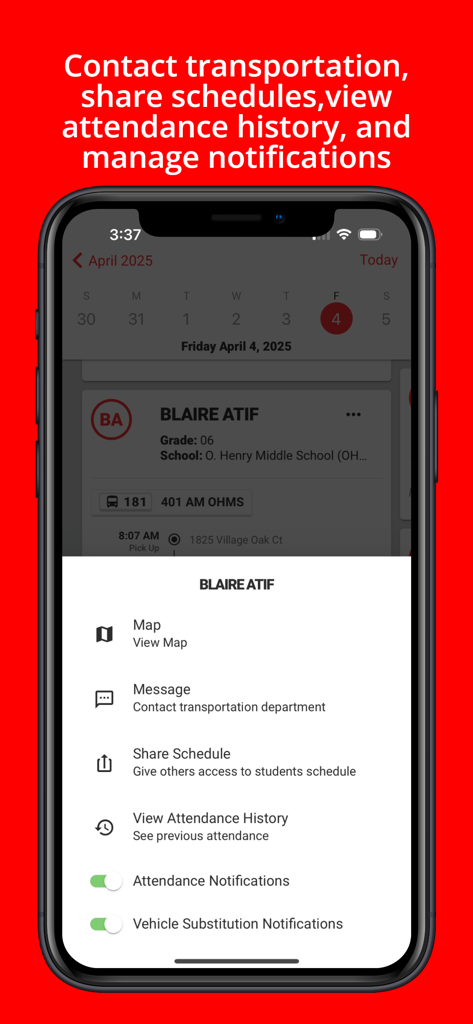
Stopfinder app student menu with options to contact transportation share schedules and manage notifications
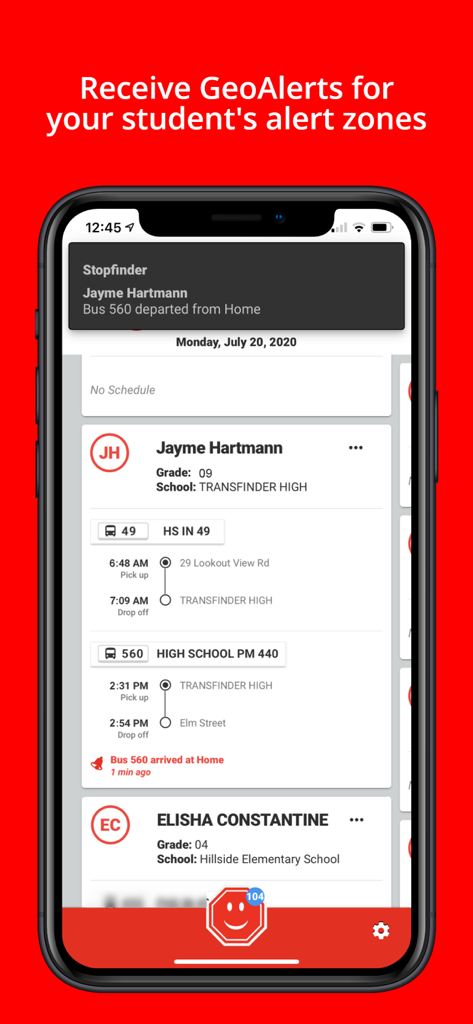
Stopfinder app screen showing student bus schedules and geoalert notifications
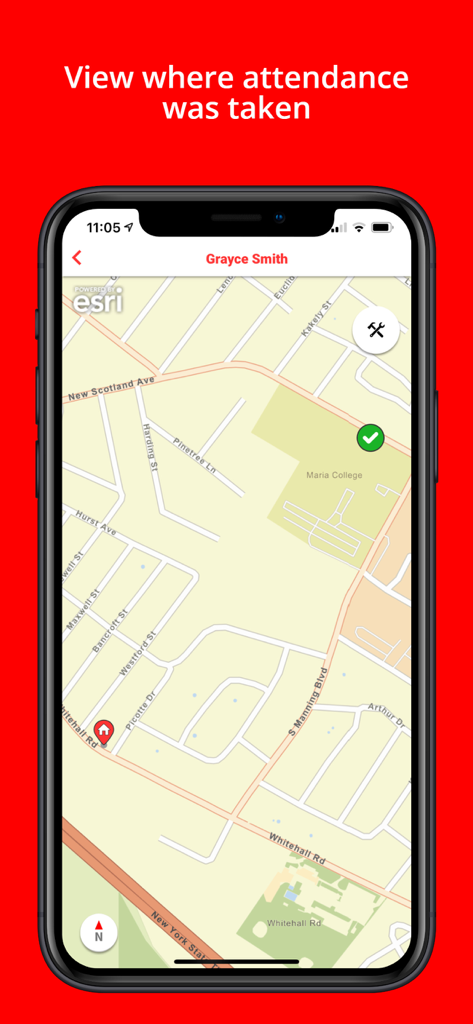
Stopfinder app interface showing a map with a student attendance location marker
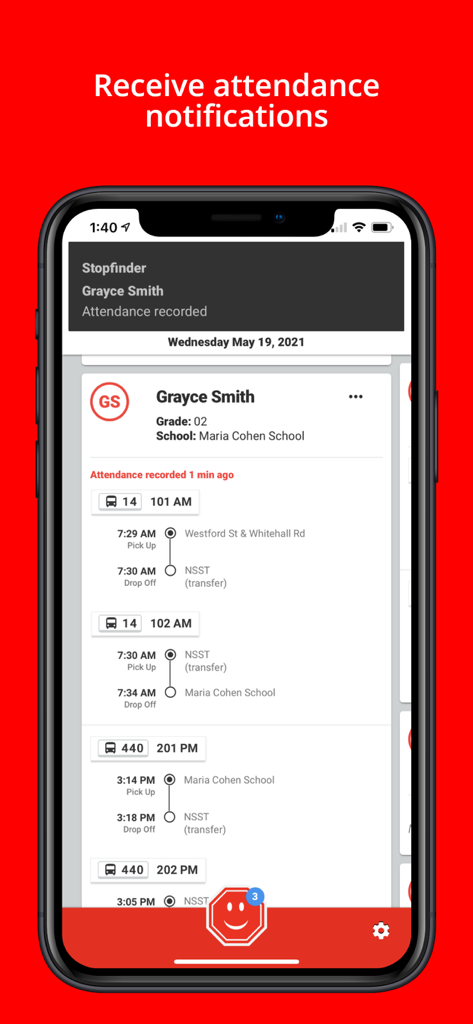
Stopfinder app screen showing student attendance notifications and bus schedule timeline
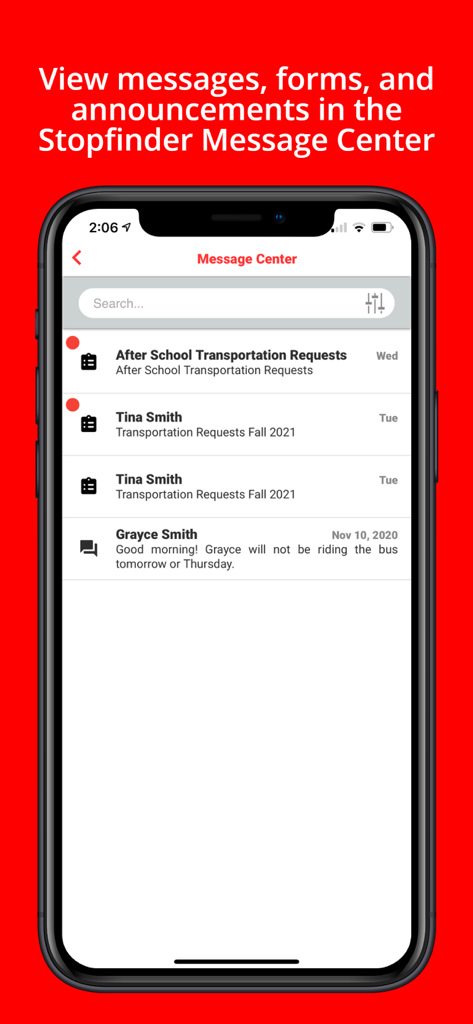
Screenshot of the Stopfinder app Message Center showing transportation requests and school communications
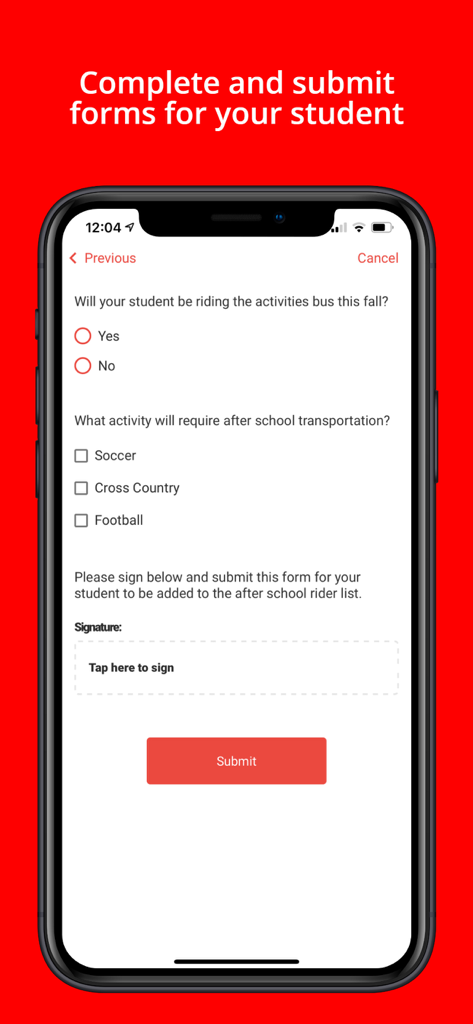
Mobile screen showing a digital form in the Stopfinder app for after school student transportation and activities
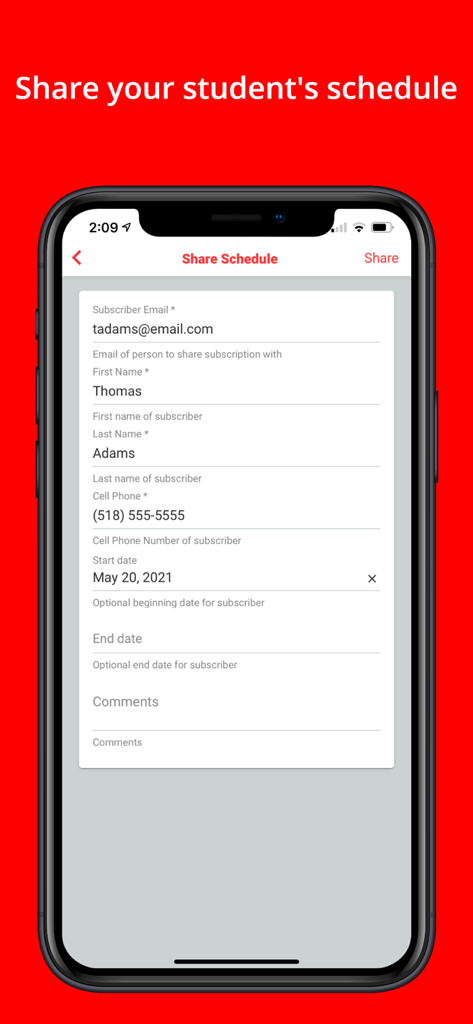
A mobile screen of the Stopfinder app showing the share schedule form to add a subscriber for student bus tracking.
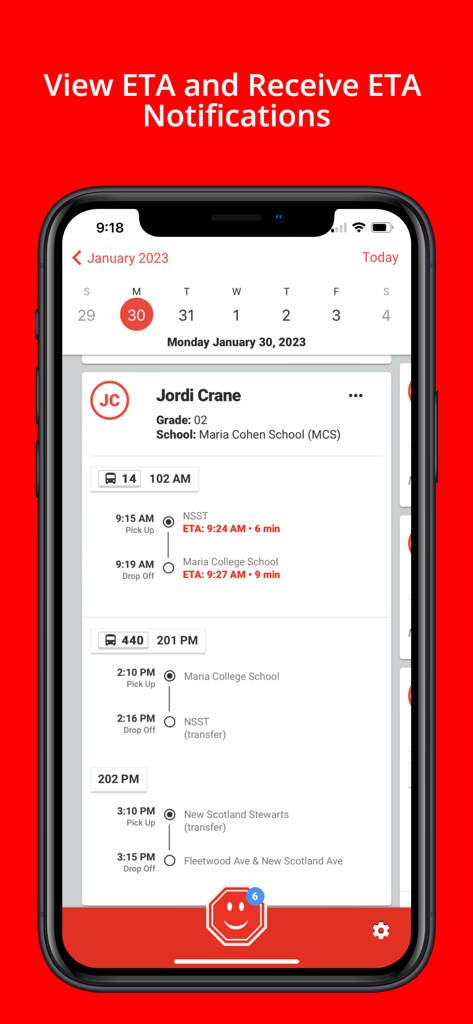
Stopfinder app interface showing a student bus schedule with real-time arrival estimates.
Description
Download
More Like This
Apps with similar features and user experience

First View
Firstgroup America Inc
Here Comes the Bus
Synovia Solutions LLC

My Ride K-12
Tyler Technologies
WheresTheBus
WheresTheBus LLC

Routematic
Nivaata Systems

垃圾車 - 動態追蹤
CHEN GUAN-JHEN
Edulog Parent Portal
Education Logistics, Inc.

Pikmykid Parent
Sachi Tech Inc
SMART tag™ Parent App
Secured Mobility LLC
This page is not an official page of the app or its developer, but an independent editorial publication created for informational and commentary purposes. Unless expressly stated otherwise, neither the app nor its developer is affiliated with, endorsed by, sponsored by, authorized by, or otherwise officially connected with MWM, Apple, Google Play, the app publisher, or the app's developer, and nothing on this page implies that the app was developed using MWM's services. Any trademarks, logos, screenshots, and other content remain the property of their respective owners.