
This page is not an official page of the app or its developer, but an independent editorial publication created for informational and commentary purposes. Unless expressly stated otherwise, neither the app nor its developer is affiliated with, endorsed by, sponsored by, authorized by, or otherwise officially connected with MWM, Apple, Google Play, the app publisher, or the app's developer, and nothing on this page implies that the app was developed using MWM's services. Any trademarks, logos, screenshots, and other content remain the property of their respective owners.


Streaks
Habit tracking is often a chore. Streaks transforms it into an addiction, giving users the power to conquer any daily task.
Downloads
750k+User Rating
Total Ratings
29.8KPublisher
Category
Health & FitnessLocales
28Latest Version
11.3.1Size
235.4 MBFirst Released
Jun 1, 2015An evaluation of key functionalities driving habit formation and personal growth within the Apple ecosystem.
Streaks App: Feature Analysis for the Discerning Achiever
Core Habit Tracking & Streak Building
The app provides a robust system for tracking up to 24 daily tasks, enabling users to build and maintain consecutive streaks, which is fundamental for consistent habit formation and personal achievement.
Seamless Health App Integration
It automatically recognizes completed tasks linked to Apple Health, such as water intake or steps, simplifying tracking for health-conscious users and reducing manual input friction.
Comprehensive Apple Ecosystem Integration
This tool features an acclaimed Apple Watch app with complications and rich notifications, alongside support for iCloud sync, Siri Shortcuts, iPad, and home screen widgets, ensuring a cohesive and efficient experience across all Apple devices.
Flexible Task Customization
Users can define diverse task types, including negative tasks for breaking bad habits, timed tasks for activities like mindfulness, and adjustable repetition frequencies, allowing for highly personalized habit formation strategies.
Performance Analytics & Motivation
The app displays current and best streaks, along with various statistics, empowering users to monitor their progress, identify patterns, and stay motivated on their personal growth journey.
Intelligent Task Reminders
It automatically reminds users when tasks are due, ensuring consistency and helping maintain habit adherence, which is crucial for building and sustaining positive behaviors.
Personalized User Interface
The app offers extensive customization options, including 78 color themes and over 600 task icons, allowing users to tailor the aesthetic to their preference and enhance their engagement.
Accountability & Sharing
It allows users to share tasks with others, fostering encouragement and accountability within their network, which can be a powerful motivator for achieving goals.
Frequently Asked Questions
Everything you need to know about Streaks
What is Streaks app?
Streaks is an Apple Design Award-winning to-do list application that helps users form good habits by tracking daily tasks. It encourages building streaks of consecutive task completions.
How many daily tasks can I track with Streaks?
Streaks allows tracking of up to 24 tasks that a user wants to complete each day. The primary goal is to build a streak of consecutive days for these habits.
Does Streaks support Apple Health integration?
Yes, Streaks integrates with the Health app. It automatically records completion for tasks, such as water or caffeine tracking, that are linked to Health data with user permission.
Can I track timed activities using Streaks?
Yes, Streaks allows users to create timed tasks. This feature supports tracking activities like mindfulness, brushing teeth, or any other habit that requires a specific duration.
Does Streaks offer task sharing capabilities?
Yes, Streaks includes task sharing capabilities. Users can share their tasks with other Streaks users, which facilitates encouragement and accountability for habit formation.
What customization options are available in Streaks?
Streaks offers extensive customization, including home screen widgets, 78 different color themes, and over 600 task icons. Users can also define how often a task needs to be completed.
Does Streaks support Apple Watch?
Yes, Streaks fully supports Apple Watch with a highly-rated application. It features Health app integration, complications, and rich notifications directly on the watch.
Can Streaks help me break bad habits?
Yes, Streaks helps users break bad habits by allowing them to create negative tasks. This function supports the reduction or elimination of undesirable behaviors.
How does Streaks notify me about tasks?
Streaks provides automatic reminders when tasks are due for completion. Users can configure notifications with options such as 'Automatic Times', 'Custom Times', or 'No Reminders'.
Can I record daily notes for tasks in Streaks?
Yes, Streaks allows users to record daily notes for their tasks. This feature provides a space for reflection on progress and thoughts related to specific habits.
What statistics does Streaks track for my habits?
Streaks tracks essential habit statistics, including the current streak, best streak achieved, and the total number of completions. This provides a comprehensive overview of user progress.
The following screenshots and description are sourced directly from the app's official store listing and are the property of the app developer.
App Store
Screenshots
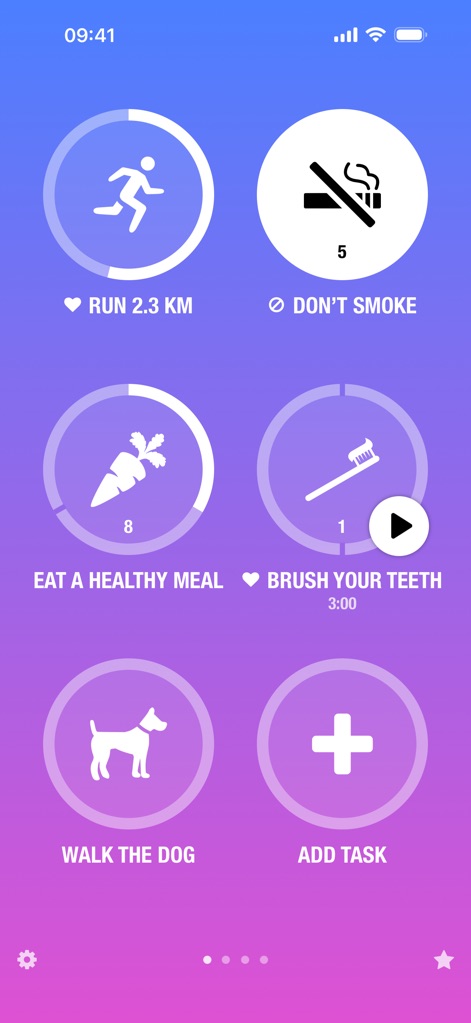
Discover the app's intuitive main screen, featuring prominent circular task icons for each habit and a clear "ADD TASK" button for effortless habit management.
Habit Tracking Hub
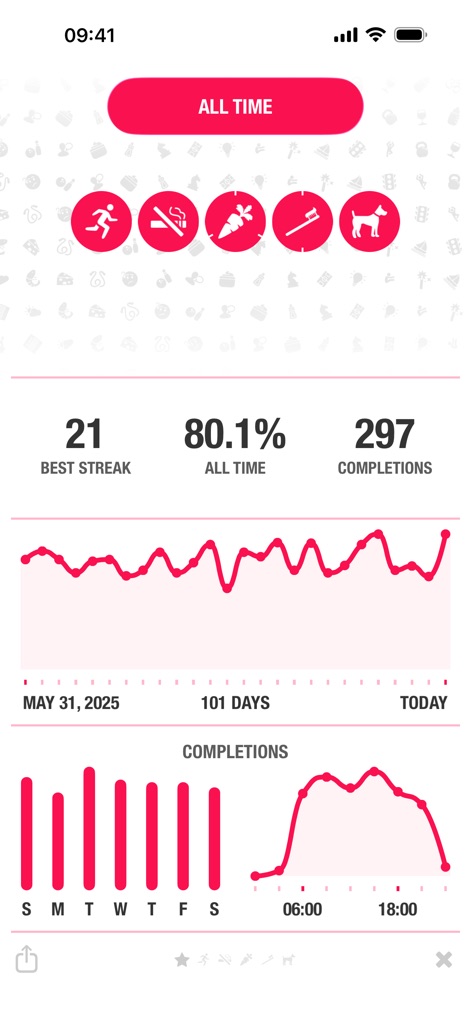
Analyze habit progress with comprehensive statistics, including "BEST STREAK" and "ALL TIME" completions, visualized through a detailed line graph and bar chart.
Progress at a Glance
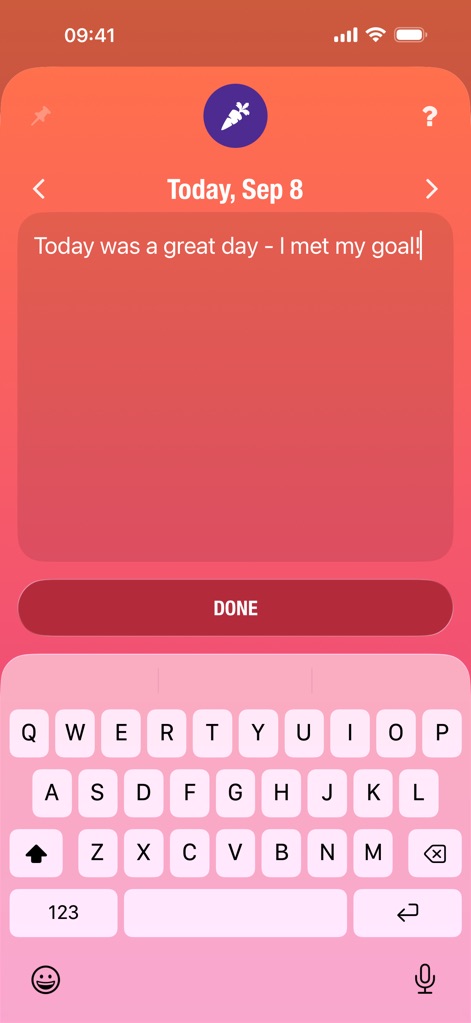
Users can easily document their daily journey with the integrated notes section, featuring a spacious text input field and a prominent "Done" button for saving reflections.
Reflect and Record

Explore the app's seamless Health app integration, showcasing a variety of pre-defined health tasks like "Walk or Run" and "Mindful Minutes" for automated tracking.
Health Integration
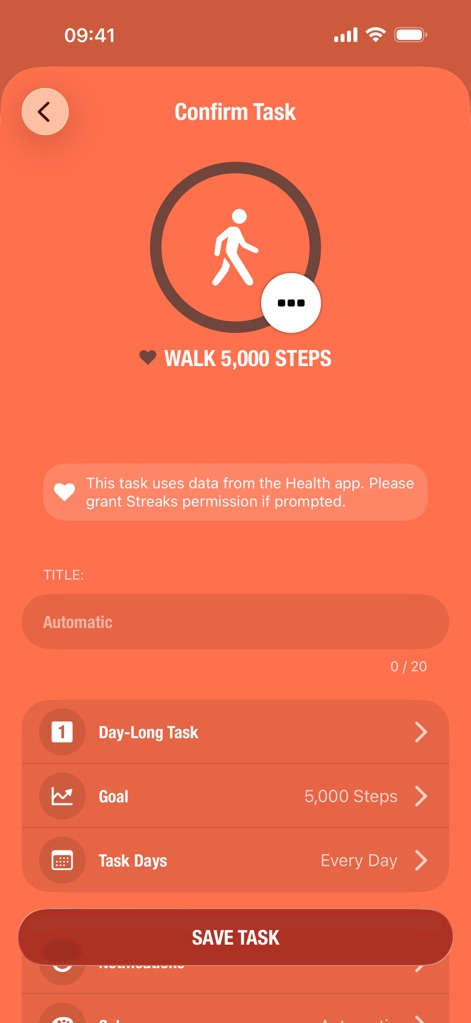
Refine habit tracking with granular control, as shown by the customizable task icon for "WALK 5,000 STEPS" and clear options for setting daily goals and task types.
Task Customization
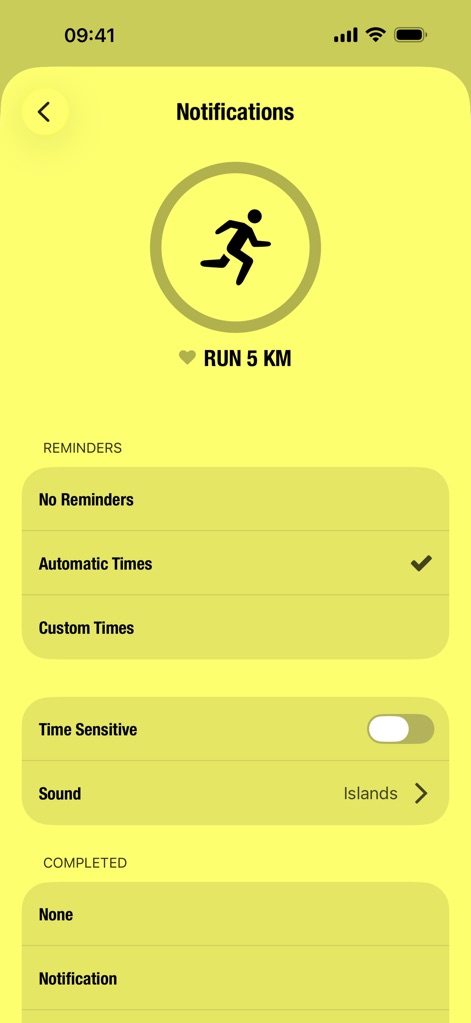
Configure personalized reminders with precision, utilizing the "Automatic Times" option and the "Time Sensitive" toggle for optimal habit reinforcement.
Smart Reminders
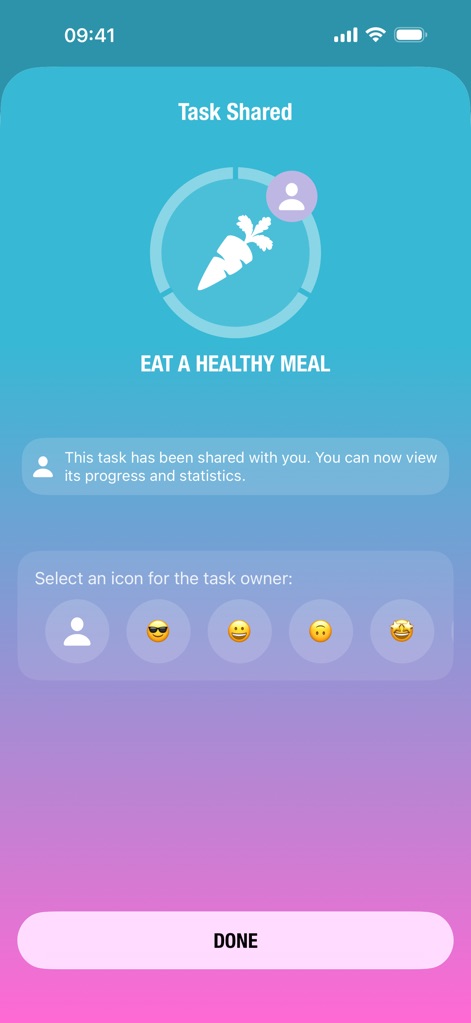
Experience shared accountability with the "Task Shared" feature, allowing users to collaborate on habits and personalize the task owner icon with various emoji options.
Collaborative Habits
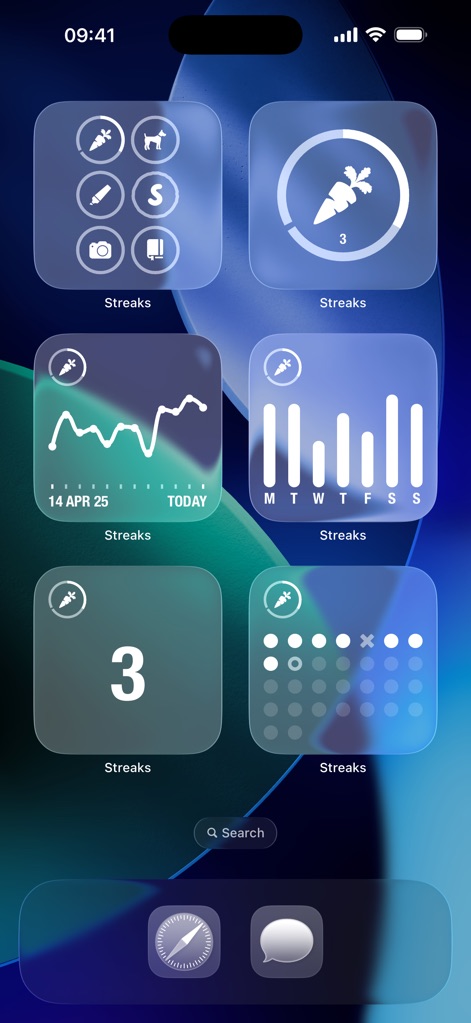
Enhance daily visibility with diverse home screen widgets, showcasing individual habit progress in various formats, such as a numerical display for a single task and a dot-filled calendar view.
Home Screen Widgets
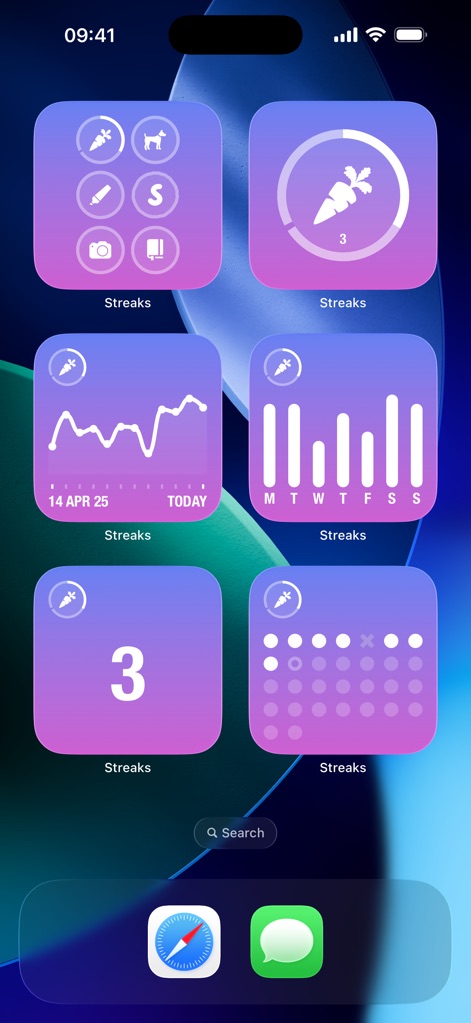
Personalize the app's presence on your home screen with customizable widgets that display task progress, featuring various layouts like a multi-task overview and a specific habit's completion count.
Customizable Widgets
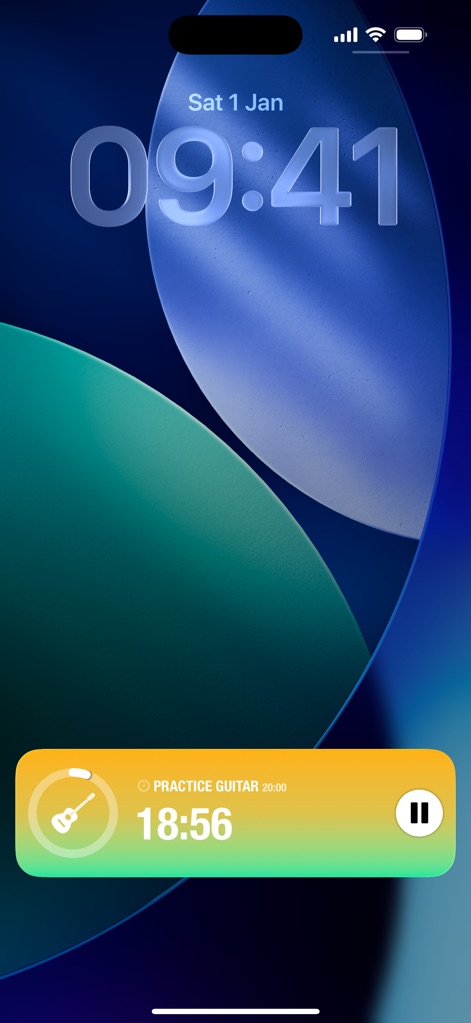
Engage with tasks directly from the lock screen using dynamic Live Activities, displaying a timed task like "PRACTICE GUITAR" with a progress bar and a convenient pause button.
Dynamic Live Activities
Description
Download
More Like This
Apps with similar features and user experience
Grit: Daily Habit Tracker
GrittyApps
Habit Tracker
Inner Grow Limited
Me+ Lifestyle Routine
ENERJOY PTE. LTD.
HelloHabit - Habit Tracker
RightLife, Inc.

Onrise: Habit Tracker & Focus
Maximilian Munker
Habit Tracker - HabitKit
Sebastian Roehl
ShineDay: Micro Habit Tracker
俊航 何
Dear Me: Daily Routine Tracker
Fitself Dijital Hizmetler Anonim Sirketi
MyRoutine: Routine Habit Goal
Minding. co., Ltd.
This page is not an official page of the app or its developer, but an independent editorial publication created for informational and commentary purposes. Unless expressly stated otherwise, neither the app nor its developer is affiliated with, endorsed by, sponsored by, authorized by, or otherwise officially connected with MWM, Apple, Google Play, the app publisher, or the app's developer, and nothing on this page implies that the app was developed using MWM's services. Any trademarks, logos, screenshots, and other content remain the property of their respective owners.