
This page is not an official page of the app or its developer, but an independent editorial publication created for informational and commentary purposes. Unless expressly stated otherwise, neither the app nor its developer is affiliated with, endorsed by, sponsored by, authorized by, or otherwise officially connected with MWM, Apple, Google Play, the app publisher, or the app's developer, and nothing on this page implies that the app was developed using MWM's services. Any trademarks, logos, screenshots, and other content remain the property of their respective owners.


StreamMagic by Cambridge Audio
Experience bit-perfect control and seamless integration for your network players. From TIDAL and Qobuz to your personal digital library, manage every source and setting with the precision your audio hardware deserves.
Downloads
87K+User Rating
Total Ratings
1K+Publisher
Category
MusicLocales
13Latest Version
4.1.0Size
59.7 MBFirst Released
Oct 4, 2019Command Your Hi-Fi Experience
The ultimate interface for your Cambridge Audio hardware. Stream high-res music, manage your library, and control every room with precision and ease.
Unified High-Res Library
Access your entire music world in bit-perfect quality. Seamlessly browse TIDAL, Qobuz, and your personal NAS or USB drives from a single, intuitive interface.
Whole-Home Orchestration
Effortlessly manage multiple Cambridge Audio devices. Control volume, switch sources, and tailor the atmosphere in every room from the comfort of your chair.
Frequently Asked Questions
Everything you need to know about StreamMagic by Cambridge Audio
What is the StreamMagic app used for?
The StreamMagic app provides control for Cambridge Audio Streaming products, offering fast access to devices, playlists, and internet radio from a mobile device.
Which Cambridge Audio devices are compatible with the StreamMagic app?
The StreamMagic app is compatible with devices including EXN100, CXN100, MXN10, AXN10, Evo 75/150/One, CXN (v2), Edge NQ, 851N, and StreamMagic 6v2.
Can I control multiple Cambridge Audio devices with StreamMagic?
Yes, the StreamMagic app handles multiple Cambridge Audio network players, allowing users to change volume and select sources for different devices across the home.
Does StreamMagic allow access to music streaming services?
Yes, StreamMagic allows access to music from digital libraries on USB and network drives, and integrates with streaming services like TIDAL, Qobuz, Deezer, and Amazon Music.
How do I customize audio settings in the StreamMagic app?
Users customize audio settings in StreamMagic through the Equaliser feature, which includes adjustable Bass, Mid, and Treble levels, along with presets like Bass Boost, Voice Clarity, and Gaming.
Can I set a volume limit using the StreamMagic app?
Yes, the StreamMagic app allows users to configure device settings, including setting a volume limit for their Cambridge Audio network player.
Does the StreamMagic app support internet radio?
Yes, the StreamMagic app supports internet radio, allowing users to browse, search, and save their favorite stations and programs from around the world.
How do I rename a device using the StreamMagic app?
Users can rename their network player within the StreamMagic app by navigating to the device settings, where an option for "Device Name" is available for customization.
Can I create music queues from different sources in StreamMagic?
Yes, the StreamMagic app enables users to build music queues that include tracks from multiple sources, such as digital libraries, USB drives, and integrated streaming services.
What playback information does StreamMagic display for currently playing music?
When playing music, StreamMagic displays album artwork, track title, artist, album name, and audio quality details like sample rate and bit depth.
The following screenshots and description are sourced directly from the app's official store listing and are the property of the app developer.
App Store
Screenshots
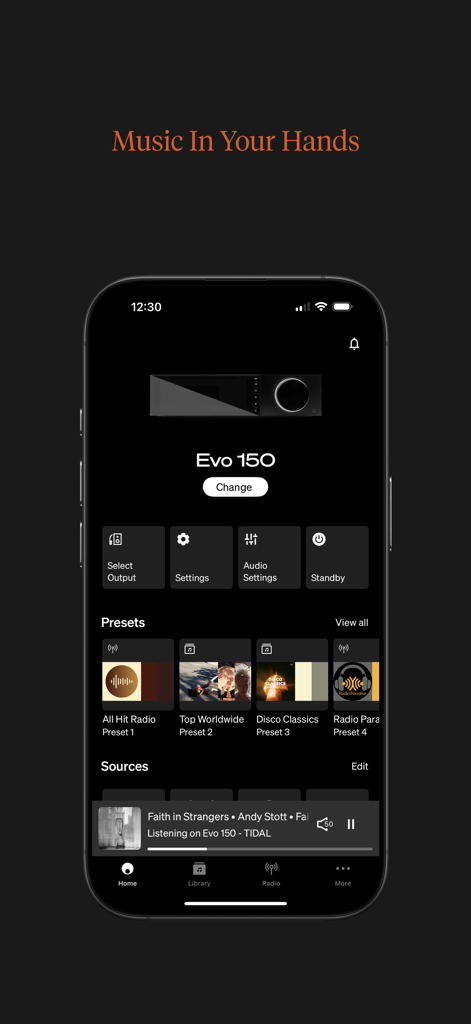
StreamMagic app home screen showing remote control interface for Evo 150 audio player
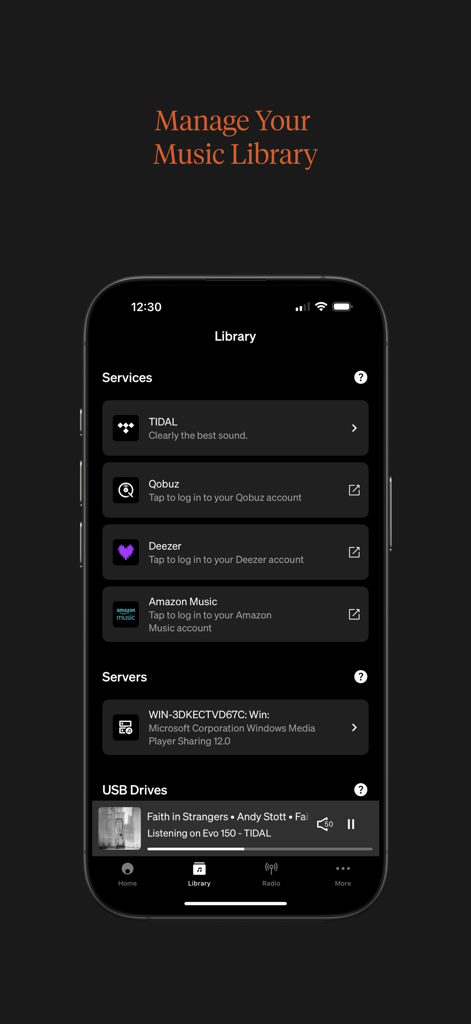
StreamMagic app library screen showing integrated streaming services and local network servers
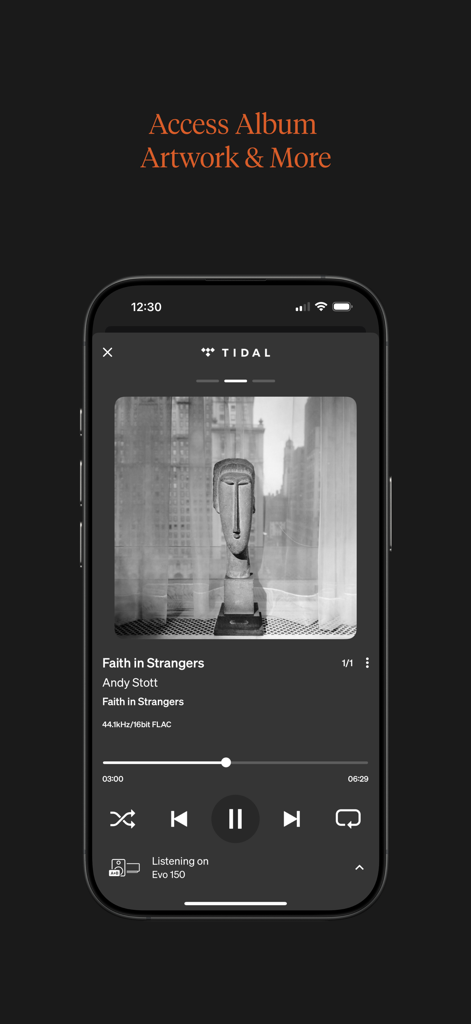
StreamMagic app showing high-resolution music playback from TIDAL with album artwork.
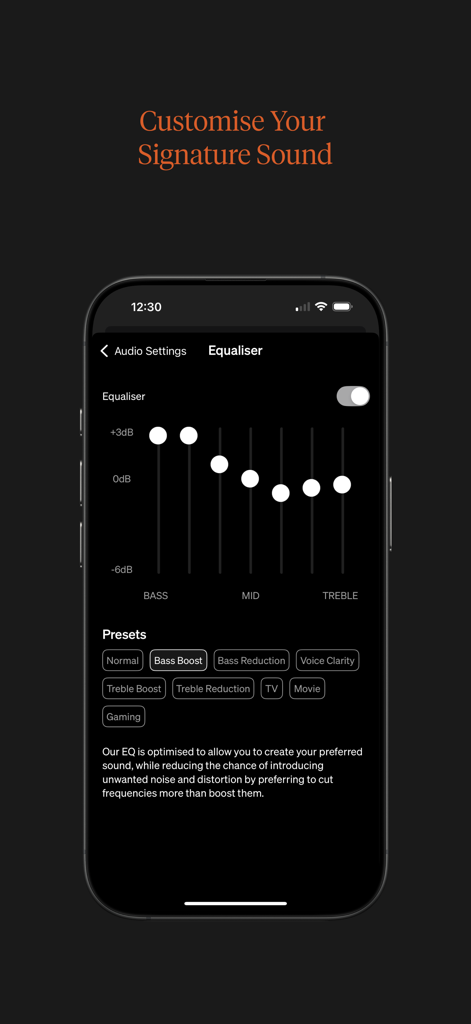
Equaliser interface in the StreamMagic app showing audio sliders and sound presets for Cambridge Audio devices.
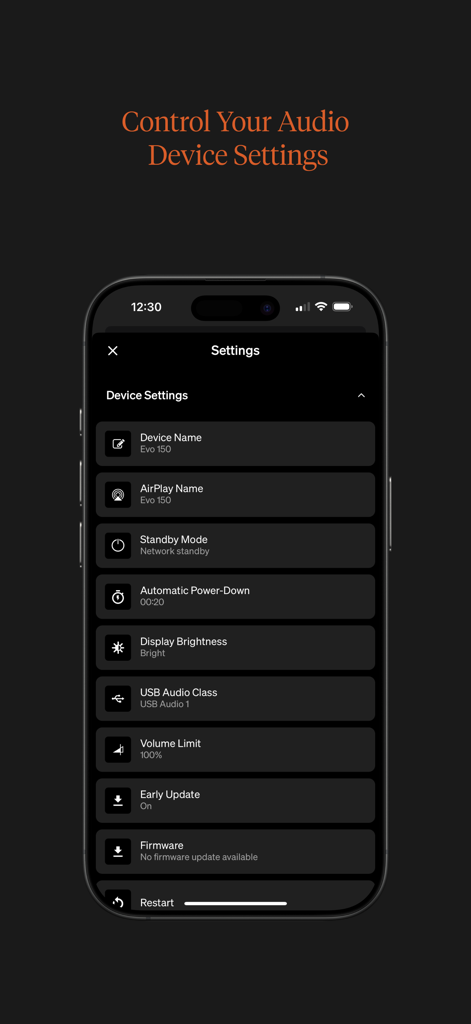
Mobile app interface displaying device settings for a Cambridge Audio Hi-Fi player including device name standby mode and display brightness options
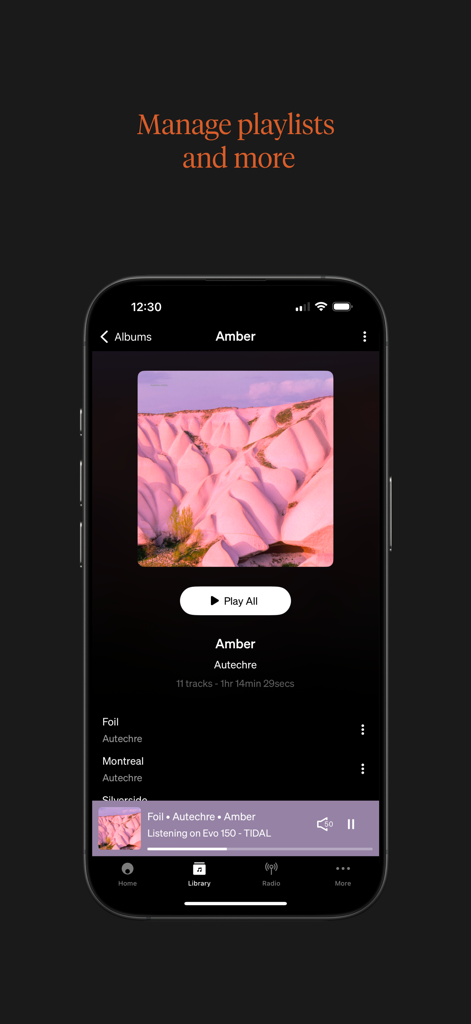
StreamMagic app interface on an iPhone displaying music library tracks and playback status for a high-end audio player

A musician playing a drum kit with the Cambridge brand name across the center
Description
Download
More Like This
Top-ranked apps in the same category

Spotify: Music and Podcasts
Spotify

YouTube Music
Google LLC

Shazam: Find Music & Concerts
Apple Inc.

SoundCloud: The Music You Love
SoundCloud Global Limited & Co KG

Suno - AI Songs & Music
Suno Inc.

QQ音乐 - 听我想听
Tencent Technology (Shenzhen) Company Limited

Audiomack - Play Music Offline
Audiomack, Inc.

GuitarTuna: Tune & Play Guitar
Yousician Ltd

BandLab – Music Maker & Beats
BandLab Singapore Pte Ltd
This page is not an official page of the app or its developer, but an independent editorial publication created for informational and commentary purposes. Unless expressly stated otherwise, neither the app nor its developer is affiliated with, endorsed by, sponsored by, authorized by, or otherwise officially connected with MWM, Apple, Google Play, the app publisher, or the app's developer, and nothing on this page implies that the app was developed using MWM's services. Any trademarks, logos, screenshots, and other content remain the property of their respective owners.