
This page is not an official page of the app or its developer, but an independent editorial publication created for informational and commentary purposes. Unless expressly stated otherwise, neither the app nor its developer is affiliated with, endorsed by, sponsored by, authorized by, or otherwise officially connected with MWM, Apple, Google Play, the app publisher, or the app's developer, and nothing on this page implies that the app was developed using MWM's services. Any trademarks, logos, screenshots, and other content remain the property of their respective owners.


STREMA - Used Vehicle Market
Skip the dealership fees and awkward phone calls. Discover local cars and motorcycles on an interactive map and chat directly with sellers to get the best deal.
Downloads
2K+User Rating
Total Ratings
0Publisher
Category
ShoppingLocales
3Latest Version
2.3.2Size
77.0 MBFirst Released
Nov 6, 2025A Smarter Way to Move
Skip the dealerships and high fees. Discover, chat, and deal directly with local owners on an interactive map designed for your convenience.
Visual Map Discovery
Stop scrolling through endless text lists. Browse an interactive map to see exactly what vehicles are parked in your neighborhood or campus area.
No Phone Calls Required
Negotiate and ask questions through secure in-app chat. Close the deal on your own schedule without the pressure of a phone call or a salesman.
Frequently Asked Questions
Everything you need to know about STREMA - Used Vehicle Market
What is STREMA - Used Vehicle Market?
STREMA is a new platform for buying and selling used vehicles. It connects buyers and sellers through location-based listings and an in-app chat feature.
How can I sell a vehicle using the STREMA app?
You sell on STREMA by registering vehicle details and photos, setting its sales location, and then responding to buyer inquiries via the in-app chat feature.
How do I buy a vehicle with the STREMA app?
To buy on STREMA, search for vehicles using the map feature. Visit the specified location to inspect the vehicle, then contact the seller through the in-app chat to complete the purchase.
Does STREMA charge fees or commissions for selling vehicles?
No, STREMA does not charge basic fees or commissions for buying or selling vehicles. This policy applies globally, with the exception of transactions within Japan.
Does STREMA offer an in-app chat feature for communication?
Yes, STREMA features an in-app chat. This allows buyers and sellers to communicate directly about listings without needing phone calls, ensuring convenient and flexible interaction.
Does the STREMA app display vehicle locations?
Yes, the STREMA app displays vehicle locations. Each listing includes specific location information, and you can search for vehicles directly on the in-app map.
The following screenshots and description are sourced directly from the app's official store listing and are the property of the app developer.
App Store
Screenshots
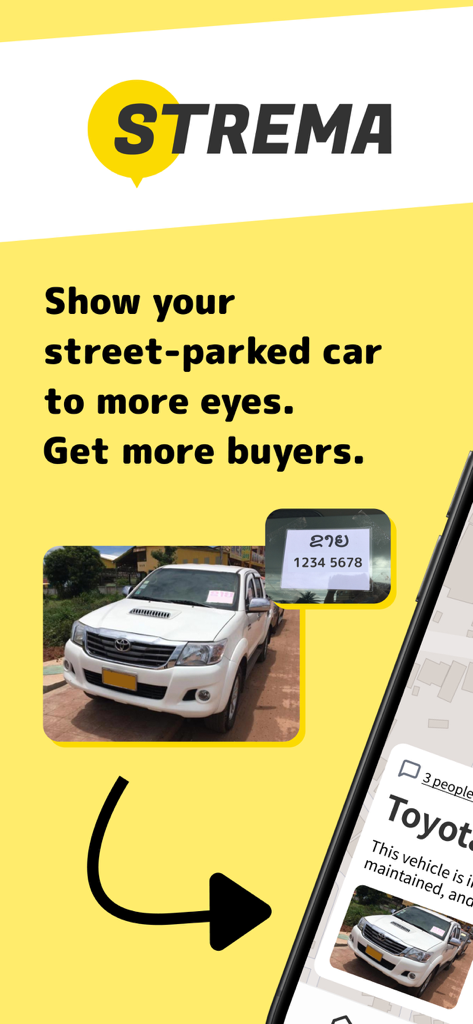
Promotional screen for the STREMA app showing how to list a street-parked vehicle for sale with a photo of a white Toyota pickup truck.
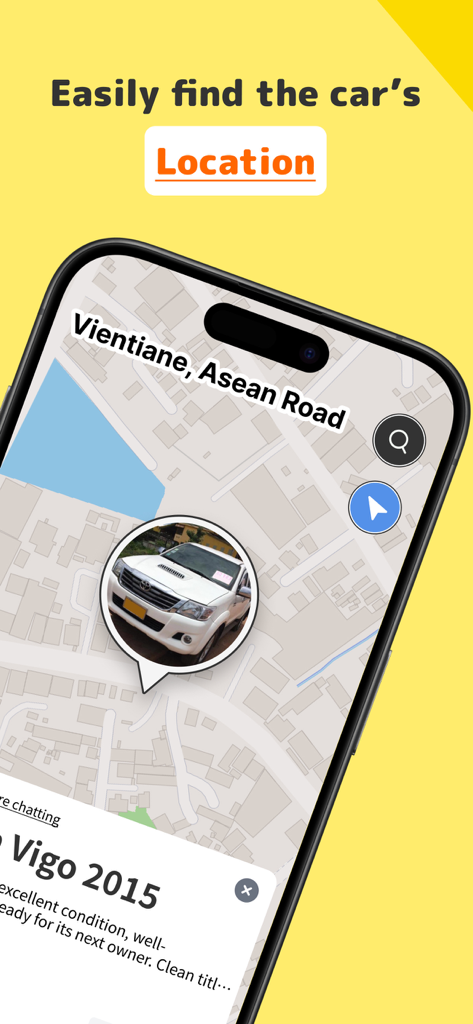
STREMA app map interface showing used car listing location
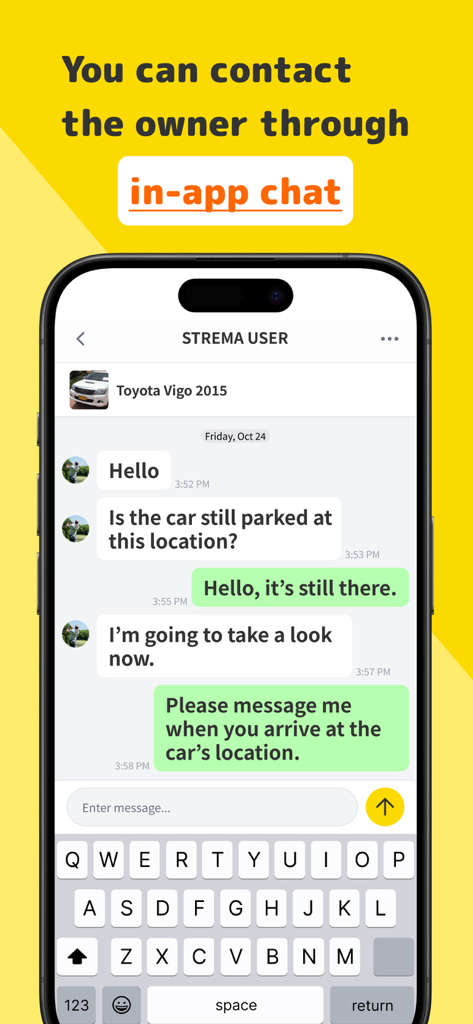
STREMA app in-app chat interface for vehicle sales
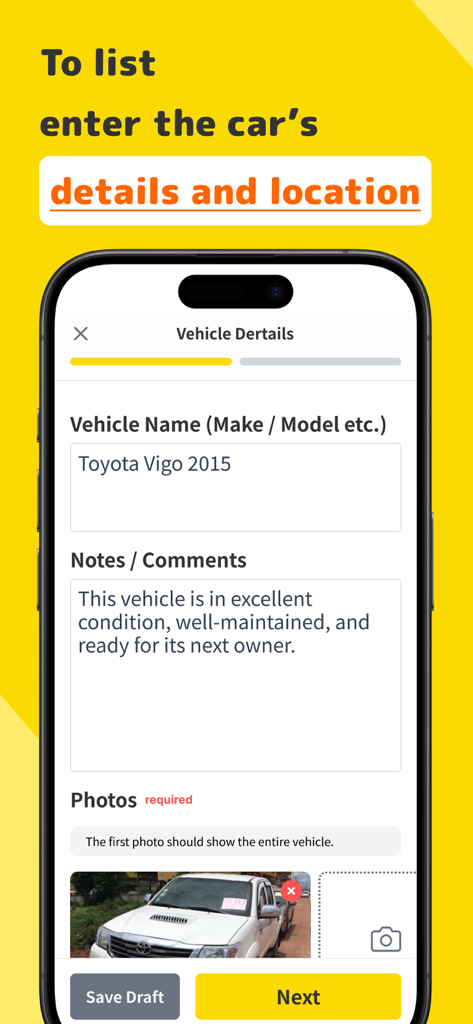
Mobile interface of STREMA app showing the vehicle details registration form for listing a car
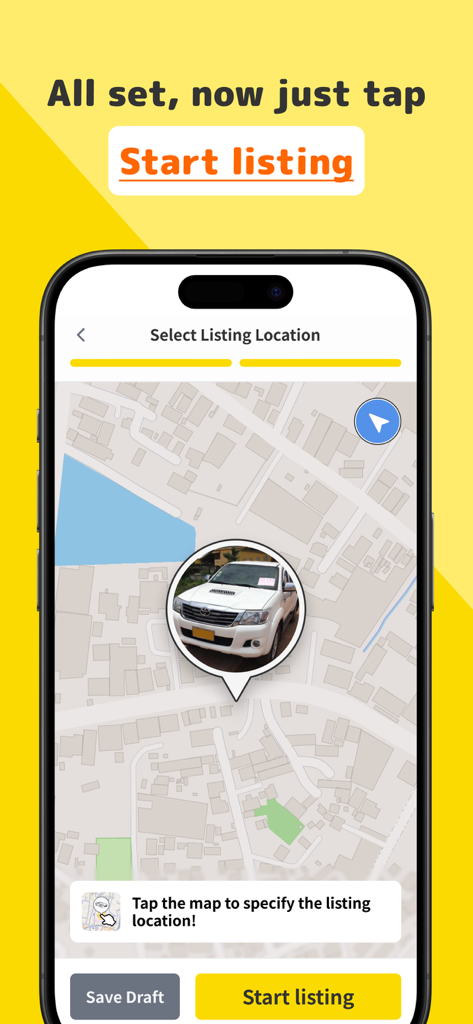
Map view in the STREMA app for selecting a vehicle listing location
Description
Download
More Like This
Top-ranked apps in the same category

Temu: Shop Like a Billionaire
Whaleco Inc.

SHEIN - Shopping Online
ROADGET BUSINESS PTE. LTD.

闲鱼 - 神奇的闲鱼!
Zhejiang Alibaba Xianyu Network Technology Co., Ltd.

京东-又好又便宜
Beijing Jingdong Century Trading Co., Ltd.

拼多多 - 多多买菜,百亿补贴
Shanghai Xunmeng Information Technology Co., Ltd.

Taobao - Online Shopping App
Zhejiang Taobao Network Co.,Ltd

Mercado Libre: Compras Online
MercadoLibre S.A.

Shop: All your favorite brands
Shopify Inc.

i茅台
Kweichow Moutai Co., Ltd.
This page is not an official page of the app or its developer, but an independent editorial publication created for informational and commentary purposes. Unless expressly stated otherwise, neither the app nor its developer is affiliated with, endorsed by, sponsored by, authorized by, or otherwise officially connected with MWM, Apple, Google Play, the app publisher, or the app's developer, and nothing on this page implies that the app was developed using MWM's services. Any trademarks, logos, screenshots, and other content remain the property of their respective owners.